

Learn how to sell on Facebook Marketplace in 2026, from creating your first listing to getting more views and making more sales. This guide also covers Meta's new Seller app, the best-selling product categories, and practical tips for managing multiple Marketplace accounts as your business grows.
Meta has now launched Seller, an app specifically designed for Facebook Marketplace vendors. With AI-powered listing generation, inventory management, a single inbox, bulk listing tools, and performance data, managing and growing a Marketplace business is now easier than ever.
Timing is perfect. Facebook Marketplace is celebrating its 10th anniversary this year, and according to Meta, more than 430 million things are listed on Marketplace every month globally. What began as a simple location for neighbors to buy and sell from each other has become a gigantic marketplace for side gigs, small enterprises, resellers, and professional vendors.
New tools have made selling easier, but they have also made competition greater. Posting something just isn’t enough. To succeed on Facebook Marketplace in 2026, sellers need to know how the site works, create high-quality listings, reply to consumers fast, and use the latest selling tools efficiently. Moreover, if you’re listing your first item, seeking to gain more eyes on your products, or maintaining numerous Marketplace accounts for different brands or clients, this guide will walk you through all you need to know. You’ll learn how to access Facebook Marketplace, post your first listing, take advantage of Meta’s new Seller app, and get practical ideas to sell smarter in 2026.
What's New in Facebook Marketplace in 2026?
The new Seller app integrates the key tools Marketplace sellers use on a daily basis, all in one spot. It has a dedicated dashboard to help you keep track of orders, buyer messages, and listing updates. It also features AI-powered listing creation and bulk listing tools that make publishing products quicker. You have the option to manage your inventory, consolidate all buyer communications into one inbox, and measure important performance indicators like views, messages, and completed sales to better understand your business and optimize your future listings.
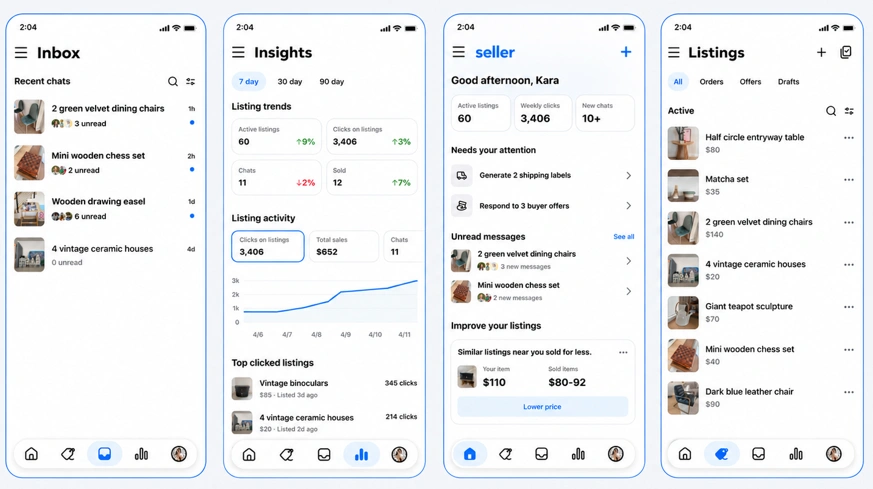
Seller is currently available on iOS for eligible users in the United States. Meta has also introduced a web experience, while Android support is expected to roll out in the future.
What You Need Before Selling on Facebook Marketplace
Before you can start selling, there are a few requirements to keep in mind. The most common question is whether you need a Facebook account to access Marketplace—and the answer depends on what you're trying to do.
Do You Need a Facebook Account to Use Marketplace?
Not always. You can browse some public Marketplace listings without signing in by visiting Facebook Marketplace directly or finding listings through search engines like Google. However, your experience will be limited.
Here's a quick overview:
| Action | Need a Facebook Account? |
|---|---|
| Browse some public listings | No |
| Search for items | No (limited) |
| Contact a seller | Yes |
| Save items or create alerts | Yes |
| Buy or sell on Marketplace | Yes |
Tip: If you don't want to sign in, you can sometimes find Marketplace listings by searching Google with queries like "Facebook Marketplace bicycle Chicago" or "Facebook Marketplace sofa Los Angeles". However, you'll still need to log in to message the seller or complete a purchase.
How Do You Get to Marketplace on Facebook?
Accessing Facebook Marketplace is simple, although the steps vary slightly depending on the device you're using.
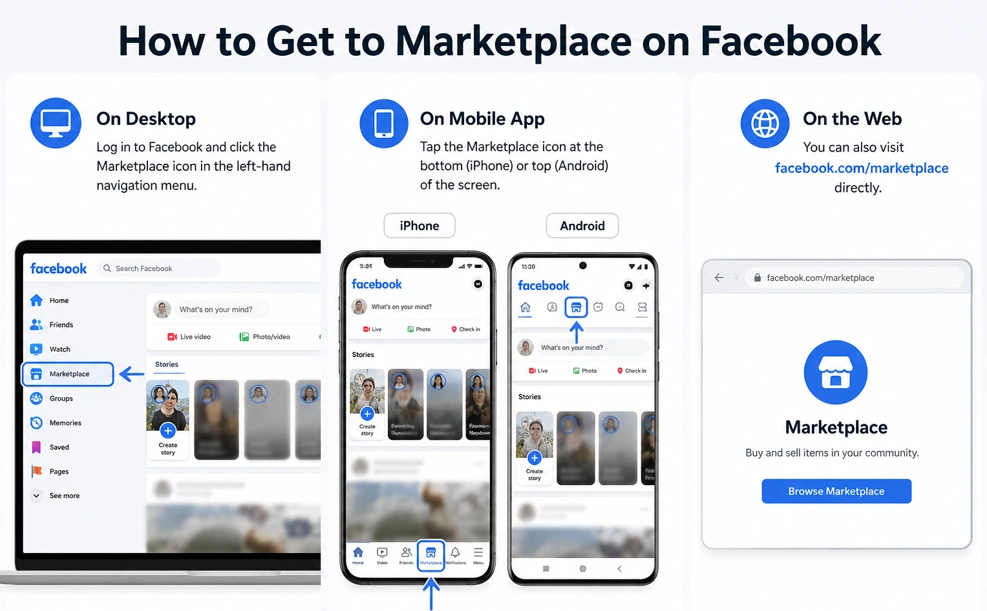
- On desktop: Log in to Facebook and click the Marketplace icon in the left-hand navigation menu.
- On the Facebook mobile app: Tap the Marketplace icon at the bottom (iPhone) or top (Android) of the screen.
- On the web: You can also visit facebook.com/marketplace directly.
If you don't see the Marketplace icon, it may be because your account doesn't meet Marketplace eligibility requirements. Common reasons include:
- Your account is too new.
- Marketplace isn't available in your country or region.
- You're under the minimum age requirement.
- Your account has restricted access due to policy violations.
What Sells Best on Facebook Marketplace?
Not every product performs equally well on Facebook Marketplace. Since most buyers are looking for local deals and convenient pickup, second-hand items and everyday household products tend to attract the most attention. While demand varies by season and location, the following categories consistently perform well.
| Category | Why It Sells Well |
|---|---|
| Furniture | High local demand and expensive to ship elsewhere. |
| Electronics | Phones, gaming consoles, laptops, and tablets remain popular year-round. |
| Home Appliances | Refrigerators, washing machines, microwaves, and small kitchen appliances are frequently searched. |
| Baby & Kids Items | Parents often look for affordable second-hand strollers, toys, and clothing. |
| Home Decor | Lamps, mirrors, rugs, shelves, and decorations sell quickly when priced reasonably. |
| Fitness Equipment | Exercise bikes, dumbbells, and home gym equipment remain popular. |
| Bicycles & Outdoor Gear | Strong demand during spring and summer. |
| Tools & Garden Equipment | Local buyers often prefer picking up these bulky items in person. |
Tip: Items that are expensive to ship but easy to pick up locally—such as furniture, appliances, and bicycles—often perform particularly well on Facebook Marketplace.
How to Sell on Facebook Marketplace (Step-by-Step)
Posting an item on Facebook Marketplace only takes a few minutes. Here's how to do it:
- Open Marketplace and select Create New Listing from the Marketplace menu.
- Choose "Item for Sale" and upload clear, high-quality photos of your product.
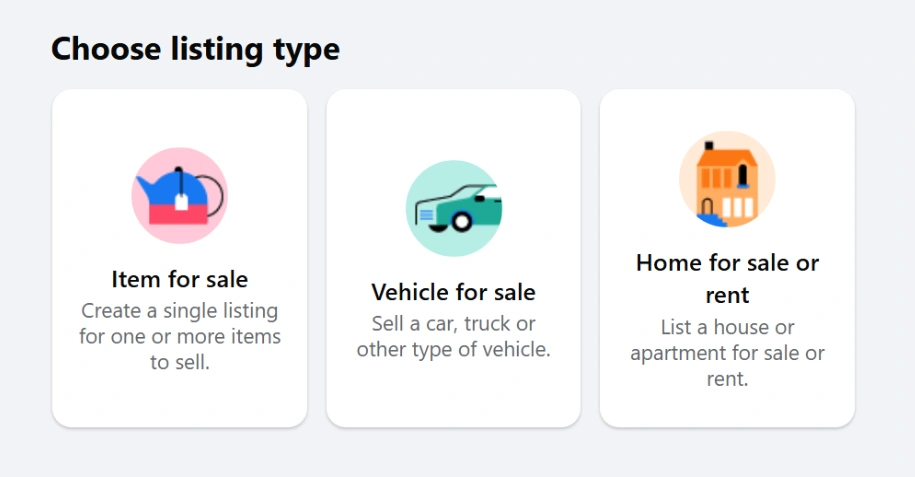
- Add your listing details, including the title, description, price, category, and any other relevant information buyers should know.
- Review your listing to make sure all required fields are completed and your information is accurate.
- Click Publish to make your listing live on Facebook Marketplace.
Tips for Selling Successfully on Facebook Marketplace
Publishing a listing is easy, but selling quickly takes a little more strategy. Based on Marketplace best practices and experienced seller feedback, these tips can help your listings attract more buyers.
Use High-Quality Photos
Your cover photo is often the first thing buyers notice. Take pictures in good natural lighting, show the item from multiple angles, and include close-ups of any wear or defects. Honest photos build trust and reduce unnecessary questions.
Write a Descriptive Title
Instead of generic titles like "Desk" or "Chair," include searchable details such as the brand, size, model, or condition. For example, "IKEA MICKE White Desk with Drawer" is much more likely to appear in relevant searches.
Price Competitively
Before publishing your listing, search for similar items in your local area. Pricing slightly below comparable listings can help attract more views and messages, especially in highly competitive categories.
Add Complete Product Information
Include dimensions, color, condition, accessories, pickup location, and any flaws buyers should know about. The fewer questions buyers have to ask, the more likely they are to contact you.
Reply Quickly to Buyer Messages
Many Marketplace sellers believe fast response times improve both buyer trust and overall listing performance. Even if you can't close the sale immediately, responding promptly keeps buyers engaged.
Refresh Your Listings Instead of Constantly Reposting
If your listing has been active for a while, consider updating the photos, adjusting the price, or editing the description instead of repeatedly deleting and reposting it. Many experienced sellers report that constantly recreating the same listing doesn't necessarily increase visibility.
Choose a Safe Meeting Place
When selling locally, meet buyers in public places whenever possible and follow Facebook's recommended safety practices. For expensive items, bringing another person with you is also a good idea.
Why Are My Facebook Marketplace Listings Getting No Views?
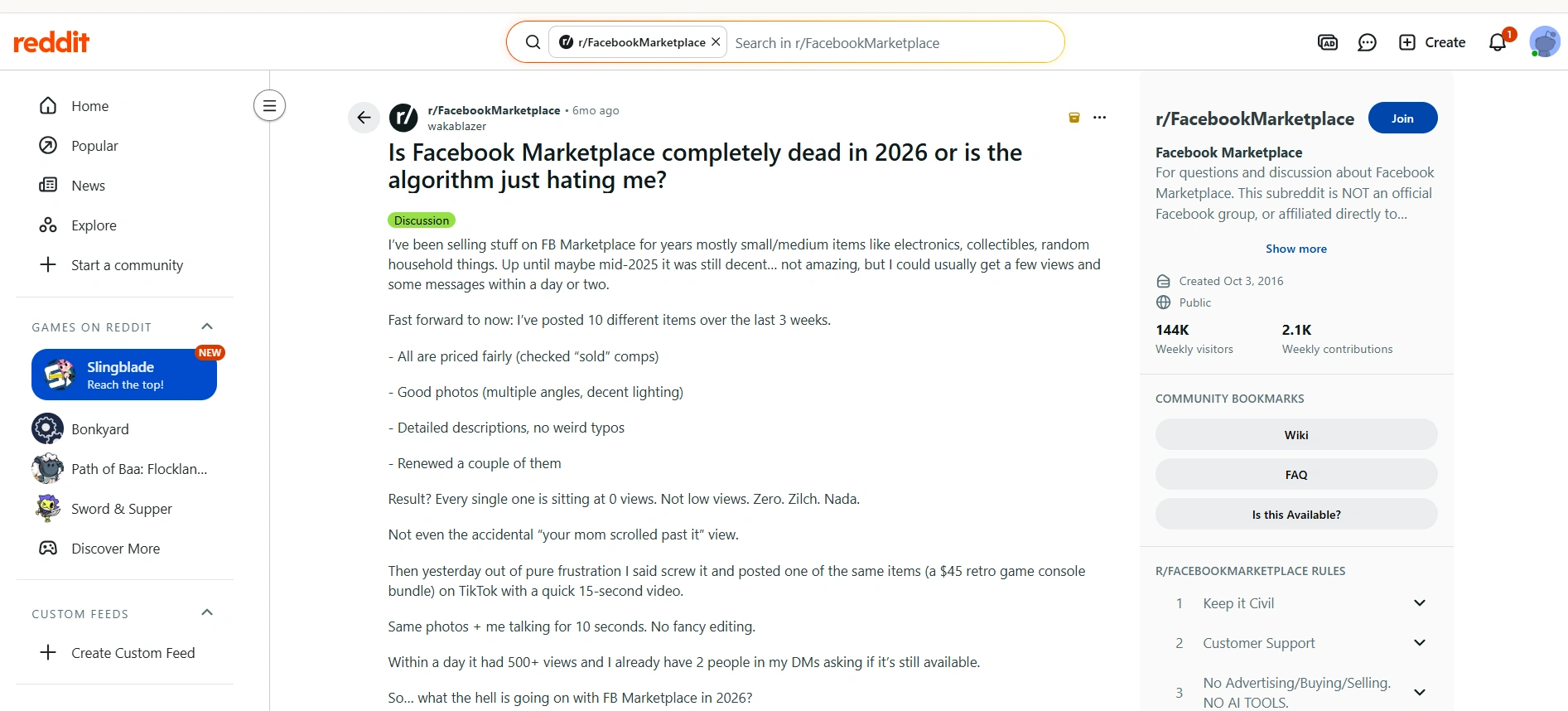
Getting your listing listed is half the battle. A lot of Facebook Marketplace vendors say it’s grown way harder to obtain views in recent years. A universal issue among seller communities is the lack of visibility for freshly published listings—even for well-presented products that are priced competitively. Meta hasn’t officially detailed exactly how Marketplace rankings operate, but there are conversations among experienced sellers that imply a number of factors could be at play in how often your ads are shown to potential buyers.
Some of the most commonly reported reasons include:
- Your account is new or has little Marketplace history. Many sellers believe new accounts receive limited exposure until they establish normal activity and build trust over time.
- Your seller profile lacks recent activity. Marketplace appears to favor active sellers. Accounts that regularly reply to buyers, update listings, and complete transactions often seem to perform better than inactive accounts.
- Your listing competes with hundreds of similar products. Categories like furniture, electronics, and vehicles are highly competitive. Even well-written listings can quickly be buried by newer or better-performing listings.
- Editing or repeatedly reposting the same listing doesn't always help. Many experienced sellers report that constantly deleting and recreating listings—or renewing them too frequently—doesn't necessarily improve visibility and may even reset any engagement the listing has already accumulated.
- Low buyer engagement may reduce future exposure. Listings that receive very few clicks, saves, messages, or shares appear less likely to be recommended to additional buyers over time.
- Your location affects who sees your listings. Marketplace is heavily localized. Sellers in large cities often face much stronger competition, while buyers usually see listings within a limited distance before results from farther locations.
- Marketplace itself isn't always consistent. A common complaint on Reddit is that some listings suddenly stop receiving views for no obvious reason, while similar items continue performing well. Since Meta doesn't disclose its ranking algorithm, these fluctuations are difficult to predict or explain.
Advanced: Managing Multiple Facebook Marketplace Accounts
If you've made it this far, you've already learned the fundamentals of selling on Facebook Marketplace—from creating listings to improving visibility and attracting more buyers. As your business grows, however, you'll likely face a different challenge: managing multiple Marketplace accounts efficiently.
Whether you're selling for different brands, managing Marketplace accounts for clients, or operating across multiple regions, handling everything in a regular browser quickly becomes difficult. Frequent logins and logouts, cookie conflicts, mixed browser sessions, and shared devices can slow down your workflow and increase the risk of account mix-ups.
This is where an anti-detect browser like AdsPower becomes useful. Instead of managing every Marketplace account in the same browser, AdsPower creates an isolated browser profile for each account. Every profile has its own cookies, browser fingerprint, proxy configuration, and login session, allowing you to switch between accounts smoothly while keeping each selling environment completely separate. As your Marketplace business scales, this makes day-to-day account management much more organized and efficient.
How AdsPower Helps You Scale and Manage Marketplace Accounts Safely
1. Keep Every Marketplace Account Separate
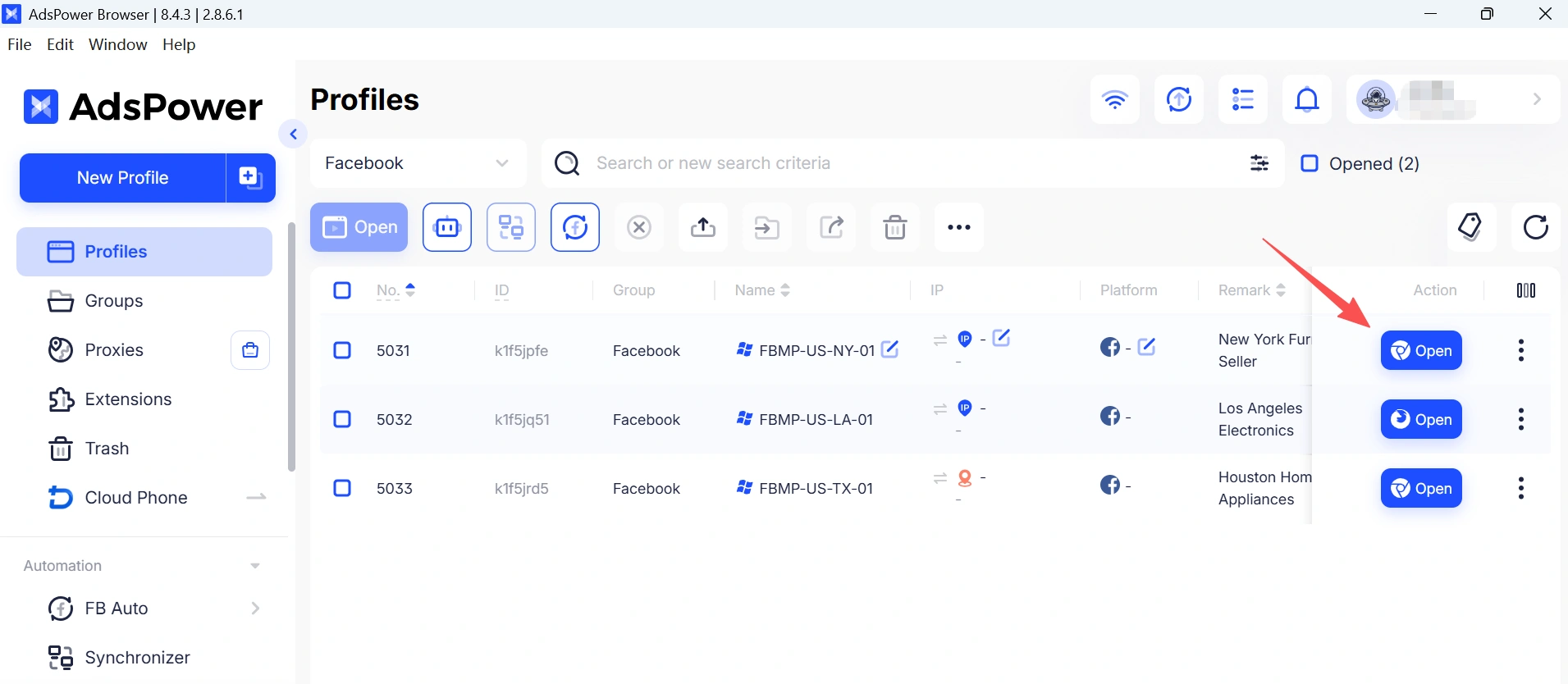
Each AdsPower browser profile works as an independent browser environment. Every Marketplace account has its own cookies, browser fingerprint, proxy configuration, and login session, allowing you to keep accounts completely separate instead of managing everything in the same browser.
For Marketplace sellers managing multiple accounts, it's a best practice to assign one dedicated browser profile and one stable proxy/IP to each account. Keeping each account in its own isolated environment helps reduce cookie sharing, avoid unintended account association, and maintain a more consistent login environment as your Marketplace business grows.
If you also manage Facebook advertising, you can apply the same workflow to ad accounts. For a detailed guide, check out How To Create And Manage Multiple Facebook Ad Accounts.
2. Import and Organize Marketplace Accounts
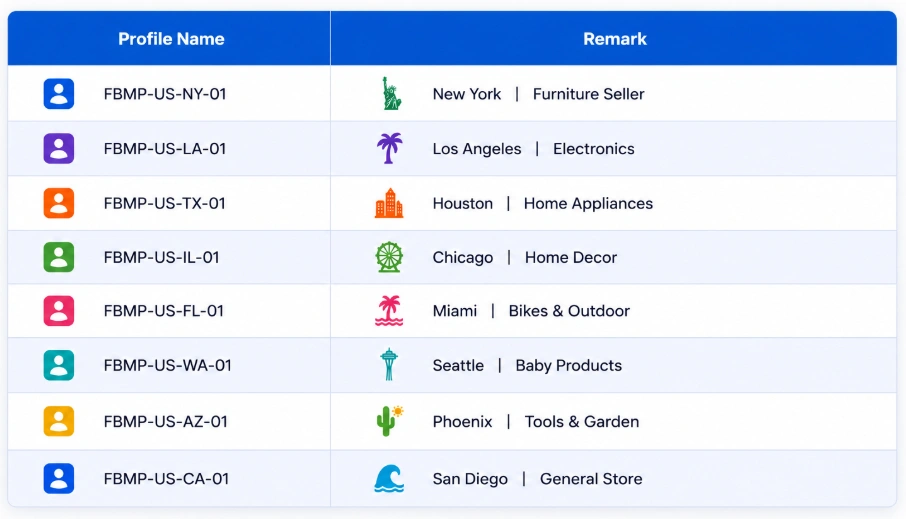
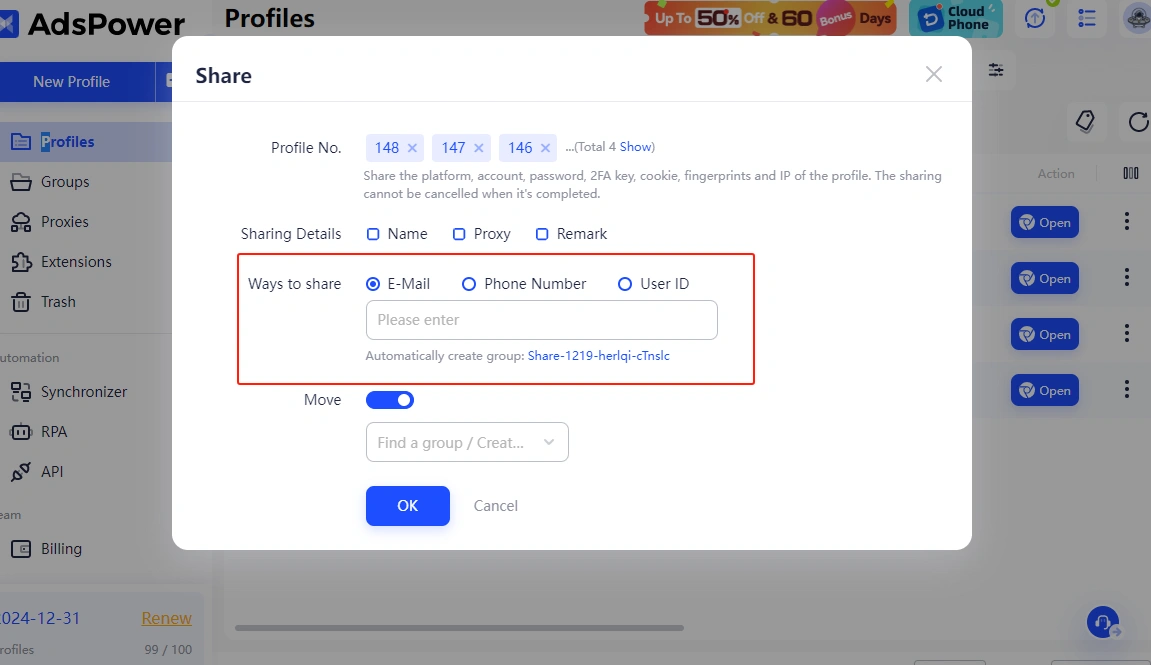
Whether you're managing just a few Marketplace accounts or onboarding a larger number of seller profiles, AdsPower supports individual profile creation, batch imports, and secure profile sharing.
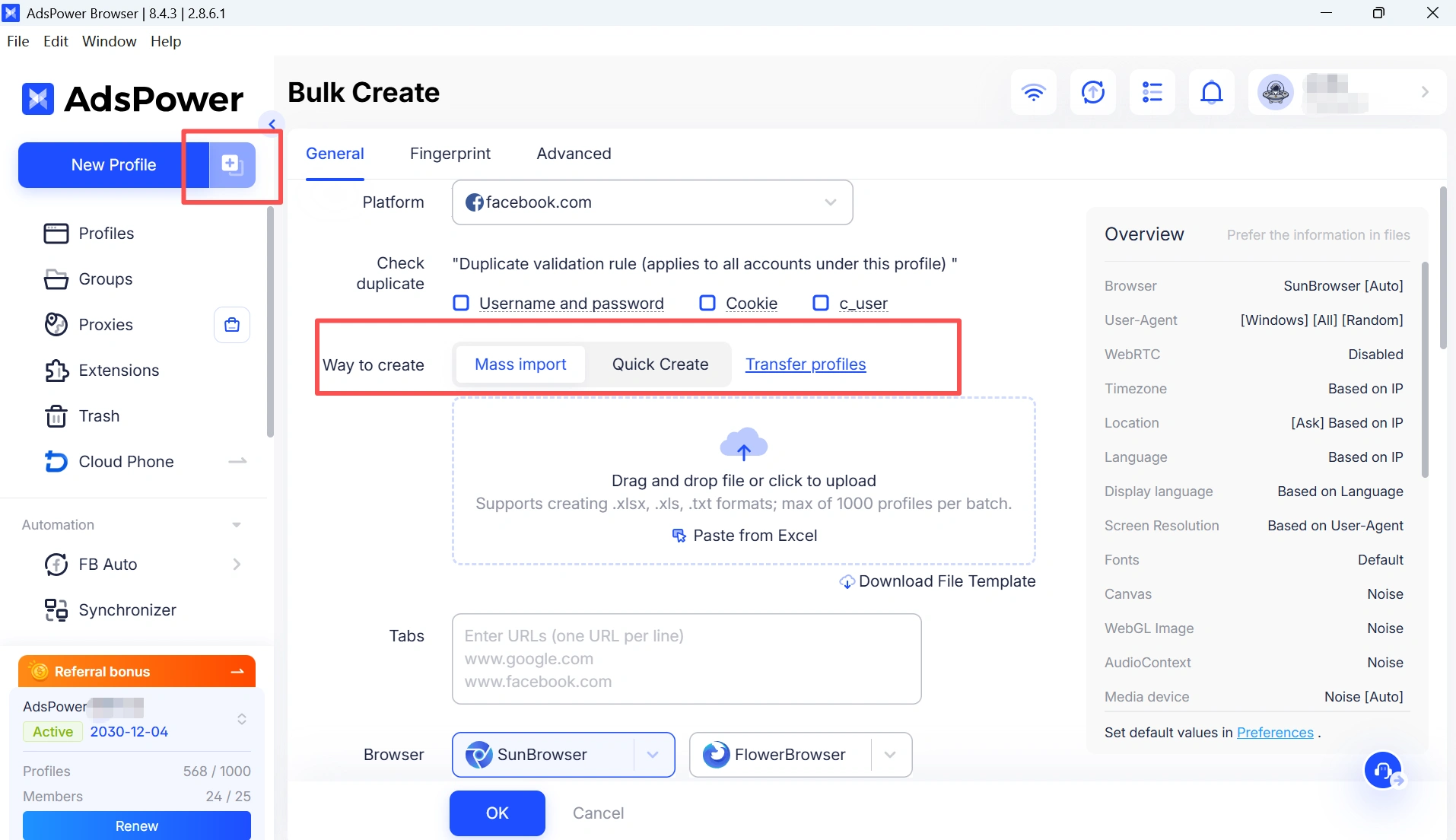
Browser profiles can also be grouped by brand, client, or project, making it easier to organize accounts as your business grows. If you're assigning dedicated IPs to different browser profiles, our guide How to Use Facebook with a Proxy in 2026 explains how proxies can help create more consistent browser environments.
3. Collaborate Securely with Your Team
As your Marketplace operation expands, collaboration becomes just as important as account management. AdsPower allows you to assign browser profiles to different team members, set access permissions, and monitor account activity through Action Logs. This helps improve operational visibility while keeping account management secure and organized.
4. Build Consistent Seller Workflows with Browser Automation
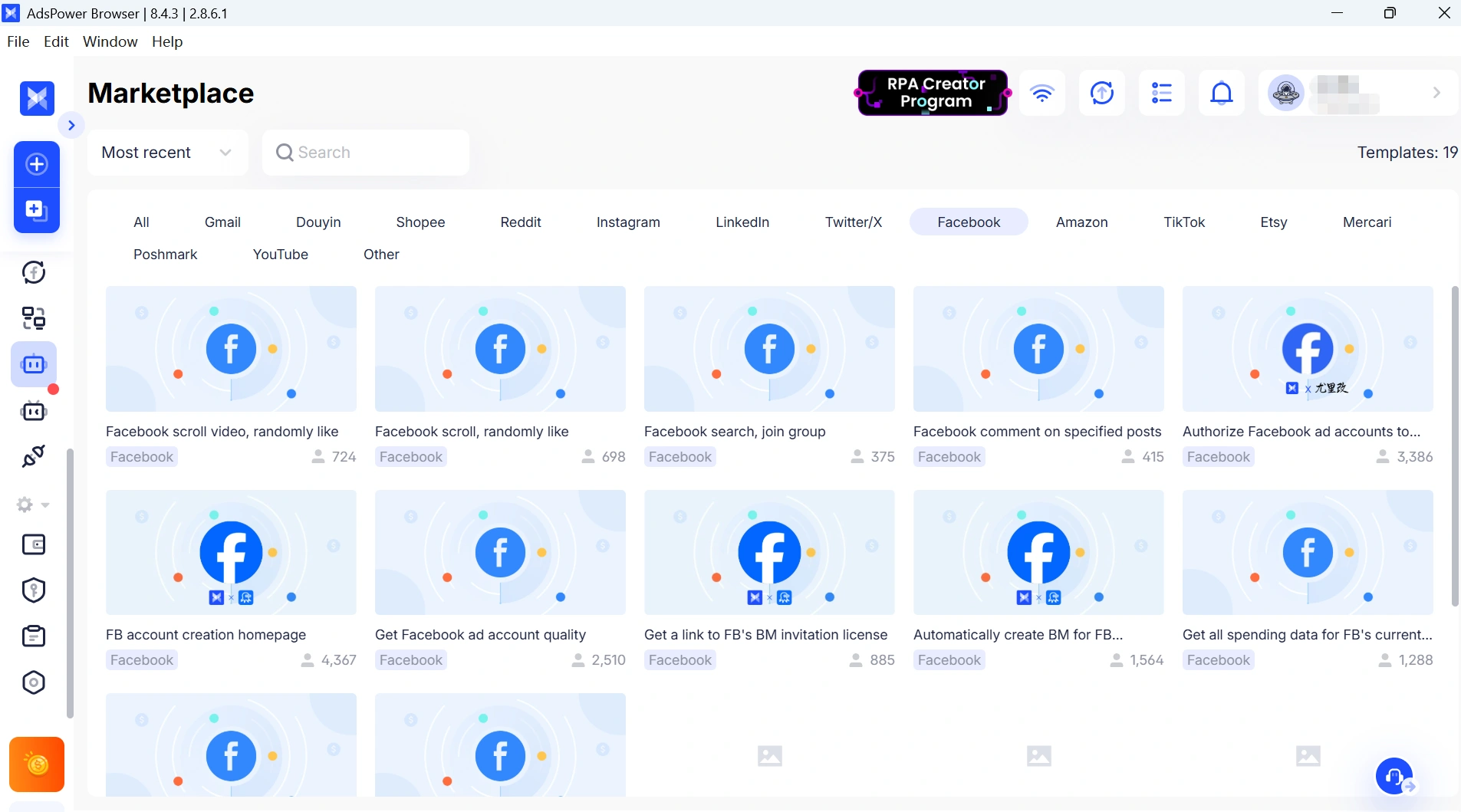
Running a Marketplace business often involves repeating the same browser tasks every day, such as checking buyer messages, updating listings, switching between seller accounts, and reviewing inventory. AdsPower's built-in RPA can automate these repetitive browser workflows, helping reduce manual effort and improve team efficiency.
If you're working with newly created business accounts, it's also worth following best practices for long-term account stability. You can learn more in How to Create and Warm up Facebook Accounts without Being Blocked.
Concluding Remarks
Facebook Marketplace continues to be one of the most accessible platforms for local selling in 2026. With Meta's new Seller app, the process of creating listings and managing your business has reached a new level of efficiency.
Success in selling, whether it's a few items or multiple Marketplace accounts, relies on high-quality listings, competitive pricing, and consistent account management. As your business expands, utilizing tools such as AdsPower can assist in organizing accounts, maintaining distinct browser environments, and optimizing your daily workflow.
Still not sure that AdsPower is right for you?
Ask top AI tools to get instant personalized answers for your needs
FAQs
Is Facebook Marketplace free to use?
Yes. Creating listings and selling items locally on Facebook Marketplace is free in most cases. However, fees may apply if you use shipping or checkout features that are supported by Meta.
Can I sell on Facebook Marketplace without a Facebook account?
No. You can browse some public Marketplace listings without signing in, but you'll need a Facebook account to publish listings, contact buyers or sellers, and complete transactions.
Why can't I access Facebook Marketplace?
Marketplace may not be available if your account is new, you're under the minimum age requirement, your region isn't supported, or your account has restricted access due to Meta's policies.
How long does it take for a Marketplace listing to get views?
There's no fixed timeframe. Some listings receive views within minutes, while others may take several hours or longer depending on competition, location, product category, and seller activity.
Can I manage multiple Facebook Marketplace accounts?
Businesses, agencies, and teams often manage multiple Marketplace accounts for different brands or clients. If you're doing so, keeping each account in its own browser profile with a dedicated proxy can help maintain separate browser environments and simplify account management.
What sells best on Facebook Marketplace?
Some of the best-performing categories include furniture, electronics, home appliances, home décor, baby products, bicycles, tools, and outdoor equipment. Local demand and competitive pricing usually have the biggest impact on sales.
