

Running multiple Steam, Epic, or Roblox accounts and worried about bans? Learn how to stay safe with proper identity separation—try AdsPower for secure multi-account gaming.
Managing multiple gaming accounts has become normal for modern players, marketplace traders, developers, and gaming studios. Whether you want to use multiple Steam accounts for trading or pricing, or you're wondering “can I have multiple Epic Games accounts?”, or you're running several Roblox developer profiles, the challenge is always the same: how do you use many accounts without getting them linked or banned?
Gaming platforms today don’t rely on basic checks. They analyze IP patterns, browser fingerprints, cookies, device behavior, automation footprints, and login history. If these signals overlap—even slightly—your accounts can be flagged instantly. That’s why traditional tactics such as VPNs, Incognito windows, and switching browsers rarely work.
This guide explains how platforms identify linked accounts, why bans happen, and how tools like AdsPower function as a reliable gaming account manager to help you run multiple Steam, Epic Games, and Roblox accounts safely.
Why Multi-Account Gaming Requires Advanced Identity Control
At the surface, it seems simple: open a new browser, use a different VPN, or reset cookies. But gaming platforms use advanced detection systems far beyond IP addresses. Understanding these signals is essential if you want to know how to have multiple accounts on Epic Games, Steam, or Roblox without raising flags.
1. IP Overlaps Are the Fastest Way to Get Banned
Using one home IP for multiple gaming accounts almost always creates a link. Even logging in over the same Wi-Fi on different devices may be enough to trigger reviews.
2. Browser Fingerprinting Links Accounts Instantly
Platforms read technical details such as:
- Canvas/WebGL data
- GPU & CPU info
- Screen resolution
- Fonts
- Audio context
- OS version
If two accounts share identical fingerprints, the system assumes they belong to one user.
This is why can you have multiple game accounts is not just a simple yes—you must separate device identities.
3. Clearing Cookies Looks Suspicious
Real players don’t erase all their cookies every time they log in.
Accounts that appear “brand new” repeatedly are often flagged.
4. Automation Patterns Stand Out
Robotic timing, identical sequences, and repeated actions make platforms treat you like a bot.
5. Device Inconsistency Raises Red Flags
Logging in from a desktop today and a “totally new device” tomorrow looks abnormal unless the system sees a proper history.
Because of these factors, multi-account gaming requires proper identity isolation—not guesswork.
How AdsPower Solves Multi-Account Risks
AdsPower is designed to help users safely manage multiple gaming accounts. It creates independent browser profiles that look like separate real devices—perfect for Steam, Epic Games, and Roblox.
Here’s how it eliminates the common signals that cause bans.
Isolated Fingerprints for Every Profile
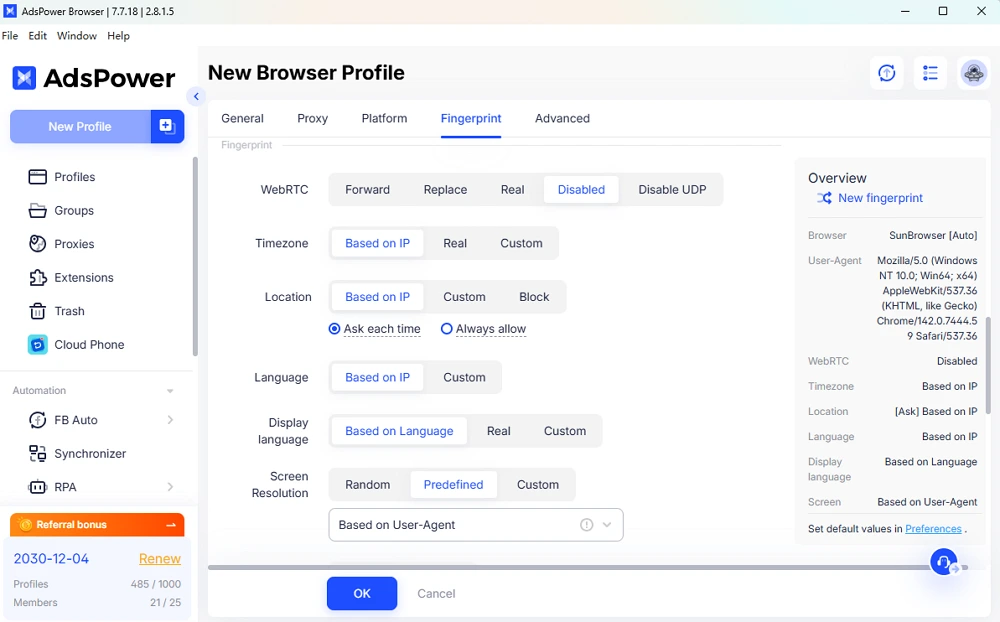
Each AdsPower profile uses a unique, realistic browser fingerprint.
This means Steam won’t see the same device running multiple accounts, and Roblox can’t connect developer or trading profiles together.
Stable Residential or Mobile Proxy Support
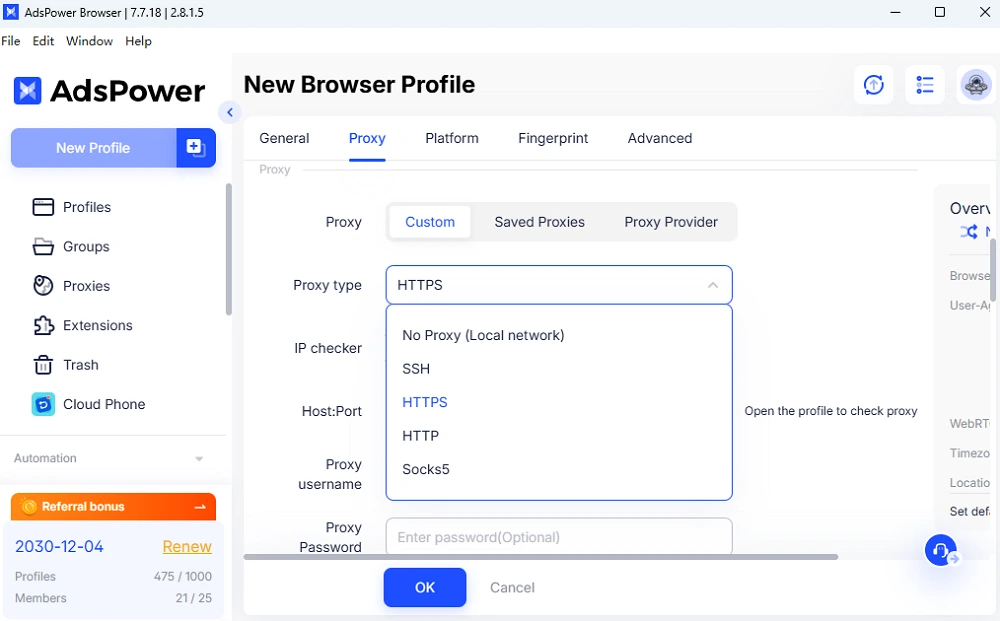
Most VPNs or cheap datacenter proxies are blacklisted.
With AdsPower, each profile should be set up with a stable residential/mobile proxy that matches the account’s region—ideal for players asking “can I have multiple Epic Games accounts safely?”
Persistent Cookies and History
AdsPower stores each profile’s cookies, cache, and history.
When you reopen a gaming account, it behaves like a normal returning user instead of a fresh device.
Human-like Automation for Repetitive Tasks
Whether you’re claiming weekly Epic Games rewards or managing Steam inventories, AdsPower can vary timings and actions with realistic patterns.
Desktop and Mobile Emulation
Some accounts, especially Roblox, behave differently on mobile.
AdsPower can emulate Windows, macOS, Android, or iOS-like fingerprints to keep device behavior consistent.
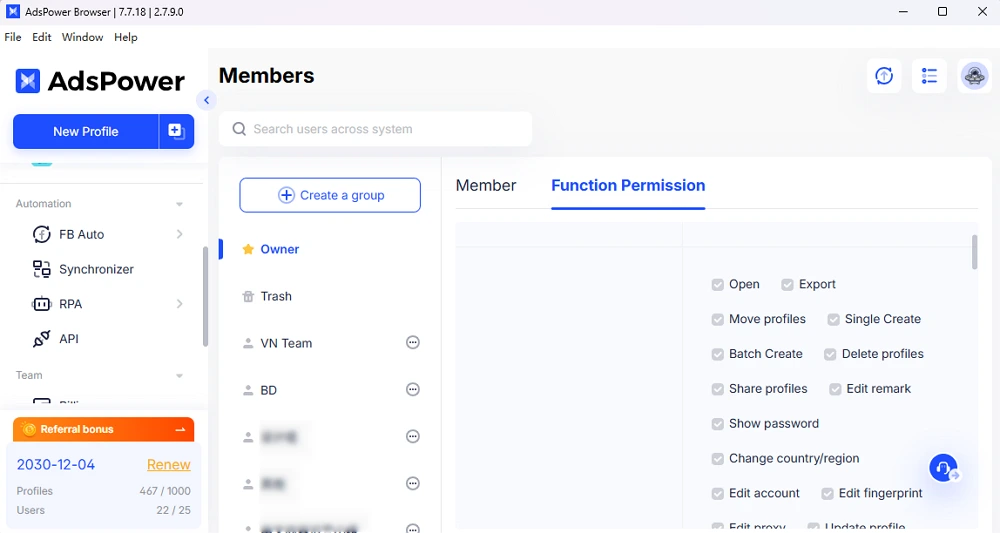
Team Access, Tags, Notes, and Permissions
For studios and creators, multiple people may need to manage accounts.
AdsPower lets teams share profiles safely without password sharing or device overlap.
How Steam, Epic Games, and Roblox Detect Multi-Account Abuse
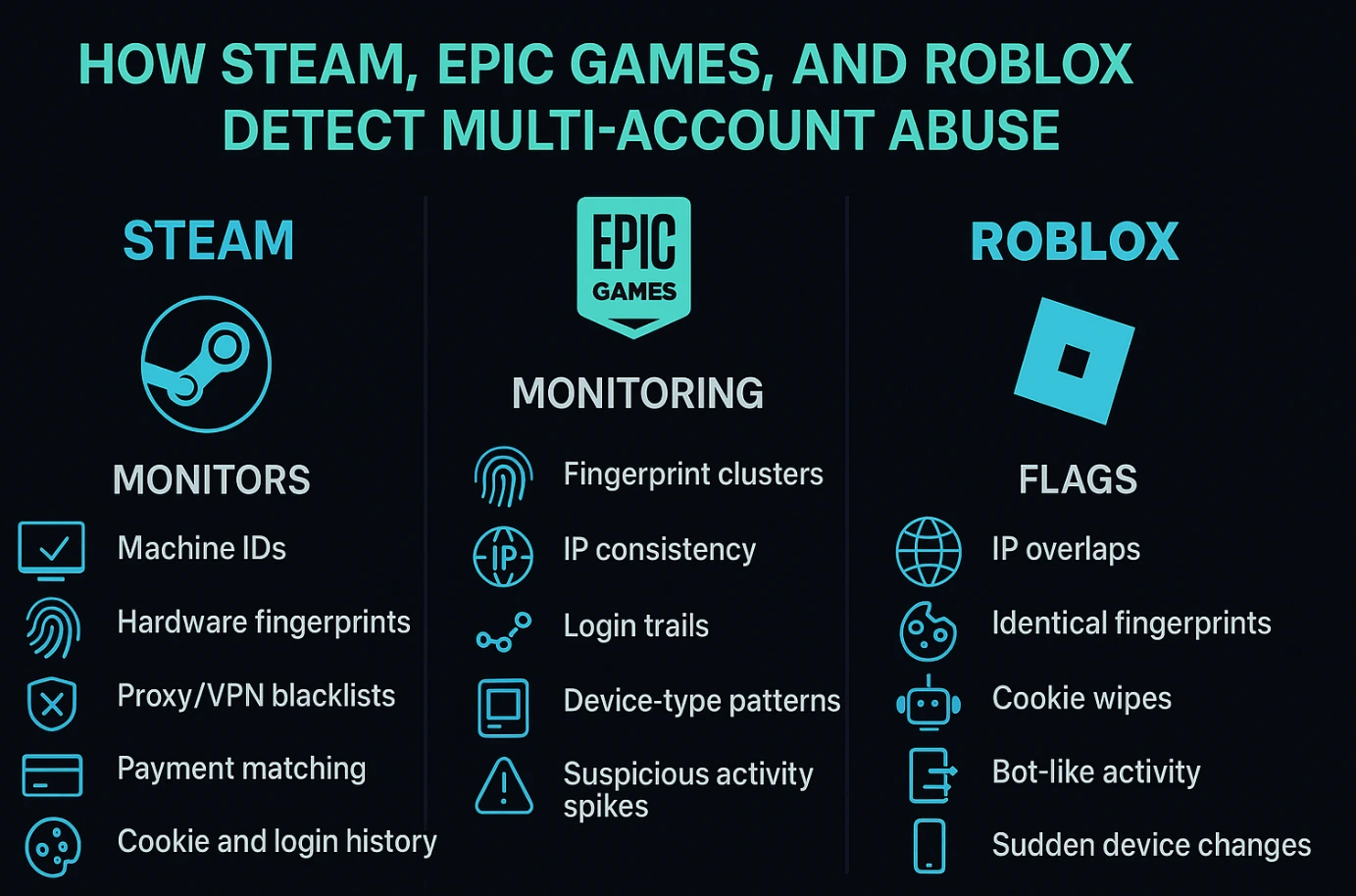
Each platform uses different mechanisms:
Steam
Monitors:
- Machine IDs
- Hardware fingerprints
- Proxy/VPN blacklists
- Payment matching
- Cookie and login history
Steam is extremely sensitive to shared devices, making isolation essential.
Epic Games
People often ask how to have multiple accounts on Epic Games. The answer: only with proper identity isolation.
Epic monitors:
- Fingerprint clusters
- IP consistency
- Login trails
- Device-type patterns
- Suspicious activity spikes
Roblox
Known for aggressive bans on:
- Developer testing accounts
- Item traders
- Group managers
- Multi-project setups
Roblox flags:
- IP overlaps
- Identical fingerprints
- Cookie wipes
- Bot-like activity
- Sudden device changes
AdsPower’s isolated environments remove these risks entirely.
How to Build a Safe Multi-Account Gaming Workflow
Below is a clean, practical setup you can follow.
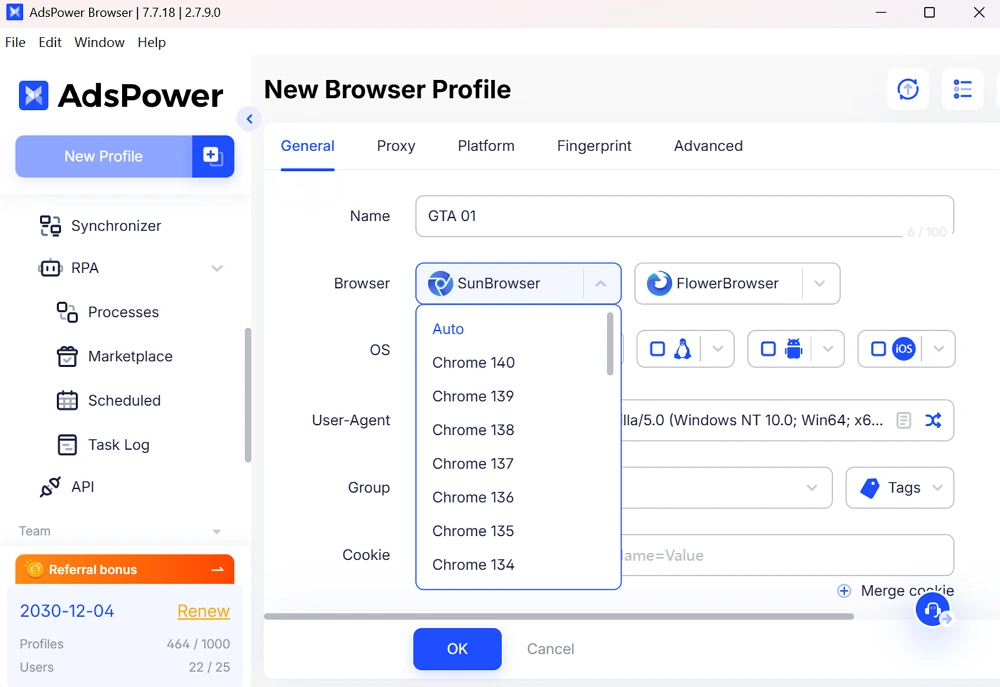
1. Create One AdsPower Profile Per Account
Each profile = a unique device.
Choose fingerprint type and attach a proxy.
2. Use a High-Quality Proxy
Match the region of your game account.
Avoid datacenter IPs.
3. Warm Up Accounts Before Logging In
Browse a few sites first.
Watch a YouTube video.
Behave like a normal user.
4. Keep Device Consistency
Don’t switch proxies or OS types randomly.
Always log in from the same AdsPower profile.
5. Vary Your Behavior
Never repeat identical sequences across accounts.
Add small timing differences.
6. Use Tags & Notes for Management
Organize profiles by game, purpose, region, or team member.
Real Use Cases Across Gaming Ecosystems
Steam Market Trading
Steam’s marketplace is extremely active, especially for CS2 skins, trading cards, and item arbitrage. Many traders rely on multiple accounts for price comparisons, scanning market gaps, inventory diversification, and reducing the risk of losses during volatile price swings. Using isolated profiles ensures Steam doesn’t link these accounts through shared fingerprints or IPs, allowing traders to operate safely and efficiently.
Epic Games Asset Testing
Developers frequently ask, “can you have multiple game accounts for Epic Games testing?” The answer is yes—as long as each account appears to run on a unique device. Studios often maintain separate accounts for asset reviews, build testing, region-based pricing checks, and project collaboration. AdsPower keeps these identities fully separated so developers can test content freely across multiple environments without the risk of linked-account bans.
Roblox Developer & Trader Accounts
Roblox has one of the strictest systems for detecting multi-account behavior, especially in trading, building, and group management. Game studios often require several accounts for QA testing, map building, experience moderation, and item trading workflows. With isolated fingerprints, consistent device behavior, and stable proxies, AdsPower allows each Roblox account to operate independently with zero cross-account contamination.
Gaming Studios and QA Teams
Large studios and indie teams alike rely on multiple accounts for internal testing, cross-region access, community moderation, and version-control workflows. Switching between these accounts on one device is usually unsafe, but with AdsPower’s fully separated profiles, teams can distribute tasks across accounts without causing overlaps that trigger platform detection systems.
Influencers and Content Creators
Creators often juggle multiple gaming identities—public fan accounts, creators-only servers, behind-the-scenes testing profiles, and backup accounts for recording. Using isolated browsing environments ensures these accounts can exist independently, preventing accidental bans and preserving long-term access to game libraries, communities, and monetized features.
FAQ
Can I safely use multiple Steam, Epic, or Roblox accounts on one device?
Yes. You can use multiple accounts as long as each one appears to come from a different device environment. Tools like AdsPower isolate fingerprints, proxies, and cookies so platforms cannot link or flag your accounts.
Why do gaming accounts get banned when I switch between them?
Because platforms track IPs, fingerprints, and login patterns. If two accounts look like they come from the same device or network, they may be auto-flagged. Proper identity separation is required to avoid accidental links.
Can AdsPower help with running multiple Epic Games, Steam, or Roblox accounts?
Yes. AdsPower creates fully independent browser profiles with stable IPs, unique fingerprints, and preserved cookies, making each gaming account behave like it belongs to a different real user. This minimizes ban risks and ensures smooth multi-account management.
