

Check the practical tips for managing multiple Yahoo email accounts efficiently, including setup tips and organization strategies. Start building and organizing your Yahoo accounts smarter today.
Yahoo Mail continues to be a reliable email service for personal use, business communication, and online registrations. Many users discover that a single email address is not enough to manage different areas of life. Separating work messages from shopping subscriptions or social media notifications can make inbox management much easier and more organized.
If you are considering creating more than one Yahoo account, this guide explains whether it is allowed, how to create multiple accounts properly, and how to manage them efficiently without confusion.
Can I Have Multiple Yahoo Email Accounts?
Yes, you can create and use multiple Yahoo email accounts. Yahoo does not limit users to a single account, and many people maintain separate inboxes for different purposes such as work, online shopping, or personal communication. Each account must have a unique email address and complete the required verification process.
While having multiple accounts is allowed, it's important to follow Yahoo's terms of service and avoid behavior that could trigger security restrictions.
How Many Yahoo Accounts Can One Person Have?
Yahoo does not publicly state an exact maximum number of accounts per individual. In practice, you can create several accounts as long as:
● Each account uses a unique email address
● Verification requirements (such as phone confirmation) are completed
● Accounts are not created in large batches within a short period
● Activity does not resemble spam or automated behavior
If too many accounts are created quickly from the same IP address, Yahoo may temporarily block further registrations.
Are There Any Restrictions or Limits?
Although multiple accounts are permitted, some limitations may apply:
● Phone number verification may be limited per number
● Suspicious login behavior can trigger security checks
● Repeated failed login attempts may lead to temporary lockouts
● Accounts used for spam or policy violations may be suspended
To avoid issues, create accounts gradually, use accurate information, and set up recovery options immediately after registration.
Why Do People Create Multiple Yahoo Email Accounts?
There are several common reasons why users decide to create more than one Yahoo email account. Dividing communication across different inboxes can make daily online activities more organized and easier to control.
1. Work and Personal Separation
Keeping professional emails separate from personal conversations helps maintain focus and professionalism. A dedicated work account ensures that client messages, project updates, and official communication are not mixed with family chats or entertainment subscriptions.
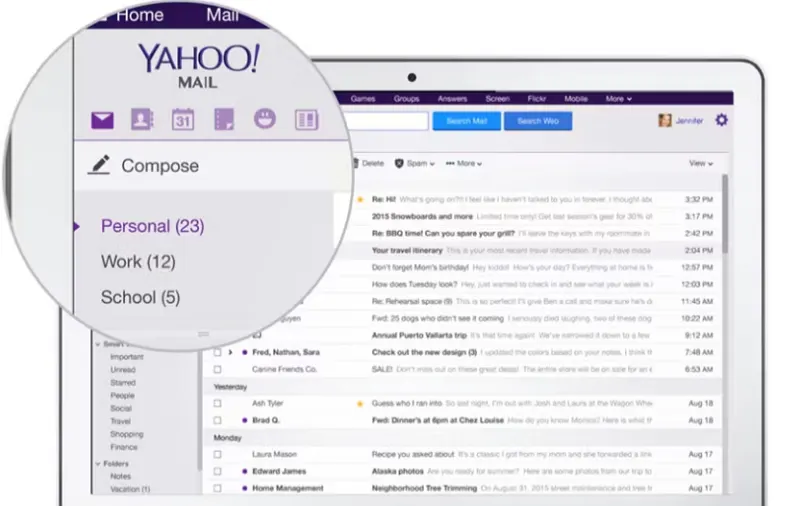
Image source: https://www.getapp.co.uk/software/2061094/yahoo-mail
2. Online Shopping and Promotions
Many people use a secondary email address when signing up for online stores, discount offers, and newsletters. This keeps promotional emails, order confirmations, and marketing messages away from their main inbox, reducing clutter and making important emails easier to spot.
3. Social Media and Forums
Social platforms, discussion forums, and online communities often require registration with an email address. Using a separate account for these services limits exposure of a primary email and helps manage notifications more effectively.
4. Business or Freelance Projects
Freelancers, small business owners, and agencies may create different Yahoo accounts for different clients or brands. This helps keep communications clearly organized and avoids confusion between projects.
5. Privacy and Security
Using multiple email addresses can improve privacy. If one account is compromised or involved in a data breach, the others remain unaffected. This layered approach reduces overall risk and protects more sensitive communication.
How to Create Multiple Email Accounts in Yahoo?
Creating additional Yahoo accounts is straightforward. Follow these steps:
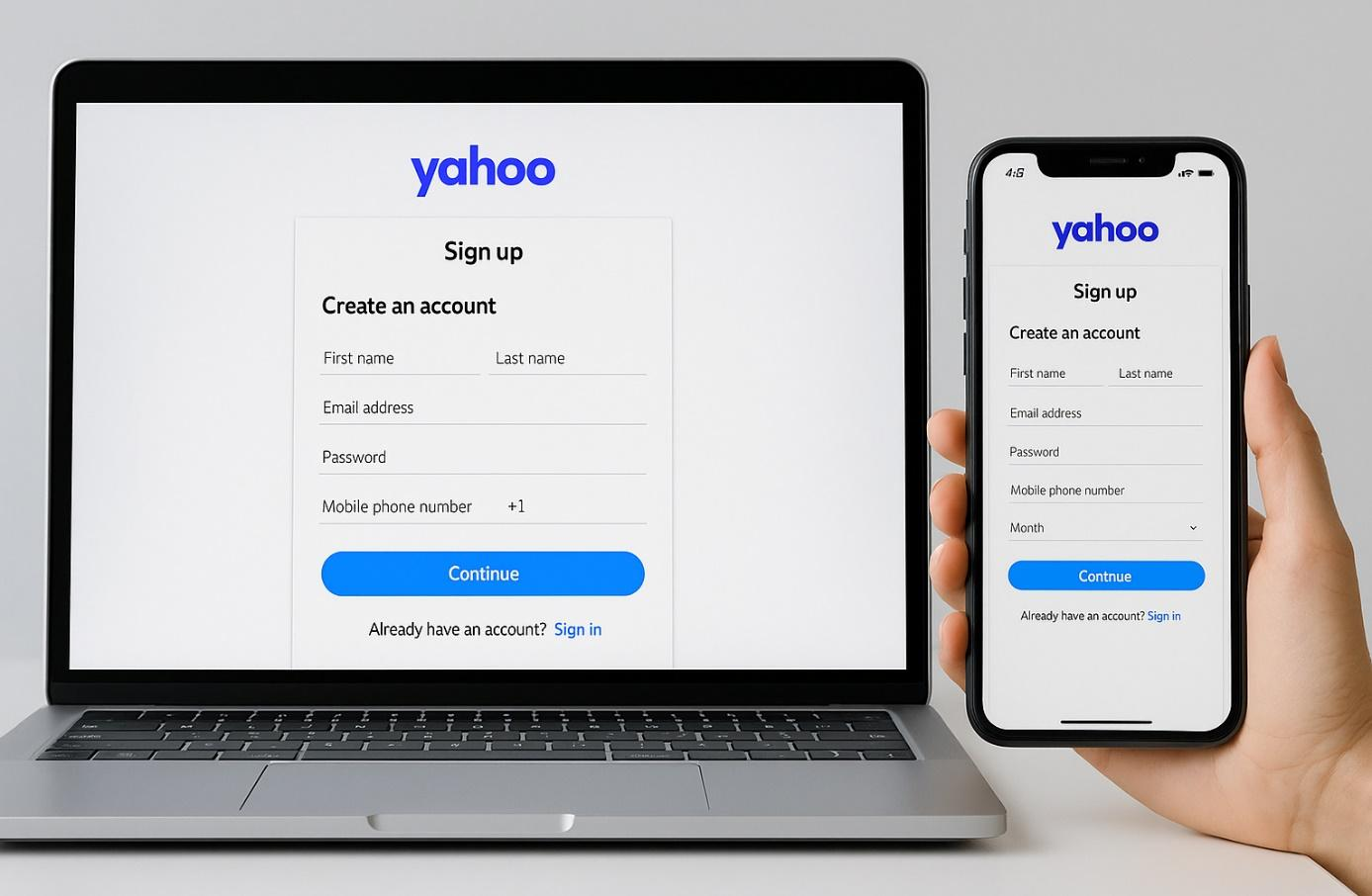
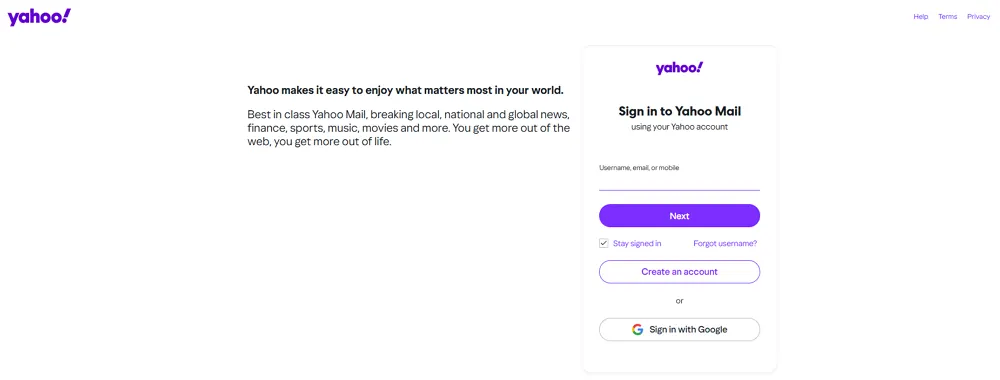
1. Go to the official Yahoo Mail sign-up page.
2. Click “Create an account.”
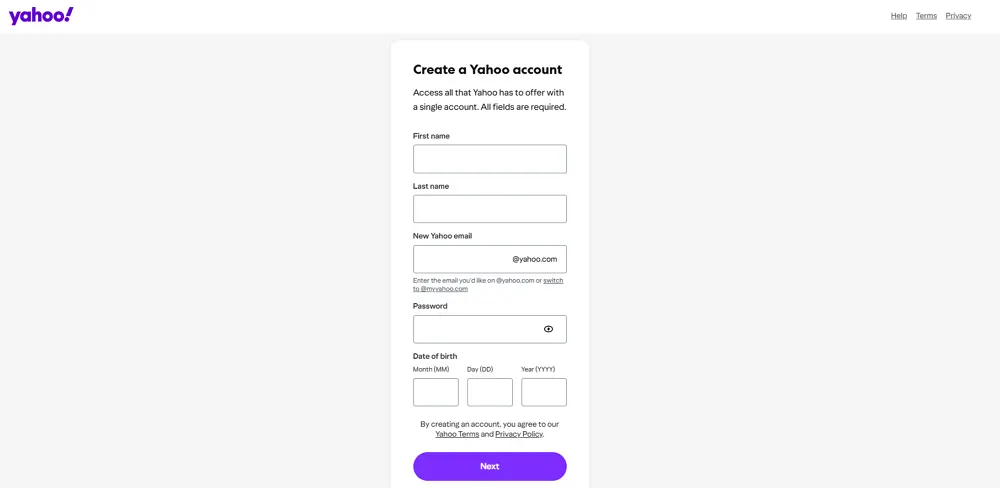
3. Enter your first and last name.
4. Choose a unique Yahoo email address.
5. Create a strong password.
6. Enter your mobile phone number for verification.
7. Complete the SMS verification process.
8. Finish the registration.
Repeat the same process for each new account.
Tips:
- Use strong, unique passwords for each account.
- Store login credentials securely in a password manager.
- Avoid creating multiple accounts too quickly from the same network.
How to Manage Multiple Yahoo Email Accounts from One Place Efficiently
Managing several Yahoo accounts can become time-consuming if you constantly log in and log out. A structured setup helps you save time, reduce login errors, and keep each account organized. Below are practical methods you can use depending on your needs.
You may also need: 7 Effective Ways to Manage Multiple Email Accounts
Yahoo's Built-In Account Switching
Yahoo allows users to add multiple accounts under one session and switch between them easily.
To use this feature:
- Log in to your primary Yahoo account
- Click your profile icon
- Select “Add or manage accounts.”
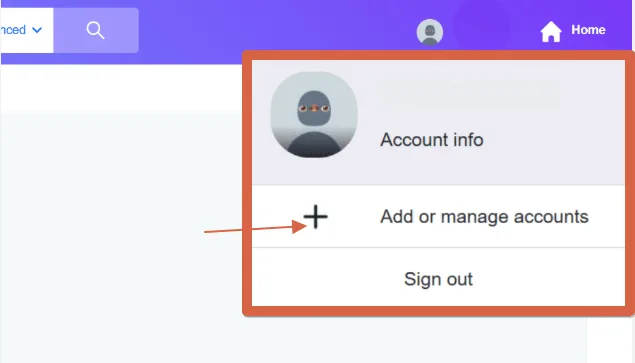
- Sign in to another Yahoo account
- Switch between accounts directly from the profile menu
This option works well for personal users managing two or three accounts. However, all accounts still share the same browser environment.
Using Email Clients Such as Outlook or Thunderbird
Desktop email clients allow you to connect multiple Yahoo accounts into one interface.
Common options include:
- Microsoft Outlook
- Mozilla Thunderbird
Benefits of using an email client:
- View multiple inboxes in one dashboard
- Apply filters and rules to organize messages
- Search across all connected accounts
- Access emails even when offline
This setup is suitable for professionals who check several inboxes daily and prefer working from a desktop environment.
Using Separate Browser Profiles for Better Isolation
If you manage multiple Yahoo accounts for work, marketing, or client services, browser profile separation offers stronger control.
Modern browsers, such as Chrome, allow you to create different user profiles. Each profile keeps its own:
- Cookies
- Login sessions
- Extensions
- Saved passwords
- ...
This reduces the risk of accidentally mixing accounts.
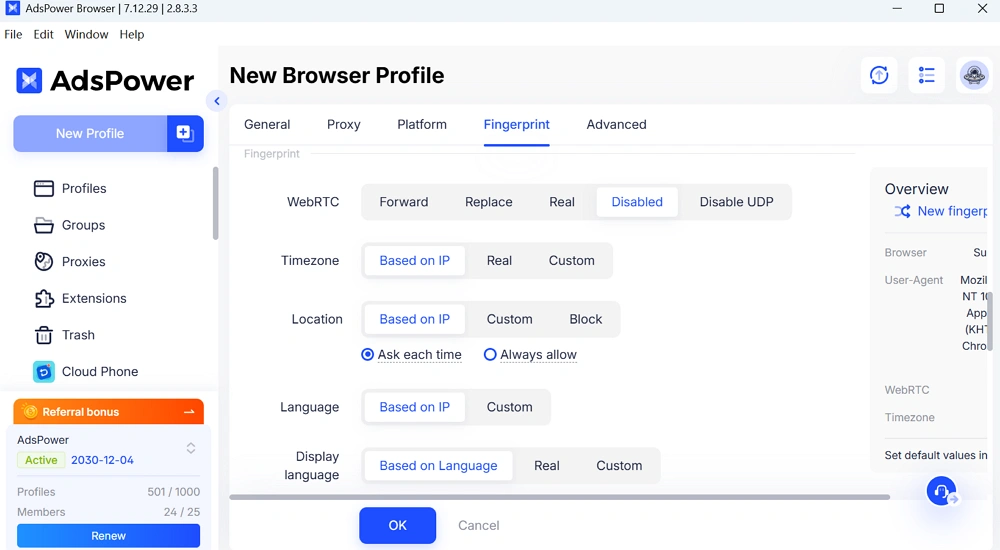
For more advanced management, dedicated browser profile tools such as AdsPower provide deeper isolation. These tools create independent browsing environments with separate fingerprints, cookies, and proxy configurations. This approach is particularly useful for agencies or teams that need stable, long-term account management without cross-account interference.
Steps to set up Yahoo email accounts in AdsPower browser:
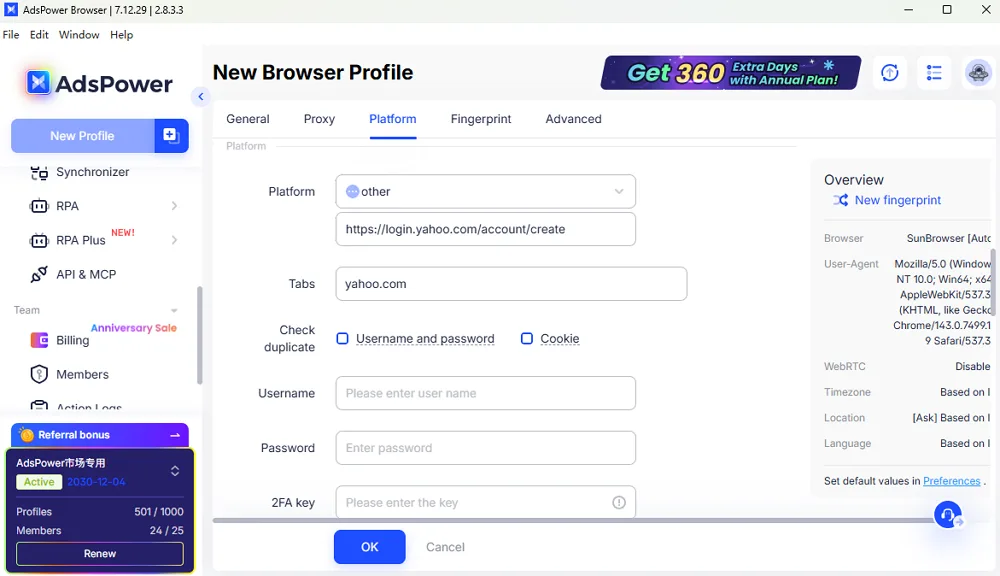
1. Open AdsPower browser and move to create a new profile.
2. Give a name to the profile that should be easily identified. Configure related info for the Yahoo account login.
3. Set up Platform: select “other” and enter https://login.yahoo.com/account/create in the link box.
4. Customize the fingerprint options and parameters based on your needs.
5. Save all settings.
Tip: For more than 5 Yahoo email accounts, here suggest using “Bulk Create” to generate all profiles for each account via a TXT or Excel. Actually, it supports up to 1000 profiles being created at once.
Choosing the right method depends on how many accounts you manage and whether they are for casual use or professional operations.
Problems You May Meet When Creating Multiple Yahoo Accounts
While creating multiple accounts is allowed, you may encounter some challenges:
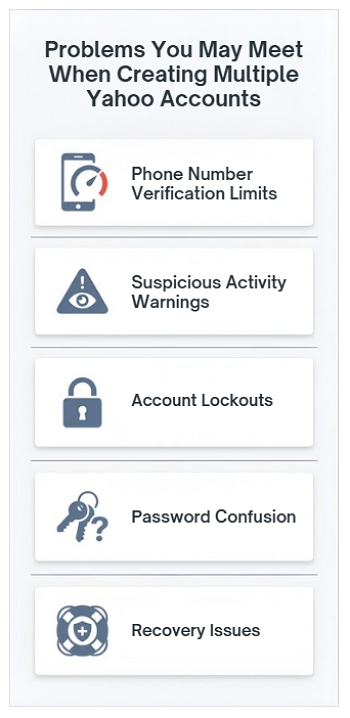
1. Phone Number Verification Limits
Yahoo may restrict how many accounts can be verified with the same phone number within a short timeframe.
2. Suspicious Activity Warnings
If many accounts are created from one IP address quickly, Yahoo may flag the activity.
3. Account Lockouts
Repeated login attempts or unusual login patterns may temporarily lock accounts.
4. Password Confusion
Managing several credentials without a password manager can lead to forgotten passwords.
5. Recovery Issues
If recovery emails or phone numbers are not properly configured, regaining access can be difficult.
To minimize issues:
● Space out account creation.
● Use legitimate information.
● Avoid automation tools.
● Configure recovery options immediately.
Conclusion
Creating multiple Yahoo email accounts is simple and often practical. Whether you need separate inboxes for work, shopping, or business projects, Yahoo allows you to register multiple accounts under proper verification.
Managing them efficiently depends on your usage level. Casual users can rely on Yahoo's account switching feature, while professionals may benefit from email clients or browser profile isolation tools. With proper organization and security practices, handling multiple Yahoo accounts can be smooth and secure.
FAQ
Can I Create Multiple Yahoo Email Accounts with the Same Phone Number?
Sometimes, yes, but there may be limits. Yahoo may restrict the number of accounts linked to one phone number within a certain time period. If you encounter verification errors, you may need to wait before creating another account.
Can I Create a Second Yahoo Email Account?
Yes. You can create a second, third, or additional Yahoo email account as long as each uses a unique email address and passes verification requirements.
Is It Legal to Create Multiple Yahoo Email Accounts?
Yes, creating multiple Yahoo email accounts is legal. However, you must follow Yahoo's terms of service. Using multiple accounts for spam, fraud, or abusive behavior can lead to suspension or permanent bans.
