

How to Create a LinkedIn Account for Business (2026 Guide)
Take a Quick Look
You'll learn how to create a LinkedIn business account in 2026, compare personal vs company pages, understand costs, and apply best practices to grow visibility, credibility, and leads.
LinkedIn has evolved far beyond an online resume platform. In 2026, it's a core channel for brand visibility, B2B marketing, hiring, partnerships, and thought leadership. If you're wondering how to create a LinkedIn account for a business, the process is straightforward, but using it effectively requires a bit more strategy.
This guide walks you through the account types available, the exact steps to create a LinkedIn account for business, and advanced ways to grow your presence once you're set up.
Types of LinkedIn Accounts
Before you create a LinkedIn account for business, it's important to understand how LinkedIn structures its ecosystem. There isn't a "business login" in the traditional sense. Instead, LinkedIn runs on personal profiles connected to business pages.
Here are the main account types:
1. Personal LinkedIn Profile
This is an individual user account. Every company presence on LinkedIn must be created and managed through at least one personal profile. Employees, founders, and marketers all use personal accounts to interact on the platform.
2. LinkedIn Company Page (Business Page)
This is the official presence of a business, brand, or organization. It's what most people mean when they ask, "Can I create a separate LinkedIn for my business?"
Yes — but it exists in addition to, not instead of, a personal account.
3. Showcase Pages
These are sub-pages under a main company page, often used for specific product lines, regions, or initiatives.
4. LinkedIn Groups
Community spaces built around interests or industries. Businesses can use them for niche engagement, but they are not a replacement for a company page.
So, is there a difference between a personal and business LinkedIn account? Absolutely. A personal profile represents a person. A company page represents a brand. You need both to operate professionally on LinkedIn.
How to Create a LinkedIn Account for Business (Step-by-Step)
Understanding how to create a LinkedIn account for a business involves two stages: setting up a personal profile and then creating a company page through that profile.
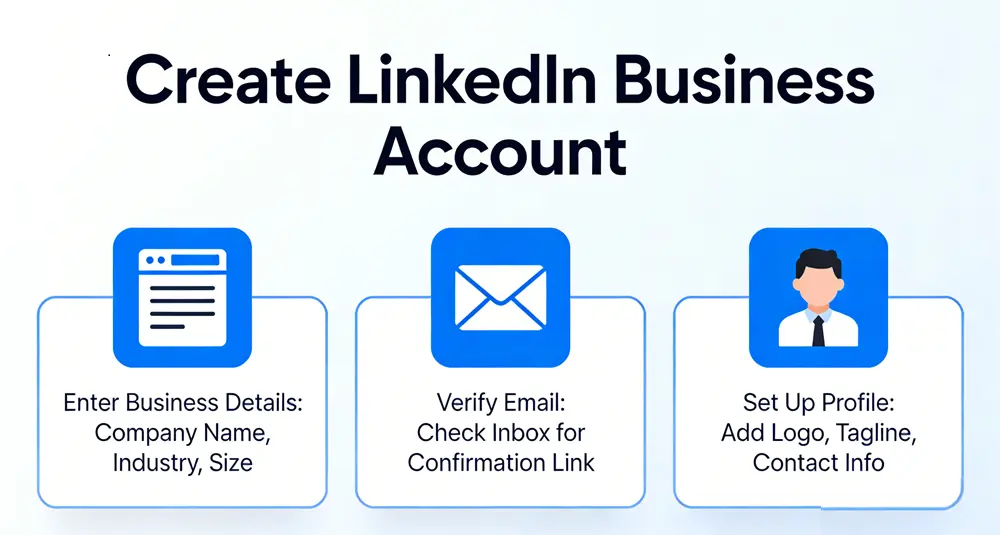
Step 1: Create a Personal LinkedIn Profile
If you do not already have a LinkedIn account:
- Visit LinkedIn.com
- Select "Join now"
- Enter your full name, email address, and password
- Verify your email address
- Add your job title and current organization
- Upload a professional profile photo
- Complete basic information such as industry and location
This personal profile will act as the administrator of your business page.
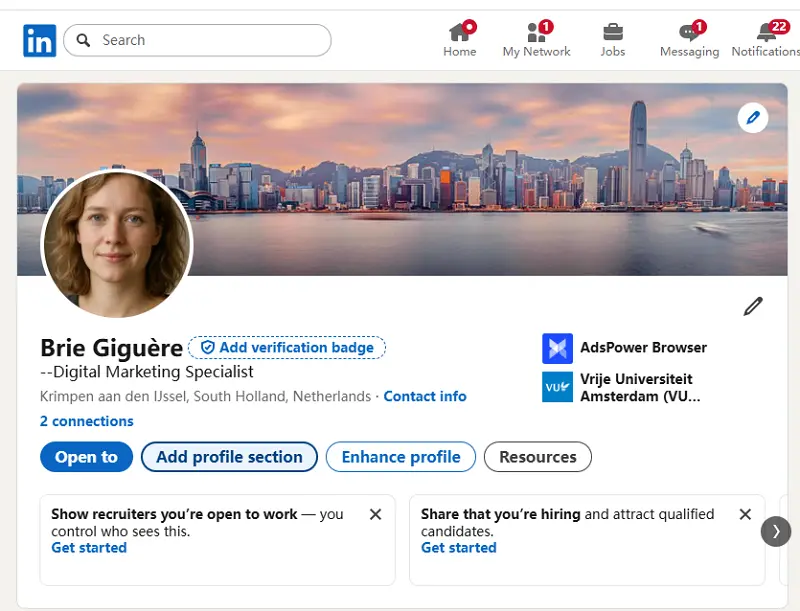
Step 2: Create a LinkedIn Company Page
Once your personal profile is active, you can create a LinkedIn account for business representation by building a company page.
- Log in to your personal LinkedIn profile
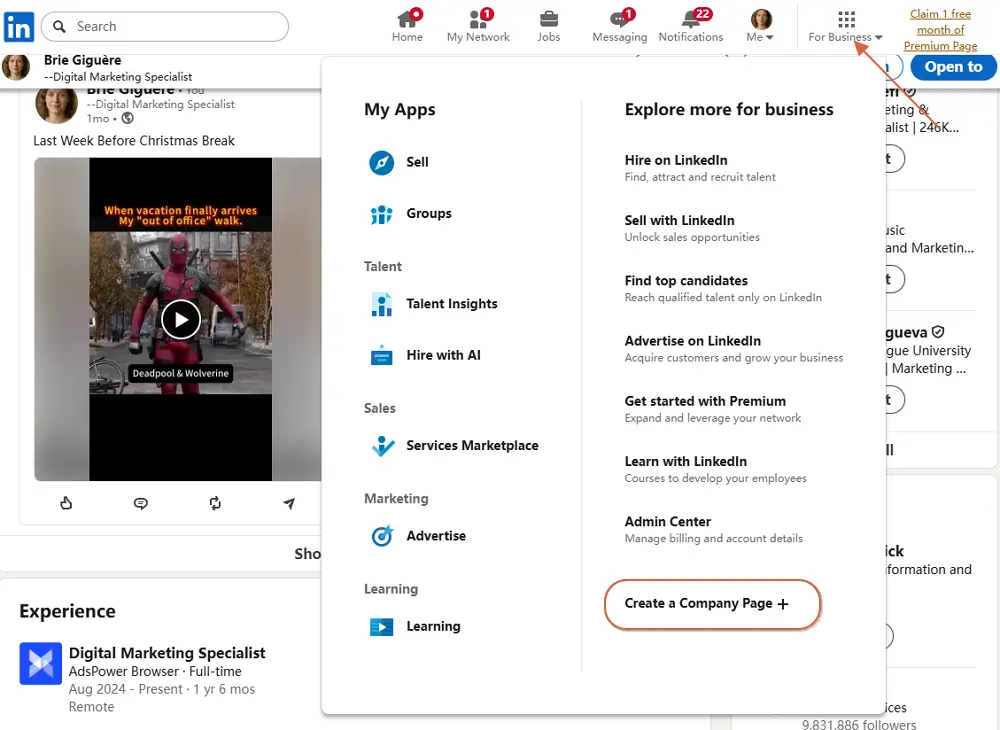
- Click the "For Business" icon in the top navigation bar
- Choose "Create a Company Page"
4. Select the appropriate category:
-
- Small business
- Medium to large business
- Showcase page
- Educational institution
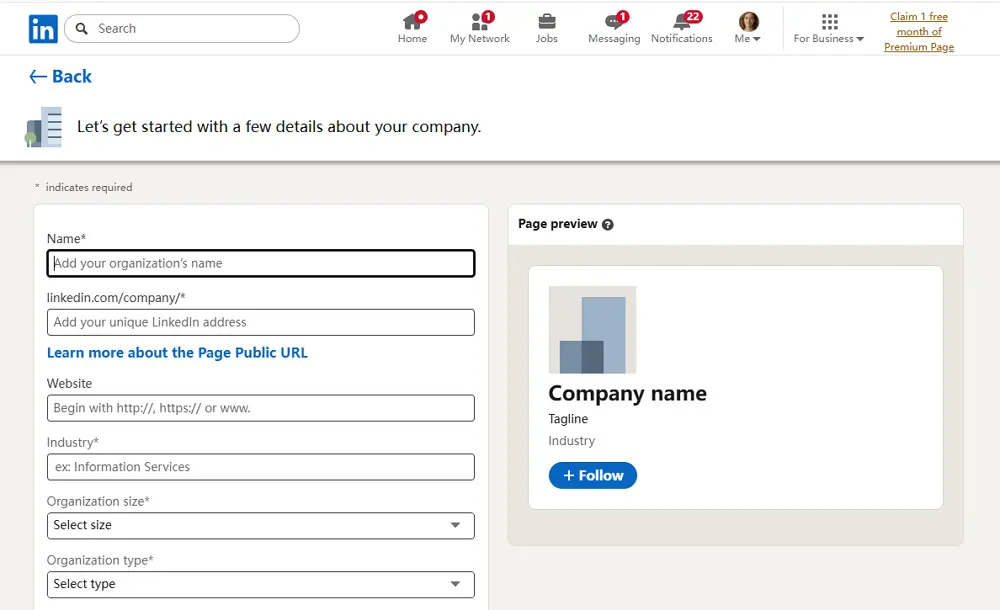
5. Provide company information:
-
- Company name
- Custom LinkedIn public URL
- Website address
- Industry
- Organization size
- Organization type
6. Upload branding elements:
-
- Company logo
- Banner image
7. Write a professional company description, including relevant industry keywords
8. Confirm your authority to represent the organization
9. Click Create Page
At this stage, you have successfully completed the process of how to create a LinkedIn account for a business.
Differences Between Personal and Business Presence
|
Personal Profile |
Company Page |
|
Represents an individual |
Represents an organization |
|
Builds personal connections |
Gains followers |
|
Publishes individual insights |
Shares brand updates |
|
Required to manage pages |
Cannot operate independently |
For those wondering, Can I create a LinkedIn account for my business without a personal profile? LinkedIn policy requires at least one personal administrator behind every company page.
Tip: If you own more than one LinkedIn account, try AdsPower browser to manage them on one device safely.
Advanced Tips to Scale Your LinkedIn Business Effectively
Creating a page is only the initial step. Sustainable growth depends on operational structure, content strategy, and account management practices.
1. Separate Personal, Business, and Client Accounts with Dedicated Environments
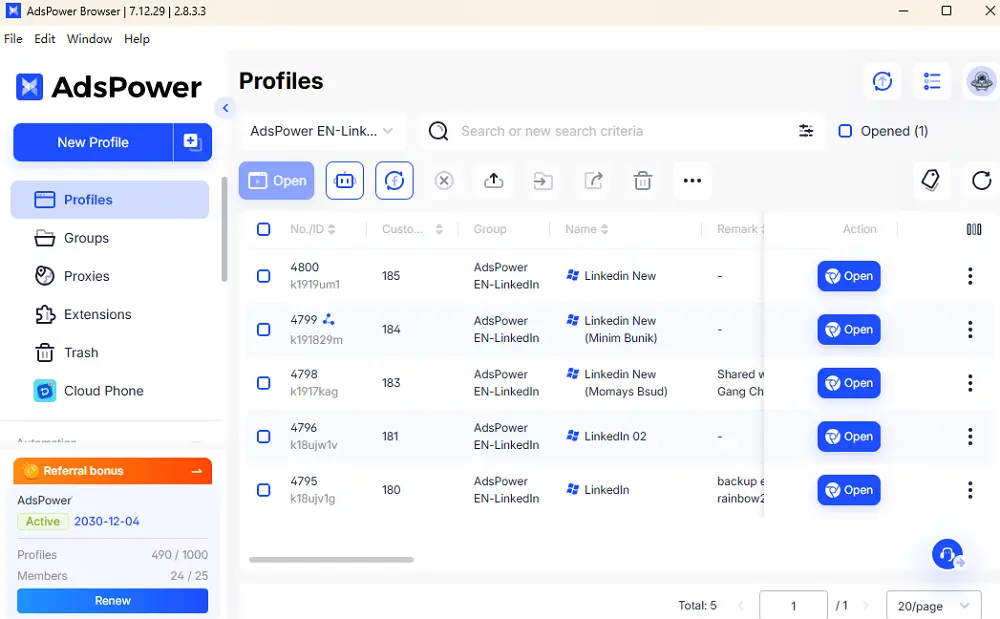
Professionals who manage multiple roles should avoid logging into all accounts from the same browser session. AdsPower allows users to create separate browser environments, which helps maintain consistent digital identities for each LinkedIn account.
2. Safely Manage Multiple LinkedIn Accounts Without Triggering Security Flags
LinkedIn's security systems monitor login behavior, device fingerprints, and IP consistency. AdsPower supports stable browsing profiles, which is useful for agencies and multi-brand managers who operate several accounts.
3. Assign Team Members Access Without Sharing Login Credentials
Rather than sharing passwords, businesses should add colleagues as administrators through LinkedIn page settings. AdsPower's team collaboration features can further support structured access management.
4. Optimize Your LinkedIn Business Page for Visibility and Trust
Complete all available sections:
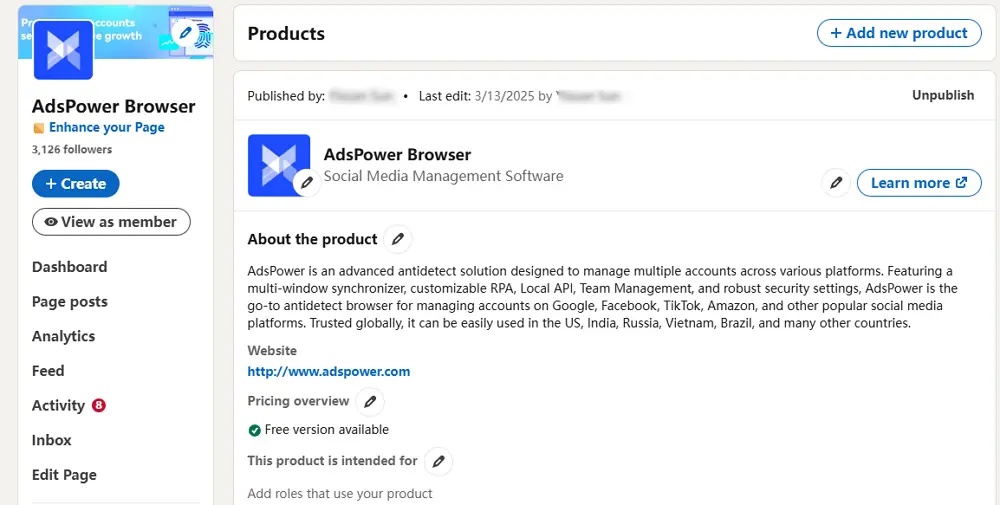
- Detailed "About" description
- Website link
- Service listings
- Custom call-to-action button
- Consistent posting schedule
Fully completed pages tend to appear more credible and perform better in LinkedIn search results.
5. Build Authority Through Employee-Led Content Distribution
Encouraging employees to engage with company posts increases reach. Staff members sharing insights from their own profiles can strengthen the organization's reputation.
6. Segment LinkedIn Profiles by Region or Market
Companies operating internationally may benefit from regional showcase pages or localized sales profiles. This approach supports culturally relevant communication.
7. Standardize Daily LinkedIn Operations Using Repeatable Workflows
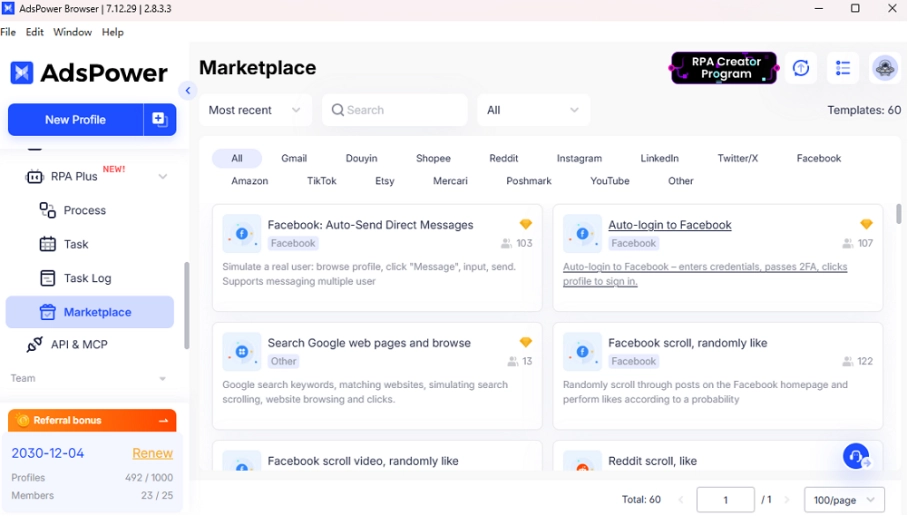
Establish routines for content publishing, engagement, and lead tracking. AdsPower RPA tools can assist teams in organizing structured, browser-based operational tasks.
8. Use Multiple LinkedIn Accounts for Sales, Recruitment, and Branding — Strategically
Different business functions require different communication styles. Sales, hiring, and brand leadership should not rely on a single profile.
You may also like: How to Earn Money from LinkedIn in 2026: Proven Ways to Monetize Your Account
9. Scale Outreach Carefully and Avoid Automation Red Flags
Excessive connection requests or repetitive messaging can lead to restrictions. A gradual, personalized outreach strategy is more sustainable.
10. Monitor Account Health and Reduce Recovery Risks
Maintain verified emails, enable two-factor authentication, and avoid abrupt login pattern changes.
11. Build a Scalable LinkedIn System, Not Just a Single Page
A strong presence often includes executive profiles, recruiter accounts, sales outreach accounts, and a central company page working together.
Conclusion
Creating a LinkedIn presence for your business begins with understanding the platform's structure and setting up both a personal profile and a company page correctly. From there, long-term success depends on consistent branding, coordinated team involvement, and disciplined account management. Businesses that treat LinkedIn as an integrated system — combining leadership profiles, company content, and structured outreach — are better positioned to build trust, attract opportunities, and grow sustainably. By approaching LinkedIn with clear roles, stable account practices, and thoughtful engagement, your business can turn a simple company page into a powerful professional asset.
FAQ
Is LinkedIn Free for Businesses?
Yes. Creating a company page is free. Businesses can publish updates, grow followers, and present services without cost. Paid features such as advertising or premium tools are optional.
Should I Create Individual LinkedIn Accounts for a Local Business?
Many owners ask, should I create individual LinkedIn accounts for local business staff? If employees handle partnerships, recruitment, or sales, personal profiles enhance credibility and outreach potential.
Is There a Difference Between a Personal and Business LinkedIn Account?
Yes. A personal account supports networking and interaction. A business page represents the organization publicly. Both are necessary for a complete LinkedIn strategy.
Can I Create a Separate LinkedIn for My Business?
You can create a dedicated company page, but it must be managed through at least one personal profile. LinkedIn does not permit independent business-only accounts.

People Also Read
- How to Safely Manage Multiple Apple Accounts in 2026

How to Safely Manage Multiple Apple Accounts in 2026
Learn how to manage multiple Apple accounts safely with practical tips
- Buy Reddit Accounts: Top Sites, Risks, and Account Management
Buy Reddit Accounts: Top Sites, Risks, and Account Management
Compare where to buy Reddit accounts, what risks to check, and how AdsPower helps manage multiple Reddit accounts more securely.
- How to Make a Naver Account for Foreigners & Beginners 2026
How to Make a Naver Account for Foreigners & Beginners 2026
Learn how to create a Naver account for foreigners in 2026, avoid SMS verification issues and reduce the risk of account restrictions during signup.
- Bet365 Account Blocked? Reasons & How to Secure Your Digital Presence
Bet365 Account Blocked? Reasons & How to Secure Your Digital Presence
Bet365 account blocked? Learn common reasons, how to unblock your account step by step, and tips to avoid restrictions in the future.
- How to Run Multiple Reddit Accounts to Scale Your Business 2026
How to Run Multiple Reddit Accounts to Scale Your Business 2026
Learn how to run multiple Reddit accounts safely. Avoid bans, understand detection signals, and manage profiles with smart strategies and best practic
