

Understand the differences between Microsoft login domains, choose the right portal, and reduce account risk. Read the full guide to log in smarter and manage Microsoft accounts with confidence.
Choosing the right Microsoft login is more complicated than it appears. The same email address can send you to live.com, microsoftonline.com, or microsoft.com, and each domain follows a different security logic. A small misstep, such as logging multiple accounts in one browser, can quickly lead to repeated verification requests or unexpected account restrictions. For users who rely on Microsoft services daily, that friction adds up fast.
This article explains how Microsoft's three login domains actually work. You will see which portal is meant for personal accounts, which one serves work and school users, and how Microsoft decides where your login should land. More importantly, it clarifies how Microsoft links activity across domains and why that matters if you manage more than one account. The goal is practical clarity. Help you log in with confidence, reduce avoidable security checks, and build a setup that remains stable as your usage grows.
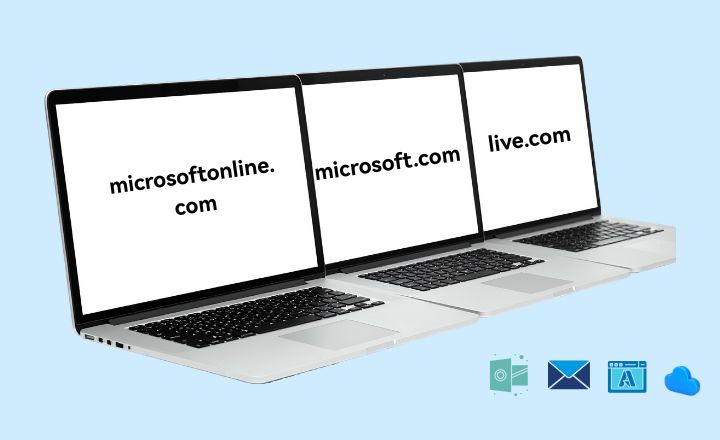
Comparison of live.com, microsoftonline.com, and microsoft.com
If you use Microsoft products regularly, you have likely encountered all three domains. They look similar, but they serve very different roles in Microsoft's identity system.
live.com
live.com originates from Microsoft's former Windows Live ecosystem. While the branding has faded, the domain remains the primary authentication gateway for personal Microsoft accounts.
Who it is for
Individual users with email addresses ending in @outlook.com, @hotmail.com, @msn.com, or @live.com.
Common use cases
- Outlook personal email
- OneDrive Personal
- Xbox accounts
- Skype
- Microsoft Rewards (earning points is almost a daily grind for many users)
Security behavior
live.com focuses heavily on behavioral signals such as login frequency, device environment, and usage patterns. It works smoothly for normal personal use. High frequency activity or automation often triggers additional checks.
microsoftonline.com
If your browser redirects to microsoftonline.com, you are using a work or school account. This domain is the entry point to Microsoft's enterprise identity platform, now called Microsoft Entra ID.
Who it's for
Users on Microsoft 365 Business, Enterprise, or Education plans.
Common use cases
- Corporate email login
- Azure portal access
- SharePoint collaboration
- Microsoft Teams (business edition)
Security behavior
This is where Microsoft gets serious. The system supports SSO (single sign-on), strict multi-factor authentication, and organization-level security policies. In short, it's built to protect company data first and foremost.
If you've ever wondered what is Microsoftonline, the simplest answer is this: it's Microsoft's enterprise-grade identity and access gateway.
microsoft.com
microsoft.com is Microsoft's global root domain. It focuses on product access, documentation, and centralized account management rather than direct authentication.
Typical uses
- Browsing products and pricing
- Downloading Windows images
- Reading Microsoft Docs
- Accessing the Microsoft Account dashboard
How login works
Think of microsoft.com as a traffic controller. When you click "Sign in," Microsoft checks your email domain:
- Personal email? You're sent to live.com
- Company or school email? You're redirected to microsoftonline.com
This also answers a common question: Is Microsoftonline Microsoft? Yes—absolutely. It's part of the same ecosystem, just designed for enterprise identity management.
Differences Between the Three Microsoft Sites
Although these domains are closely related, their roles are distinct.
- live.com handles personal Microsoft accounts stored in consumer databases
- microsoftonline.com handles organizational accounts stored in tenant isolated enterprise databases
- microsoft.com acts as a central entry point and traffic router rather than an authentication system
Cookie policies and session handling also differ. live.com applies stricter rules with shorter session lifetimes. microsoftonline.com allows configurable and persistent sessions under organizational control. microsoft.com mainly stores preference-related cookies.
|
Dimension |
live.com |
microsoftonline.com |
microsoft.com |
|
Account type |
Personal (MSA) |
Work/School (Entra ID) |
Mixed entry point |
|
Typical email |
@outlook, @hotmail, @msn |
@company.com, @onmicrosoft.com |
Any |
|
Main scenarios |
Email, Xbox, Rewards |
Teams, Azure, enterprise tools |
Products, docs, account overview |
|
Authentication DB |
Consumer account database |
Tenant-isolated enterprise DB |
No independent auth DB |
|
Account risk |
Very high for multi-account use |
High due to org policies |
Low |
|
Cookie policy |
Strict, short-lived |
Configurable, persistent |
Relaxed |
Why Microsoft Accounts Get Linked Across Domains
Many users assume switching domains reduces detection. In practice, Microsoft shares security signals across live.com, microsoftonline.com, and microsoft.com.
Microsoft analyzes browser fingerprints, device attributes, IP reputation, and login behavior. When multiple accounts are accessed from the same browser environment, patterns emerge quickly.
Here's what often goes wrong:
- Heavy multi-account activity on live.com triggers a "machine-like behavior" flag
- Other accounts logged in from the same browser fingerprint, even on microsoftonline.com, which will still get caught in the blast radius
- Rapid switching between domains and accounts increases CAPTCHA frequency
- Users end up stuck in endless phone verification loops or outright bans
At this point, clearing cookies or using Incognito mode just doesn't cut it anymore. That's old-school thinking.
How to Avoid Microsoft Account Association
For professionals managing dozens of accounts—whether for Microsoft Rewards automation or multiple Azure clients—the real enemy isn't domain switching. It's browser fingerprint linkage.
If you operate all accounts in the same browser environment, Microsoft's systems can spot the pattern in no time. Risk control kicks in, hard.
That's why experienced users agree on one thing: physical environment isolation is a no-brainer.
How AdsPower Helps Prevent Account Linking
AdsPower antidetect browser creates a fully isolated "digital sandbox" for each Microsoft account, staying within Microsoft's security expectations while minimizing cross-account risk.
All round fingerprint masking
Chrome's Incognito mode only clears cookies. It doesn't change your device identity. AdsPower lets you customize over 20 fingerprint parameters, including Canvas, WebGL, AudioContext, and hardware concurrency. Even advanced JavaScript detection reads each profile as a different device.
Independent cookies and local storage
In standard browsers, cookies often leak across Microsoft subdomains. AdsPower assigns a completely separate storage path to each profile. Your live.com login will never bleed into a microsoftonline.com session. That link is cut clean.
Multi-window Synchronizer and RPA automation
For users working heavily with live.com, especially Rewards users, the Synchronizer feature lets you operate dozens of windows in sync. Built-in RPA processes can handle repetitive tasks like logins, check-ins, and inbox checks. It's close to "set and forget," with far fewer human errors.
Native version consistency updates
Microsoft checks whether your browser kernel matches its declared User-Agent. AdsPower maintains high-frequency kernel updates to stay aligned with Microsoft's latest security standards, reducing version-mismatch risk. In 2025, AdsPower updated 14 kernel versions including Chrome and Firefox, which is faster than other related browsers.
How to Set Up Microsoft Accounts on AdsPower
AdsPower helps reduce account association by creating separate browser profiles. Each profile behaves like a different physical device, with its own fingerprint, cookies, and local storage.
Step 1: Create a New Browser Profile
- Open AdsPower and go to the Profiles section.
- Click New Profile.
- Select a browser kernel such as SunBrowser or FlowerBrowser, and an operating system.
- Bind a dedicated proxy or IP address.
- Set up the sitelink (outlook.com/microsoft.com/microsoftonline.com) into Platform box. Then enter the Username and Password.
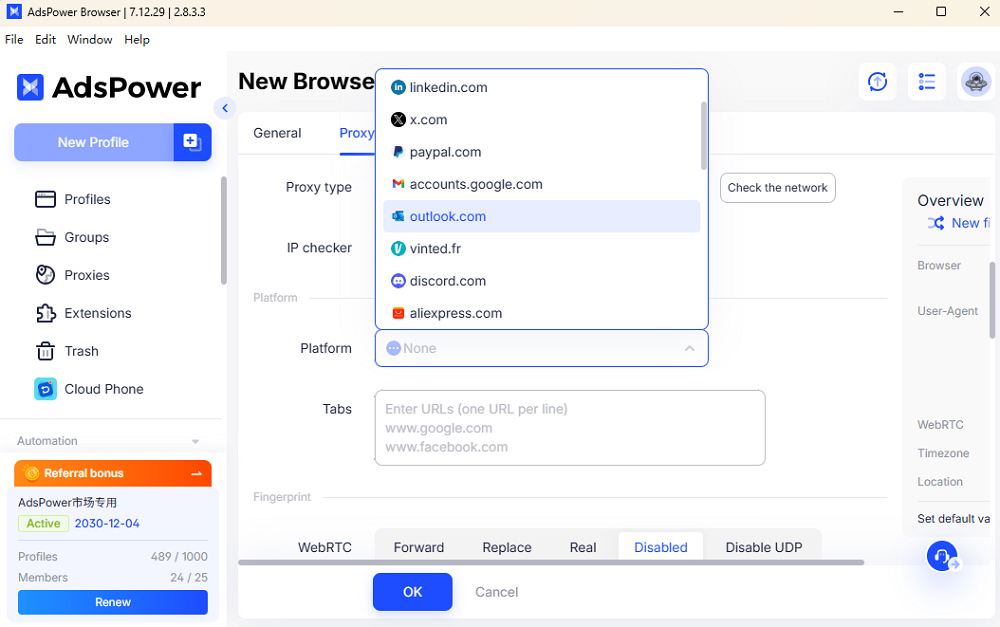
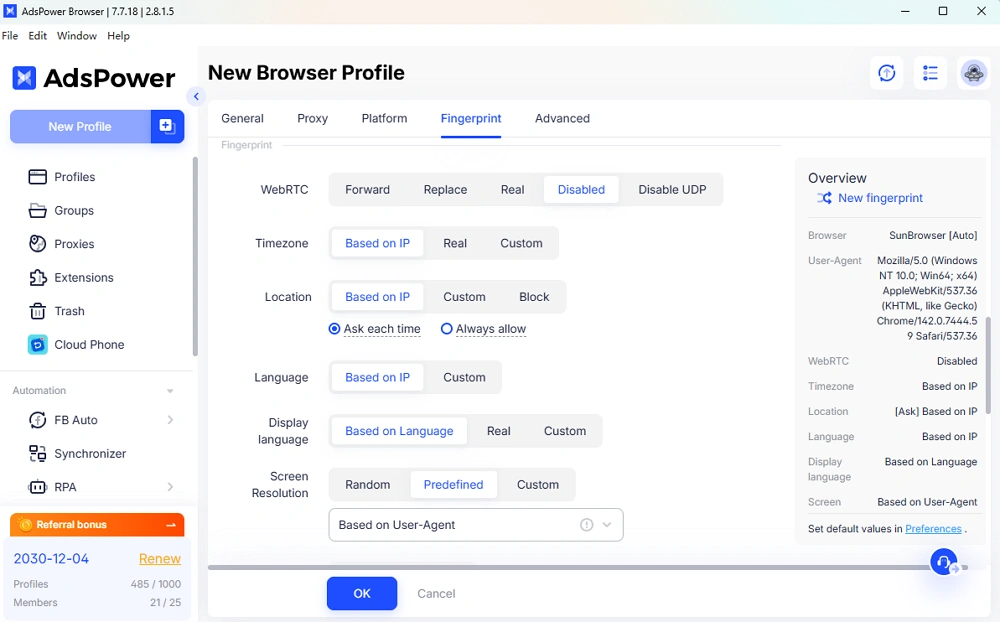
- Configure fingerprint settings including language, resolution, and timezone, etc.
- Save the profile.
- Each profile now represents one independent device in Microsoft's eyes.
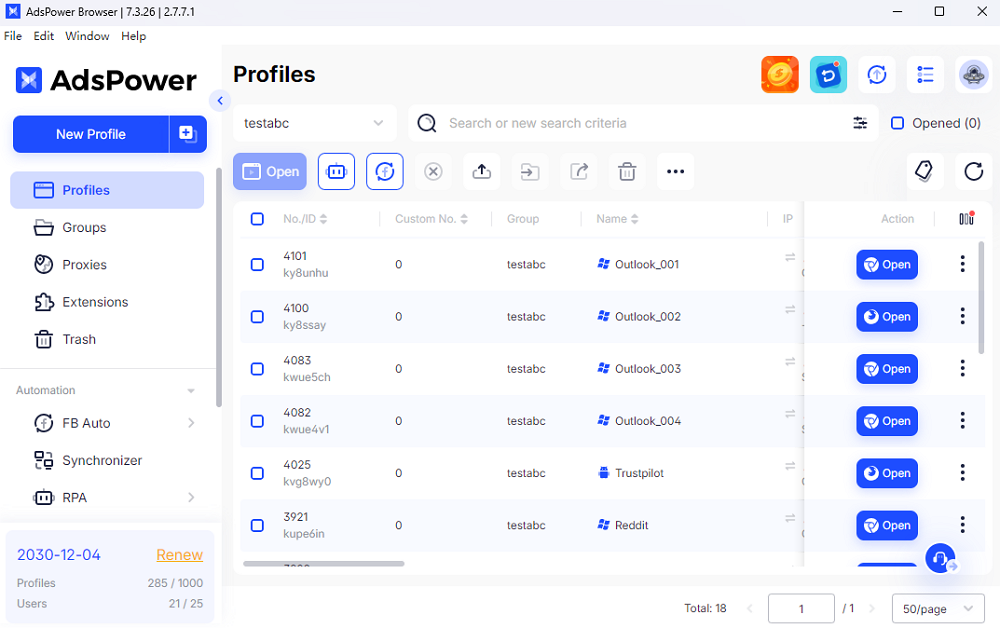
Step 2: Log In to the Microsoft Account
Launch the new profile and visit the correct login portal based on account type.
- Personal accounts use live.com.
- Work or school accounts use microsoftonline.com.
Complete the login and finish any required verification steps, including Microsoft Authenticator if prompted. Session data stays isolated inside this profile.
(Optional) Step 3: Rename and Organize Profiles
Rename each profile using clear identifiers such as email address, account type, or usage purpose. Or group profiles by project or client if needed.
This structure reduces mistakes and makes long term account management easier.
Advanced: Bulk Create Profiles for Microsoft Accounts
For users managing many Microsoft accounts, AdsPower supports batch profile creation in one click.
- Go to Bulk Create, and enter the platform link.
- Upload a spreadsheet containing required fields such as proxy, system type, and account label. (Please download the template to check before filling in the related info.)
- Apply consistent fingerprint rules or controlled randomization.
- Generate all profiles in one operation.
Tip: Optional Automation for Repetitive Tasks
AdsPower also offers workflow automation to ease your ways to handle multiple tasks.
- The Multi-window synchronizer allows one action to be mirrored across multiple profiles.
- Built in RPA tools can automate logins, page visits, clicks, and routine checks, etc.
- Create your own projects with AdsPower Local API for massive data management, especially for data analysis companies and account farming.
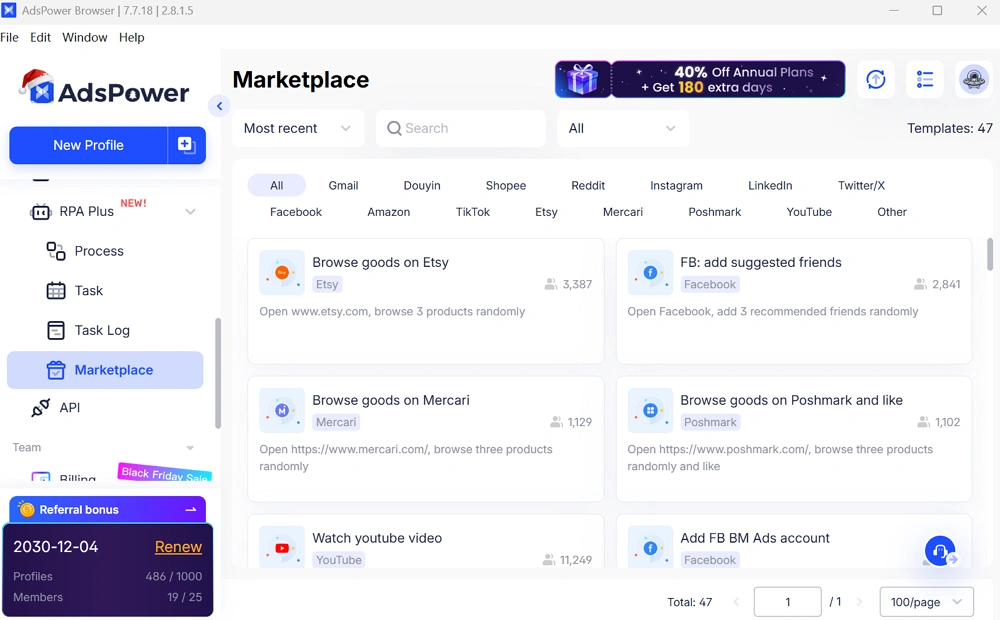
For users handling Rewards activity or large account sets, this keeps operations smooth and reduces human error. It is a real time saver when scale increases.
FAQs
Why does Outlook redirect me to login.live.com?
Outlook.com is a service entry point. live.com is the unified authentication gateway for personal Microsoft accounts. All personal account logins complete on live.com, regardless of the service accessed.
Is Microsoftonline free?
microsoftonline.com is not a separate paid service. Access depends on your organization's Microsoft 365 or Azure license. Personal Microsoft accounts do not use microsoftonline.com and are free through live.com.
Can live.com and microsoftonline.com accounts be used interchangeably?
No. live.com is for personal Microsoft accounts. microsoftonline.com is for organizational accounts issued by a company or school. Even if the email address looks similar, Microsoft treats them as separate identities stored in different systems.
Why do my Microsoft accounts keep requesting phone verification or get blocked?
Microsoft collects browser fingerprint data, IP information, and device signals during login. Frequent account switching in the same browser or using poor quality proxies often triggers abnormal behavior detection. Isolating each account environment significantly reduces this risk.
Is login.microsoftonline.com safe?
login.microsoftonline.com is Microsoft's official enterprise login domain. Always verify the spelling of the domain in the address bar. For users managing valuable Azure or business assets, using isolated browser environments also reduces the risk of session theft from fake links.
