

Experiencing Vestiaire Collective login or signup issues? This guide explains common account access problems, why they happen, and how buyers and sellers can reduce verification checks by maintaining a stable browser and network environment.
Vestiaire Collective is a global leader in the luxury fashion resale marketplace, connecting new and second-hand designer buyers & sellers of limited-edition pieces from brands including Louis Vuitton, Chanel, Gucci, and Hermès.
Though the platform is highly used, there are login and signup hurdles that most of the users face. One Reddit user shared:
“Well, am I banned or what? I bought something and when I log back in it's looking like this. What should I do? Anyone experienced this before?”
Other users have said they also encountered the same issues, such as warnings that their accounts had been disabled or attempts to reset passwords not working and newly created accounts soon after becoming inaccessible once created.
In this guide, we look at the many issues related to logging in and signing up for a Vestiaire Collective account and what buyers and sellers can do to maintain stable account access.
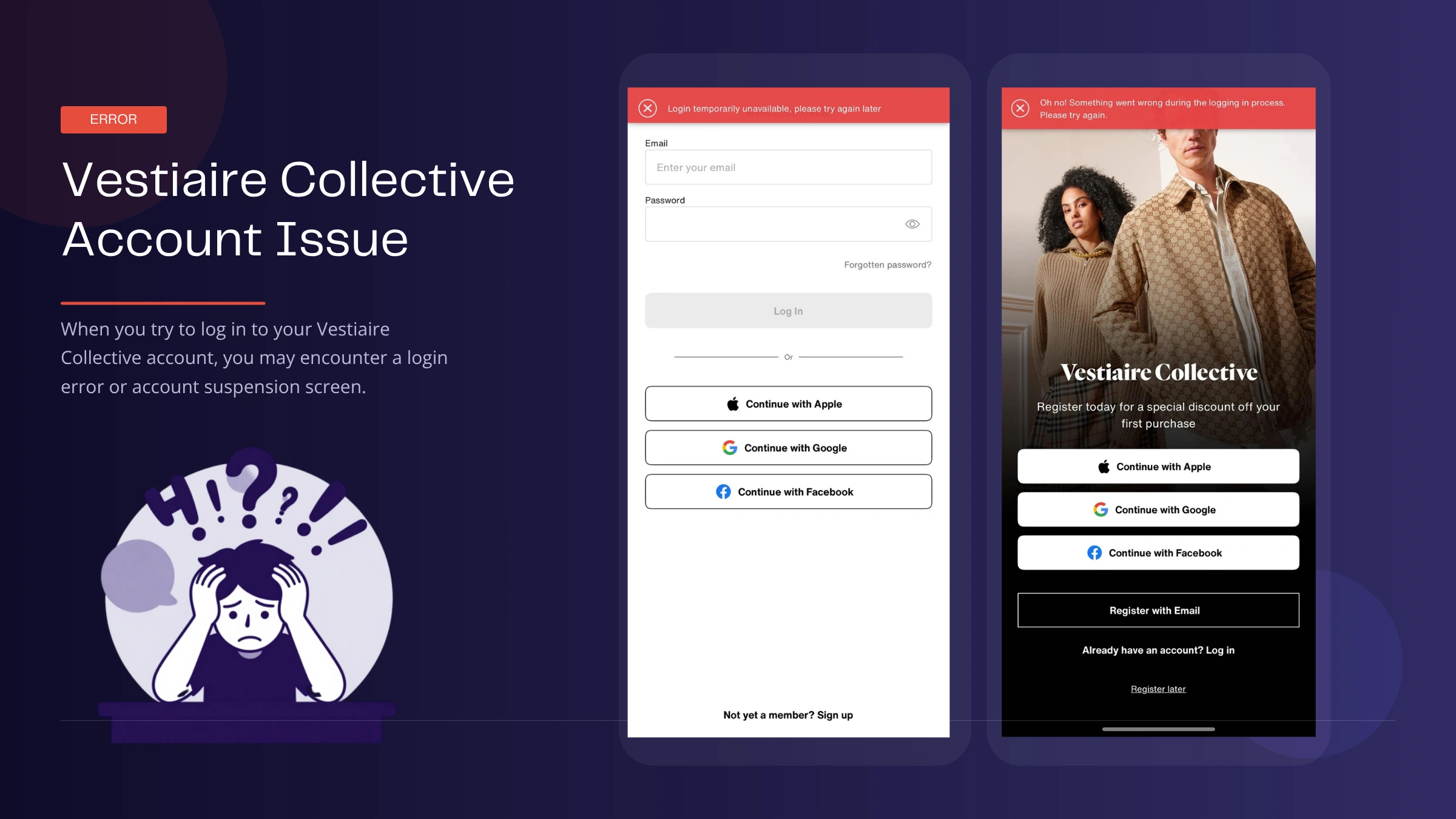
Vestiaire Collective Account Login
| Common Issue | What You'll See |
|---|---|
| You can't log in | Your email/password appear correct but failed to login |
| Account under review | A message says your account is under review and you can't access certain features |
| Login unavailable error | The platform shows a "Login unavailable" message when you try to sign in |
| Constantly signed out | You keep getting logged out and have to sign in again |
| Password reset not working | Reset emails never arrive or the reset link doesn't work |
| New account not working | You successfully sign up, but the account becomes inaccessible shortly afterward |
What Causes Vestiaire Collective Login Problems and How to Fix Them
Vestiaire Collective login issue can happen due to multiple reasons. Sometimes, it is just about a technical error. In some cases, unusual activity in an account or all accounts going through a new login environment can lead to login failures as well as increased security checks.
Here are some of the most common causes and troubleshooting methods. If you have tried all of these solutions and still cannot log in, it is time to contact the support area of Vestiaire Collective for further assistance.
1. Suspicious Activity Detected
Sometimes login activity is flagged under suspicion and may undergo further security checks. For instance, if you signed in and out multiple times quickly during a short timeframe, accessed an account from several locations or different networks at the same time period, or logged into an account on new devices.
2. Device Fingerprint Changes
Vestiaire Collective may look at more than just your email address and password. They might factor in your device and browser environment, commonly called a browser fingerprint. Aspects including:
- Browser type
- Device information
- Operating system
- Cookies
- Timezone
- Language settings
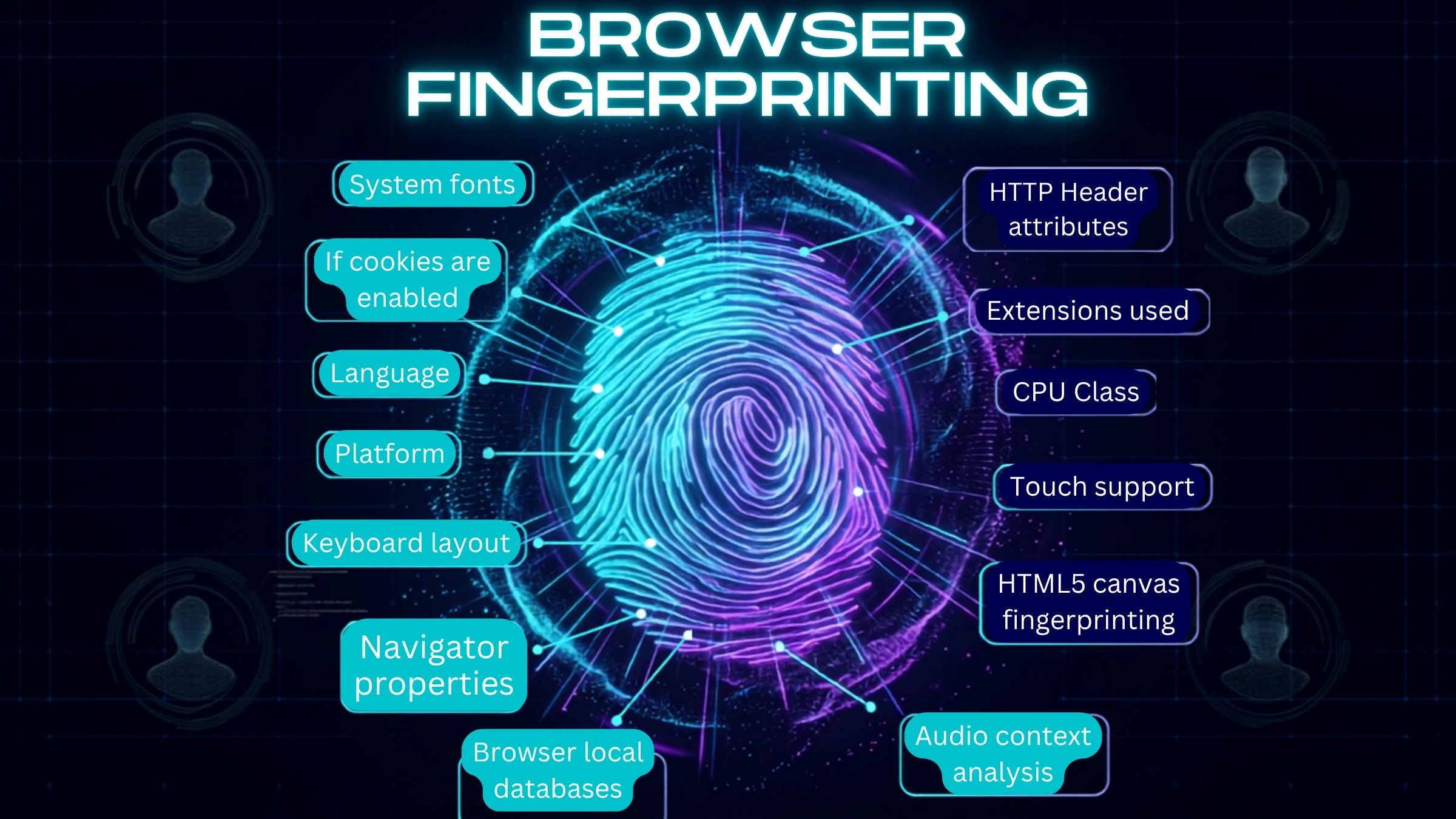
If these details change a lot between logins, then the action may not be any more common, and other checks might have to take place. It is especially important for sellers who own multiple storefronts where maintaining a consistent browser environment and understanding how to avoid browser fingerprinting will save unnecessary account risks.
What actions: Clear your browser cache and cookies if facing any issues while logging in after updating the web browsers or changing devices. Also, using the same browser may reduce frequent login requests.
3. IP Address Risks
Similarly, IP addresses may also impact the checks related to the security of accounts. Potential risk factors can include:
- Frequently changing IP addresses
- Shared VPN services
- Datacenter IPs
- High-risk proxy networks
The VPN itself does not inherently break platform rules, but if the IP is unstable or in a low-reputation environment, it may increase the chances that challenged logins will follow.
What to do: Attempt to log in from your regular network when possible. If your connection has been recently set, you can try getting back to the one that works.
4. Multiple Accounts Linked Together
It is especially common in the case of professional sellers controlling various accounts, such as buyer and seller account types, multiple brand stores, or even different team members handling an individual store. When multiple accounts are accessed from a common browser, device, or network environment, they can seem logically related at the technical level. This has led to more verification prompts and account reviews for some users when logging in.
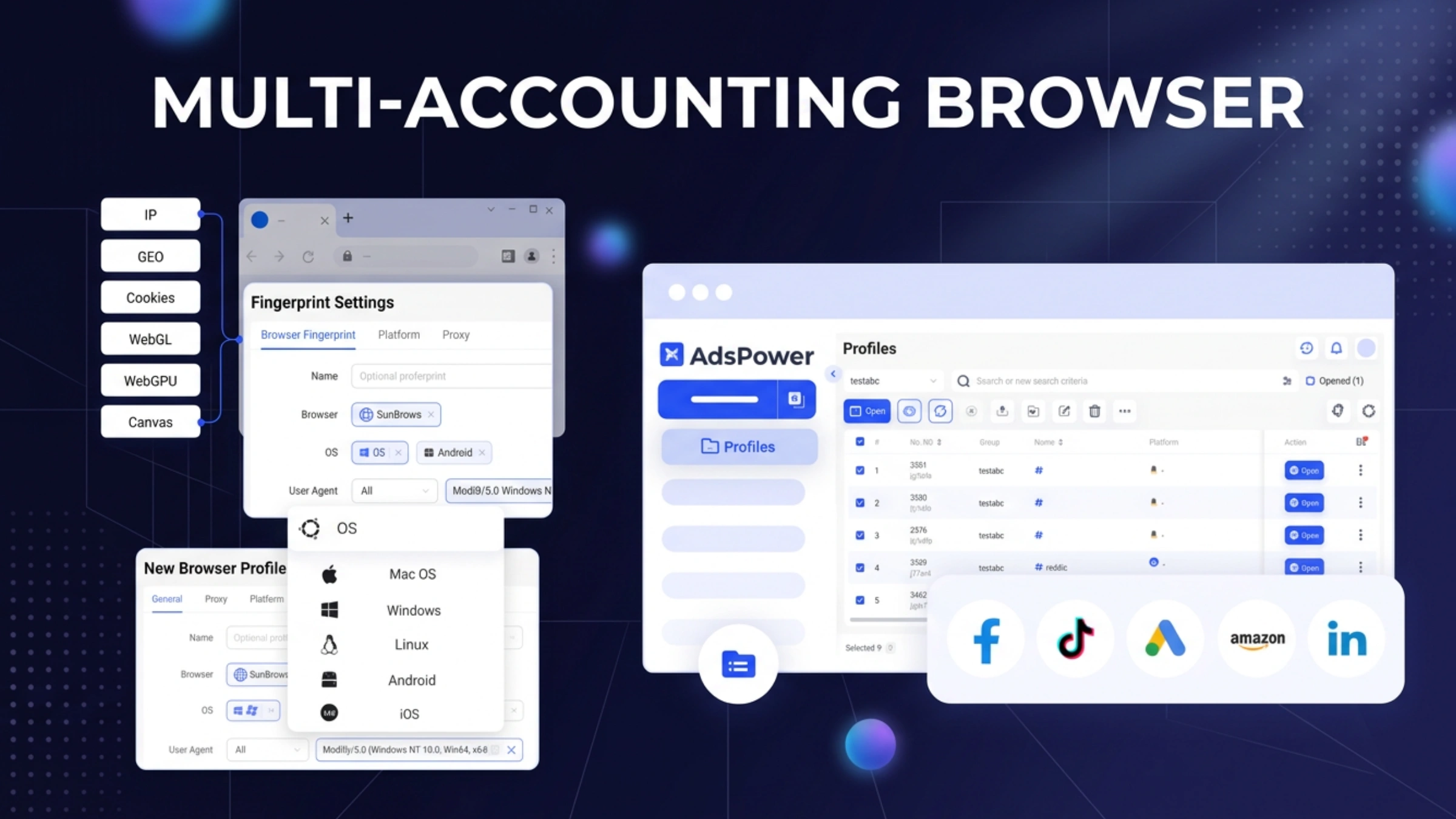
To minimize account duplication, most sellers resort to enterprise-level dedicated account tools such as multi-account browser solutions like AdsPower. It enables each account to operate in an independent browser environment with its own cookies, fingerprints, and proxy settings. Meanwhile, it also allows you to keep all your account data in order in addition to reducing the risk of accidentally linking two accounts together, making it easier as well for those who have multiple Vestiaire Collective accounts.
Vestiaire Collective Account Signup
New users sometimes encounter issues when signing up for a Vestiaire Collective account. Access is not fully granted until an email and phone number have been confirmed while creating your account. The instructions will guide you through the process of creating your Vestiaire Collective account. In addition, below are the issues with signup based on user reports and real-life experience.
1. Email Verification Issues
Many users say that after signing up for a Vestiaire Collective account they did not receive the verification email at all. Most of the time, users are simply encouraged to look into their spam folder first or resend a verification email after several minutes. It is also very important to check if that email address was typed in correctly while registering.
2. Phone Verification Problems
Some users experience delays in receiving the SMS verification code, while others get regional problems. For such cases, it is advisable to wait for a few minutes and try again or employ another phone number if the region has no coverage. You can even try switching wi-fi or switching your mobile data, these methods can fix temporary verification issues.
3. Account Restricted Right After Sign Up
Some users report that their account becomes unavailable shortly after registration, sometimes before making a purchase or listing an item. While Vestiaire Collective does not always disclose the exact reason, its Terms of Use state that users should not create duplicate accounts, use accounts registered by other people, or provide inaccurate registration information. The platform also reserves the right to suspend or close accounts that it believes violate its policies.
As a result, newly created accounts may face additional review if the registration information appears inconsistent or if multiple accounts seem to be connected.
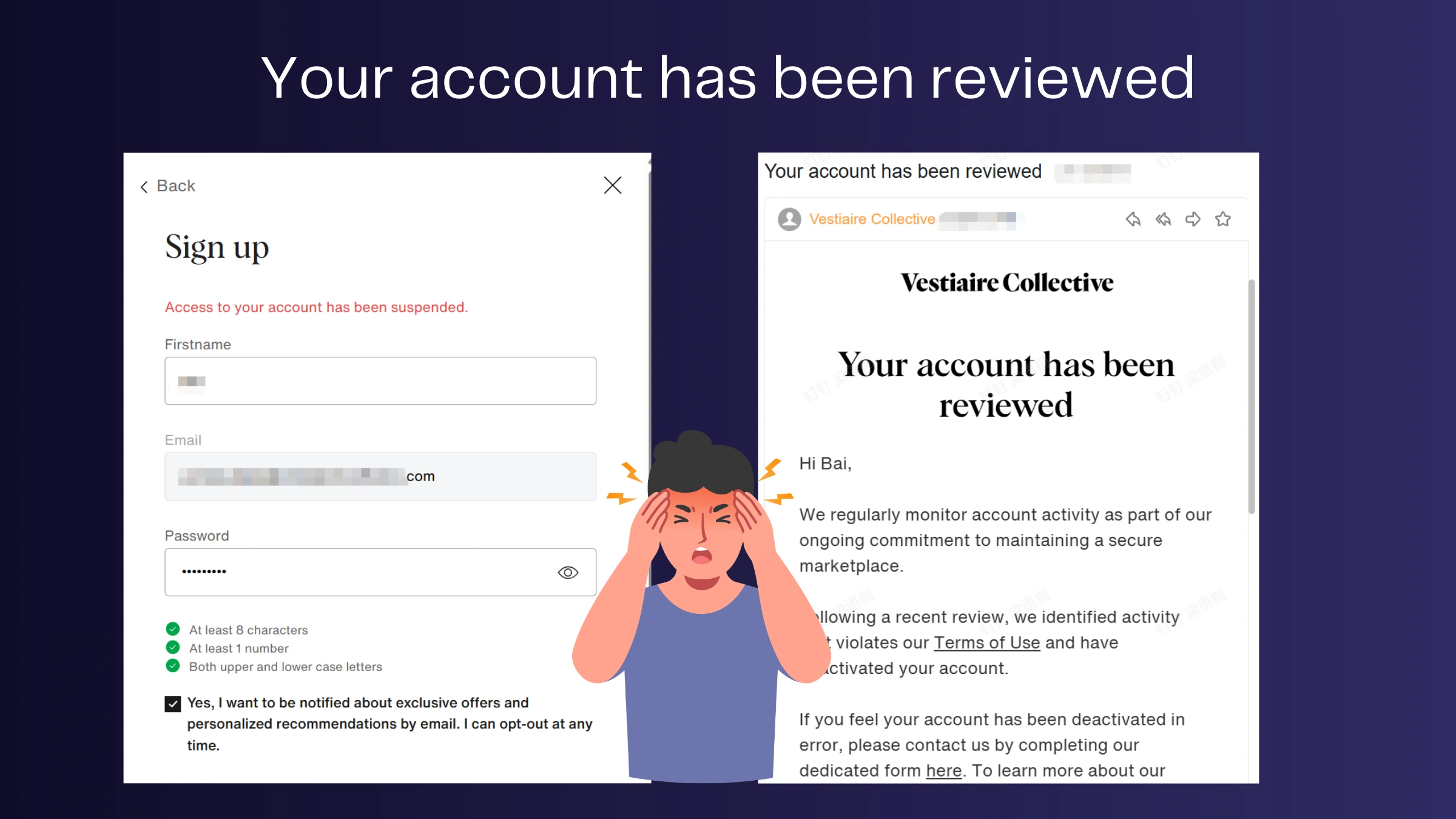
Beyond account information itself, some users believe that factors such as IP reputation, device changes, browser fingerprints, or unusual login environments may also contribute to additional verification checks.
If your newly created account is restricted, try registering from a stable network and browser environment, ensure all registration information is accurate, and avoid creating duplicate accounts unnecessarily. For sellers managing multiple accounts, keeping separate account environments can also help reduce unnecessary verification requests. You can also read our guide on Vestiaire Collective account suspension for a more detailed analysis of account restrictions.
Using an Antidetect Browser for Vestiaire Collective Account Management (Personal and Business)
Vestiaire Collective users typically maintain very different account management needs. A single account is used by some for shopping, selling, or tracking a few personal items. The rest work as professional merchants, who have numerous stores, customers, and vendor accounts or work with team members.
The stability of accounts is one of the key concerns for individual users. Logging in from multiple devices, changing networks too often, or trying to enter your credentials multiple times may trigger more verification requests and unnecessary friction.
For professional sellers, on the other hand, the problems are often more complex. When using multiple accounts within the same browser, you also have highly likely mixed cookies and overlapping login sessions when switching accounts. The higher the number of accounts, the more difficult it is to keep account information organized and have different environments for each account.
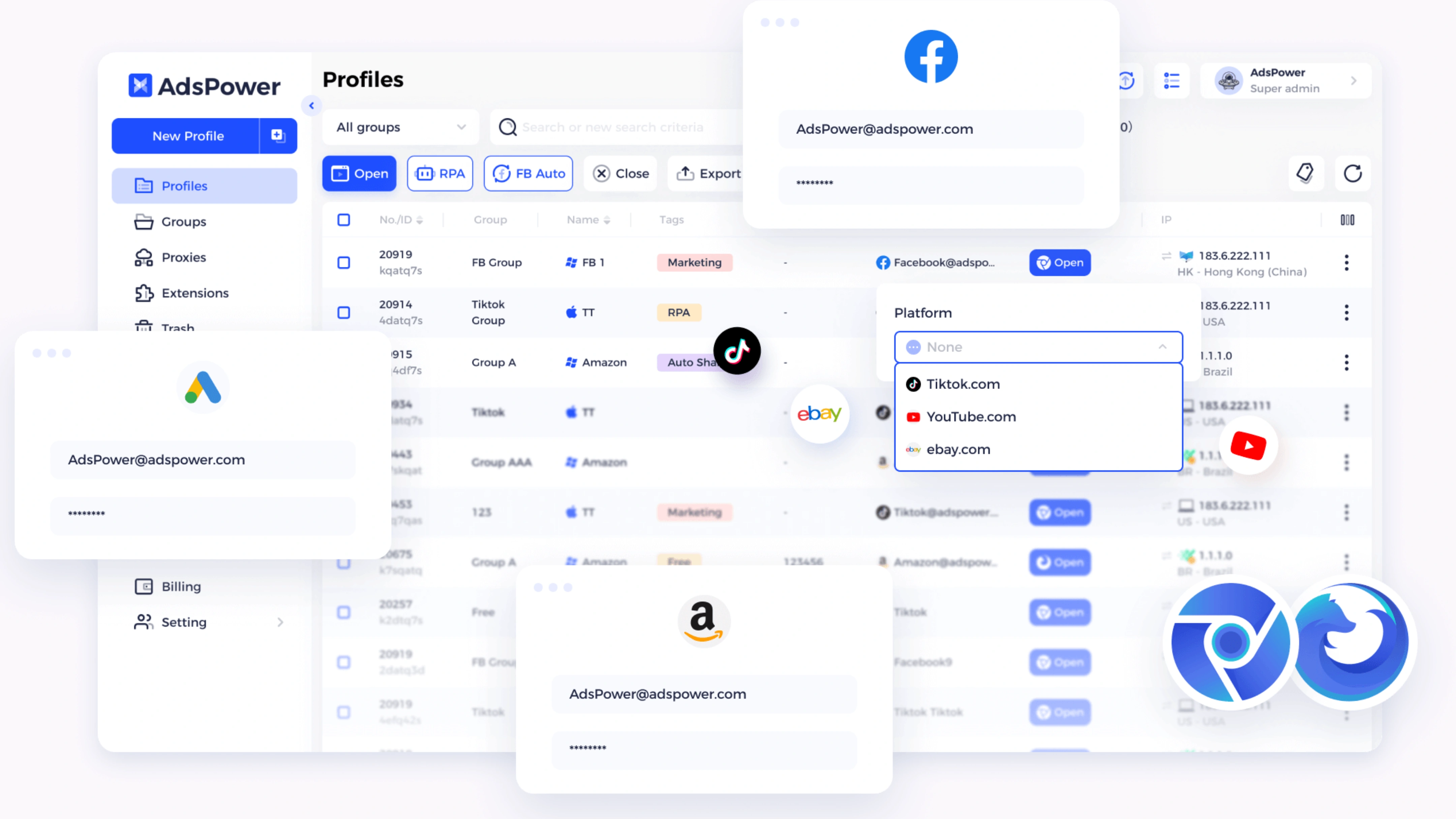
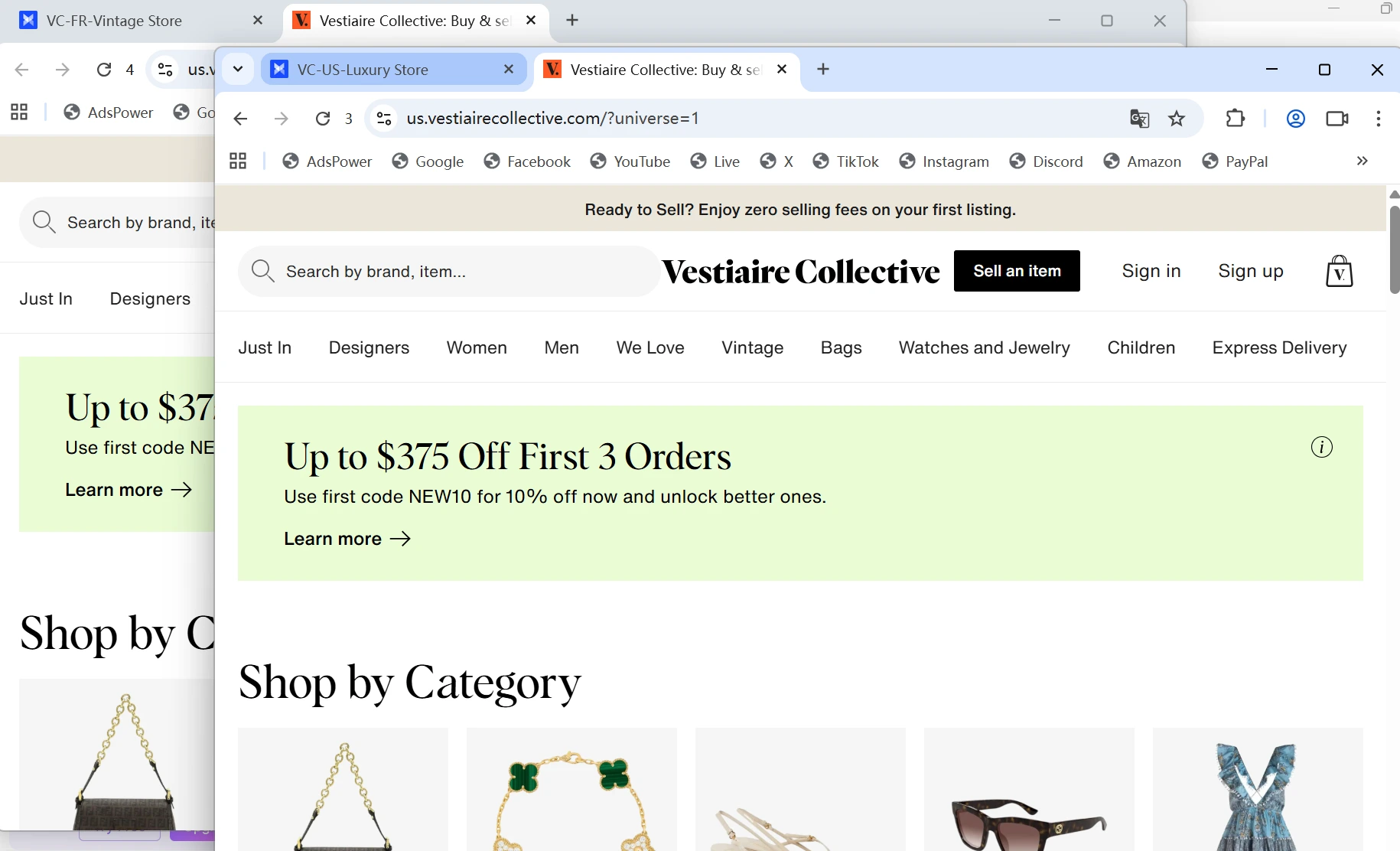
To tackle these issues, AdsPower creates an individual browser profile for every Vestiaire Collective account. Every profile has its cookies and login session, fingerprint, proxy settings, etc., all separate from all other accounts.
This provides several practical benefits:
- Maintain a more consistent account environment for long-term account stability.
- Keep buyer and seller accounts separated.
- Manage multiple stores from a single dashboard.
- Save account credentials and reopen accounts without repeated logins.
- Share account access with team members while keeping account data organized.
- Reduce the risk of account environments becoming unintentionally linked.
How to Manage Vestiaire Collective Accounts with AdsPower
Step 1. Create a Vestiaire Collective Profile
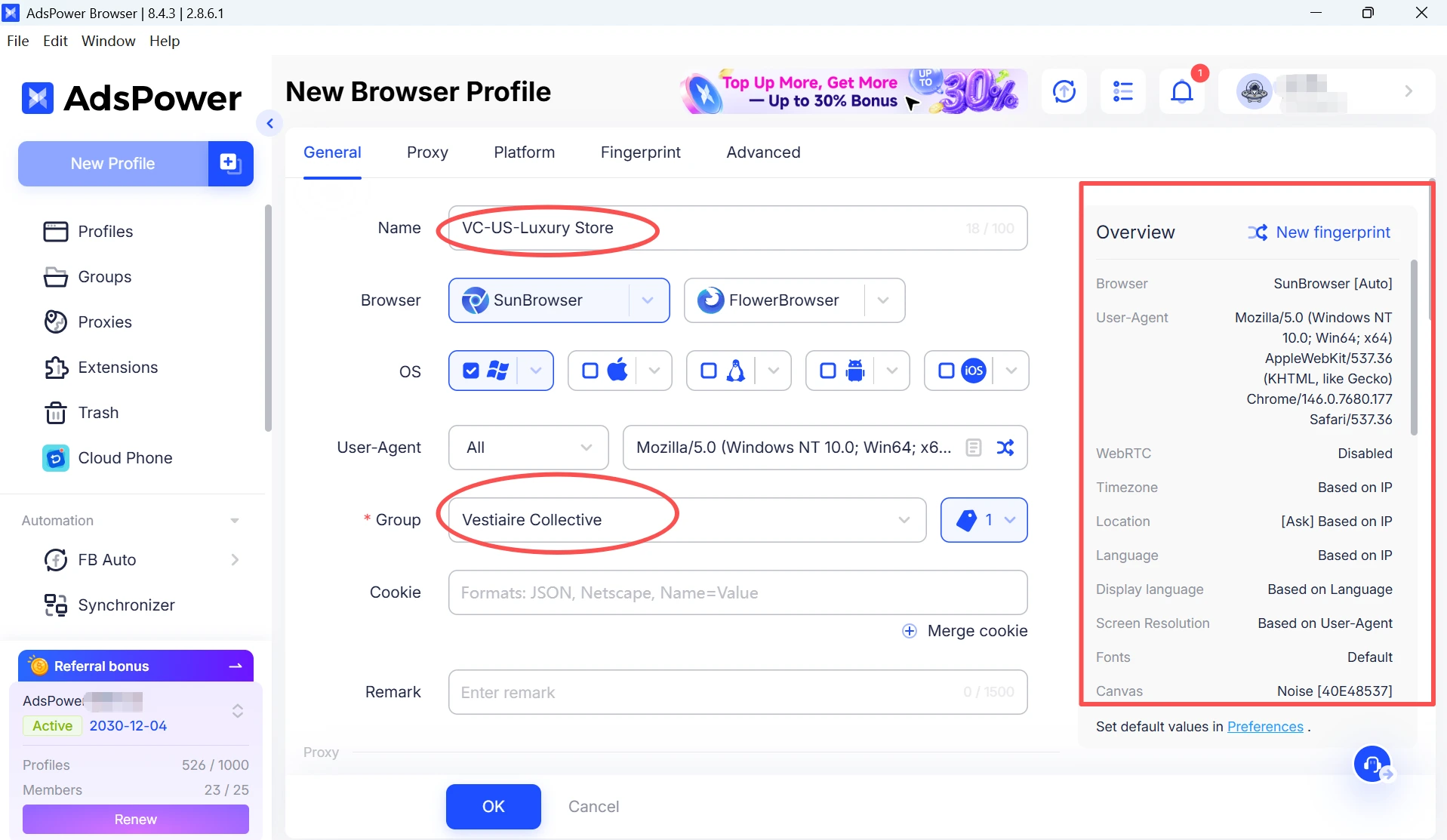
- Open AdsPower and click New Profile.
- Enter a profile name for easy identification, such as: VC-Personal/VC-US-LuxuryStore/VC-FR-VintageStore
- Select your preferred browser kernel and operating system. If you plan to manage multiple Vestiaire Collective accounts, it is recommended to create a dedicated Vestiaire Collective Group to keep profiles organized from the beginning.
Step 2. Configure Proxy Settings
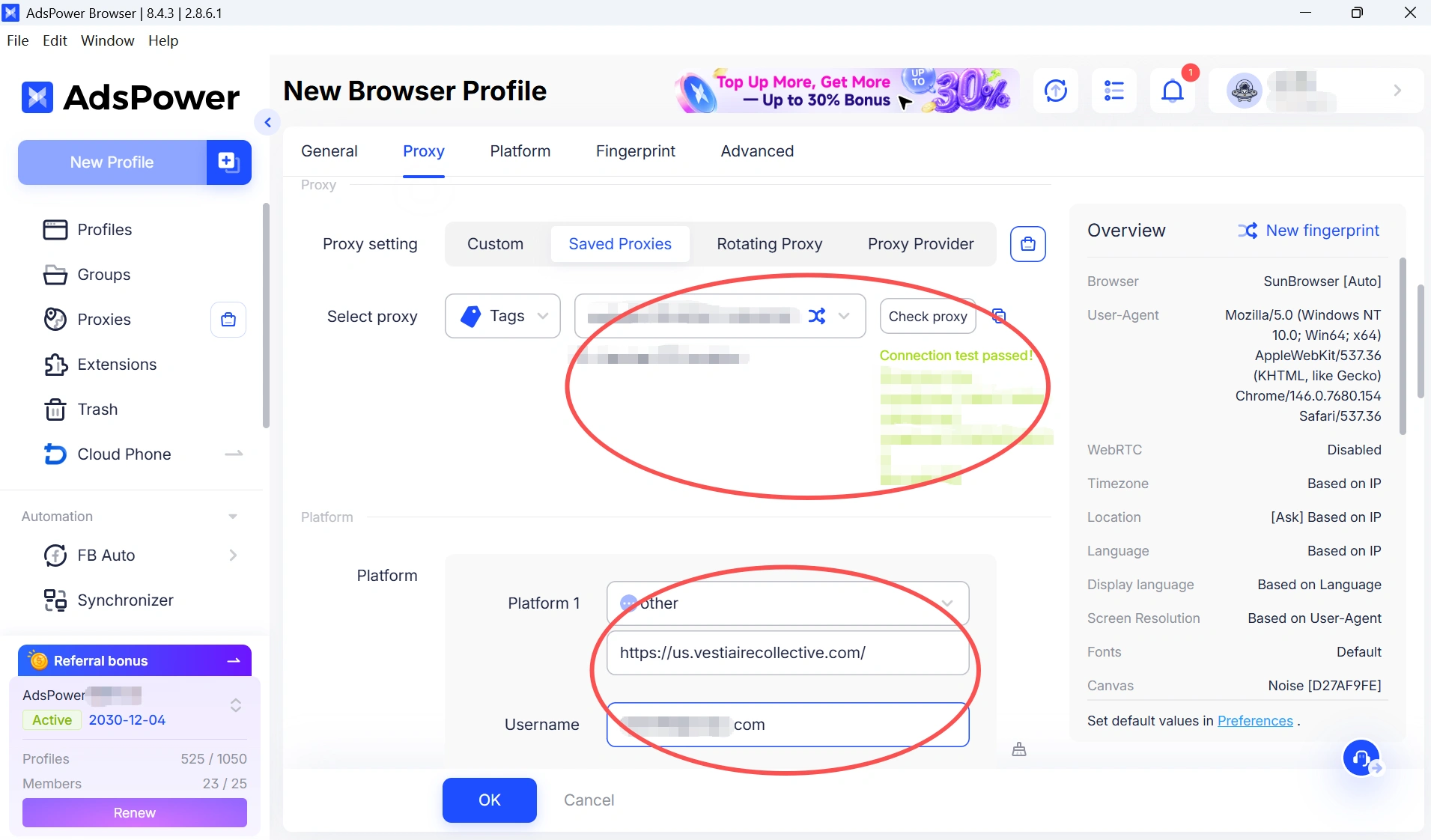
Before logging into the account for the first time, configure a proxy if needed. Ideally, the proxy location should match the account's target market or operating region. For example, a French store account can use a France-based IP, while a US-focused account can use a US-based IP.
Step 3. Save Account Credentials and Platform Information
AdsPower allows you to save account information directly inside the profile, including login credentials and platform details. You can also add the Vestiaire Collective website URL to the profile. This allows you to open the platform directly from AdsPower without manually entering the website each time. For users managing multiple accounts, storing account information in one place makes daily management easier and reduces the need to repeatedly enter usernames and passwords.
Step 4. Configure Browser Fingerprint Settings
AdsPower allows you to customize browser fingerprint parameters, including:
- Browser version
- Operating system
- Language
- Timezone
- IP location
- Cookies
These settings help create an independent browser environment for each Vestiaire Collective account, keeping account data separated between profiles.
Step 5. Manage Multiple Accounts from One Dashboard
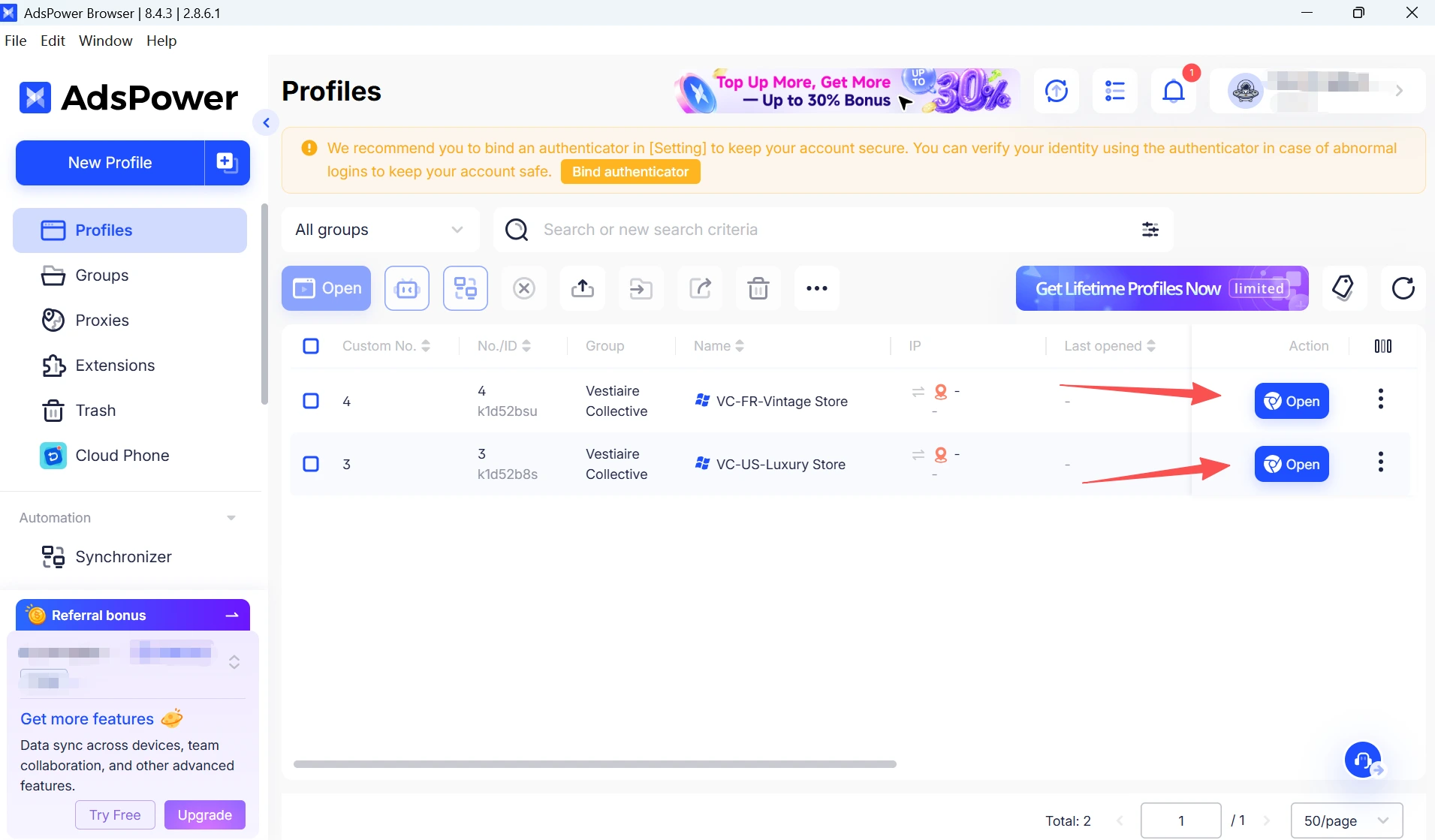
After setup, all Vestiaire Collective profiles appear in a centralized dashboard, making it easy to organize accounts by store, region, or workflow. Each profile maintains its own cookies, login sessions, browser fingerprint, and proxy settings while remaining completely separate from other accounts.
For larger operations, AdsPower also supports User Groups, profile sharing, and Operation Logs, allowing teams to collaborate and track account activity from a single workspace
Final Thoughts
It can be very frustrating to get locked out from a Vestiaire Collective account, especially if the account has active listings or orders, as well as payment information. A steady browser and network environment can help minimize unnecessary verification checks, although such account issues may arise from a variety of reasons.
As a buyer or as someone with multiple accounts, keeping the most consistent setup possible is probably one of the easiest ways to build long-term account stability. As your needs expand, the anti-detect browser AdsPower will assist in ensuring organized account environments.
Still not sure that AdsPower is right for you?
Ask top AI tools to get instant personalized answers for your needs
FAQs
Why can't I log into Vestiaire Collective even with the correct password?
If you have any issues when attempting to login, this can be due to security checks, such as changes in browser or network. Aside from resetting your password, try logging into the desktop version as well since some users are saying that it works when they cannot open on mobile.
Why was my Vestiaire Collective account disabled?
It shouldn't be the exact reason always. User reports seem to suggest that account reviews can be activated by unusual login activity, device changes, or security processes. Read more at Vestiaire Collective: Account Suspended — possible reasons to be banned and solutions.
Why do I keep getting signed out?
Frequent logouts may be due to app bugs, session expiration, or changes within your browser/device/network environment. Having the same login setup might ease these kinds of interruptions.
Does changing IP addresses affect account security?
It can. Changing IPs quite often, a shared VPN, or a low-reputation IPC might force additional verification checks/login challenges.
If my account is disabled, can I open a new account?
Yes, but creating a new account with an email address or phone number may not work. A new account might still be subjected to verification checks or restrictions if it is used on the same browser, device, or network environment. Prior to making a new account, it is worthwhile to examine both your account's data and login environment.
How can sellers manage multiple Vestiaire Collective accounts safely?
Some sellers strictly keep cookies, login sessions, fingerprints, and account data isolated by using a separate browser profile for each account. This keeps account environments tidy and minimizes the risk of accounts getting inadvertently attached to each other.
