

Understand Client Hints, why they matter, and how they improve privacy and accuracy compared to User-Agent strings. Get clear examples and practical insights—explore smarter browser profiles with AdsPower today.
What exactly are Client Hints, and why are they replacing the traditional User-Agent string? If you've ever struggled with inconsistent device detection, unreliable parsing, or rising privacy requirements, Client Hints offer a modern, structured solution. These headers let browsers share precise information—such as platform, device memory, or display settings—only when the server explicitly requests it.
In this guide, we break down what Client Hints are, how they work, and provide clear Client Hints examples so you can understand the shift from User-Agent vs Client Hints with confidence. Written in an expert yet approachable tone, this article helps you adapt to evolving web standards and make better technical decisions.
If you're looking to apply these insights with accuracy and privacy in real workflows, explore how AdsPower browser can elevate your browser profile strategy with purpose—not just action.
What Are Client Hints?
Client Hints are a modern web mechanism that allows browsers to send selective, structured information about the user's device, network, or browser to a website. Instead of sending a large, fixed block of identifying details (like the traditional User-Agent string), Client Hints let the browser share only the data a website explicitly asks for.
In simple terms:
Client Hints = on-demand device information, shared only when the server requests it.
This design gives users better privacy while still allowing websites to optimize content, display formats, and performance for different devices.
Types of Client Hints (With Practical Examples)
Client Hints are grouped into several categories. Here are the most commonly used ones, with real-world examples of how websites may apply them:
1. User Agent Client Hints (UA-CH)
A modern replacement for the traditional User-Agent string:
- Sec-CH-UA: Browser brand and major version (sent by default)
- Sec-CH-UA-Platform: Operating system (sent by default)
- Sec-CH-UA-Platform-Version: Detailed OS version
- Sec-CH-UA-Arch: CPU architecture
- Sec-CH-UA-Model: Device model
- Sec-CH-UA-Mobile: Indicates whether the device is mobile (sent by default)
- Sec-CH-UA-Full-Version-List: Complete list of browser versions
2. Device & Network-Related Hints
- Device-Memory: Amount of device memory
- Downlink: Network downlink speed
- ECT (Effective Connection Type): Connection quality (e.g., 4g, 3g)
- RTT: Round-trip time
3. Display-Related Hints
- Viewport-Width: Width of the viewport
- Width: Intended display width for images
- DPR: Device pixel ratio
4. User Preference Hints
- Sec-CH-Prefers-Color-Scheme: Preference for dark or light mode
- Sec-CH-Prefers-Reduced-Motion: Preference for reduced motion/animations
Browser Support for Client Hints
Client Hints are supported by most modern browsers, but not equally:
- Fully supported: Chrome, Edge, Opera, Brave
- Partial support: Firefox (limited, disabled by default); Safari (Apple prioritizes strict privacy controls)
This uneven support means developers still need fallback strategies—often relying on User Agent parsing when Client Hints are absent.
What Is User Agent?
The User-Agent string is an older mechanism where the browser sends a long, fixed-format text containing system, browser, and device information.
Mozilla/5.0 (Windows NT 10.0; Win64; x64) AppleWebKit/537.36
(KHTML, like Gecko) Chrome/124.0.0.0 Safari/537.36
This single string reveals:
- OS
- Browser type & version
- Rendering engine
- Device architecture
For years, websites relied on User-Agent parsing to:
- Customize layouts
- Detect mobile devices
- Apply compatibility adjustments
- Track or fingerprint users
However, because UA strings expose more information than necessary—and are easy to spoof—modern browsers are moving toward User-Agent Reduction paired with Client Hints.
Client Hints vs User Agent: What's the Difference?
|
Dimension |
User Agent |
Client Hints |
|
Delivery Method |
Sent automatically with every request; no differentiation |
Sent on demand; server controls what to request |
|
Privacy Protection |
Weaker — exposes all information on every request |
Stronger — follows the "least privilege" principle, sharing only what’s necessary |
|
Information Granularity |
Coarse — all details packed into one long string |
Fine-grained — each piece of information is separated into its own hint |
|
Scalability |
Poor — changes may break compatibility |
Excellent — new hints can be added without affecting existing behavior |
|
Parsing Difficulty |
High — requires regex and extensive rule sets |
Low — structured and easy to interpret |
|
Header Size |
Fixed and often large |
Dynamic and typically smaller, depending on the requested hints |
Key Relationship
Client Hints do not fully replace User Agent yet. Instead:
- Browsers now reduce UA detail
- Websites can optionally request specific information through Client Hints
Think of Client Hints as a more controlled, privacy-friendly evolution of the User-Agent mechanism.
Why Client Hints Matter (Real Use Cases)
Client Hints solve several real-world challenges:
1. Better Privacy with Less Data Exposure
Since browsers only send hints when requested, trackers cannot automatically extract device details.
This improves user privacy while still empowering websites with needed info.
2. More Accurate Device Detection
User-Agent strings often lie (for compatibility reasons).
Client Hints provide accurate, structured data directly from the browser.
3. Performance Optimization
Websites can adjust content delivery based on:
- Network speed
- Screen resolution
- Device capabilities
This ensures faster loading and better UX.
4. Reliable Multi-Device and Multi-Account Management
Privacy-focused users, automation tools, and multi-account platforms benefit from Client Hints because they reduce unnecessary fingerprinting vectors.
5. Future-Proofing
As major browsers roll out UA Reduction, developers need Client Hints to maintain compatibility and detection features.
Can Client Hints Be Spoofed?
Yes, Client Hints can be spoofed, but it's significantly more difficult than manipulating User-Agent strings.
Why are they harder to fake?
- Browsers validate the structure
- Servers must explicitly request hints
- Some hints depend on hardware (e.g., DPR, device model)
- Anti-detect tools must simulate multiple layers of environment data consistently
For ordinary scripts, spoofing Client Hints is not as simple as modifying a single header.
However…
Advanced tools—especially antidetect browsers used for marketing, e-commerce, or anti-tracking—can simulate real device environments, including Client Hints.
But this requires synchronized spoofing of:
- User Agent
- Client Hints headers
- JS-exposed properties
- Canvas/WebGL behavior
- Hardware metrics
If any detail is inconsistent, fingerprinting systems can still detect anomalies.
Fingerprint risk still exists. If a server requests multiple detailed ("high-entropy") hints at once, Client Hints can still form a highly unique fingerprint—sometimes even more structured than the old User-Agent string.
For example, combining these values:
// High-entropy Client Hints combined into a device fingerprint
const fingerprint = `${platform}_${platformVersion}_${architecture}_${model}_${deviceMemory}_${dpr}`;
Fingerprint Protection Recommendations
As web fingerprinting becomes more advanced, relying solely on Client Hints or UA spoofing is not enough. Here are practical, actionable tips:
1. Maintain Full Environment Consistency
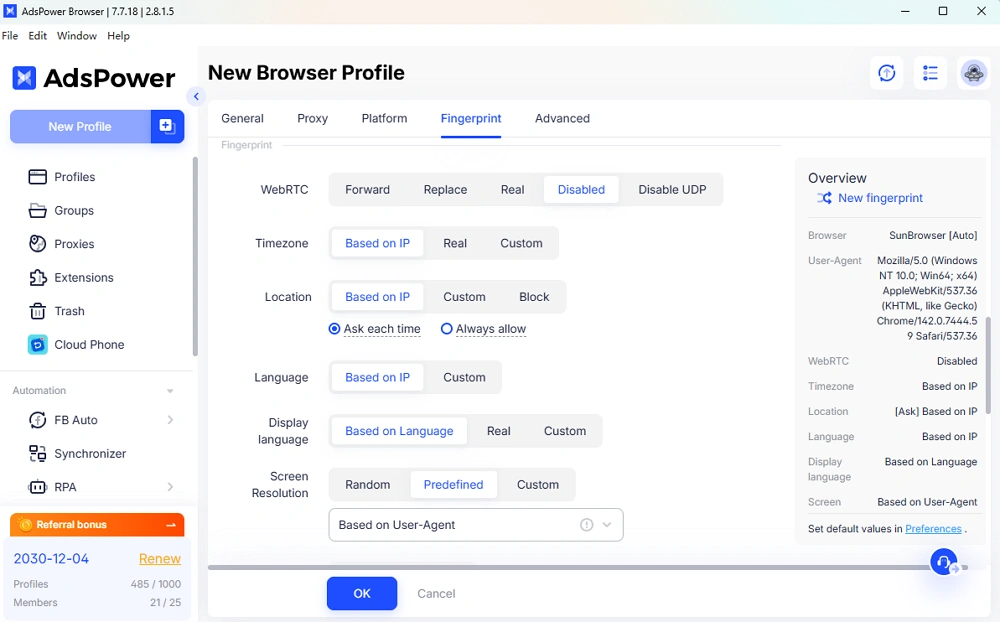
Every fingerprinting vector—UA, Client Hints, canvas, fonts, WebRTC, timezone—must match one realistic device profile.
Random mismatches instantly trigger risk scores.
2. Avoid Manual Modifications
Editing headers manually often causes inconsistencies.
Instead, use automated browser profiles where the system generates coherent fingerprints.
3. Use Dynamic User Profiles
Static fingerprints reused across accounts can cause linking.
Rotate environment profiles periodically to avoid pattern detection.
4. Disable or Control WebRTC Leaks
Even if your UA and Client Hints are spoofed, a WebRTC IP leak can still expose your identity.

5. Keep Cookies and Storage Isolated
Client Hints do not protect against cookie tracking.
Each identity or account should have unique:
- Cookies
- Local storage
- Session storage
6. Use an Antidetect Browser for Multi-Account or Operational Tasks
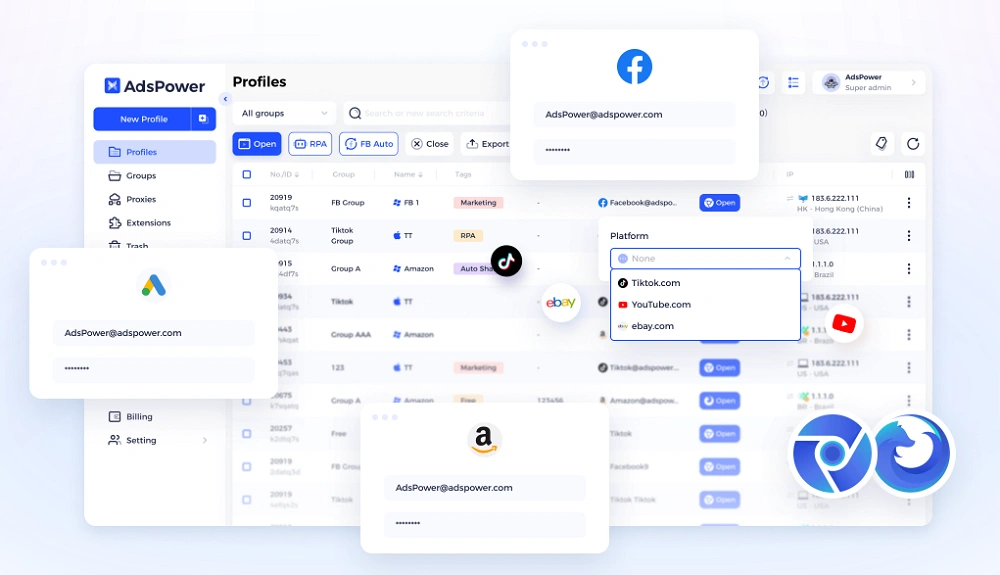
Unlike simple extensions, anti-fingerprint browsers, e.g.: AdsPower, simulate consistent environments, including Client Hints and modern fingerprint surfaces.
This provides stronger protection against account linking and device recognition—especially important for:
- Marketing teams
- E-commerce sellers
- Web automation users
- Anti-ban operations
Final Thoughts
Client Hints are a major step forward for web privacy and performance. They offer a more precise, controlled alternative to the traditional User-Agent string, helping websites optimize content while reducing unnecessary data exposure.
However, Client Hints alone can't prevent fingerprinting. Real-world environments require consistent spoofing across all device surfaces—especially for users managing multiple accounts, safeguarding privacy, or avoiding unintended tracking.
