

Yandex not working? Learn how to fix search, mail, and login issues step by step. Discover common causes and practical solutions. Try AdsPower for more stable account access and fewer login problems.
Yandex is the top search engine in Russia, so you need Yandex if you want to do business in the Russian market. When you encounter that Yandex stops loading, fails to show search results, or blocks your login, it can interrupt both daily use and work tasks. Many users searched for answers like "yandex not working," "yandex mail not working," or "is yandex down" in the forums, like the following user asked.
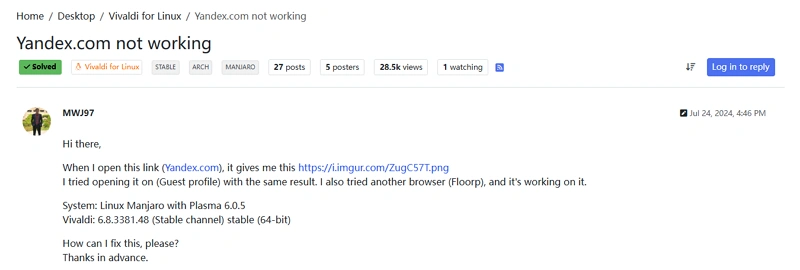
Most problems come from a few predictable causes, and in many cases, they can be fixed within minutes. This guide explains what's going wrong and gives clear steps you can follow to restore access.
If you manage several accounts or often run into login issues, using a controlled browser environment like AdsPower can help reduce repeated access problems. More on that later.
Is Yandex Down Right Now?
Before taking actions to fix the problems, please firstly check whether the issue is on Yandex's side or yours. This avoids unnecessary troubleshooting.
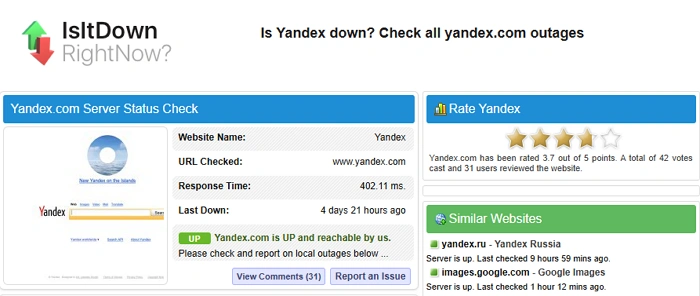
Check Yandex Server Status with Tools
Use independent tools to confirm service status:
-
DownDetector for real-time user reports
-
IsItDownRightNow for server response checks
-
Ping tools to test connectivity
If multiple sources show outages, the problem is likely temporary and affects many users.
How to Tell If It's a Global Outage or Just You
Look for these following signals:
Possible platform issue:
-
Yandex Search, Mail, and other services fail at the same time
-
Reports appear across monitoring tools
-
The site does not load on any device
Possible local issue:
-
Yandex works on another device
-
Only your account has trouble
-
Switching networks changes the result
Why Is Yandex Not Working?
If Yandex is online but still not working, the cause usually falls into one of the categories below.
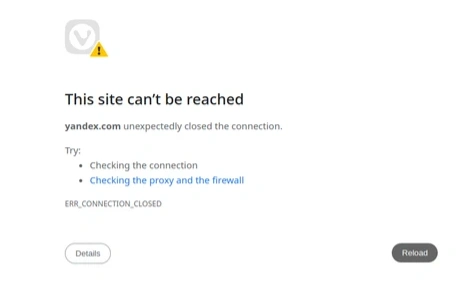
Internet or Network Problems
A weak or unstable connection can stop pages from loading or cause partial errors.
What can go wrong:
-
Slow or interrupted internet
-
DNS resolution errors
-
Restrictions from your internet provider
What you can try:
-
Restart your router
-
Switch between Wi-Fi and mobile data
-
Use a public DNS such as 8.8.8.8 or 1.1.1.1

Browser Issues (Cache, Extensions, or Updates)
Browsers store data to speed up loading, but this data can become outdated or corrupted.
Common triggers:
-
Old cache or cookies
-
Browser not updated
-
Extensions interfering with scripts
Steps to fix browser issues:
-
Clear cache and cookies
-
Disable extensions one by one
-
Try another browser to compare results
Account Blocks or Security Checks
If your Yandex account does not work during login, the system may have flagged the activity.
Yandex tracks:
-
Device information
-
Login patterns
Situations that can trigger restrictions:
-
Logging in from different countries within a short time
-
Using multiple devices without consistency
-
Automated or repeated login attempts
Regional Restrictions or Access Limits
Access to Yandex services can vary depending on location. In some regions, certain features may load slowly or not at all.
Possible signs:
-
Pages take longer to load than usual
-
Some services fail while others work
-
Access improves when using a different network
Temporary Issues with Yandex Services
Sometimes the issue is limited to a specific service, for examples:
-
Yandex Mail delays
-
Search results not loading
-
File services not syncing
These cases are usually resolved by Yandex within a short period.
Solved: Yandex Search Not Working
If Yandex search isn't loading results, shows a blank page, or behaves inconsistently, the issue is often tied to your browser or connection. Work through these fixes in order.
Clear browser cache and cookies
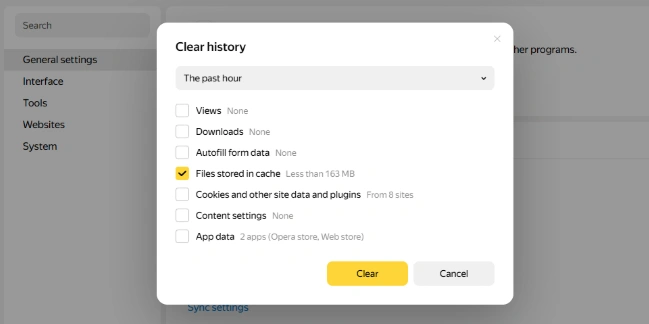
This removes outdated data that may block proper loading. Open your browser settings and move into History > Clear history> Select Cookies and other site data and plugins to clear data. Then restart your Yandex browser to try again.
Disable browser extensions
Ad blockers and privacy tools can interfere with scripts. Turn off all extensions and reload Yandex search. If it works, re-enable extensions one by one to find the cause.
Switch browser or device
Try opening Yandex in another browser such as Firefox or Edge, or use a different device. This helps confirm whether the issue is browser-specific
Change DNS settings
Public DNS providers can improve connection stability. Change your DNS:
- Open Network Settings > Change adapter options
- Right-click your network and select Properties
- Select Internet Protocol Version 4 (IPv4) and enter the new DNS.
- Save and reconnect
Check your internet connection
Even small interruptions can affect search results. Try to restart router or switch network settings.

Try Accessing Yandex Without VPN (If You Use One)
Some VPNs route traffic through unstable or flagged IPs. Thus please try to access Yandex website without VPN and reload.
Fixed: Yandex Mail Not Working?
Mail issues can affect both personal and business communication, so quick fixes matter.
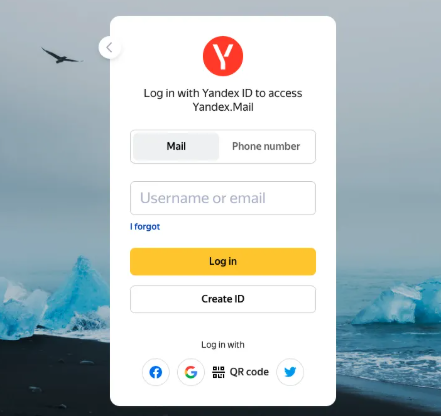
Common problems:
- Inbox not loading
- Emails not sending or receiving
- Login session expiring repeatedly
How to fix them:
- Log out and log back in
- Verify IMAP and SMTP settings if using an email client
- Clear browser data
- Check available storage in your mailbox
- Temporarily disable VPN connections
If the issue continues, try accessing your account from another device to isolate the cause.
Can't Log Into Your Yandex Account? Fix It Here
Login failures often relate to security checks rather than technical errors.
Possible reasons why you cannot log in:
- Suspicious login activity
- Too many attempts in a short time
- Access from unfamiliar locations
Steps to recover your Yandex access:
- Use the official Yandex account recovery page
- Confirm your identity through email or phone verification
- Reset your password if needed
- Avoid repeated login attempts during recovery
How to reduce future lockouts:
- Use a consistent device and network
- Avoid switching locations frequently
- Keep login behavior stable
Fix Repeated Login Issues with a Stable Browser Setup
If login problems happen often, the issue may not be your password or connection. It can come from how your browsing environment appears to Yandex.

Yandex platform will analyze your account by:
- Browser fingerprints
- Device configurations
- IP consistency
When these factors change too often, the system may treat the activity as risky.
How AdsPower helps create a stable browsing environment:
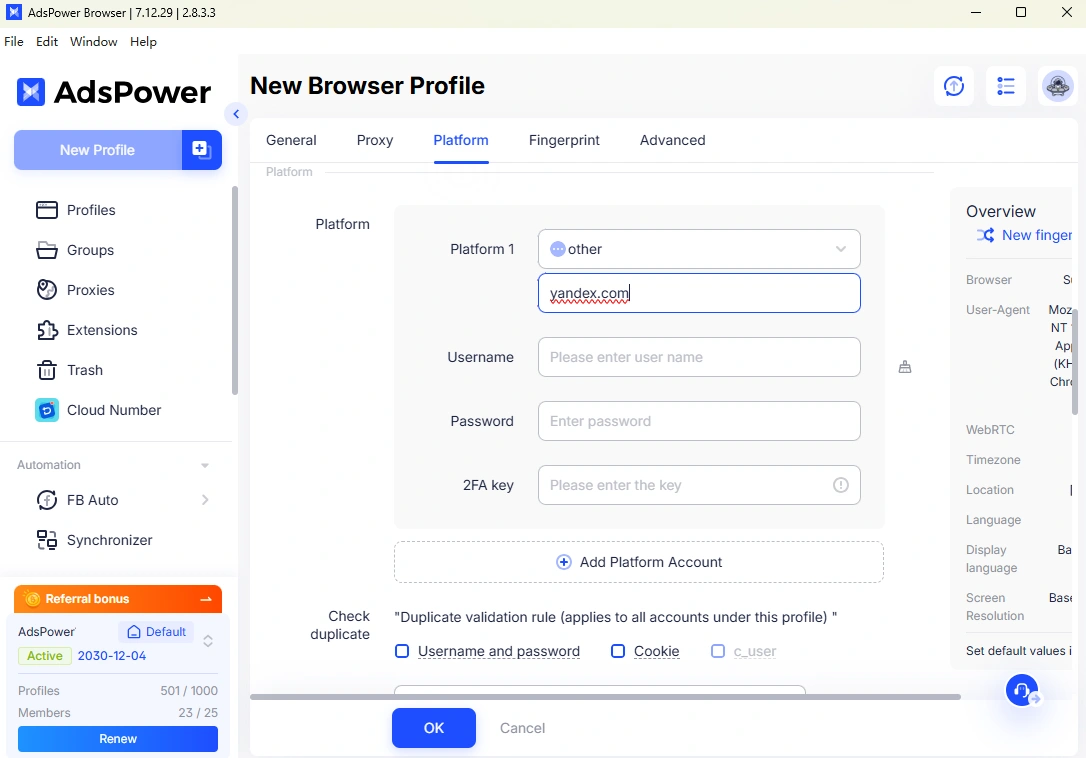
- Creates separate browser profiles for each Yandex account
- Keeps device fingerprints consistent
- Allows you to assign a fixed proxy to each profile
- Reduces the chance of triggering security checks
This settings is useful for:
- Managing multiple Yandex accounts
- Running marketing or SEO tasks
- Working across different regions
Instead of repeated verification requests or login failures, you get a more stable access experience.
How to Prevent Yandex Issues in the Future
Solving an issue once is useful, but stopping it from coming back makes a bigger difference, especially if you depend on Yandex in your daily work.
Keep Your Browser Environment Clean and Updated
Browsers tend to accumulate data over time, which can lead to unexpected issues.
- Update your browser regularly
- Clear cache and cookies every few weeks
- Avoid installing too many extensions, especially overlapping ones
A simpler setup reduces the chance of conflicts.
Stick to a Stable Network Setup
Frequent network changes can trigger security checks or loading issues.
- Try to use a consistent internet connection
- Avoid switching between multiple IP locations within short periods
- If you need to change networks, do it gradually rather than frequently
This is especially important for users who log in often.
Be Consistent with Devices and Login Behavior
Yandex pays attention to how and where you log in.
- Use the same device whenever possible
- Avoid logging in from multiple countries in a short time
- Limit repeated login attempts
These small habits can reduce the risk of account restrictions.
Use Separate Environments for Multiple Accounts
If you manage more than one Yandex account, things get more complicated. Logging into several accounts from the same browser can create conflicts and trigger security flags.
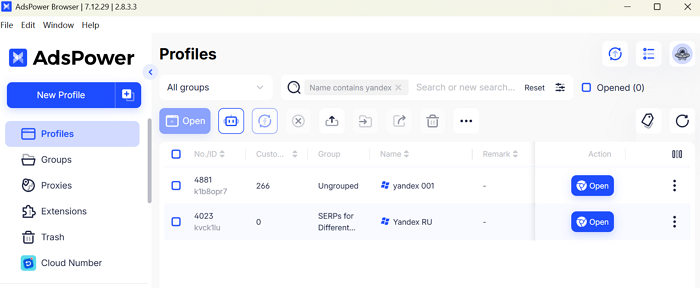
This is where tools like AdsPower become useful. With AdsPower antidetect browser, you can:
- Create isolated browser profiles for each account
- Keep login environments consistent over time
- Assign a dedicated proxy to each profile
- Avoid overlapping sessions that may look suspicious
Instead of constantly verifying accounts or dealing with login failures, each account runs in its own stable setup. This approach is widely used by marketers, affiliate teams, and anyone handling multiple accounts.
Avoid Unstable VPN Usage
VPNs can help with access, but frequent switching between servers can cause more problems than it solves.
- Use a consistent location if you rely on VPNs
- Avoid free or overloaded servers
- Consider using stable proxy setups for better control
Monitor Issues Early
If something feels off, address it early before it turns into a bigger problem.
- Slow loading can signal network or DNS issues
- Repeated login prompts may indicate account risk
- Partial service failures could point to browser conflicts
Catching these signs early helps you fix them before access is fully blocked.
FAQ
Is Yandex Blocked in Your Country?
In certain countries or networks, Yandex services can be partially blocked or experience slower performance. This may appear as:
- Pages taking longer than usual to load
- Some features not working properly
- Search or mail behaving inconsistently
To address this, you can:
- Connect through a different network to see if the issue persists
- Use a reliable proxy rather than switching VPNs frequently
- Maintain a consistent browser setup for smoother access
Final Thoughts
Most Yandex problems are linked to network issues, browser settings, or account security measures. Identifying the cause early often makes it easier to fix.
For temporary glitches, actions like clearing your browser cache or switching networks usually resolve the problem. If login difficulties keep recurring, consider how your browsing environment is configured. Using tools like AdsPower allows you to manage multiple accounts in separate, stable environments, reducing repeated access problems and keeping your accounts running reliably.
