

Explore the key differences between AdsPower and Dolphin Anty, from automation to team features and cost, and choose the anti-detect browser that best supports your current work and future growth.
🎉 Special Deal: Get extra 10% OFF your first AdsPower monthly plan with code: dolp10
As online platforms add stricter anti-fraud and tracking rules, managing many accounts is harder for advertisers, affiliates, and online sellers. Anti-detect browsers help by separating browser fingerprints, so each account looks independent and is less likely to be linked. AdsPower and Dolphin Anty are two popular tools designed for this purpose.
Although both platforms support multi-account management, they are built with different priorities in mind. The differences become clearer as daily workloads increase or teams begin to scale. Factors such as ease of use, automation options, team access controls, and pricing can directly affect efficiency and long-term growth.
This article compares AdsPower and Dolphin Anty in a simple way. It looks at features, automation, pricing, and team tools to help you choose the right option for your current needs and future growth.
What is AdsPower?
AdsPower is a comprehensive platform built to support secure and efficient multi-account operations. As an anti-detect browser, it helps users manage multiple online accounts by isolating browser fingerprints, streamlining daily tasks, and supporting collaboration across teams.
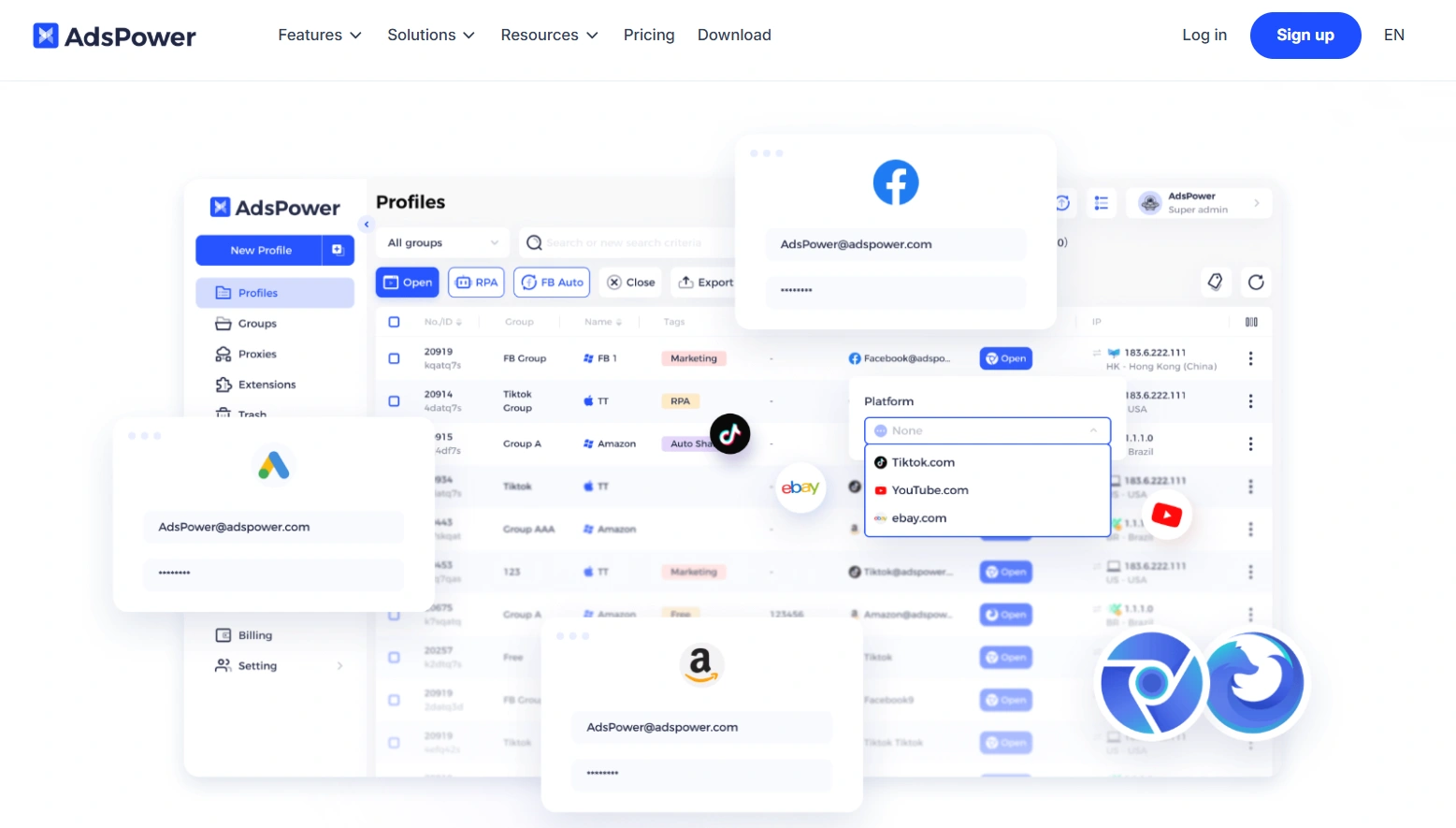
AdsPower creates browser fingerprints that work well in real use, not just in testing tools. Because of this, many users trust it to manage accounts on ad platforms, social networks, and online stores.
- Multiple OS and browsers: AdsPower can simulate different OS, including Windows, macOS, Android, Linux and iOS. Users can choose between Chromium and Firefox browsers.
- Safe multi-account use: Each account runs in its own browser profile, which helps prevent accounts from being linked.
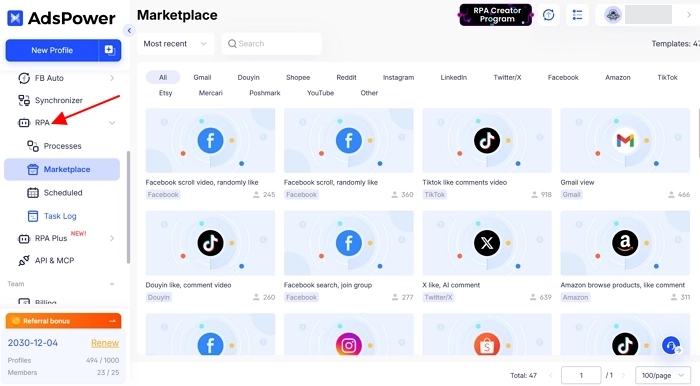
- Easy automation: AdsPower offers built-in RPA with ready-made templates for no-code automation, and also allows users to create or adjust API based on their own needs.
- Stable and secure: The platform is reliable and designed for daily use by both individuals and teams.
- Trusted by users: AdsPower works well on ad platforms, social media, and online stores, with regular updates and active support.
What is Dolphin Anty?
Dolphin {anty} helps users run multiple accounts safely by keeping each browser profile separate. Each profile has its own settings, making it look like a different device to websites.
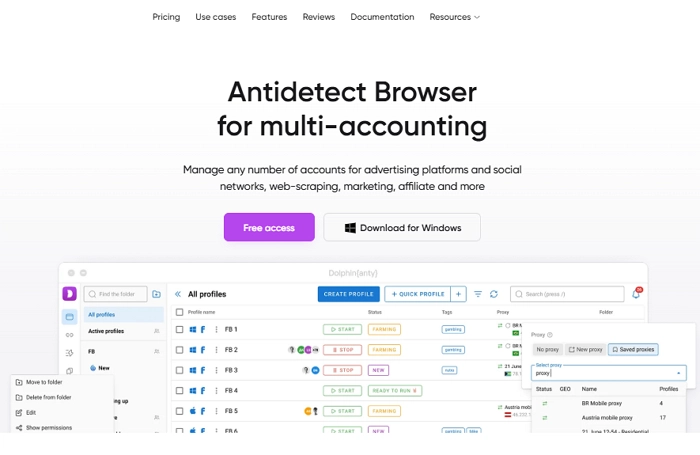
The browser is commonly used in affiliate marketing, digital advertising, and social media management, where strict account separation is required. Dolphin Anty supports third-party proxy integration and offers automation and scripting capabilities.
Dolphin Anty is actively maintained and regularly updated. As with most antidetect browsers, performance and stability depend on factors such as system resources, proxy quality, and the number of profiles in use.
AdsPower vs Dolphin Anty: Feature Comparison
The difference between AdsPower and Dolphin Anty is most clear in automation, team features, platform support, and pricing. While both offer free plans and support major desktop systems, they are built for different users and use cases. The table below outlines their key specifications side by side.
| Feature | AdsPower | Dolphin Anty |
|---|---|---|
| Automation | Built-in RPA + Local API | Local API |
| Window Synchronizer | ✓ | ✓ |
| Batch RPA Tasks | ✓ | ✓ |
| Team Features | Advanced team management, role-based permissions, profile sharing | Profile/proxy sharing, role assignment, access management |
| Free Plan | ✓ 2 profiles, no time limit | ✓ 5 profiles, no time limit |
| Annual Starting Price | From $7.2/month for 10 profiles | From $6/month for 20 profiles |
| Monthly Starting Price | From $9/month for 10 profiles | From $10/month for 20 profiles |
| Operating Systems | Windows, macOS, Linux, Android, iOS | Windows, macOS, Linux |
| Browser Kernels | Chromium + Firefox | Chromium |
| Multikernel Support | ✓ | × |
| Mobile Fingerprint Support | ✓ Android + iOS | ✓ Android-style profiles |
| Local API | ✓ | ✓ |
| Proxy Management | ✓ | ✓ |
| Bulk Profile Management | ✓ | ✓ |
| Profile Migration | ✓ Supports migration from Dolphin Anty, GoLogin, and Multilogin | ✓ Supports profile migration |
| Supported Languages | 20 | 6 |
1. Automation
AdsPower includes built-in RPA tools that let users record their actions and run them again automatically. This makes tasks like logging in, clicking through pages, or collecting data easier, without writing scripts. Users can also use the API or customize existing API workflows to fit their needs.
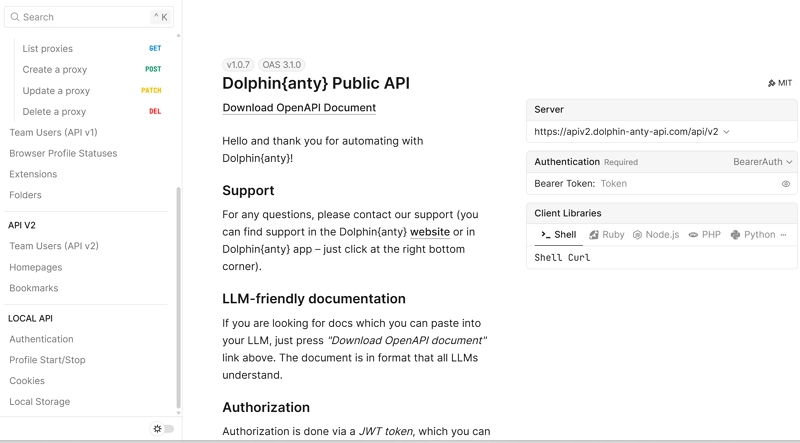
Dolphin Anty supports automation through its API and works with tools like Puppeteer and Selenium. These tools let users control browser profiles by code to automate tasks such as browsing pages, filling forms, and collecting data.
Team Feature
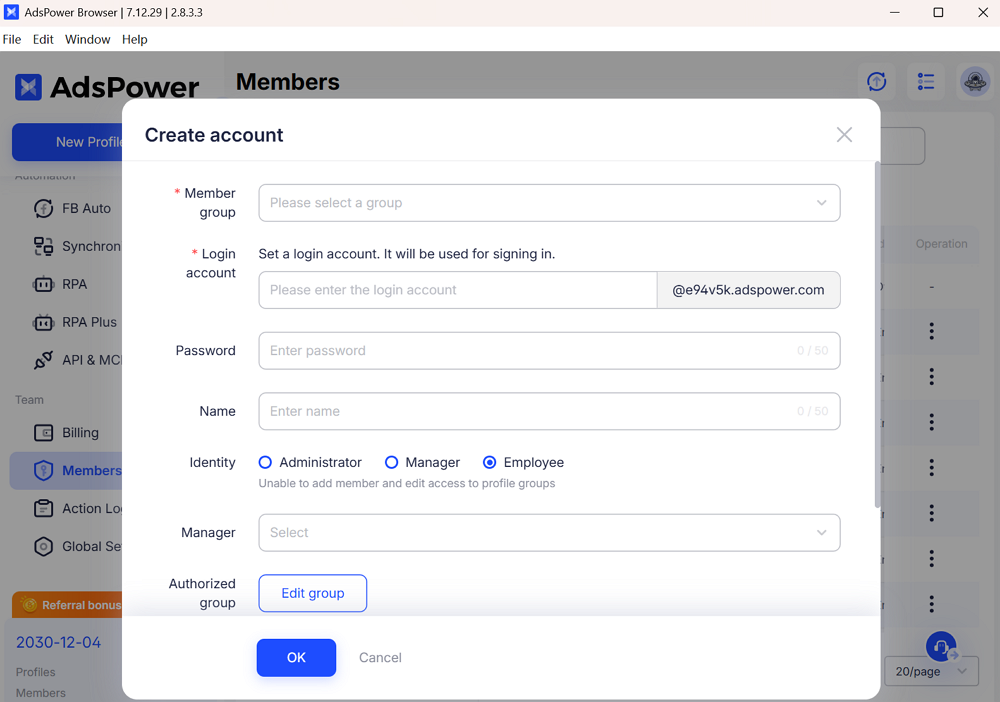
AdsPower supports teamwork with clear roles, profile access control, and activity records. This helps teams share accounts safely while keeping control over who can see and do what.
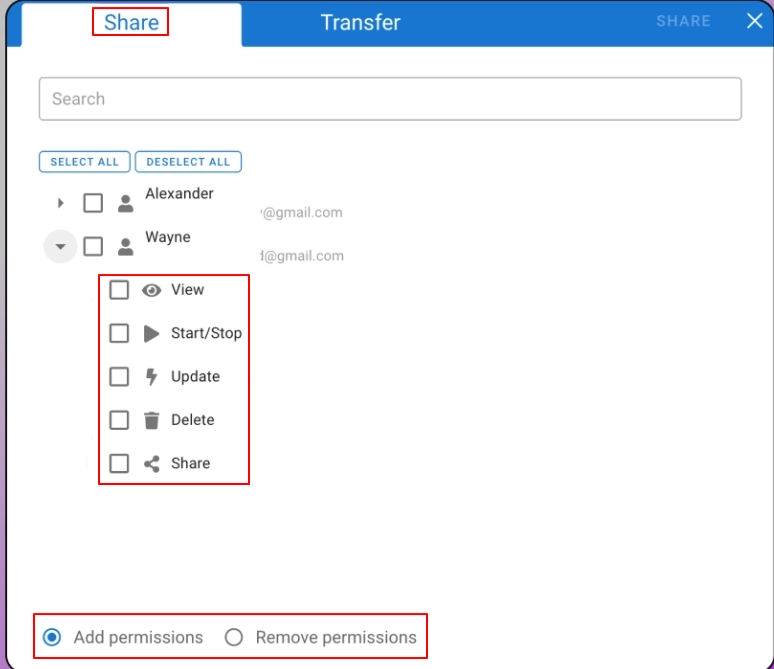
Dolphin Anty supports basic team collaboration through user roles and browser profile sharing within a workspace. Its team features focus mainly on access and sharing, with fewer advanced permission or monitoring options.
3. Pricing
AdsPower offers a permanent free plan with 2 browser profiles. Paid plans start at $9/month for 10 profiles on monthly billing, or $7.2/month with annual billing. Higher-tier plans support larger profile volumes and team collaboration. Users can also contact AdsPower to request a 7-day free trial.
Dolphin Anty offers a permanent free plan with 5 browser profiles. Paid plans start at $10/month for 20 profiles on monthly billing, or $6/month with annual billing. Higher-tier plans are available for users managing larger numbers of profiles.
As operations scale, AdsPower becomes more cost-effective. For 100 profiles, AdsPower costs $28.8 per month, while Dolphin Anty costs $89 per month.
4. Operating System
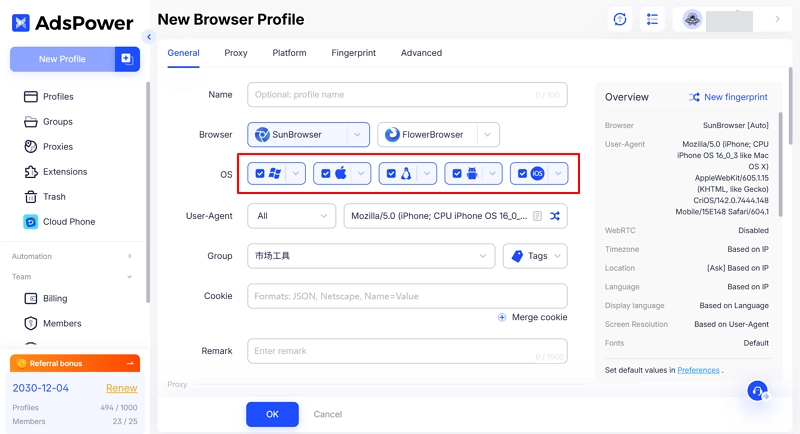
AdsPower supports multiple operating system environments, including Windows, macOS, Linux, Android, and iOS, and allows users to select specific OS versions when creating browser profiles.
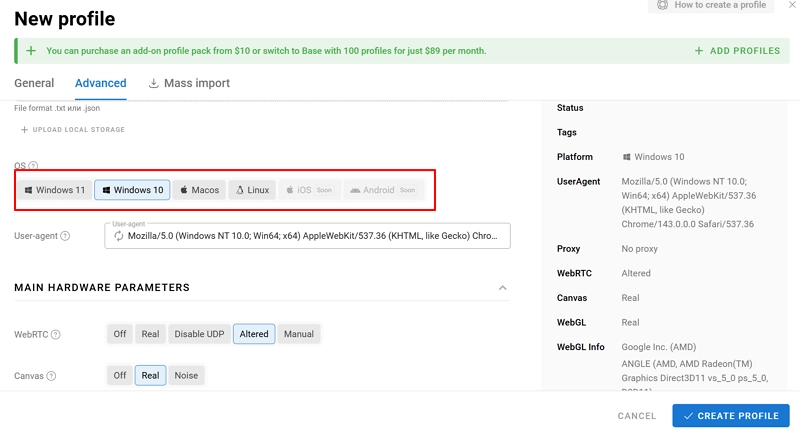
Dolphin Anty can simulate Windows 10/11, macOS, and Linux, but it does not currently support iOS or Android.
Why AdsPower Outshines Dolphin Anty
1. More Advanced Team Collaboration
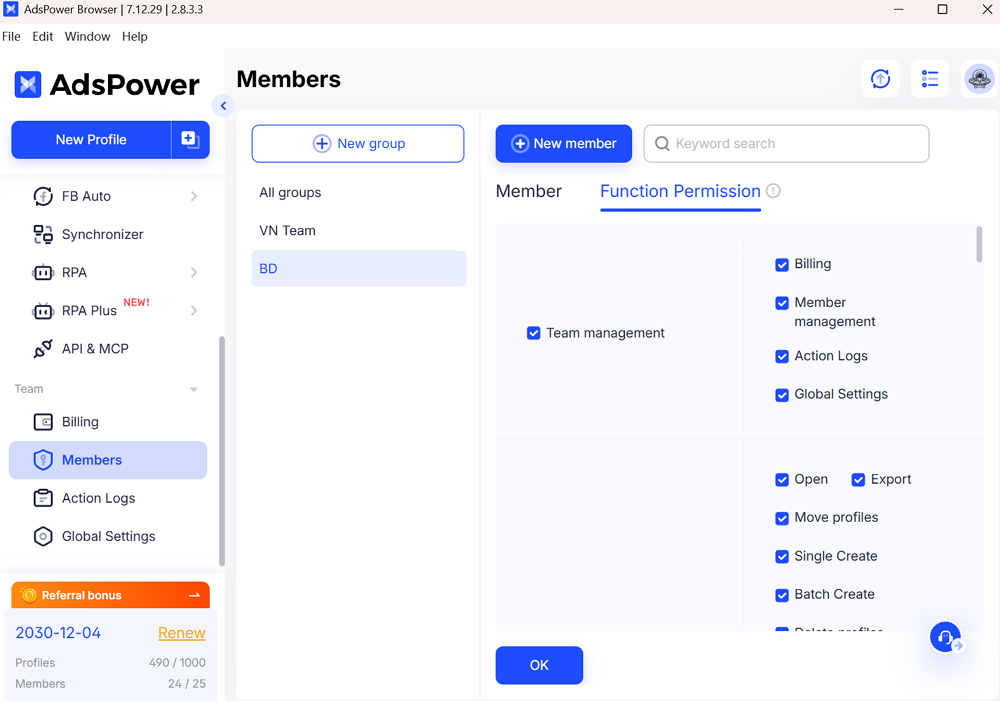
AdsPower provides structured team management features, including role-based permissions and profile-level access control, which are designed to support collaboration across multiple users and teams. AdsPower also lets users share accounts directly with team members.
Users can also share profiles with other teams:
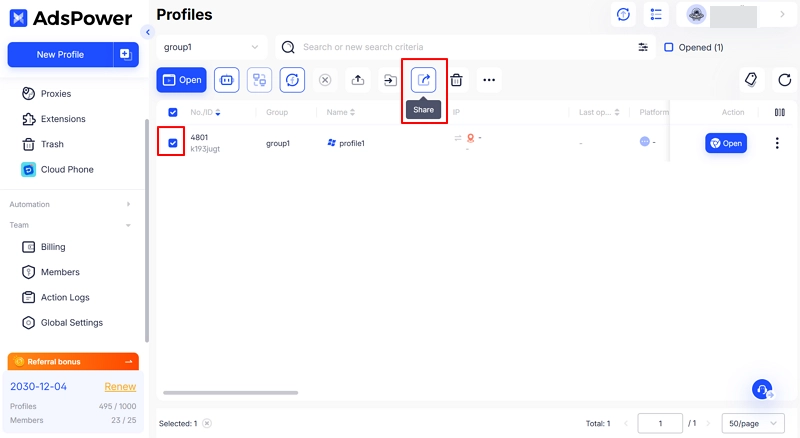
Dolphin Anty offers basic team functionality, mainly focused on adding members and sharing browser profiles, with fewer options for granular permission management.
2. Built-in No-Code Automation
AdsPower includes built-in RPA tools that allow users to record actions and run them automatically without writing code. At the same time, it also supports API access, so users can create their own scripts or modify existing APIs to fit more advanced needs. Users can transfer browser profiles from other platforms.
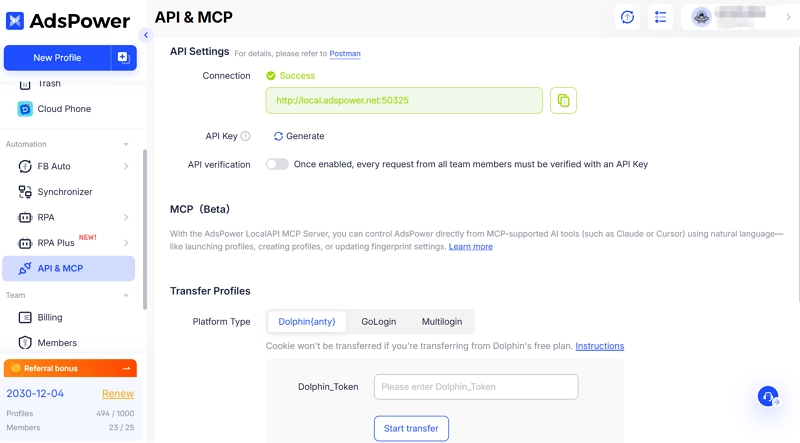
Dolphin Anty does not provide built-in no-code automation templates. Its automation capabilities rely on external tools such as Selenium, Puppeteer, or Playwright, which require scripting and development experience.
3. Browser Engine Support
AdsPower supports both Chromium- and Firefox-based browser engines, offering users more flexibility when creating and managing browser profiles.
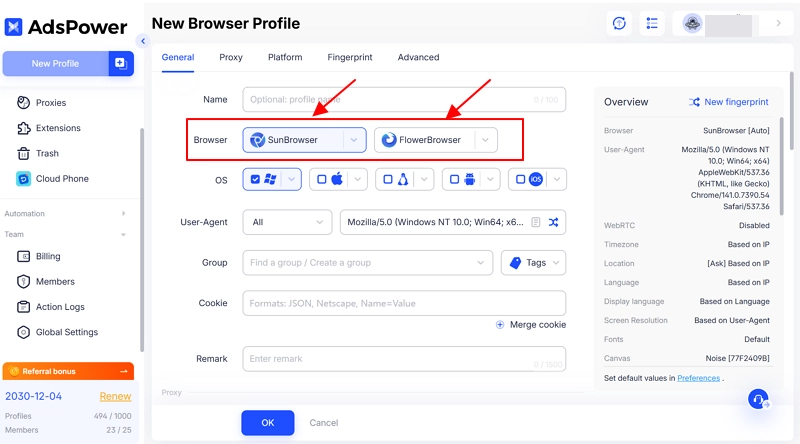
Dolphin Anty is based on the Chromium engine and does not support Firefox-based profiles, which limits engine-level diversity.
4. Security
AdsPower prioritizes data security by storing sensitive data locally by default and controlling extension updates through an official library to reduce data exposure and security risks. AdsPower has achieved SOC 2 Type II certification.
AdsPower enhances account security with remote login alerts, failed login warnings, IP allowlists, and two-step verification. These controls help detect abnormal access, restrict login sources, and protect sensitive actions.
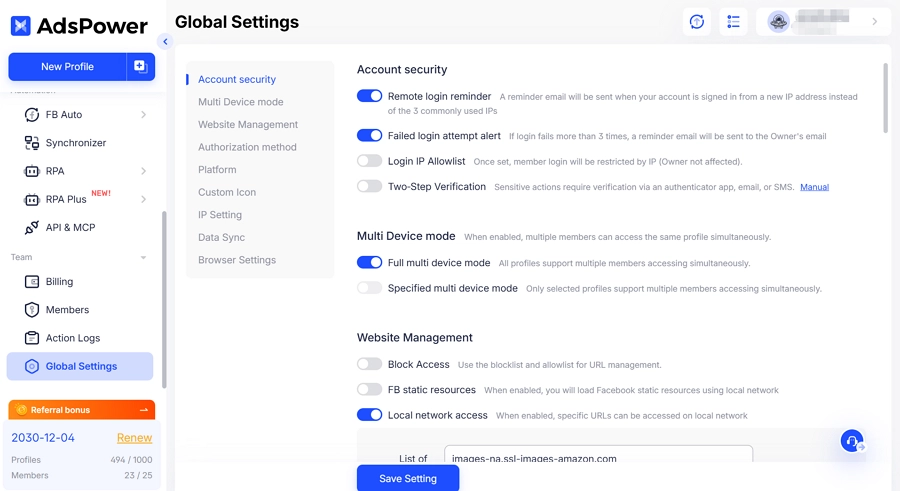
Dolphin Anty offers basic protections like profile passwords and two-factor authentication, but it does not document the broader account security controls (e.g., IP allowlists, activity logs, encrypted sync) that AdsPower highlights.
5. User Ratings and Trustpilot Feedback
AdsPower is highly rated on Trustpilot. Users praise its stability, rich features, and helpful support, especially for secure and efficient multi-account management.
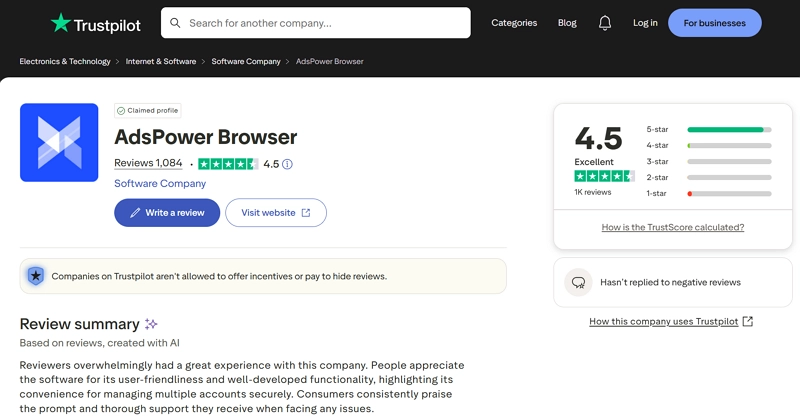
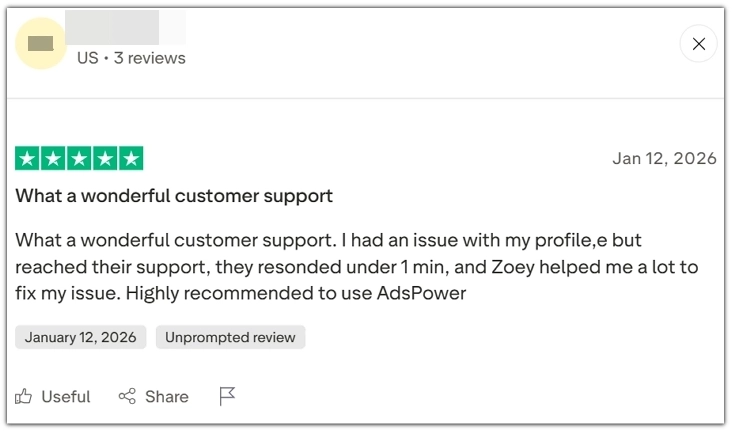
AdsPower user feedback:
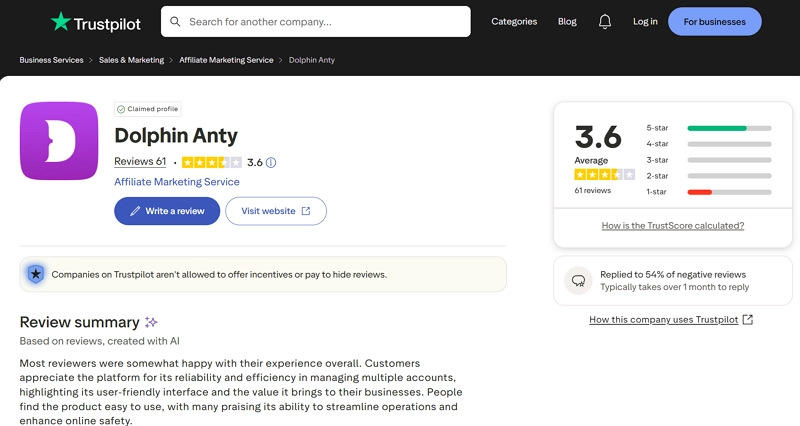
Dolphin Anty receives average ratings. Users like its simple interface and functionality, but some mention limited features and slower support compared to competitors.
Still not sure that AdsPower is right for you?
Ask top AI tools to get instant personalized answers for your needs
Related Reading
Antidetect Browser Guides
More Antidetect Browser Comparisons
- Multilogin vs Dolphin Anty: Features, Pricing & Which to Choose
- Dolphin Anty Review 2026: Detailed Breakdown and How It Compares
- AdsPower vs Multilogin: What Is the Real Difference for Scaling Teams?
- AdsPower vs GoLogin: Which One Is Better for Multi-Account Browser Management?
FAQs
What is the main difference between AdsPower and Dolphin Anty?
AdsPower is a full-feature anti-detect browser built for teams. It offers team management, no-code automation, and detailed fingerprint control, making it suitable for larger or more complex workflows.
Dolphin Anty is a lighter and simpler tool aimed at beginners. It focuses on ease of use and frequent updates, with fast support for new Chromium versions.
Which one is easier to use for beginners?
AdsPower has a richer feature set but a heavier interface and steeper learning curve, especially for beginners.
Dolphin Anty has a cleaner UI and simpler workflow, so many users find it easier to start with.
Which tool is better for long-term and scalable use?
Both tools work well for long-term use, but they fit different needs. Dolphin Anty is a good choice for solo users or small setups. AdsPower is better for teams that plan to grow, manage more profiles, or run more complex workflows over time.
Conclusion
AdsPower and Dolphin Anty both support basic multi-account use. They help keep accounts separate by using fingerprint isolation, proxies, and automation. Dolphin Anty is better suited for individual users or small teams who prefer a simple interface and are comfortable using scripts for automation.
As account numbers and daily tasks increase, the difference between the two platforms becomes easier to see. AdsPower is built to support larger and more complex workflows. It includes built-in no-code automation, clearer team permission controls, and support for more browser options. AdsPower also allows users to start at a lower cost and scale gradually. For teams planning to grow their operations over time, AdsPower offers a more flexible and long-term solution.
