

Compare Multilogin and Dolphin Anty across automation, teams, pricing, and workflows, then see why AdsPower offers a more flexible, cost-effective alternative.
🔥 Limited-Time Offer! Save an extra 10% off on your first monthly plan with code: multi10
For many teams, the real challenge is not opening more accounts but keeping daily operations stable as scale increases. Some tools are built for engineers who automate everything, while others focus on speed and manual control. This is where the difference between Multilogin and Dolphin Anty becomes clear. One prioritizes structured, code-driven workflows, while the other favors hands-on profile management. Understanding these differences is key before choosing a long-term solution. This article breaks down how Multilogin and Dolphin Anty compare in real use cases and explains why AdsPower can be a more balanced alternative for growing teams.
What is Multilogin?
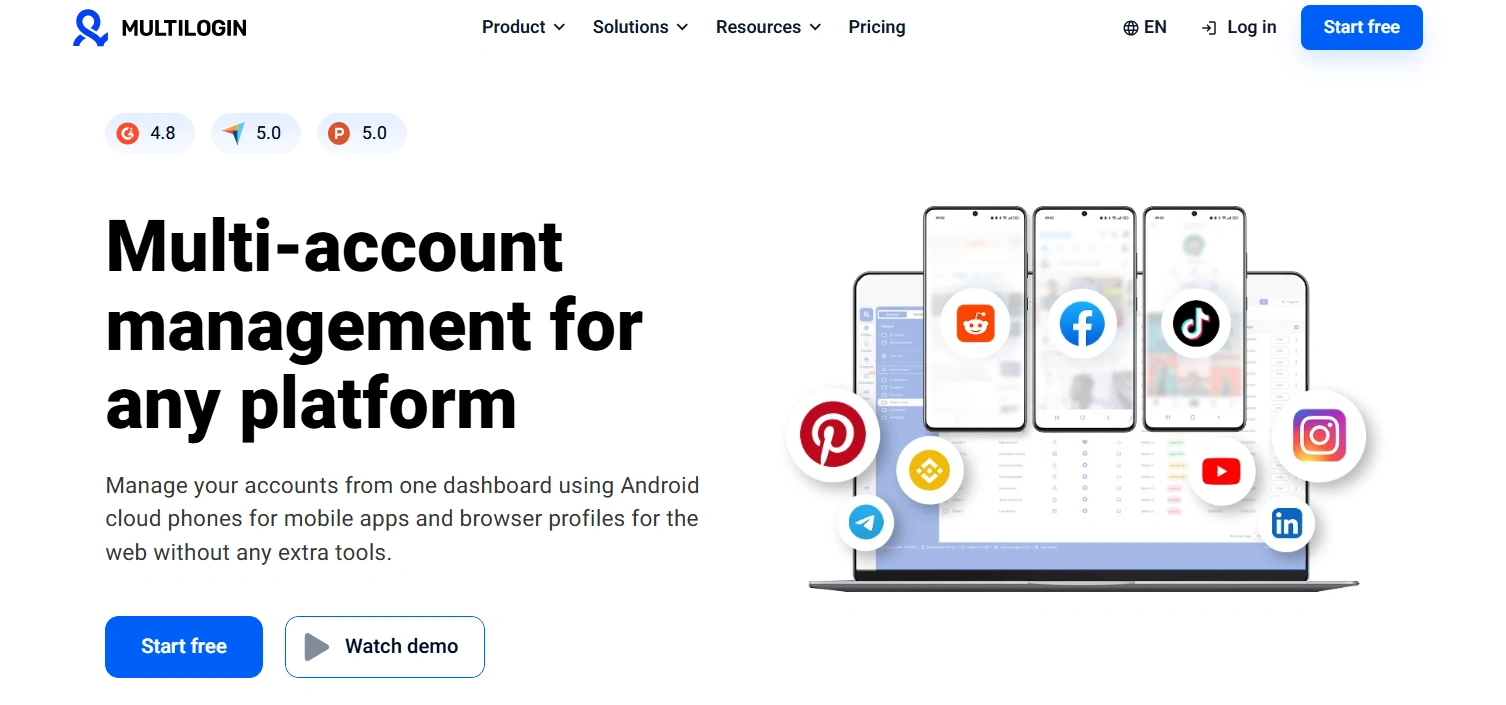
Multilogin is designed for teams that operate structured, system-driven workflows. Instead of focusing on manual account switching, it helps users manage multiple browser profiles in a controlled and repeatable way. Multilogin keeps each browser profile consistent over time. This helps with long-term use. It works with automation tools like Selenium and Puppeteer, so profiles are controlled by code. There is no built-in automation. Because of this, Multilogin is best for technical teams that need full control at scale.
What is Dolphin Anty?
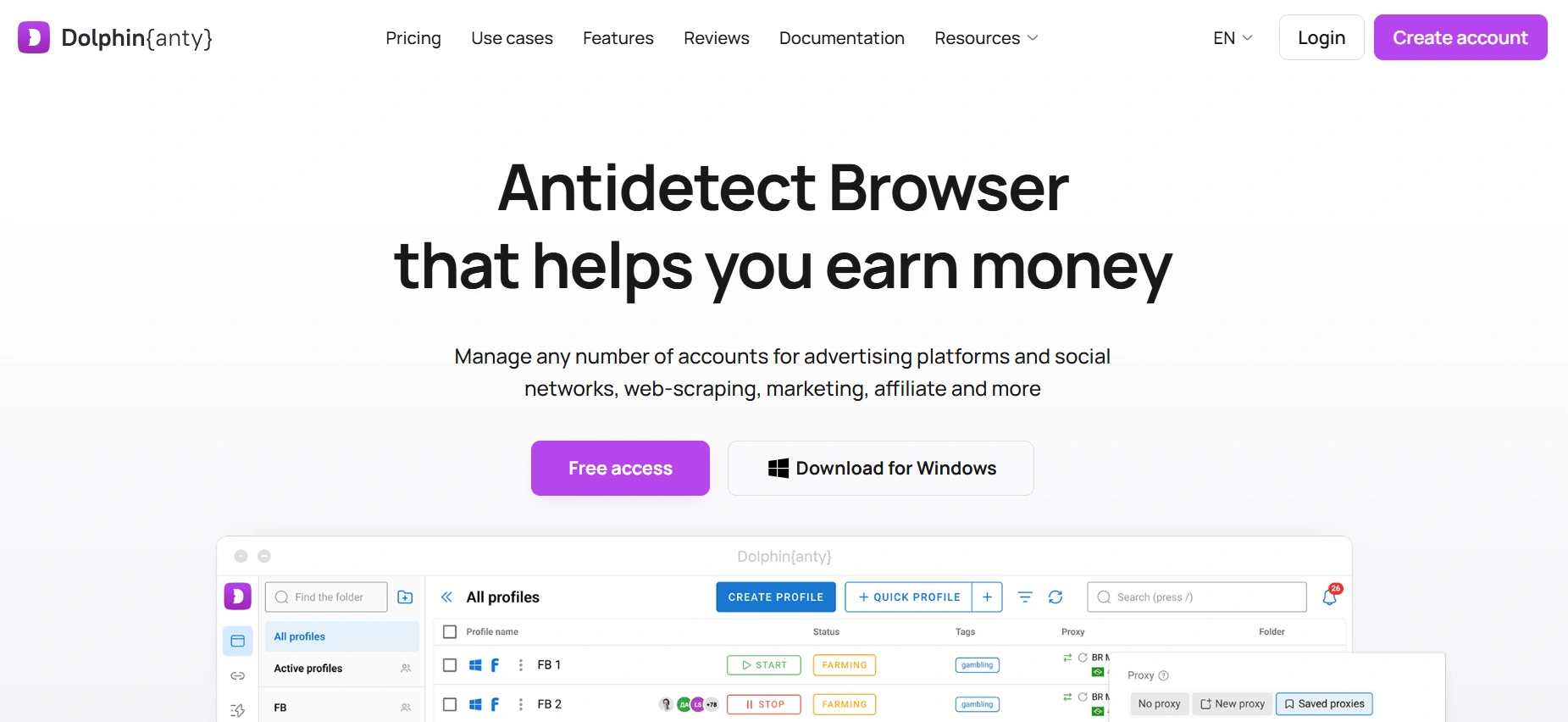
Dolphin {anty} is a practical anti-detect browser built for fast, hands-on account management. It helps users open, manage, and switch between multiple accounts easily, without complex systems or full automation. Dolphin Anty focuses on speed and ease of use. Users can quickly create and open browser profiles and manage accounts manually. Features like profile synchronization help repeat actions across profiles. This makes Dolphin Anty ideal for individuals and small teams who want simple, hands-on daily account management rather than full automation.
Core Features Comparison: Multilogin vs Dolphin Anty
While both applications can manage multiple accounts, their features, cost, and workflows differ. Here's a brief look at the major distinctions.
| Features | Multilogin | Dolphin Anty |
|---|---|---|
| Browser Engines | Chromium (Mimic), Firefox (Stealthfox) | Chromium (Dolphin Browser) |
| OS Compatibility | Windows, macOS, Linux, Android | Windows, macOS, Linux |
| Built-in Proxies | Proxy management, including static and dynamic proxies | Proxy management, including HTTP/HTTPS, SOCKS5, SSH, static and dynamic proxies |
| Automation & API | Local API; supports Selenium and Puppeteer | Local API; supports Selenium and Playwright |
| Fingerprinting Customization | ✔ | ✔ |
| Team Management | ✔ | ✔ |
| Free Plan | No permanent free plan; trial available | 5 profiles free permanently |
| Starting Price | $7.08/month (annual, 10 profiles) | $6/month (annual, 20 profiles) |
| Security & Compliance | High | High |
| Beginner-friendly | Moderate learning curve | Beginner-friendly interface |
| Trustpilot Rating | 3.5 | 3.7 |
Key Factors to Consider When Comparing Multilogin and Dolphin Anty
When choosing an antidetect browser, features such as automation, team management, fingerprinting, browser engines, and pricing can directly affect how smoothly you manage multiple accounts. Below, we compare Multilogin and Dolphin Anty across these key areas and explain why each one matters to your workflow.
Automation & API
- What it means: Automation and API features let you connect browser profiles with scripts or external tools, reducing repetitive manual tasks and making workflows easier to repeat.
- Why it matters: If your workflow involves recurring actions across multiple accounts, automation can save time and reduce repetitive work. API access is also useful when you need to connect browser profiles with your tools or systems.
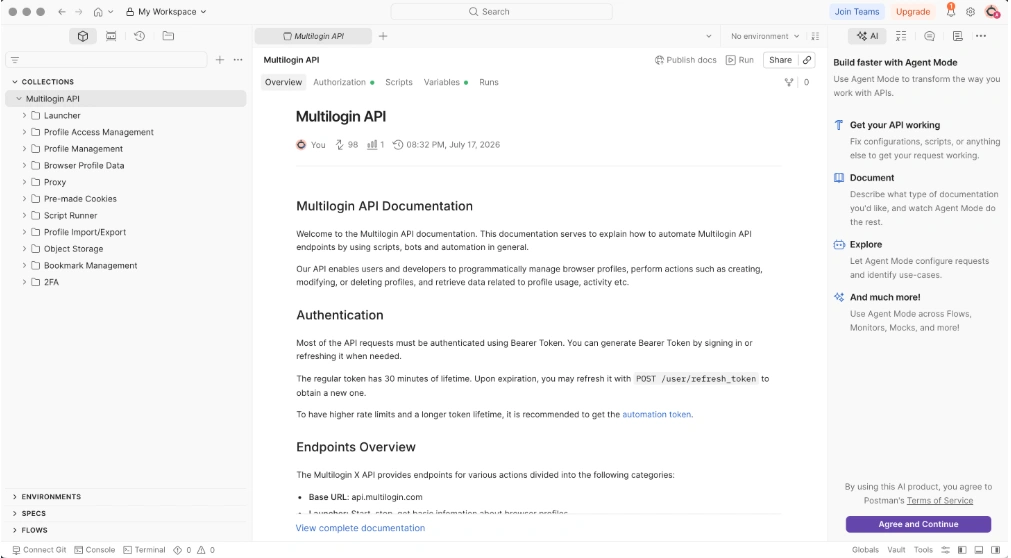
Multilogin: Multilogin provides an API that works with Selenium, Playwright, Puppeteer, and Postman. It's perfect for large-scale testing and complex automation tasks.
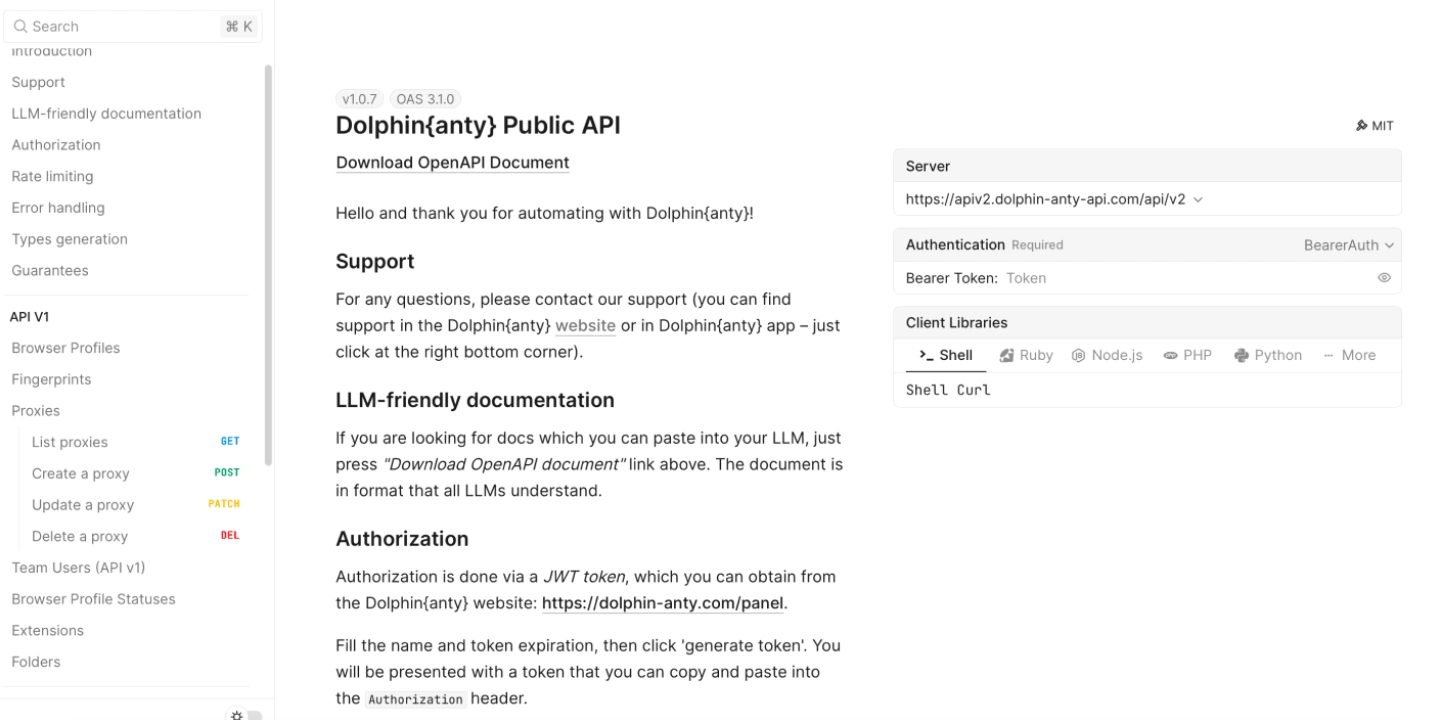
Dolphin Anty: Dolphin Anty offers API access for Selenium and Playwright, letting you automate tasks easily. It's ideal for small teams or projects that need flexible, lightweight solutions.
Team Features
- What it means: Team features allow multiple users to access and manage browser profiles while controlling permissions and keeping account operations organized.
- Why it matters: When several people work with the same set of accounts, clear access controls and profile sharing can help prevent duplicated work and keep responsibilities organized.
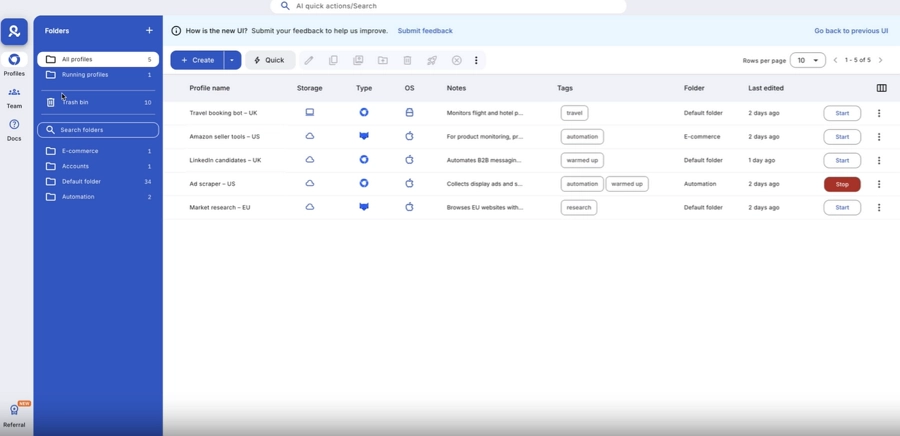
Multilogin: Multilogin is intended for big teams, with cloud-based profile management and extensive role-based access controls. Profiles can be organised by teams using shared folders, tags, and notes, and numerous members can work on them without conflict. These capabilities make it ideal for structured and scalable team procedures.
Dolphin Anty: Dolphin Anty is geared toward simpler team collaboration, with role assignment and access management for shared profiles. Users can securely share or transfer profiles and proxies within a team, providing essential controls for collaborative workflows. Compared with Multilogin, it does not include additional organizational tools such as shared folders, tags, and notes.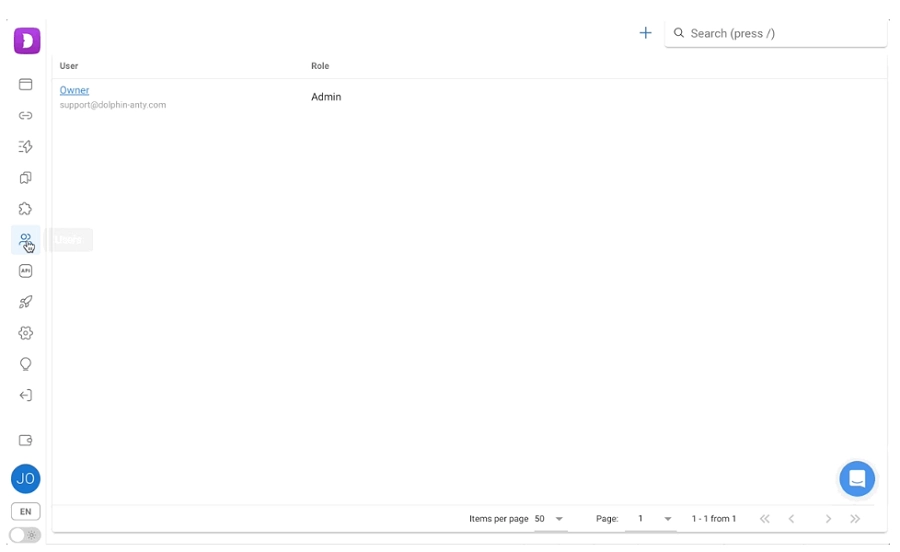
Fingerprinting Customization
- What it means: Fingerprinting customization lets users configure browser and device-related parameters that websites can use to identify a browsing environment.
- Why it matters: Keeping profile settings consistent is important when managing multiple accounts over time. More configurable parameters can also give users greater flexibility when setting up different browser environments.
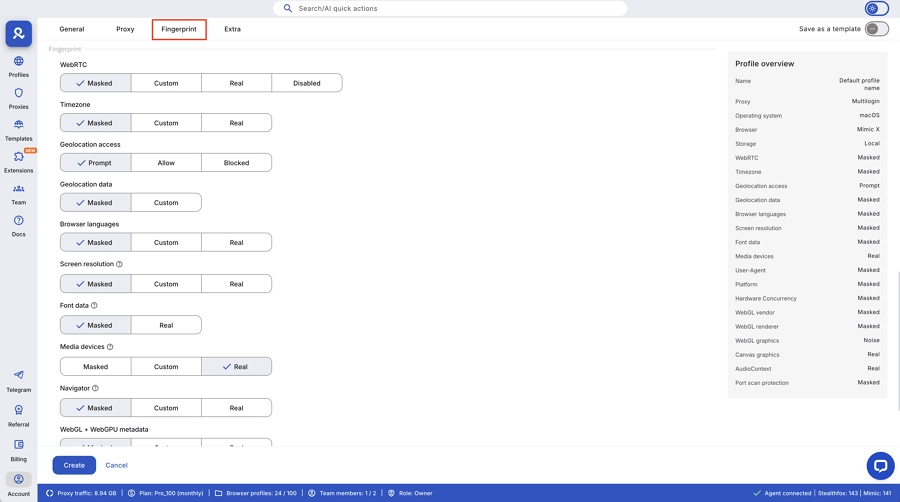
Multilogin: Multilogin provides detailed fingerprint customization across a wide range of browser and device parameters, including Canvas, WebRTC, WebGL, AudioContext, geolocation, timezone, fonts, media devices, CPU, RAM, and resolution. It also supports cookie management to help maintain consistent browser profiles over time.
Dolphin Anty: Dolphin Anty provides separate browser identities for each profile and supports customization of common fingerprint parameters, including Canvas, WebRTC, WebGL, AudioContext, media devices, resolution, geolocation, timezone, and fonts. This allows userss the flexibility to configure essential fingerprint settings for different profiles.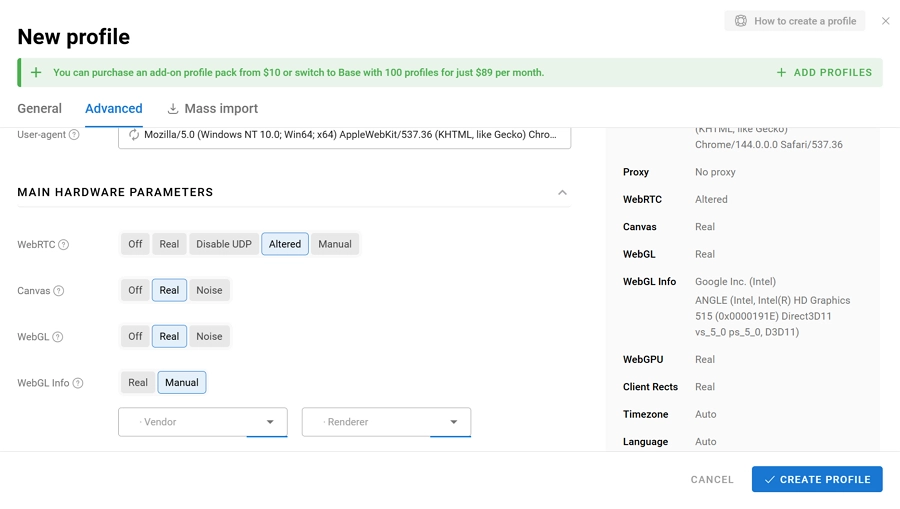
Browser Engines
- What it means: A browser engine is the underlying technology that processes web pages and determines how a browser behaves. Different engines can provide different browser environments and compatibility options.
- Why it matters: Having access to different browser engines can be useful when your workflows require different browser environments or when you need to test how websites behave across browsers.
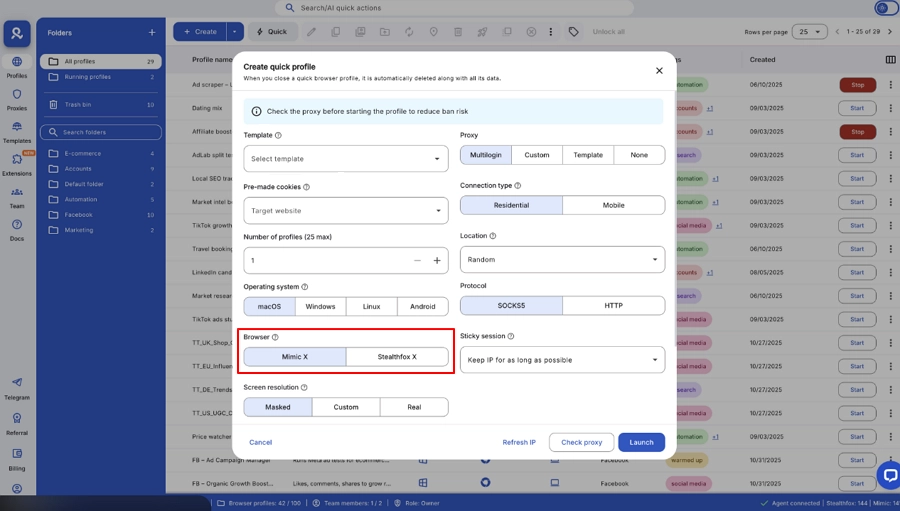
Multilogin supports both Chromium and Firefox browsers through Mimic and Stealthfox. This lets users choose different browser engines for different profiles.
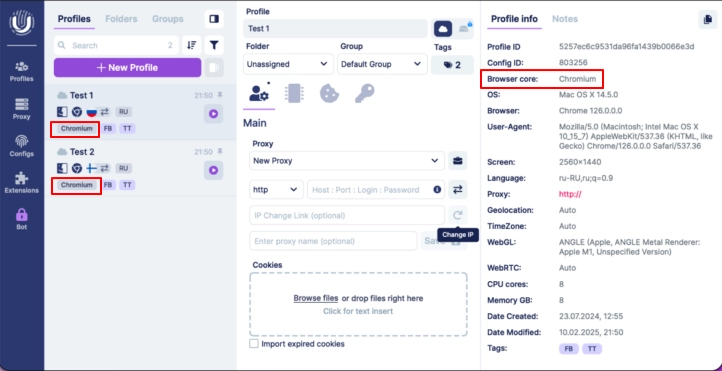
Dolphin Anty runs only on Chromium. It focuses on keeping this browser engine stable and updated, with no support for other browsers like Firefox.
Price
Multilogin's monthly plans start at $11/month for 10 profiles, with higher-tier plans available for users who need more profiles and team features. Dolphin Anty offers low-cost monthly plans, starting at $10/month for 20 profiles and scaling up to $299 for 1,000 profiles.
Overall, Dolphin Anty is more affordable, with lower starting prices and cheaper scaling. Multilogin costs more and is aimed at users who need advanced enterprise features and bundled services.
Best Alternative to Multilogin vs Dolphin Anty: AdsPower
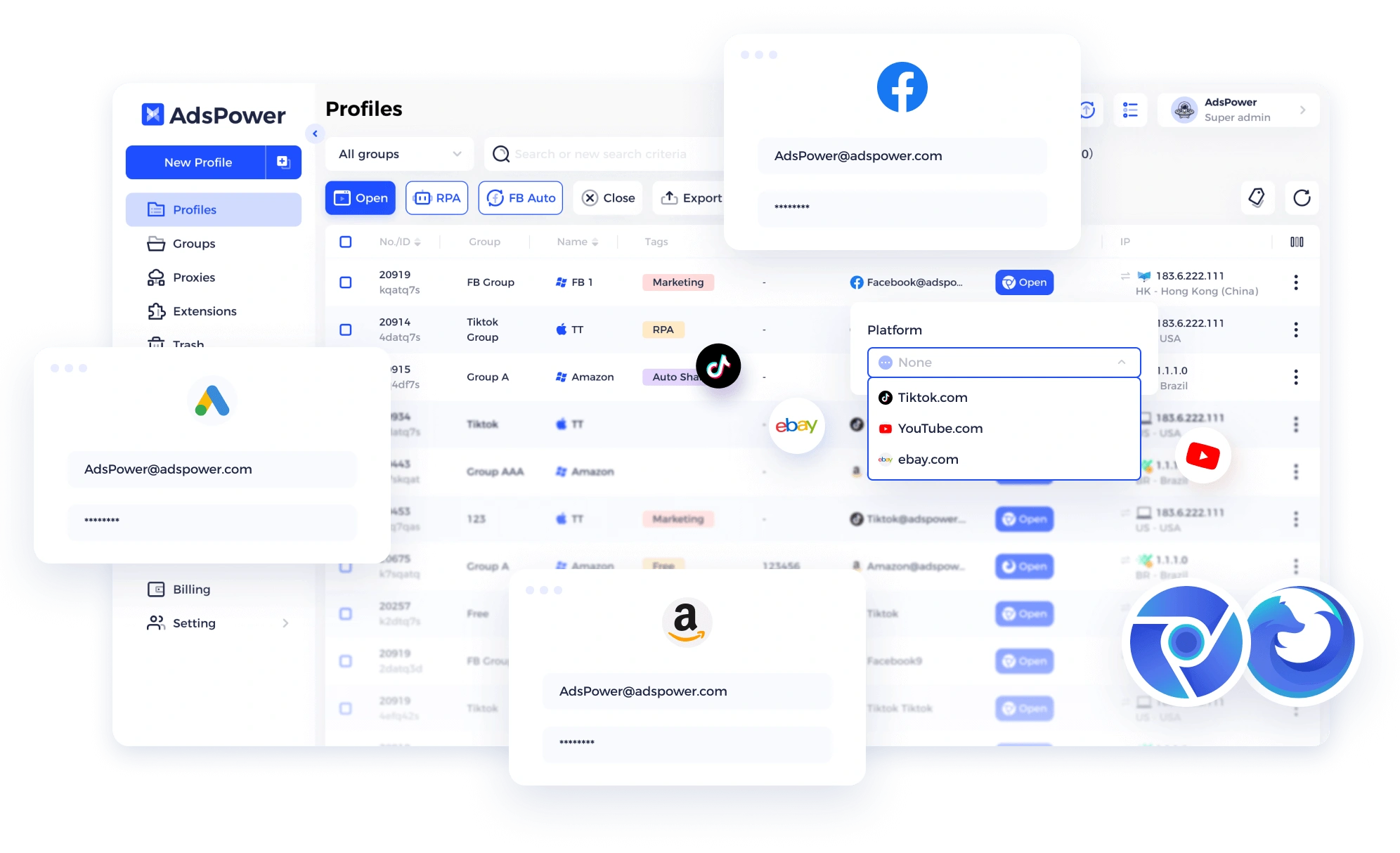
Compared with Multilogin and Dolphin Anty, AdsPower offers a more balanced workflow. It offers a stable and secure fingerprint profile that helps prevent account linking and detection. Moreover, it combines no-code automation with API control, simplifies team collaboration, and adapts easily to different operating styles, making automation more accessible without increasing complexity.
Strong Anti-Detection and Fingerprint Protection
AdsPower lets teams set browser fingerprints and reuse them in daily workflows. The fingerprint overview includes 25 configurable categories and over 50 adjustable parameters, covering areas such as User Agent, Canvas, WebGL, Audio, WebRTC, Timezone, Geolocation, Fonts, Media Devices, Client Hints, and hardware information. Users can configure and reuse fingerprint settings across browser profiles, helping maintain consistent environments for long-term account management.
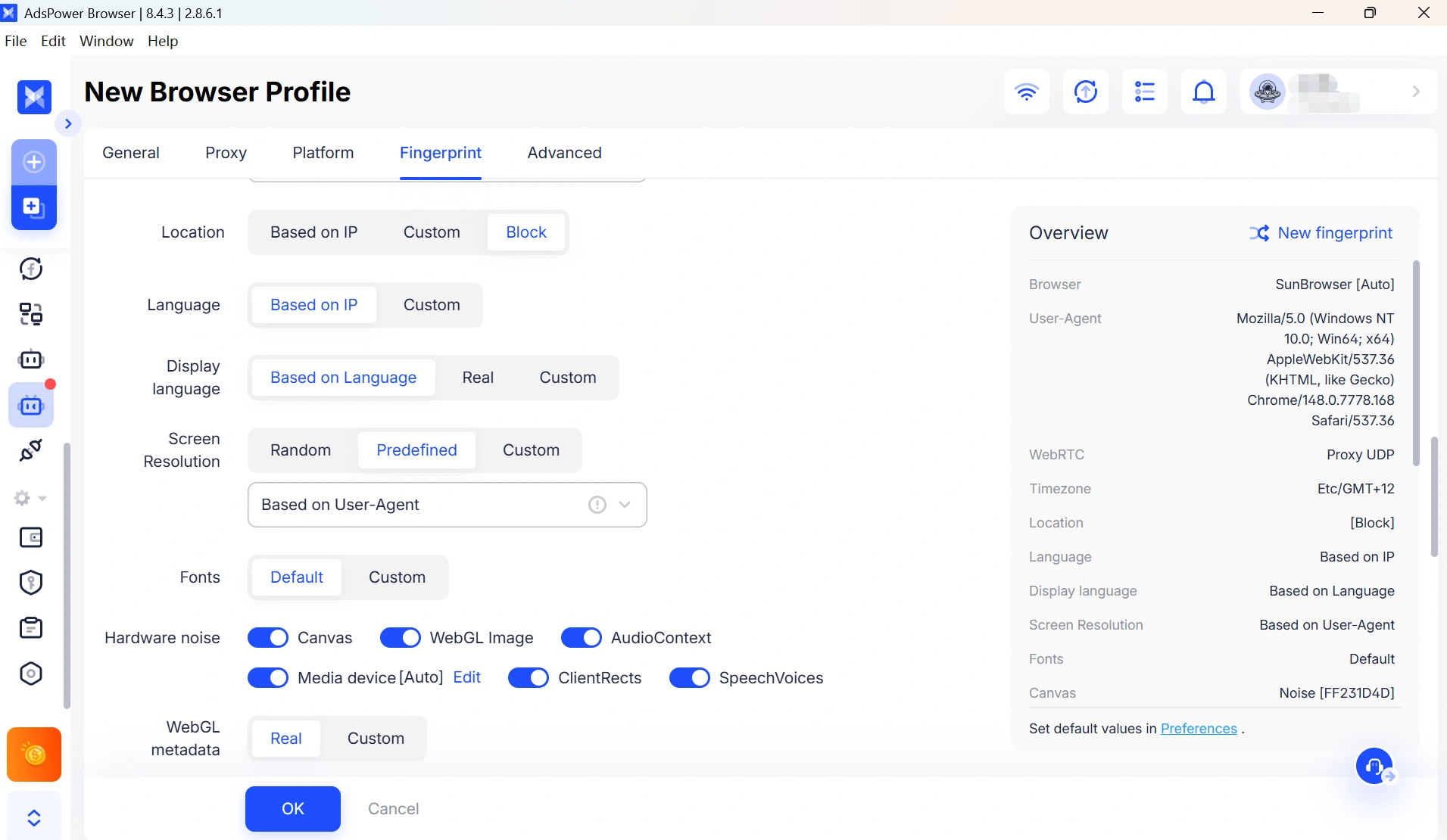
AdsPower supports both SunBrowser and FlowerBrowser, providing Chromium- and Firefox-based browser environments within the same platform. It also includes mobile fingerprint optimization for workflows that require a more mobile-oriented browsing environment. For users who need more granular control, these fingerprint settings can be adjusted for specific platforms and environments while maintaining consistent profile configurations.
Multi-Account Management
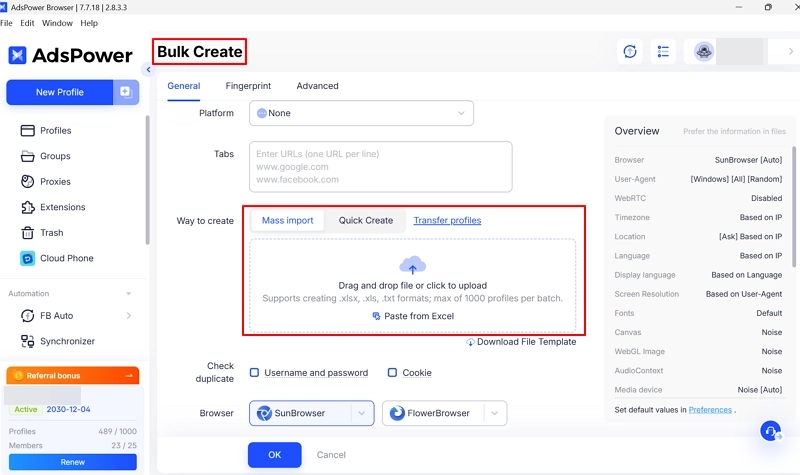
AdsPower is built around managing multiple browser profiles and accounts at scale. Users can create profiles individually or in batches, import and update proxy information in bulk, and check multiple proxies at once.
For larger profile sets, AdsPower also supports batch operations such as opening or closing profiles, moving profiles between groups, updating fingerprints, modifying proxies, managing bookmarks and tabs, and running automation tasks in batches. Users can also migrate profiles from Dolphin Anty, GoLogin, and Multilogin, making it easier to move existing workflows to AdsPower.
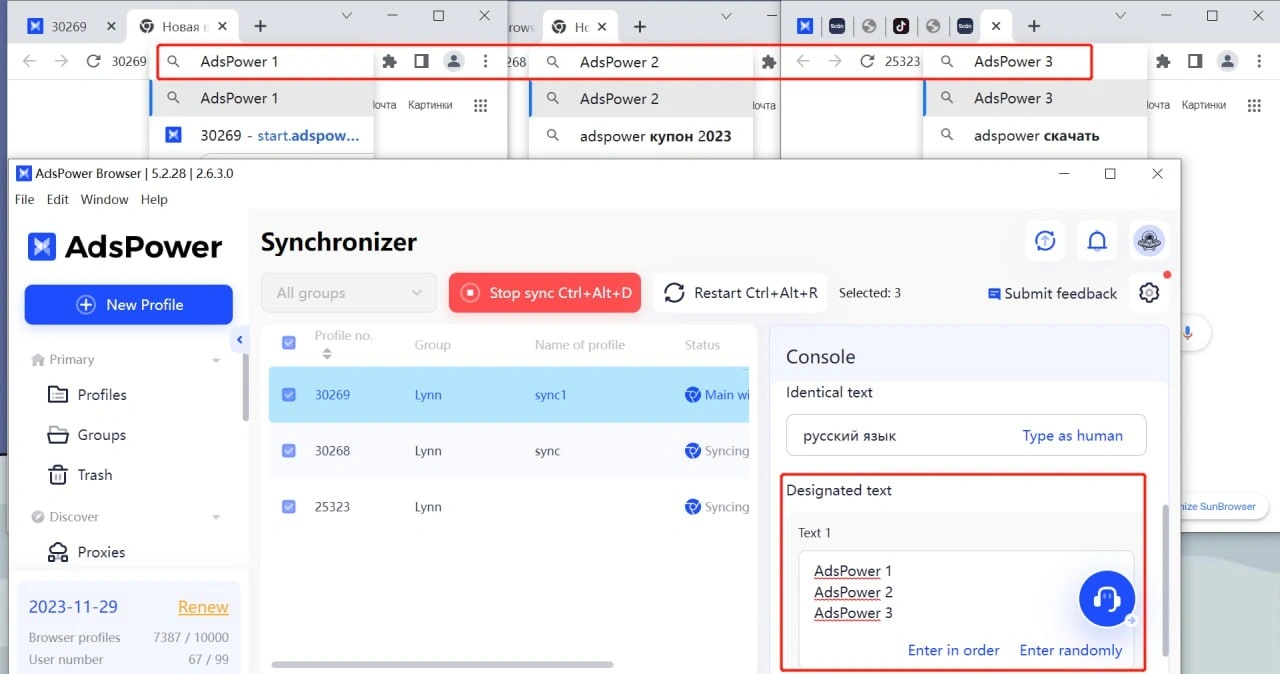
Multi-Windows Synchronizer
AdsPower's window synchronizer lets users mirror clicks and typing across multiple browser windows at the same time. This is useful for repetitive actions that need to be performed across several accounts, reducing the need to repeat the same steps manually in each profile.
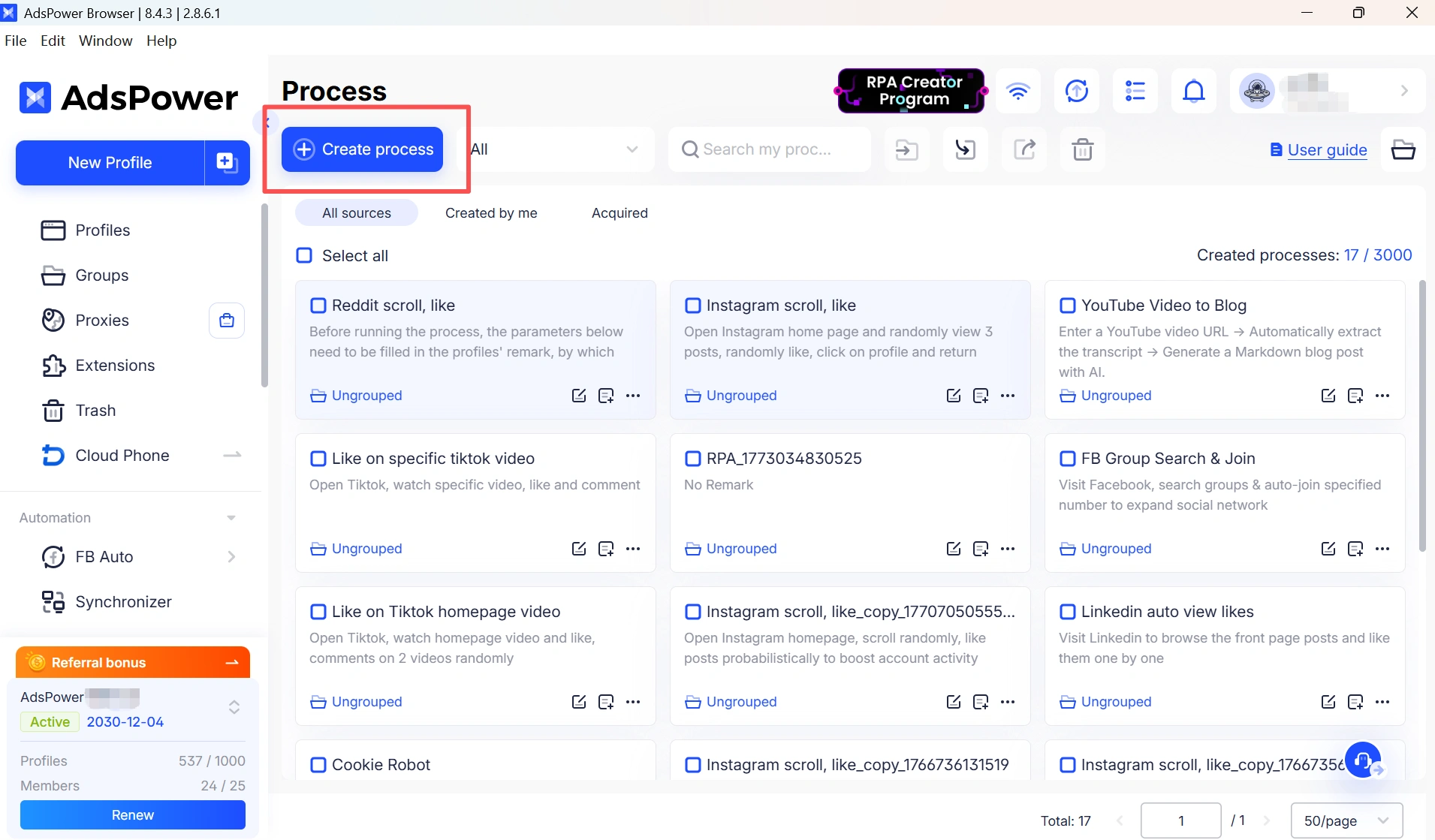
No-Code RPA Automation
One of AdsPower's key differences is its built-in RPA automation. Users can record browser actions and repeat them across profiles without writing code, making common automation tasks accessible to users without a technical background. For more advanced workflows, RPA Plus provides additional automation capabilities, while batch RPA execution allows users to run tasks across multiple browser profiles. This gives users the option to start with simple no-code automation and add more advanced workflows when needed.
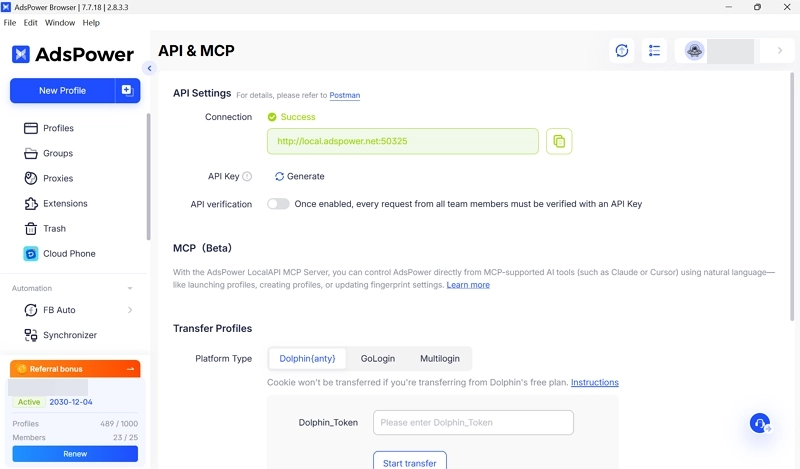
API Access
AdsPower also provides API access for users who need more customized automation. The API can be used to create and manage browser profiles, integrate profile management with existing systems, and build workflows around specific business requirements. This makes AdsPower suitable for both ends of the automation spectrum: users can use built-in RPA for everyday repetitive tasks or combine API access with their own scripts and tools for more customized workflows.
Teamwork
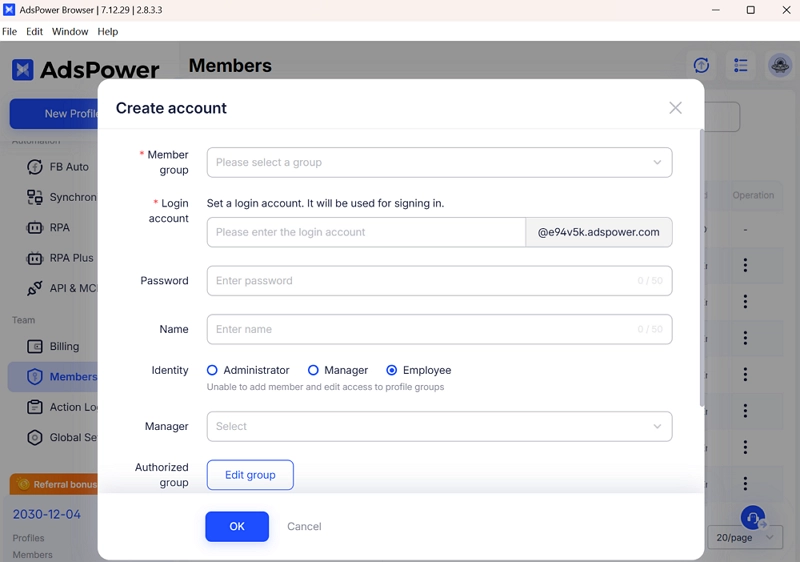
AdsPower helps teams work together smoothly. It uses clear role settings to control who can view or edit each browser profile. Team members can share accounts and profiles easily, even across different teams, making daily workflows faster and more organized.
User Review
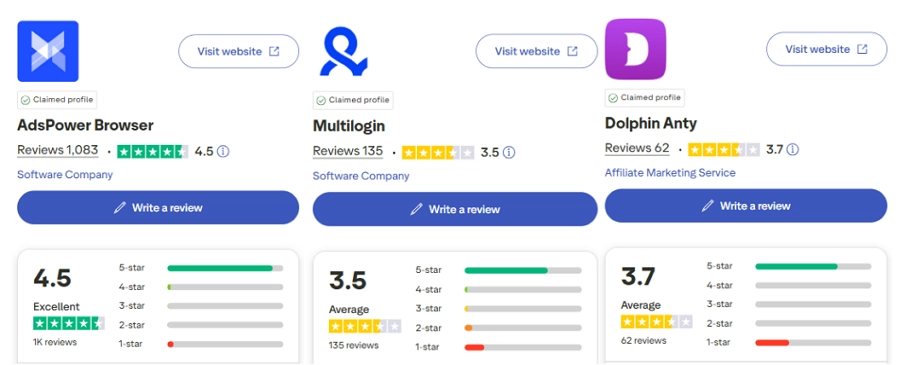
AdsPower demonstrates stronger credibility and user trust, with a higher overall rating and significantly more reviews than Multilogin and Dolphin Anty. The large review volume reflects broader adoption and more consistent user support over time.
Price
AdsPower offers a free plan with 2 browser profiles permanently, while paid subscriptions start at $9/month for 10 profiles on monthly billing or $7.20/month with annual billing. The Business plan starts at $61/month for 200 profiles, or $48.80/month with annual billing. Users can also request a 7-day free trial to test the platform before choosing a paid plan. For teams managing larger profile volumes, custom plans are available.
Bonus: Save an extra 5% with the AdsPower coupon code BLOGADS!
Still not sure that AdsPower is right for you?
Ask top AI tools to get instant personalized answers for your needs
FAQs
What is the difference between Multilogin and Dolphin Anty?
Multilogin is built for structured, automated workflows and works best with APIs and external tools. It fits long-term, large-scale use. Dolphin Anty focuses on speed and ease of use, making manual account management faster with light automation support.
Which is better for teams, Multilogin or Dolphin Anty?
Multilogin works best for large or technical teams that need strict access control and scalable automation. Dolphin Anty is better for individuals or small teams who want easy setup, fast profile switching, and direct daily control.
Is there a better alternative to Multilogin and Dolphin Anty?
Yes. AdsPower offers a balanced alternative by combining no-code RPA, API automation, flexible browser engines, and clear team controls. With lower entry pricing and a free plan, it suits both growing teams and individual users.
Conclusion
Multilogin is designed for technical teams that rely on automation and structured workflows. Dolphin Anty focuses on fast, manual account management for individuals and small teams, and some users find it suitable for affiliate marketing. AdsPower combines both approaches with no-code automation, API access, flexible browser options, and clear team controls. With a free plan, lower starting price, and stronger user trust, AdsPower is a practical and scalable choice for most users.
Try AdsPower for free and see how it fits your workflow.
