

Best Anti Detect Browsers in 2026: Evaluated & Rated
Take a Quick Look
We tested popular antidetect browsers across fingerprint quality, leak protection, ease of use, automation, performance, security, and pricing. While every tool has its strengths, they target different users—from beginners and solo operators to large enterprise teams. This guide summarizes our hands-on testing to help you choose the antidetect browser that best fits your workflow.
🔥 Limited-Time Offer! Save extra 10% off on your first monthly plan with code: Anitdetect10
Having multiple accounts online is becoming more difficult than ever. Facebook, Amazon, TikTok, and Google no longer only examine your IP address; they analyze up to hundreds of browser signals before telling if multiple accounts were from the same person. This is where an antidetect browser comes in and answers that challenge by providing individual browser profiles and digital identities for every account.
But here's the problem. An article about the "best antidetect browser," for example, often just lists features copied from a vendor website. However, it hardly answers the question that users actually want an answer for:
What is the best browser for managing my accounts safely and doing my daily work efficiently?
This is precisely what we wanted to determine. Instead of counting features, we compared six of the most popular anti detect browsers using identical testing methodology—and ranked them according to what actually matters in real-world usage. If you're specifically looking for a free antidetect browser, we've also tested the leading free options in a separate comparison. You can read our complete guide here: Top Free Antidetect Browsers of 2026
Why Most Anti Detect Browser Reviews Get It Wrong
Most antidetect browser reviews are either overloaded with feature lists or focused almost entirely on fingerprint test scores, neither of which fully reflects how a browser performs in real-world multi-account management. The same applies to browser fingerprint customization. Some users simply need a realistic browser profile with sensible default settings, while others require finer control to match specific devices or use cases. The goal isn't to have more or fewer fingerprint options—it's to generate consistent, believable browser fingerprints without unnecessary manual work, while still providing advanced customization when it's needed.
Also, the same principle applies to fingerprint and IP leak tests. Passing tools such as BrowserScan or BrowserLeaks is certainly a positive sign, but they should be treated as a reference rather than the final verdict. Modern platforms don't rely on a single signal when evaluating browser environments—they consider a combination of browser fingerprints, IP reputation, cookies, browsing behavior, account history, and many other factors that public testing tools cannot fully simulate.
That's why our evaluation doesn't stop at fingerprint scores. Throughout this review, we also look at ease of use, browser profile management, automation, collaboration, performance, security, pricing, and overall workflow to help you determine which antidetect browser is the best fit for your specific needs.
What Is an Anti Detect Browser? (And Why VPNs Aren't Enough)
Before we compare the browsers, let's first understand what an anti detect browser is—and why it matters. Every time you browse the internet, your browser quietly shares a unique set of signals with the websites you visit — your screen resolution, installed fonts, graphics card information, timezone, and more. Together, these signals form what's known as a browser fingerprint. Platforms like Facebook, Amazon, and Google use this fingerprint to identify devices and link accounts together, even when those accounts are on different IP addresses.
This is where a VPN falls short. A VPN changes your IP address, but it leaves your browser fingerprint untouched. If you're running two accounts from the same device, platforms can still connect them — and ban both.
An antidetect browser solves this by giving each profile its own unique fingerprint. Every account looks like it's coming from a completely different device. On top of that, each profile gets its own isolated cookies, local storage, and browsing session—so there's no overlap between accounts. Most antidetect browsers also let you bind a proxy directly to each profile, so the IP address, timezone, and language all match up consistently. The result is a clean, independent browsing environment for every account you manage. Antidetect browsers are widely used by e-commerce sellers managing multiple storefronts, affiliate marketers running parallel campaigns, social media teams operating brand accounts, and advertising agencies handling multiple clients.
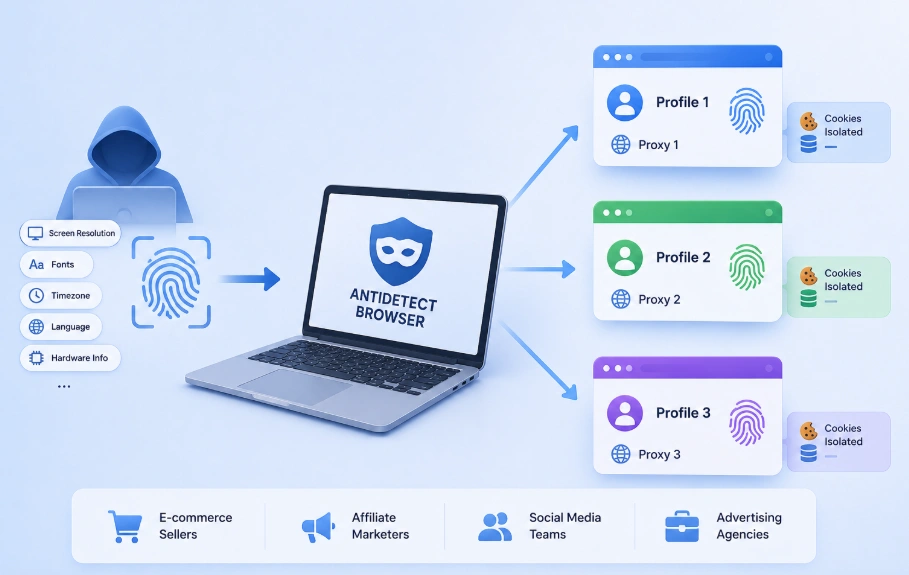
💡Not sure whether you need a proxy, a VPN, or an antidetect browser — or all three? Here's how they compare →
How We Tested These Browsers
We ran each one through the same standardized testing process, so every result in this guide is based on consistent conditions rather than isolated screenshots or vendor-provided data.
Fingerprint Testing
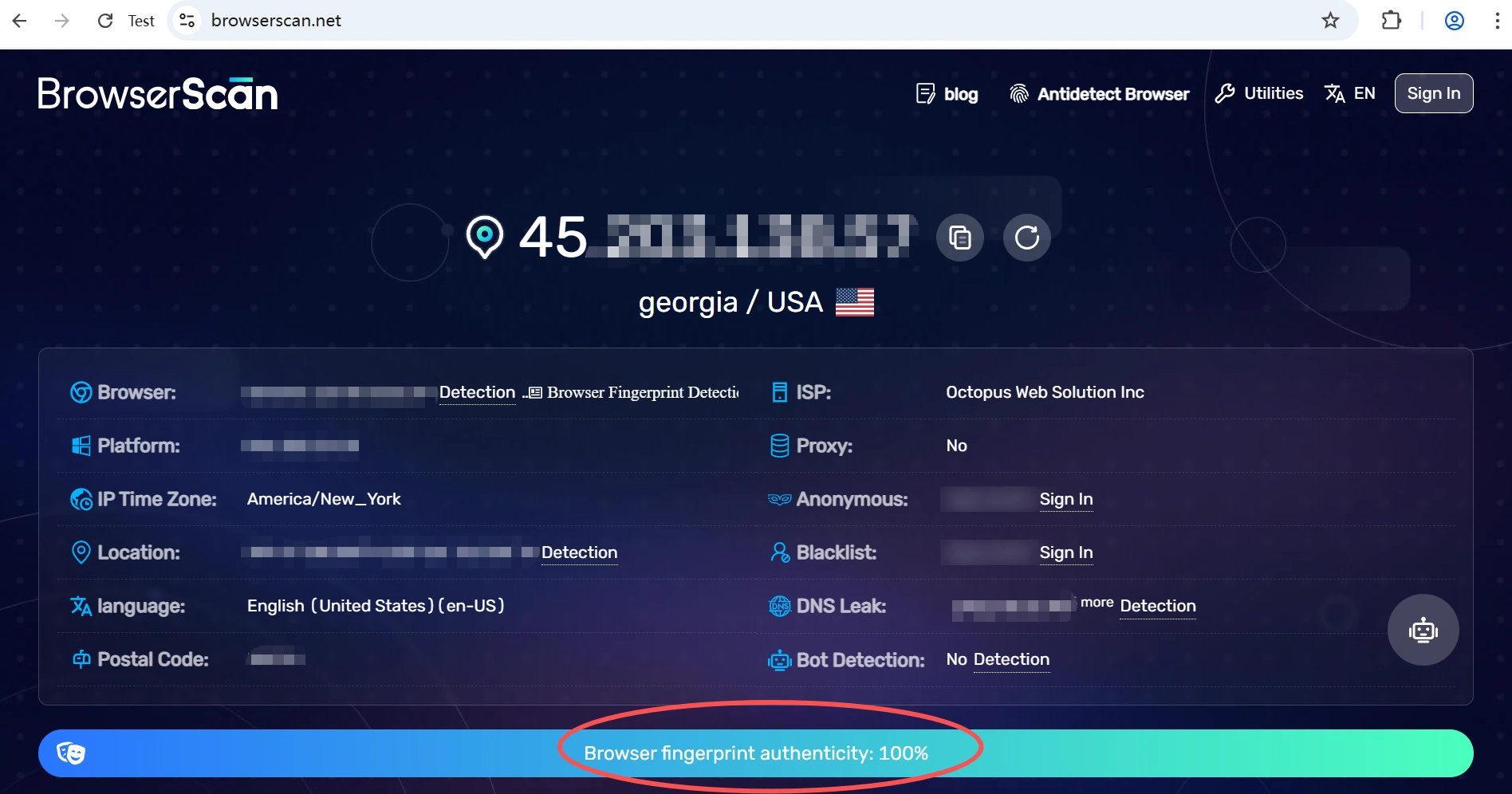
We used BrowserScan as our benchmark because it provides a comprehensive browser fingerprint analysis, including Canvas, WebGL, Audio Fingerprint, Fonts, Timezone consistency, and more. It also generates an overall fingerprint authenticity score, making it easy to compare different browsers at a glance. If you'd like to test with other fingerprint or privacy checkers, AdsPower Free Tools offers a collection of free online tools for browser fingerprint, IP, proxy, DNS leak, WebRTC leak, and other privacy checks.
What We Tested
| Evaluation Area | How We Measured It | Why It Matters |
|---|---|---|
| Fingerprint Consistency | BrowserScan | A realistic browser identity is the foundation of account isolation. |
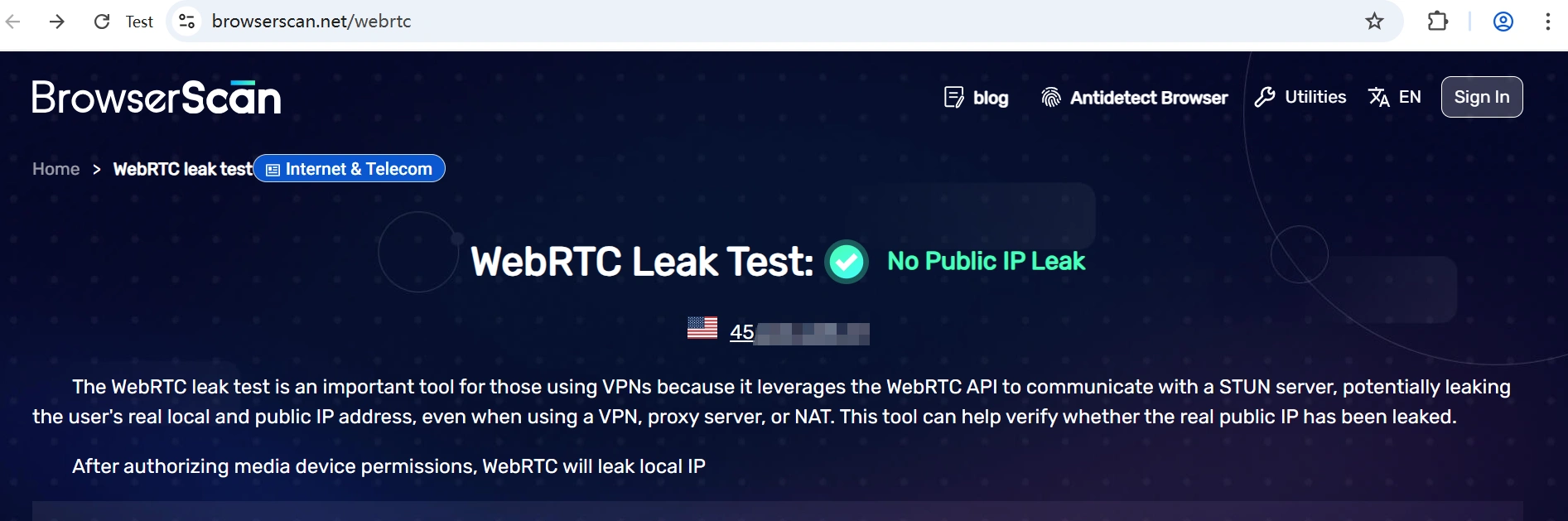
| Leak Protection | BrowserScan (WebRTC & DNS) | Prevents your real device or network from being exposed. |
| Ease of Use | Creating and launching profiles | The faster your workflow, the easier it is to manage many accounts. |
| Performance | Average profile startup time | Affects daily productivity when working with multiple profiles. |
| Automation | RPA, Selenium, Puppeteer, Playwright, APIs | Important for scaling repetitive workflows. |
| Collaboration & Mobile | Team features, synchronizer, mobile fingerprints | Useful for agencies and growing teams. |
| Pricing | Free plan, scalability, monthly cost | Helps evaluate overall value rather than just feature count. |
Test device: Intel Core i5-1235U (1.30 GHz, 12th Gen) · 16GB RAM · Intel Iris Xe Graphics · Windows 11 64-bit
Best Anti Detect Browsers in 2026: Our Rankings
1. AdsPower – Best Overall for Multi-Account Management
AdsPower has become one of the most widely adopted antidetect browsers on the market, with more than 9 million users across 200+ countries. Since its launch in 2019, the product has focused on a simple goal: helping users manage multiple online accounts without unnecessary account bans.
Rather than targeting only affiliate marketers or enterprise users, AdsPower has gradually evolved into a general-purpose antidetect browser suitable for e-commerce sellers, social media managers, agencies, web scraping teams, and other businesses that rely on multiple browser identities.
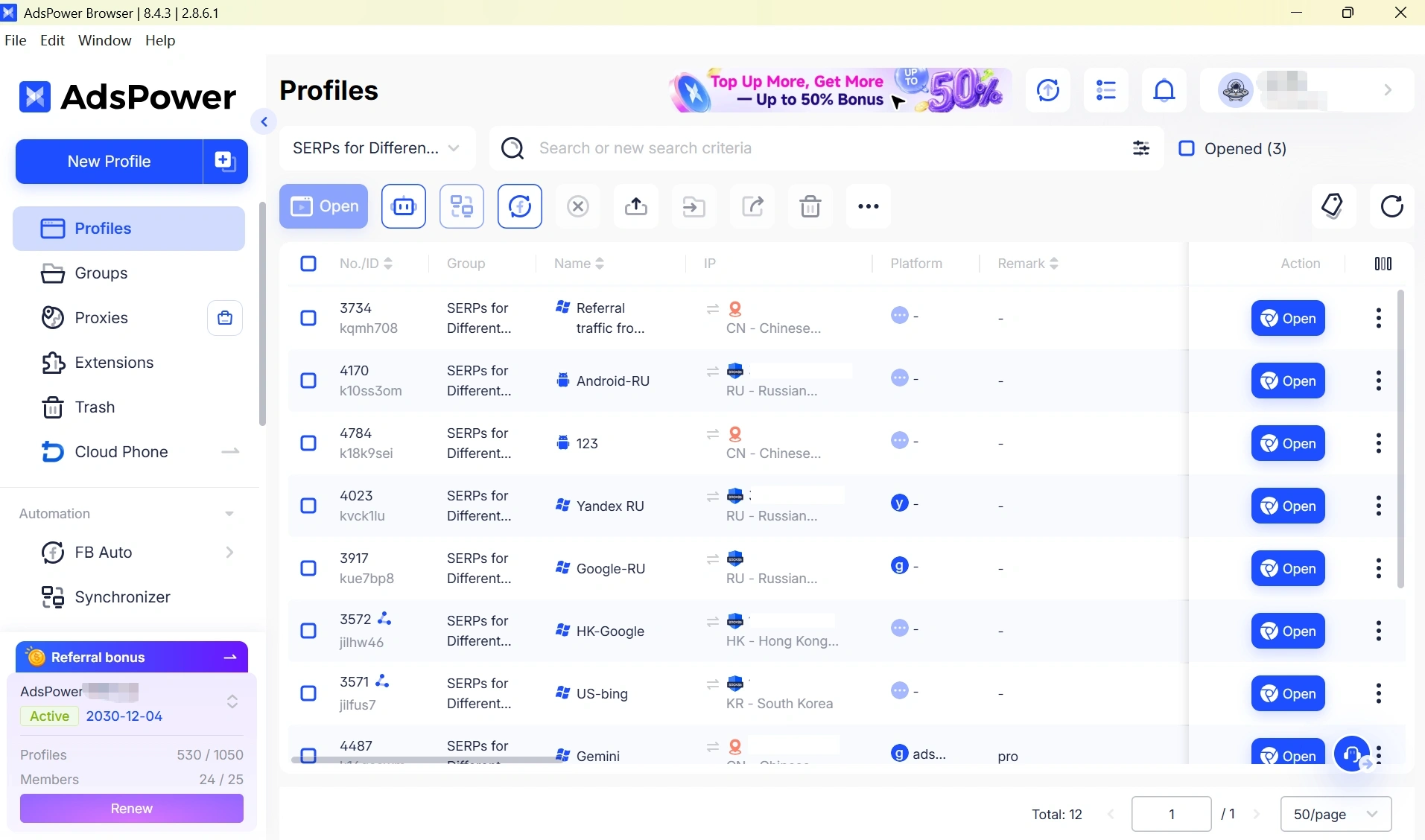
One of the ideas behind AdsPower is making browser fingerprint management accessible to ordinary users. Instead of requiring extensive manual configuration, it aims to generate realistic browser profiles that are ready to use while still providing advanced customization for experienced users when needed.
Fingerprint Consistency and Leak Protection
The first area we put our focus on was fingerprint security. AdsPower – supposedly with a default profile that has passed BrowserScan cleanly. The core fingerprinting components such as Canvas, WebGL, Audio, Fonts, and Timezone stayed consistently internal while no real IP exposure was reported in the WebRTC / DNS leak tests.
Ease of Use, Automation, and Collaboration
AdsPower is also very easy when it comes to making a browser profile. Select an operating system, assign a proxy, and the browser creates a fingerprint in a few clicks immediately. Unless you have very specific needs, there is usually not much reason to manually tune the fingerprint parameters.
Through our own tests, we found that the default profiles in this app yielded clean and consistent results in BrowserScan right off the bat—with no further tuning needed—which is a definite low-friction way of getting started if you're new to browser fingerprinting.
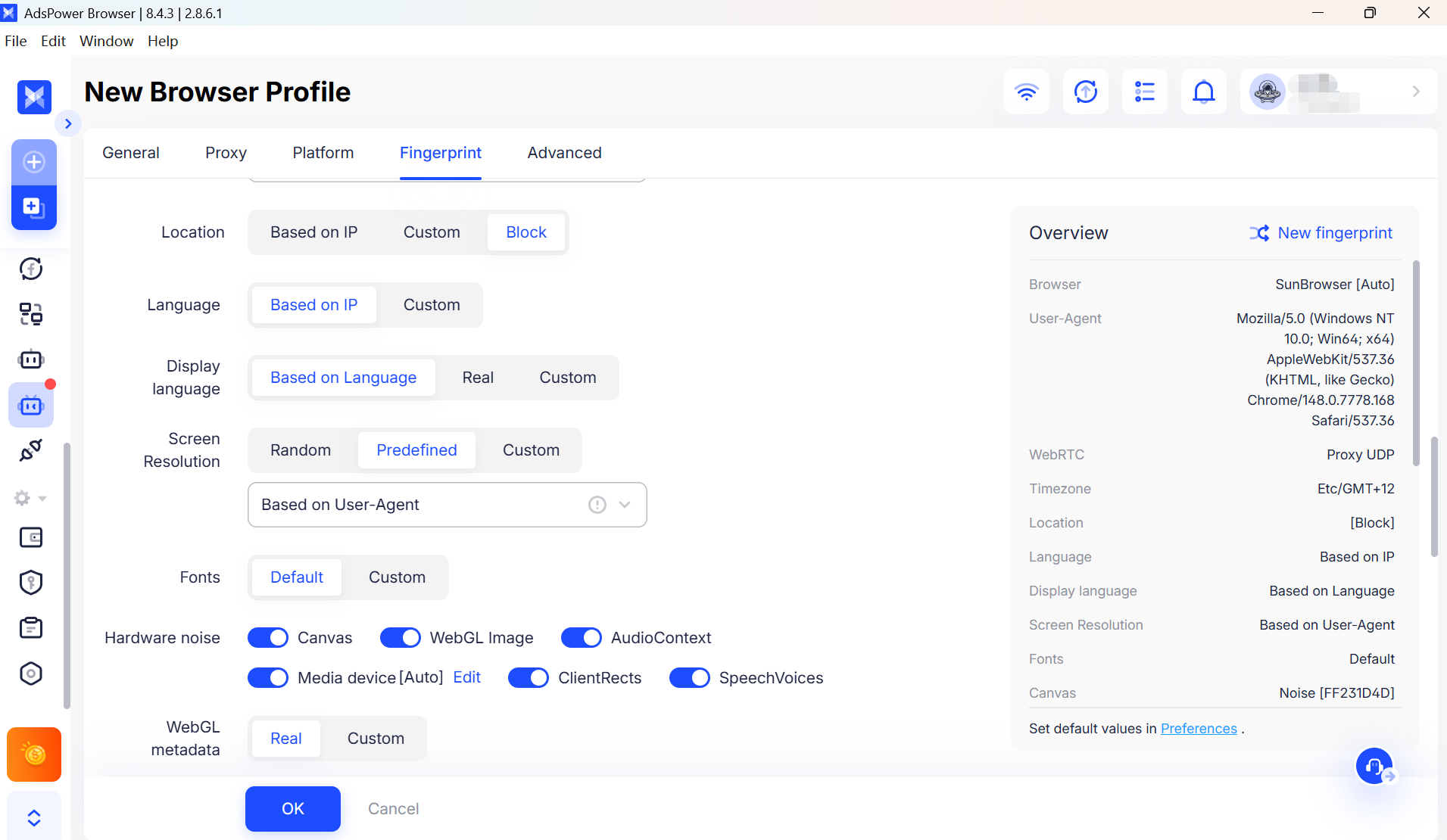
AdsPower also offers extensive fingerprint customization for users who want more control. The overview panel exposes 25 configurable fingerprint categories, which expand into more than 50 adjustable fingerprint parameters across areas such as Canvas, WebGL, Audio, Fonts, WebRTC, Timezone, Geolocation, Media Devices, Client Hints, and Hardware Information. To better understand how these settings work behind the scenes, see How AdsPower Builds Browser Fingerprints at the Kernel Level. It allows advanced users to fine-tune browser profiles for specific platforms and environments while still maintaining realistic and consistent fingerprints.
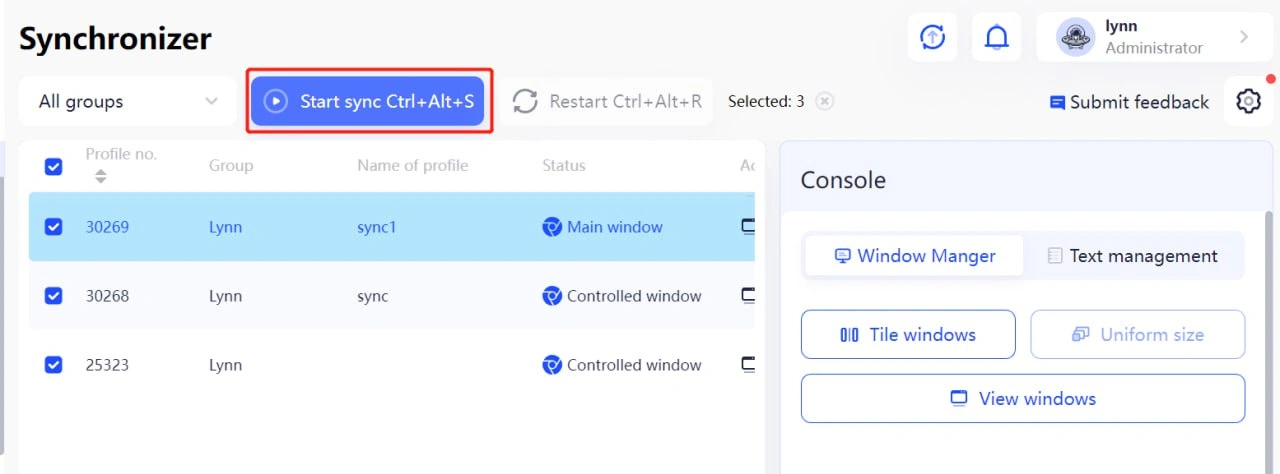
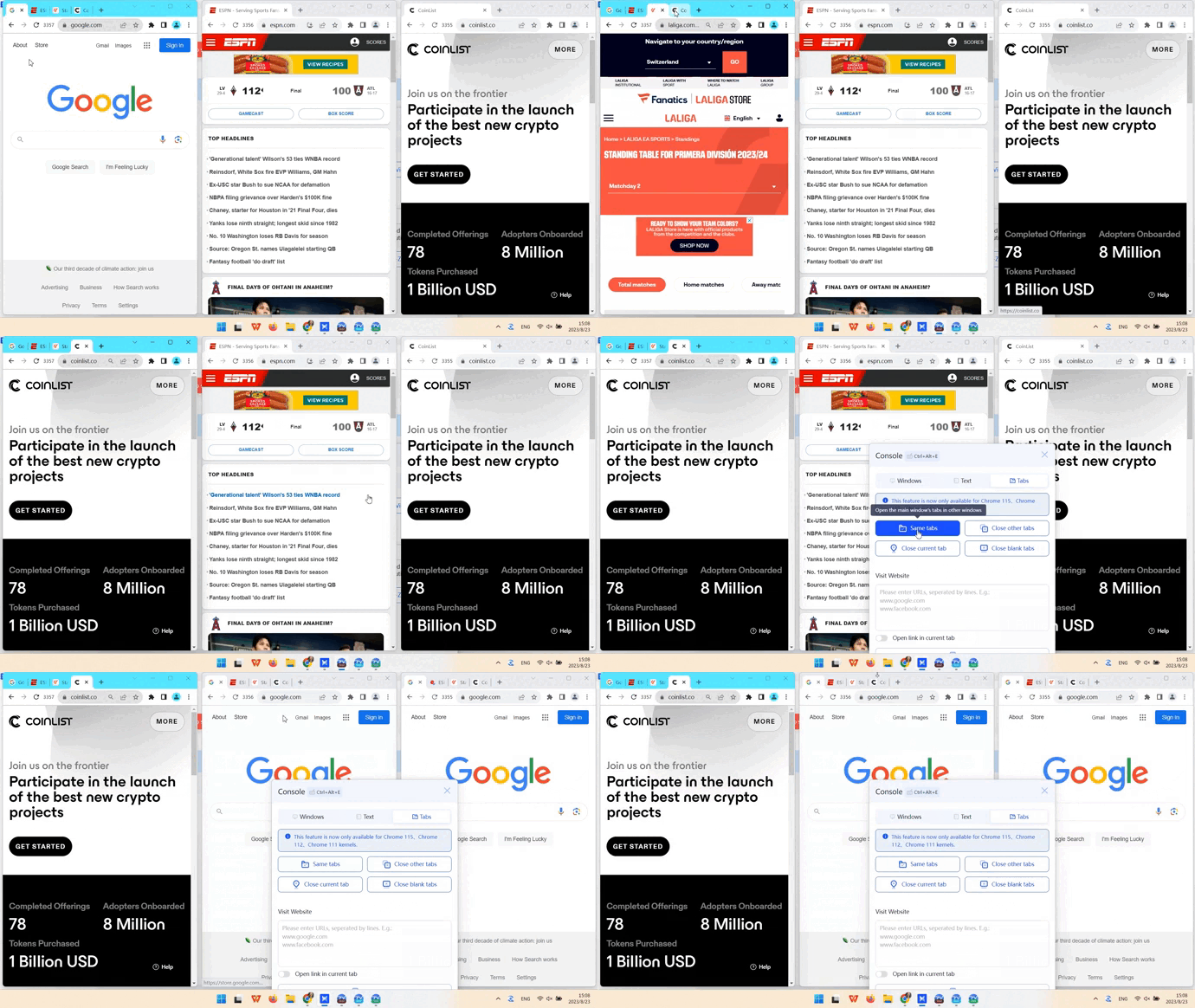
Once your profiles are ready, the focus shifts from configuration to daily account management. This is where some of AdsPower's built-in tools become genuinely useful. For example, Synchronizer (Chromium-based) lets you select multiple profiles, click Start Sync, and control them from a single main window. Every click, scroll, and page navigation is mirrored across the other browser windows automatically.
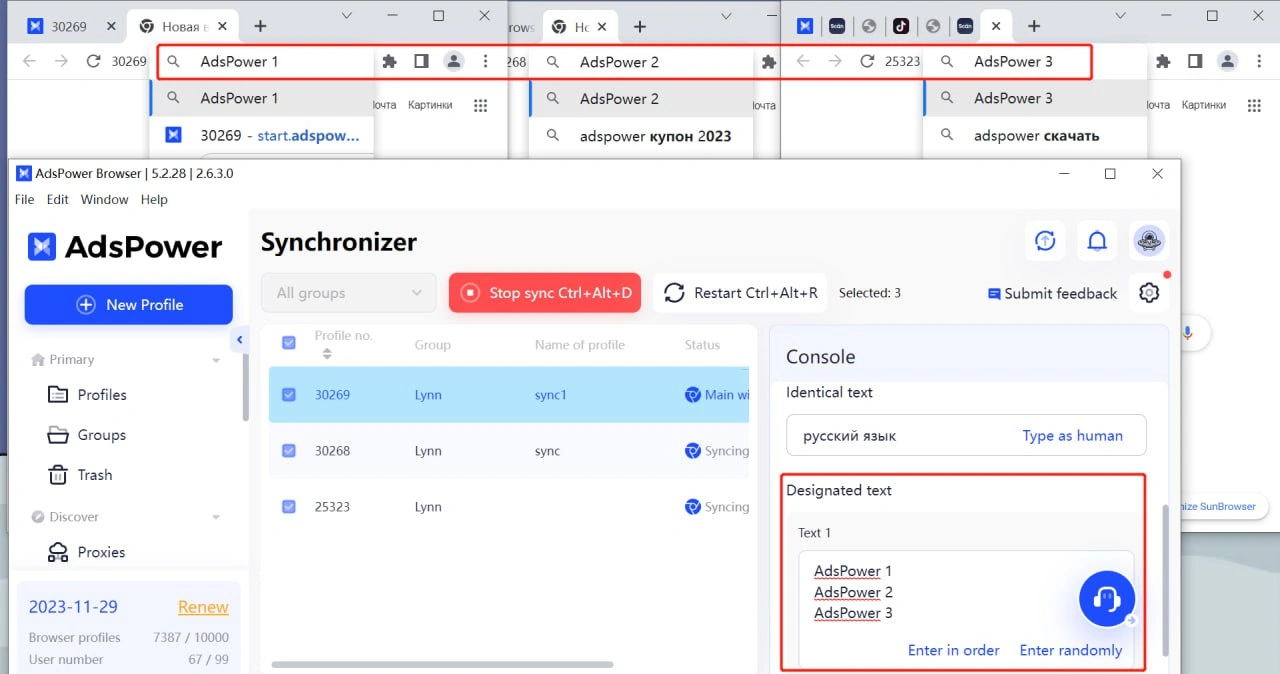
If every account needs the same input, you only need to type it once. When each profile requires different information—such as usernames or email addresses—the Designated Text feature fills each browser with its own predefined content instead of duplicating the same text everywhere.
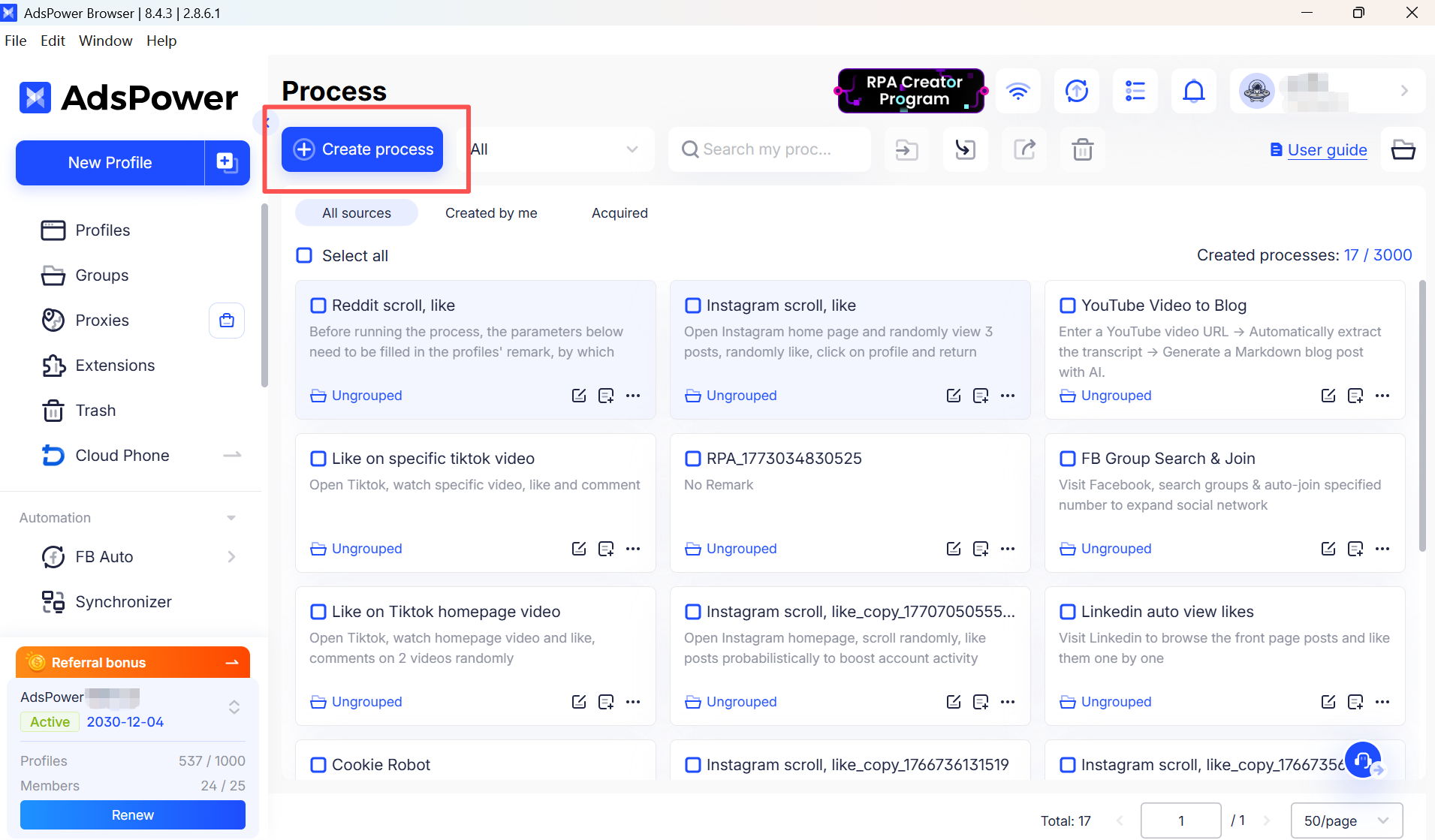
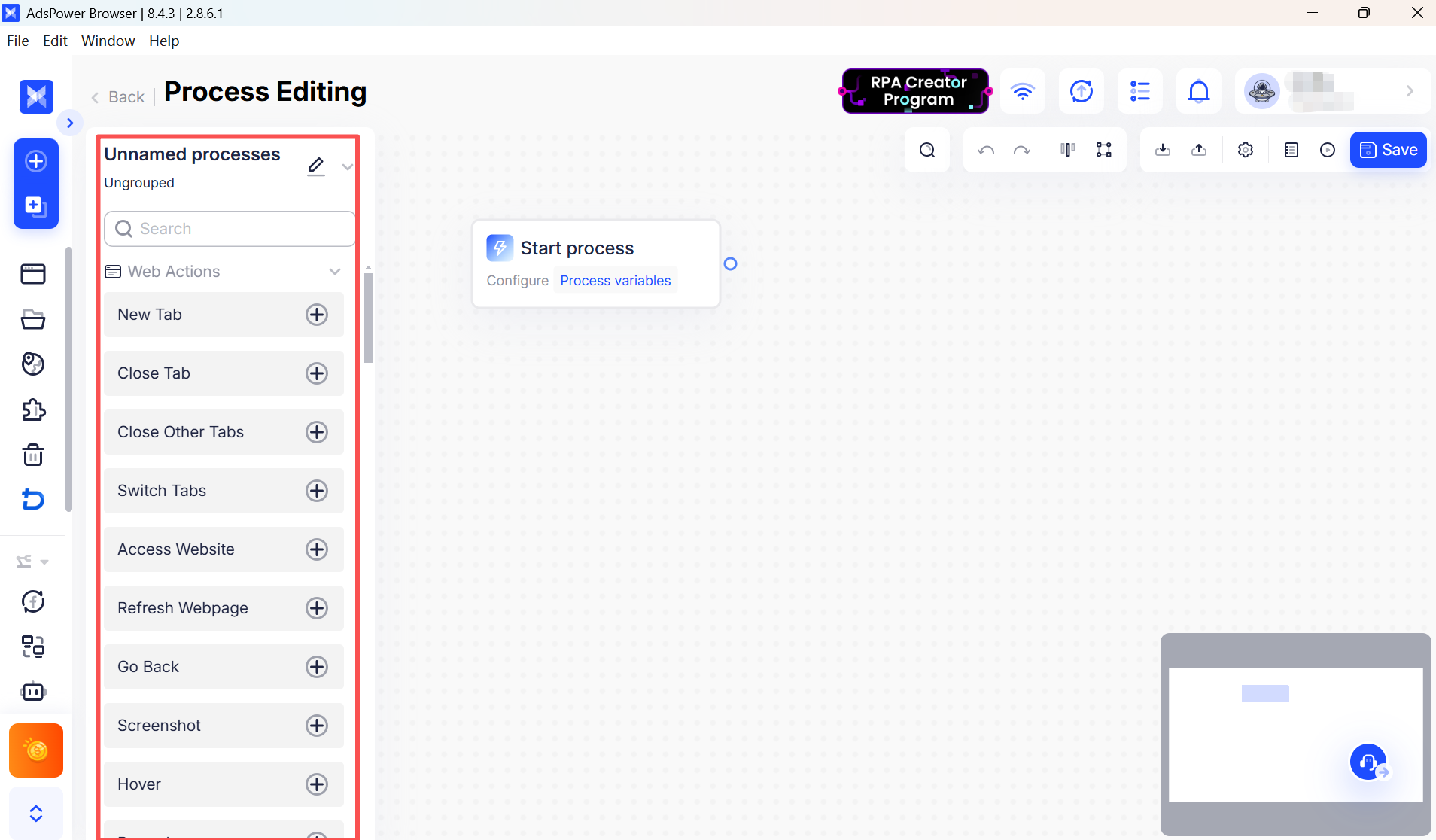
For repetitive workflows, the built-in no-code RPA recorder allows you to record browser actions once and replay them later without writing scripts. If you already rely on automation frameworks, AdsPower also supports Selenium, Puppeteer, Playwright, and the Local API.
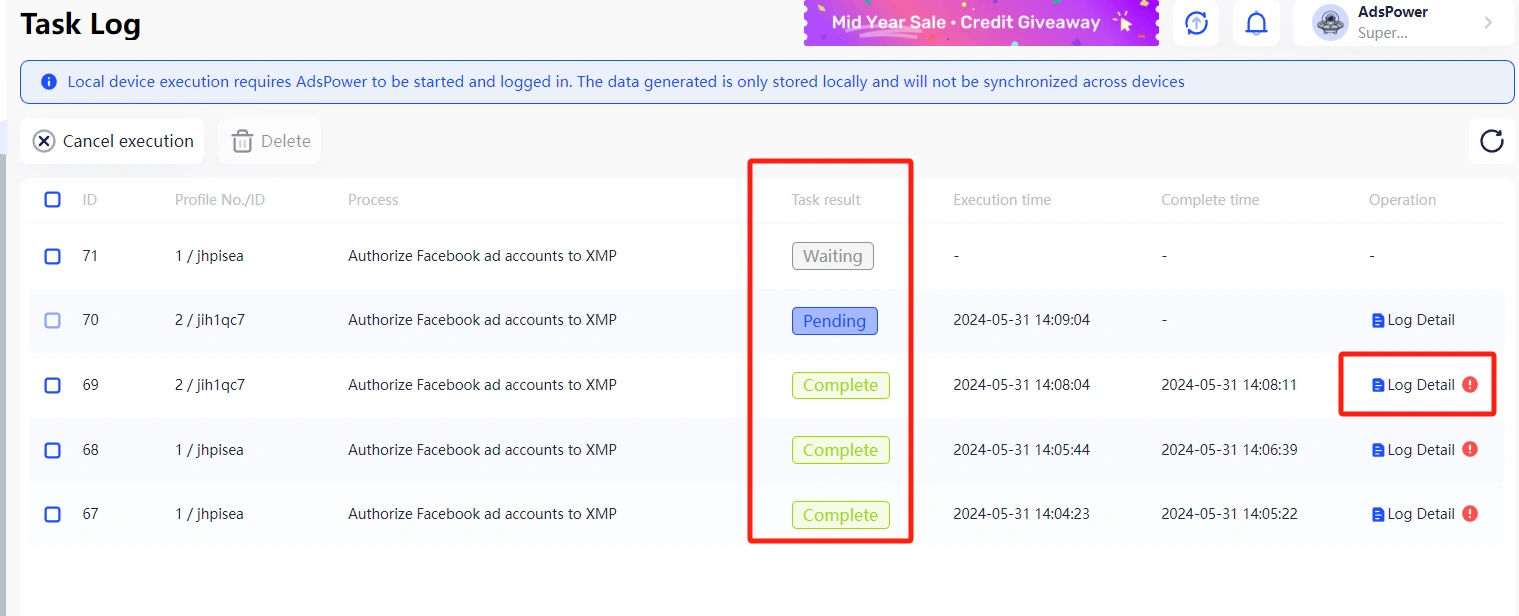
For teams, profile management is equally straightforward. You can create different user roles, assign permissions for actions such as opening, editing, exporting, or transferring browser profiles, and share projects without giving every team member full administrative access.
Performance
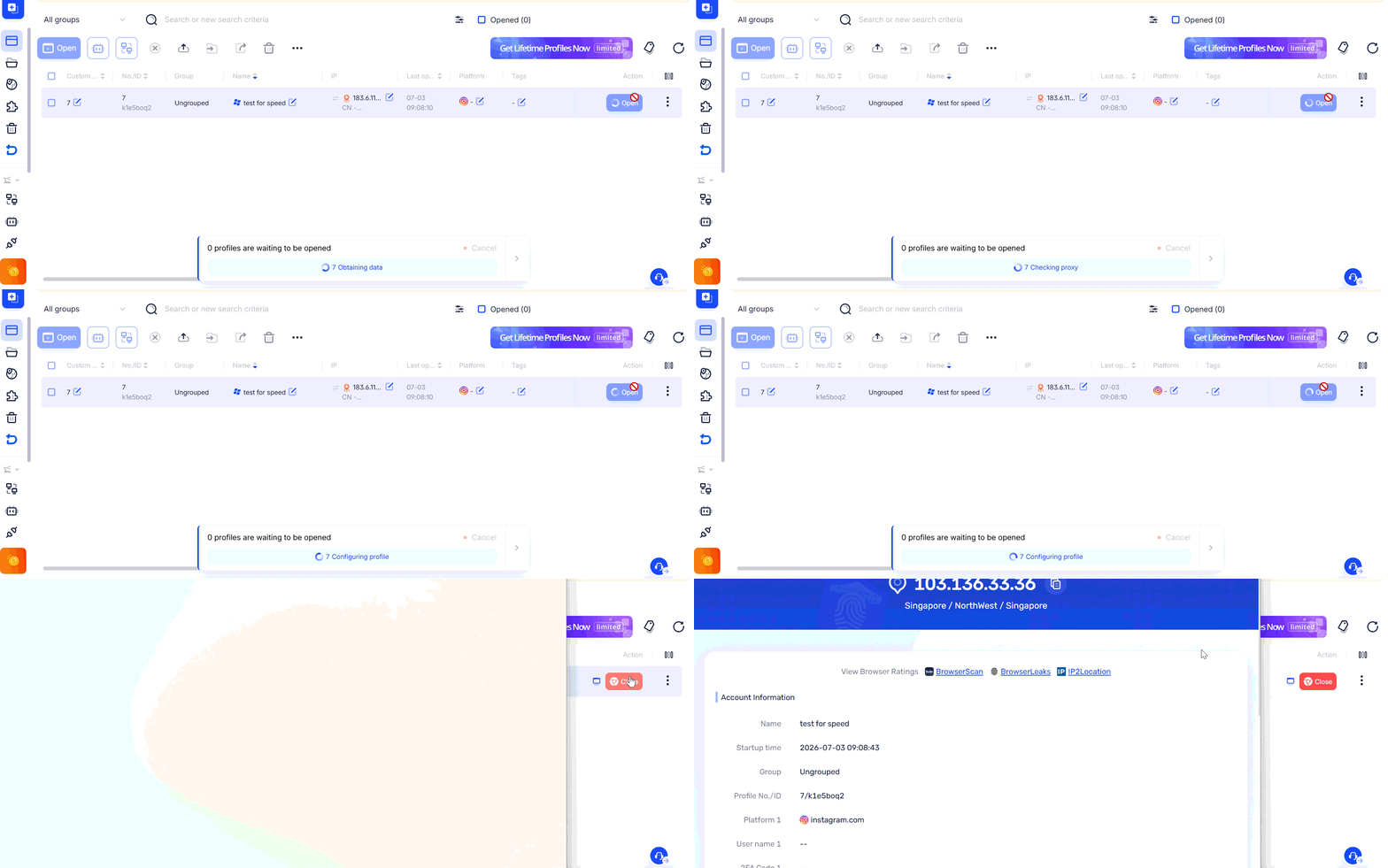
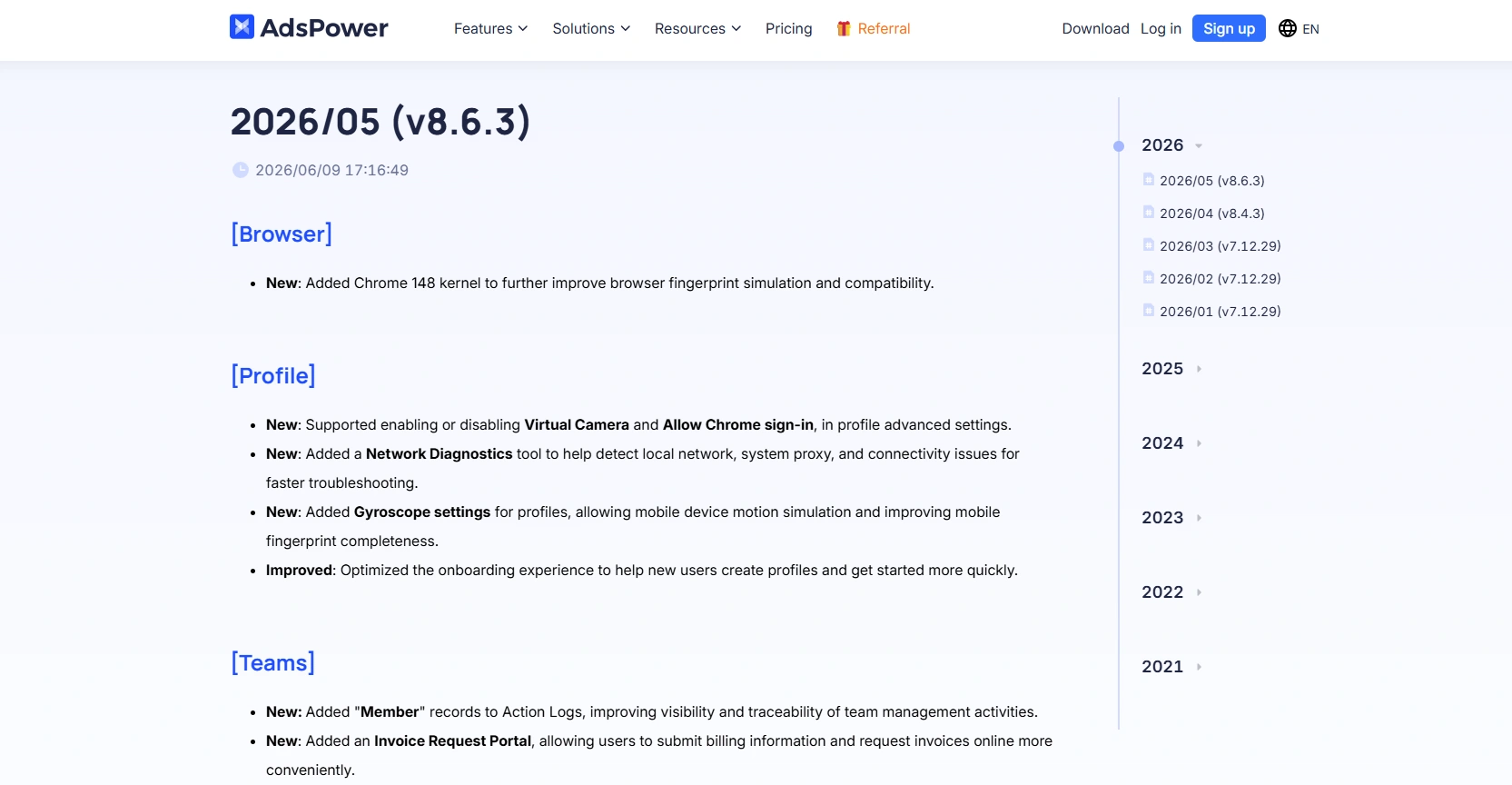
AdsPower continues to refine performance with ongoing product updates. In June 2026, the company reduced average profile startup time by 23%, from 2.43 seconds to 1.86 seconds. During our testing, profile launches were responsive, with no noticeable lag when opening multiple profiles simultaneously.
Updates
Browser engines are updated regularly as Chromium and Firefox continue to release new versions. Keeping an antidetect browser up to date helps ensure that browser profiles remain compatible with current browser versions and modern websites.
Pricing
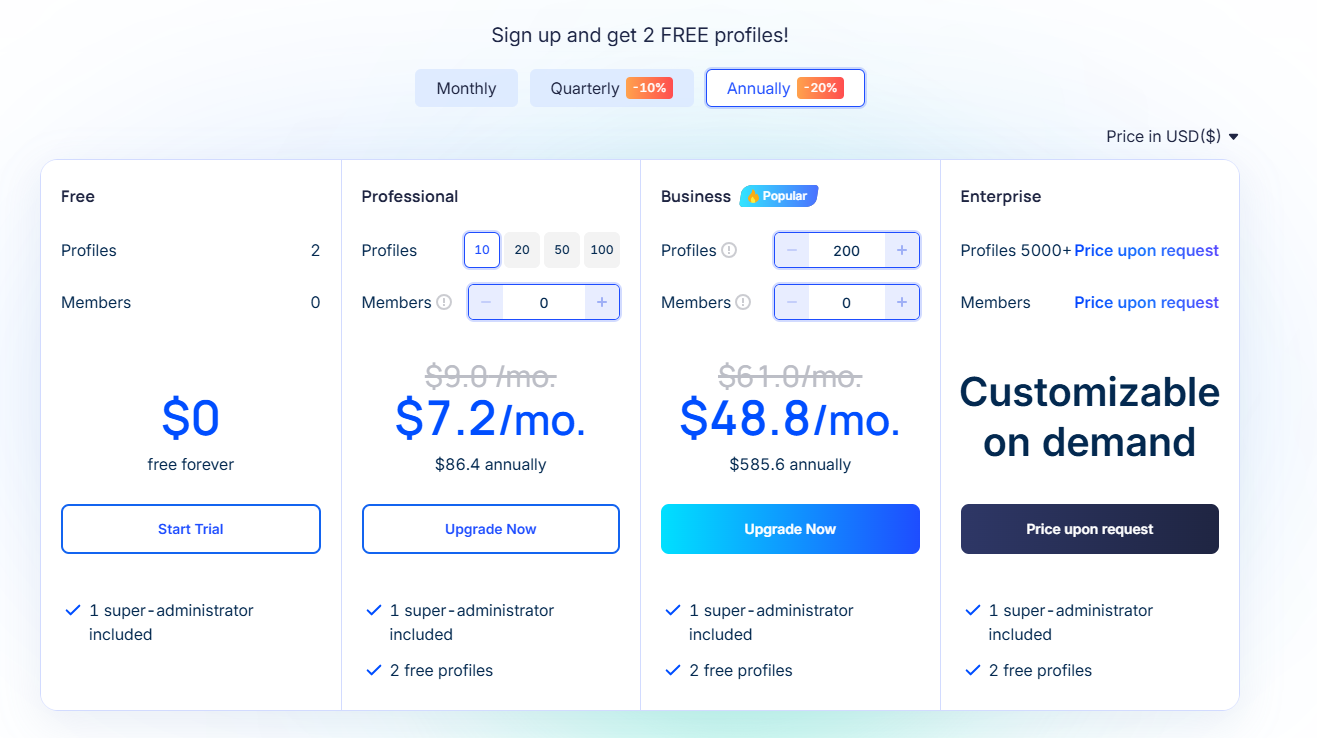
AdsPower offers a free plan with 2 lifetime browser profiles, making it easy to explore the platform before upgrading. Notably, the free plan already includes a synchronizer, built-in no-code RPA, and local API access (120 requests/minute)—features that are often limited to paid tiers in other antidetect browsers. Paid plans start at $9/month, with additional browser profiles and team features available as your needs grow.
Data Security and Privacy
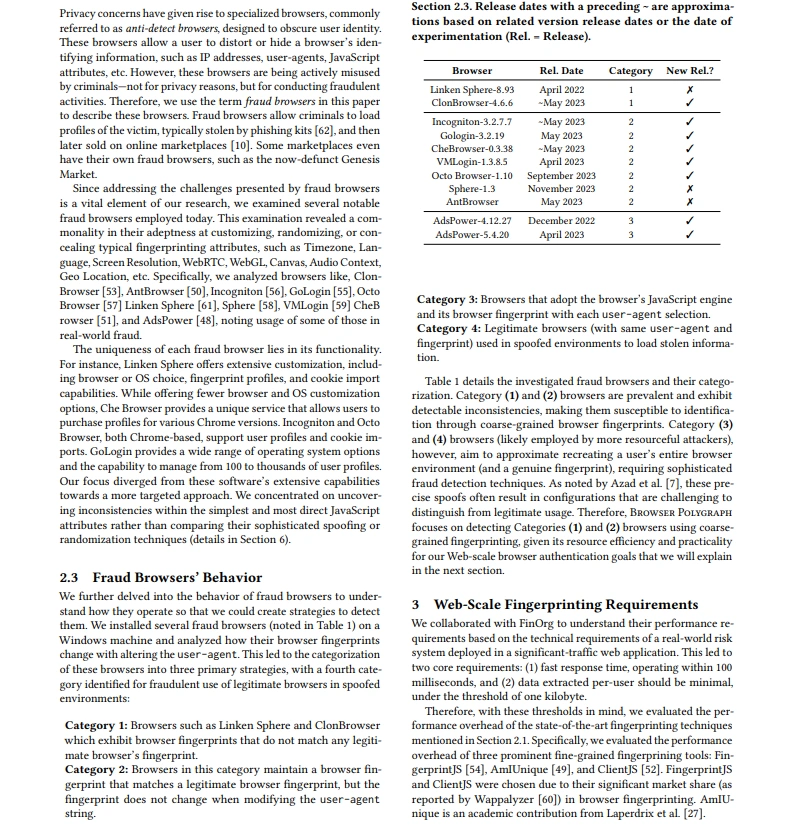
AdsPower places a strong emphasis on both platform security and browser fingerprint integrity. It is one of the few antidetect browsers to hold SOC 2 Type II, ISO 27001, and ISO 27701 certifications, providing independent verification of its security and privacy practices. Browser profiles remain isolated from one another, profile data is encrypted both in transit and at rest, and features such as role-based permissions, 2FA, login alerts, and IP allowlists help teams protect account access.
Security also extends to the browser engine itself. As explained in Browser Polygraph Explained: Why AdsPower Passes Modern Detection Systems, AdsPower uses a kernel-level fingerprint architecture rather than relying solely on JavaScript-level spoofing. This helps browser attributes remain internally consistent across different detection surfaces, reducing fingerprint inconsistencies that advanced detection systems may identify. While no antidetect browser can guarantee immunity from account detection, this approach provides a stronger technical foundation for building realistic browser profiles.
Bottom Line
AdsPower stands out as one of the most well-rounded antidetect browsers we’ve tested. It combines strong browser fingerprint protection with a solid set of practical tools for managing multiple accounts on a daily basis, making it both reliable and easy to work with. With its permanent free plan, built-in synchronizer, no-code RPA, local API, and independently verified security certifications, AdsPower is suitable for everyone from individual users to growing teams. It also stands out for its iOS support, combining iOS fingerprinting on desktop with a native iOS app, a combination that is still relatively uncommon among antidetect browsers. If you’re looking for an antidetect browser that strikes a good balance between ease of use, automation, security, and scalability, AdsPower is definitely one of the top options to consider.
2. FlashID — Best for Browser + Cloud Phone Workflows
FlashID is a new antidetect browser with built-in Android cloud phone in-browser profiles as well. FlashID is different from most antidetect browsers as it enables users to manage both browser profiles and cloud-based Android devices—all via a single dashboard. This also makes it especially well-suited for transitions common in desktop-to-mobile workflows like TikTok, cross-border e-commerce, and crypto platforms.
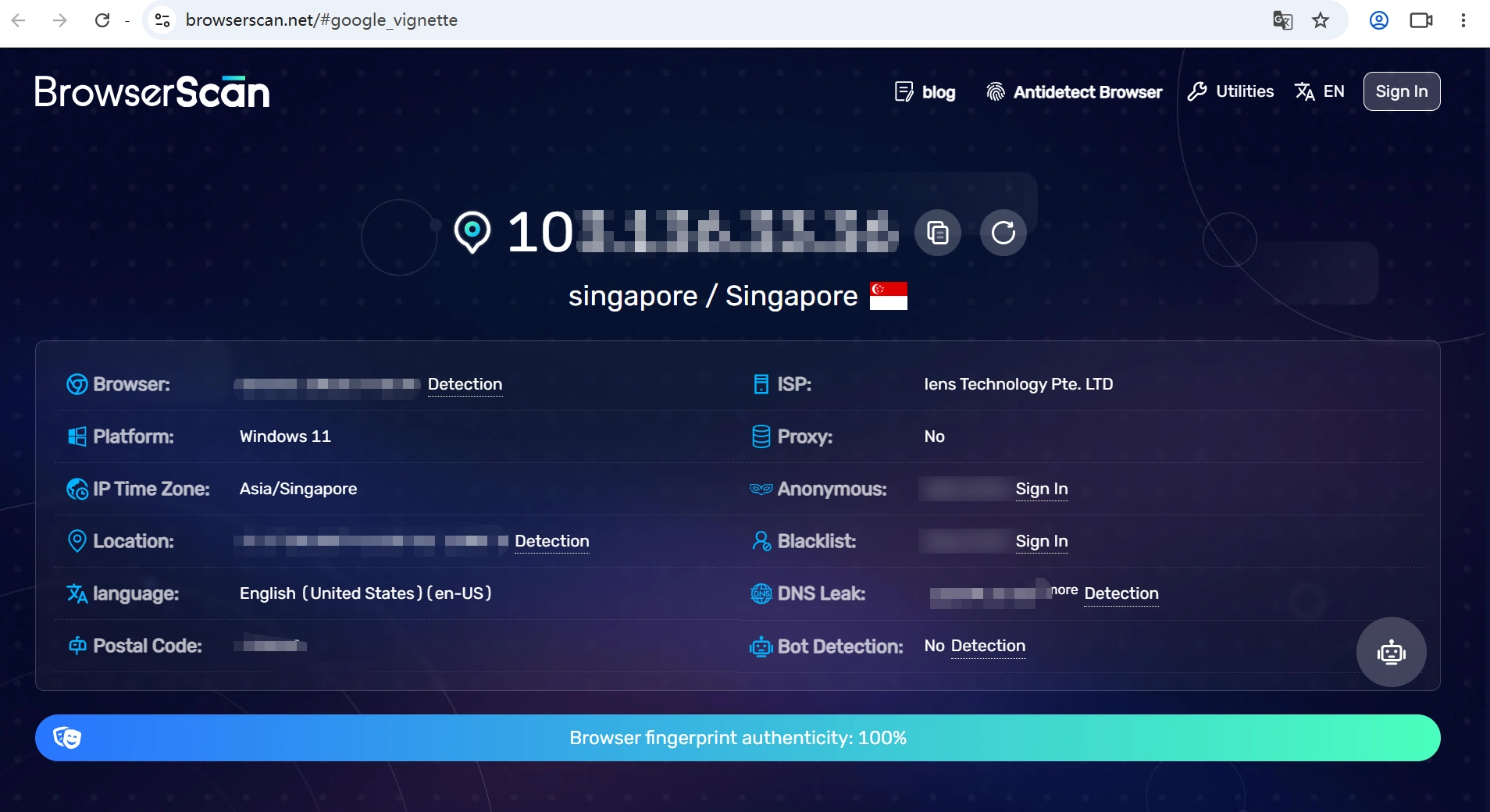
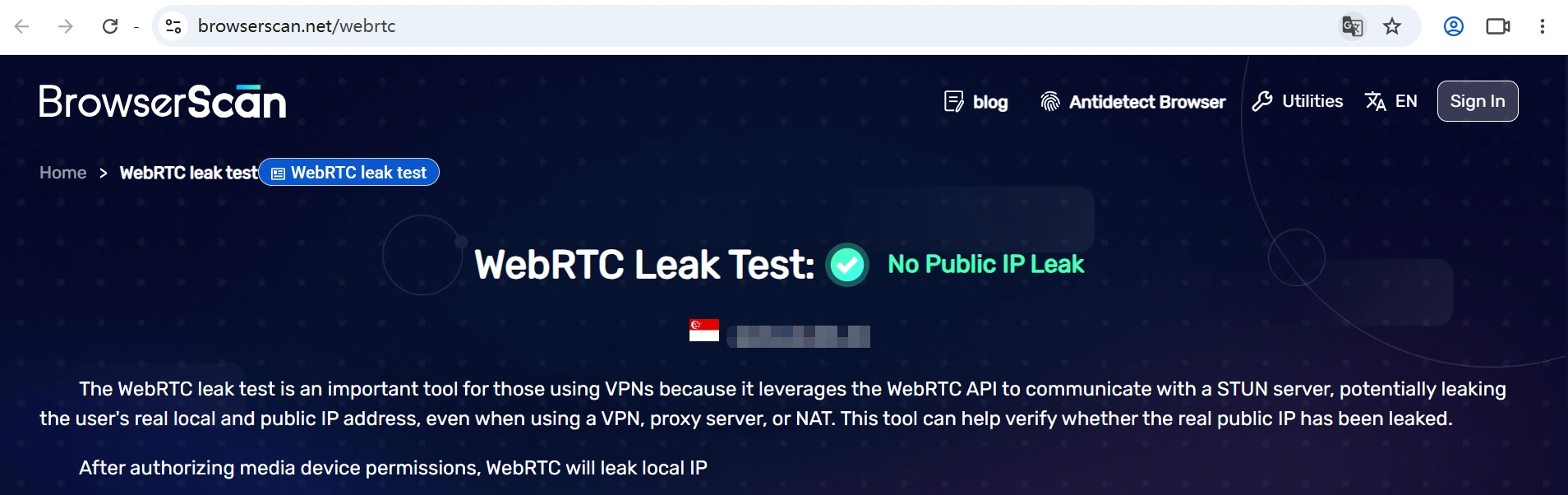
Fingerprint Detection Results
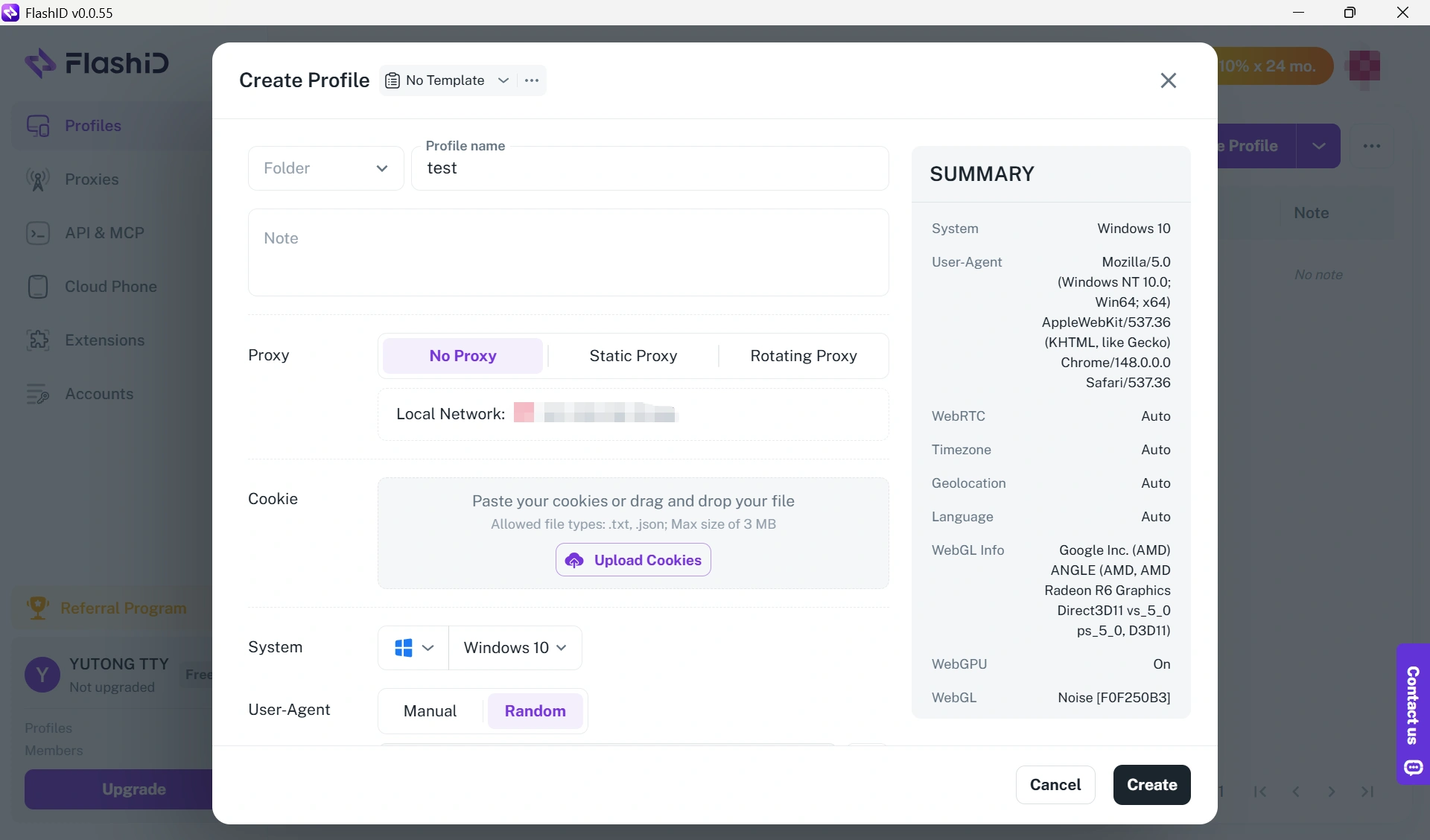
The default profile for the browser also passed BrowserScan with few notable inconsistencies upon testing.
Ease of Use and Daily Workflow
You simply choose an operating system, assign a proxy, and launch the profile. Most fingerprint settings are generated automatically, while advanced fingerprint parameters remain available for users who want more manual control. What distinguishes FlashID is its support for browser profiles and Android cloud phones. FlashID uses cloud ARM devices that provide a complete Android environment, rather than traditional Android emulators. Install APK files directly and run mobile apps Google Play, TikTok, WhatsApp, and other Android applications from within the same interface. If a user's workflow switches between desktop browsers and mobile devices, having both of them managed with one tool reduces the need to alternate between different tools.
Performance, Updates, and Pricing
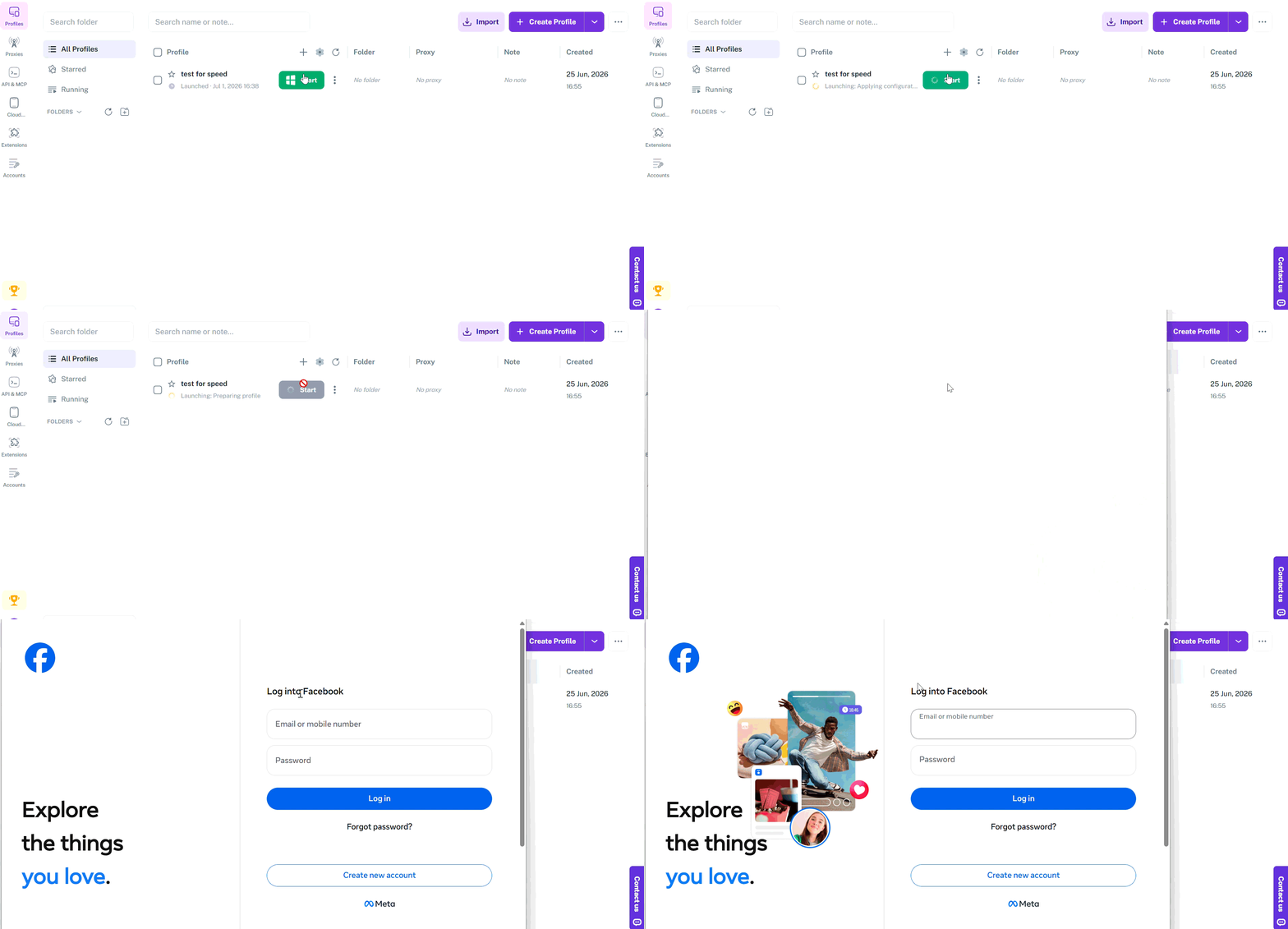
Startup time for profile was averaging about 7 seconds during our testing. Multiple-browser profiles during normal use continued to be stable. With 2 browser profiles, the permanently free plan makes it easy to get a feel for the platform before upgrading. Paid plans begin at $5 / month—and more browser profiles, cloud phones, and team features are also purchasable as your needs arise.
Bottom Line
FlashID is unique because it combines an antidetect browser with Android cloud phones on one platform, a feature that remains rare for multi-account tools. While it is still a newer product, I found the integrated browser and mobile workflow worth considering if you regularly work in Android—especially when moving back and forth between desktop and that environment. If your workflow is only reliant on browser profiles, traditional antidetect browsers may provide the service you require; however, if your operations run using both browser and mobile solutions combined, then FlashID offers something different.
3. Gologin—Decent Option for Beginners
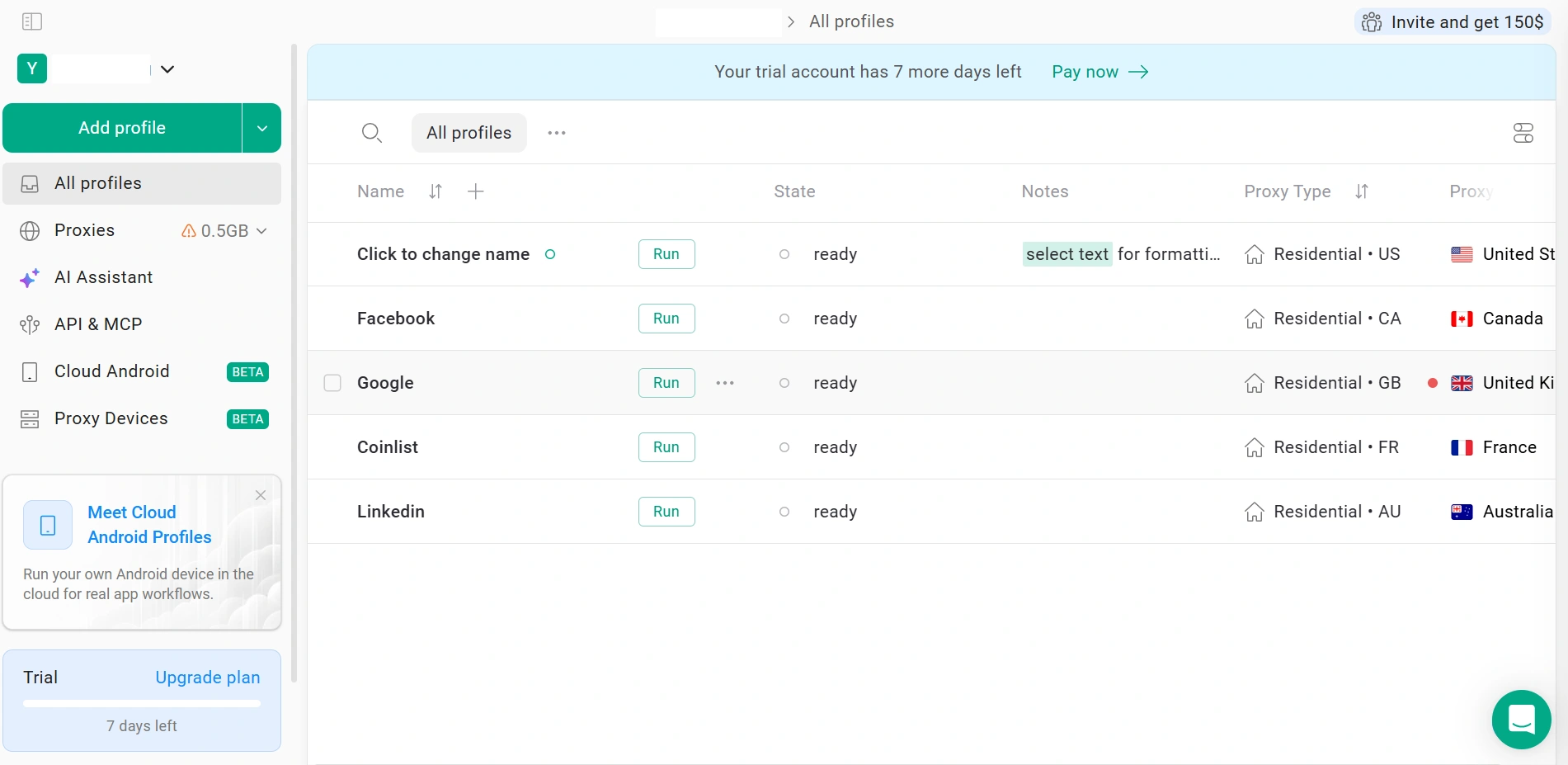
GoLogin is designed to be approachable, making it a good starting point for users who are new to antidetect browsers. The interface is easy to navigate, creating browser profiles takes only a few steps, and most of the core features needed for multi-account management are already included. It also supports cloud profiles, mobile fingerprints, and browser automation through APIs, making it suitable for individuals and small teams that don't need more advanced workflow tools.
Browser Fingerprints and Passing Checks
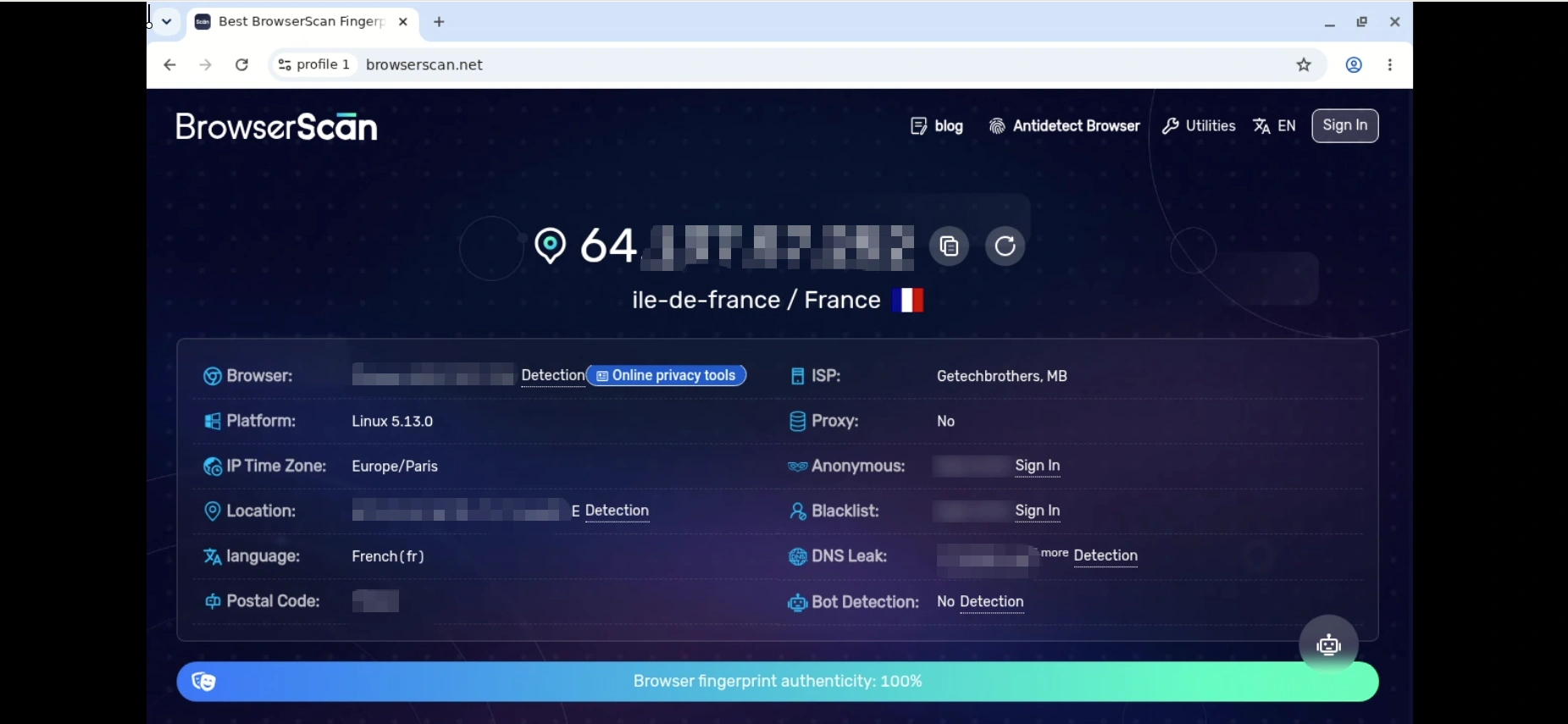
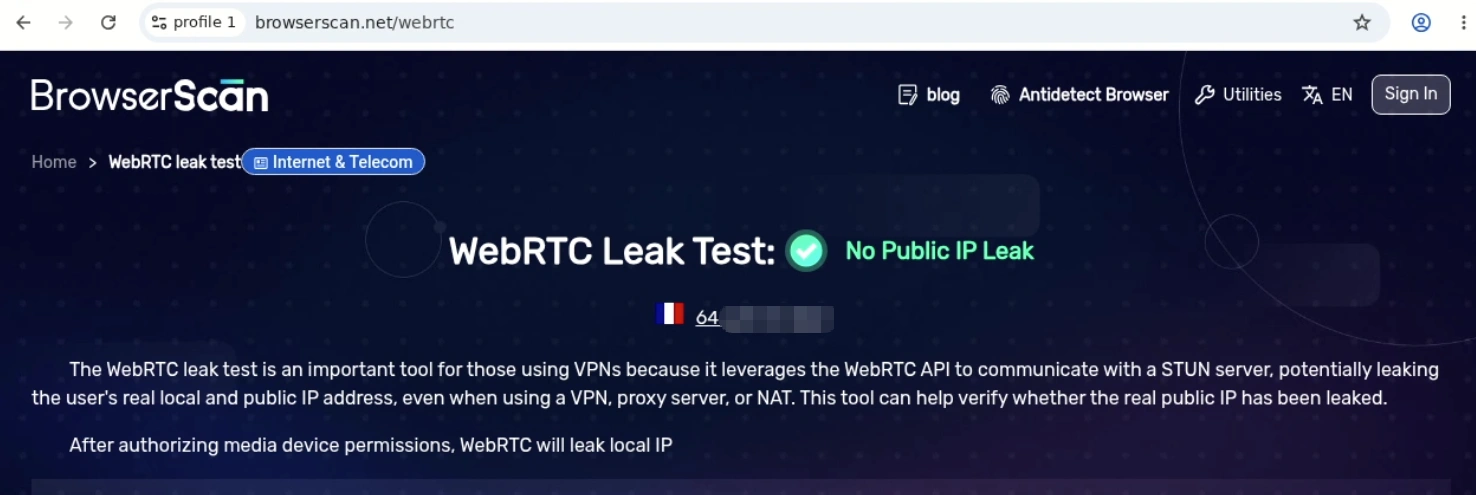
Fingerprint protection performed well in our testing. Using the default browser profile, BrowserScan didn't report any obvious inconsistencies. Canvas, WebGL, audio, fonts, timezone, and other major fingerprint components remained internally consistent, while WebRTC and DNS leak tests showed no exposure of the real IP address.
Daily Workflow and Ease of Use
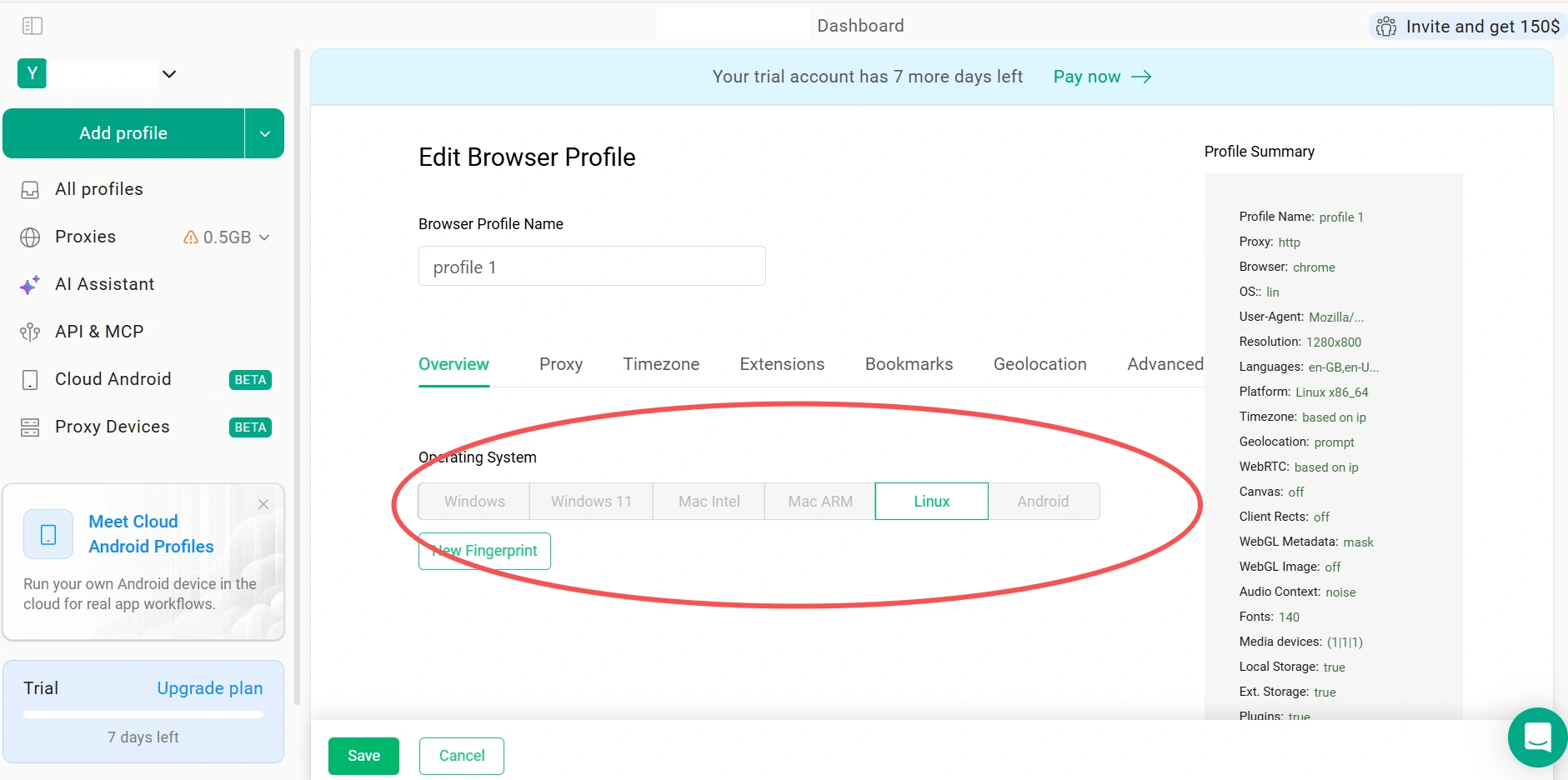
Getting started with GoLogin is relatively straightforward. Creating a browser profile only takes a few steps, and the interface is easy to navigate even if you're new to antidetect browsers. Most of the settings you'll need are easy to find, so there isn't much of a learning curve before launching your first profile.
For automation, GoLogin supports Selenium, Playwright, Puppeteer, and its Local API, making it suitable for users who already work with code-based workflows. However, it doesn't include a built-in no-code RPA recorder, so repetitive tasks still need to be automated through scripts or third-party tools.
GoLogin also supports cloud profiles and mobile browser fingerprints but currently offers Android browser profiles only. Native iOS browser profiles aren't available, which may be worth considering if your workflow depends on testing or managing iOS environments.
Performance, Updates, and Pricing
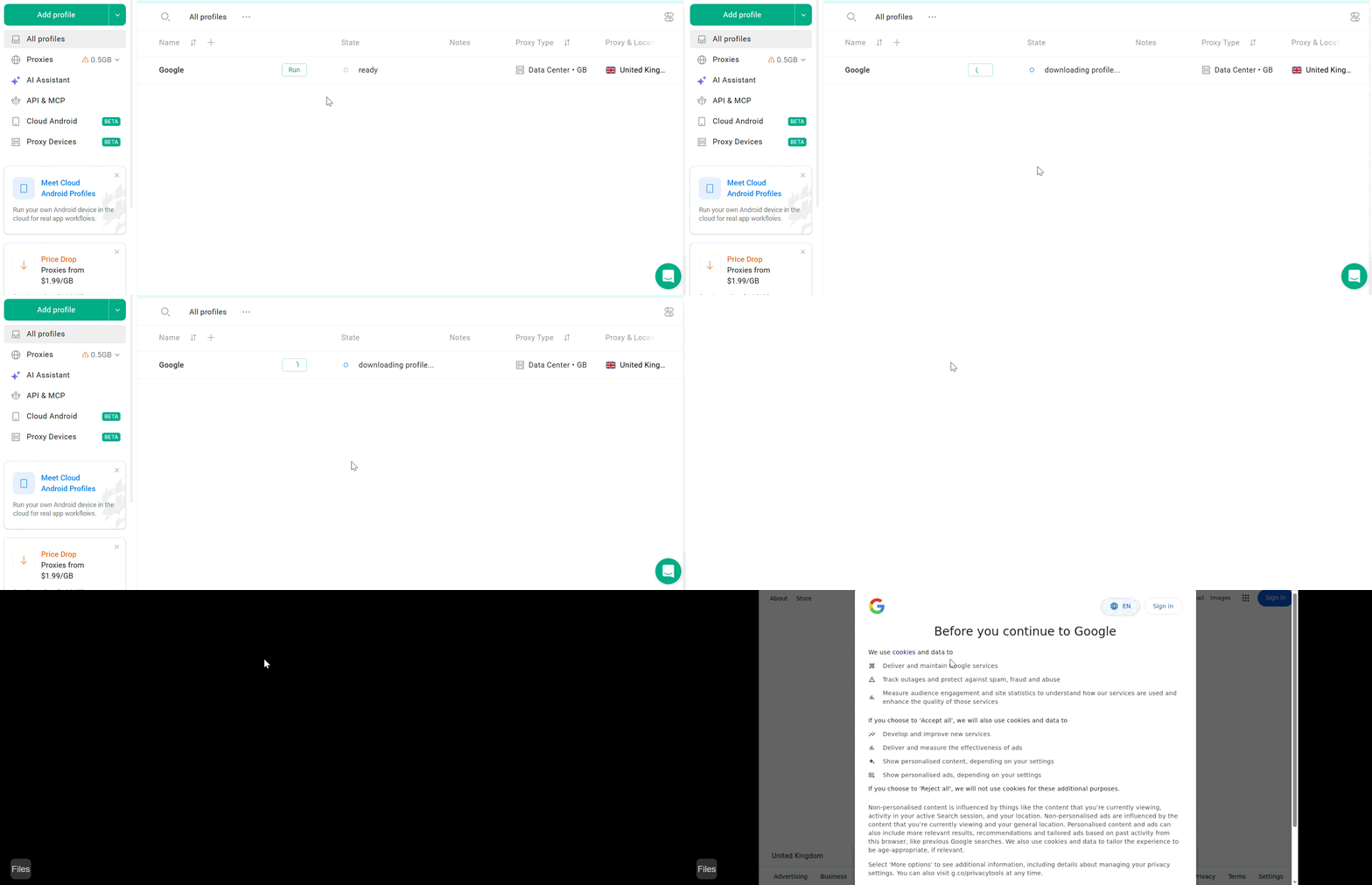
Profile startup remained stable during our testing, averaging around 11 seconds across three launches. Running multiple browser profiles at the same time didn't cause any obvious stability issues during normal use. GoLogin updates its Chromium browser engine regularly to keep pace with new browser releases, helping browser profiles stay compatible with modern websites and current browser versions.
New users can try GoLogin with a 7-day free trial, but for a limited time, after which paid plans start at $4.50/month for 10 browser profiles. The trial is sufficient for evaluating the platform, although unlike some competitors, it doesn't include a permanent free plan for ongoing use.
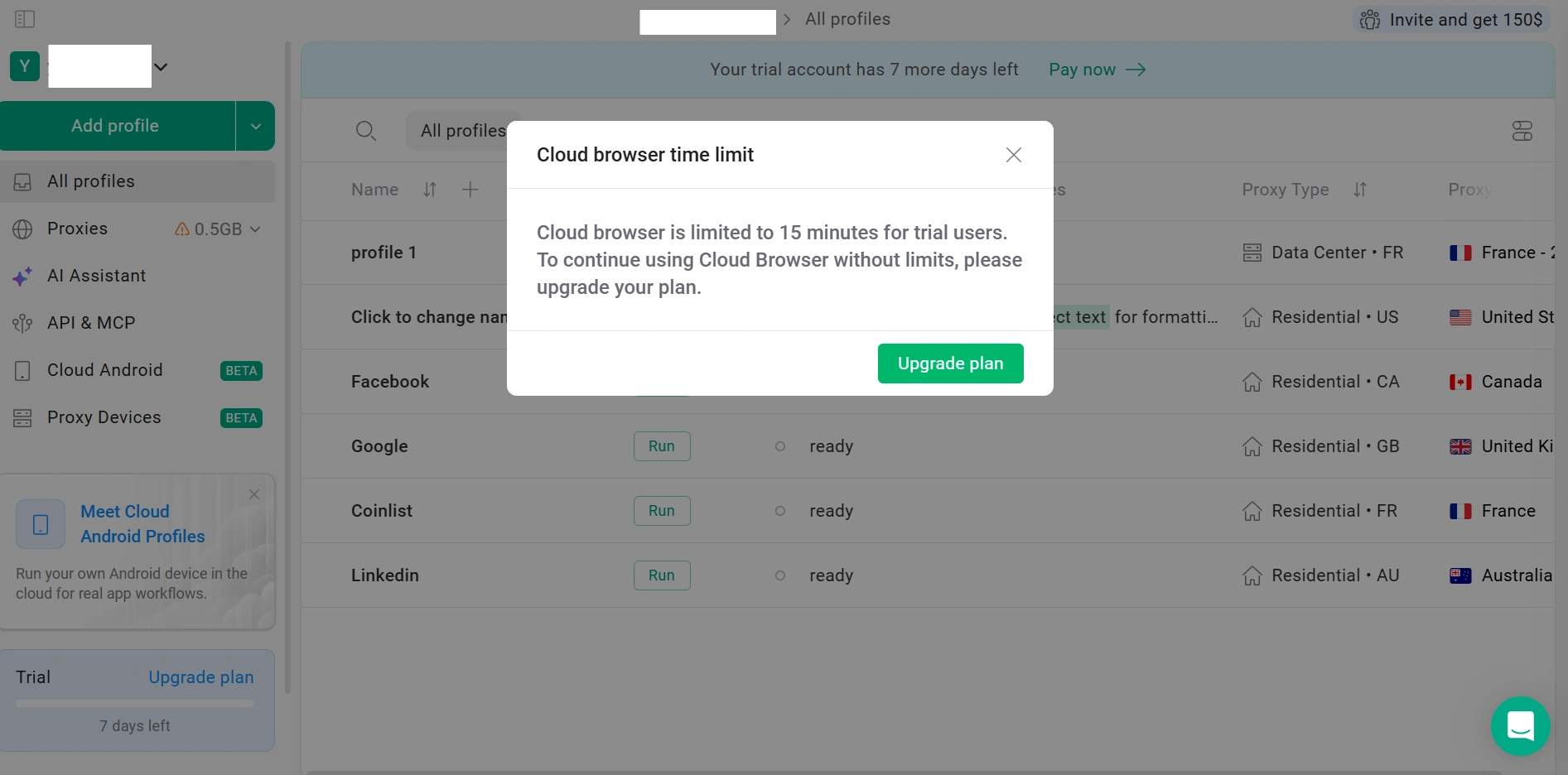
Customer feedback is generally positive, with a 4.4/5 Trustpilot rating based on more than 370 reviews. Some users, however, mention slower customer support responses and occasional billing issues, so the overall support experience appears to vary.
GoLogin also doesn't publicly disclose third-party security certifications such as SOC 2 Type II, ISO 27001, or ISO 27701. While this may not affect individual users, organizations with stricter compliance or security requirements may want to review their security practices before deployment.
Bottom Line
GoLogin is an intuitive antidetect browser for beginners and smaller teams looking for an easy way to manage multiple browser profiles. It covers the core features most users need without adding much complexity. The limited free trial, lack of built-in no-code automation, and absence of native iOS browser profiles are worth keeping in mind as your workflow becomes more advanced.
4. Dolphin {anty} — Popular with Facebook Advertisers
Dolphin {anty} was originally built for affiliate marketers running Facebook advertising campaigns, and that focus is still reflected throughout the product today. While it has gradually expanded into a more general-purpose antidetect browser, many of its workflows continue to cater to users managing advertising accounts at scale.
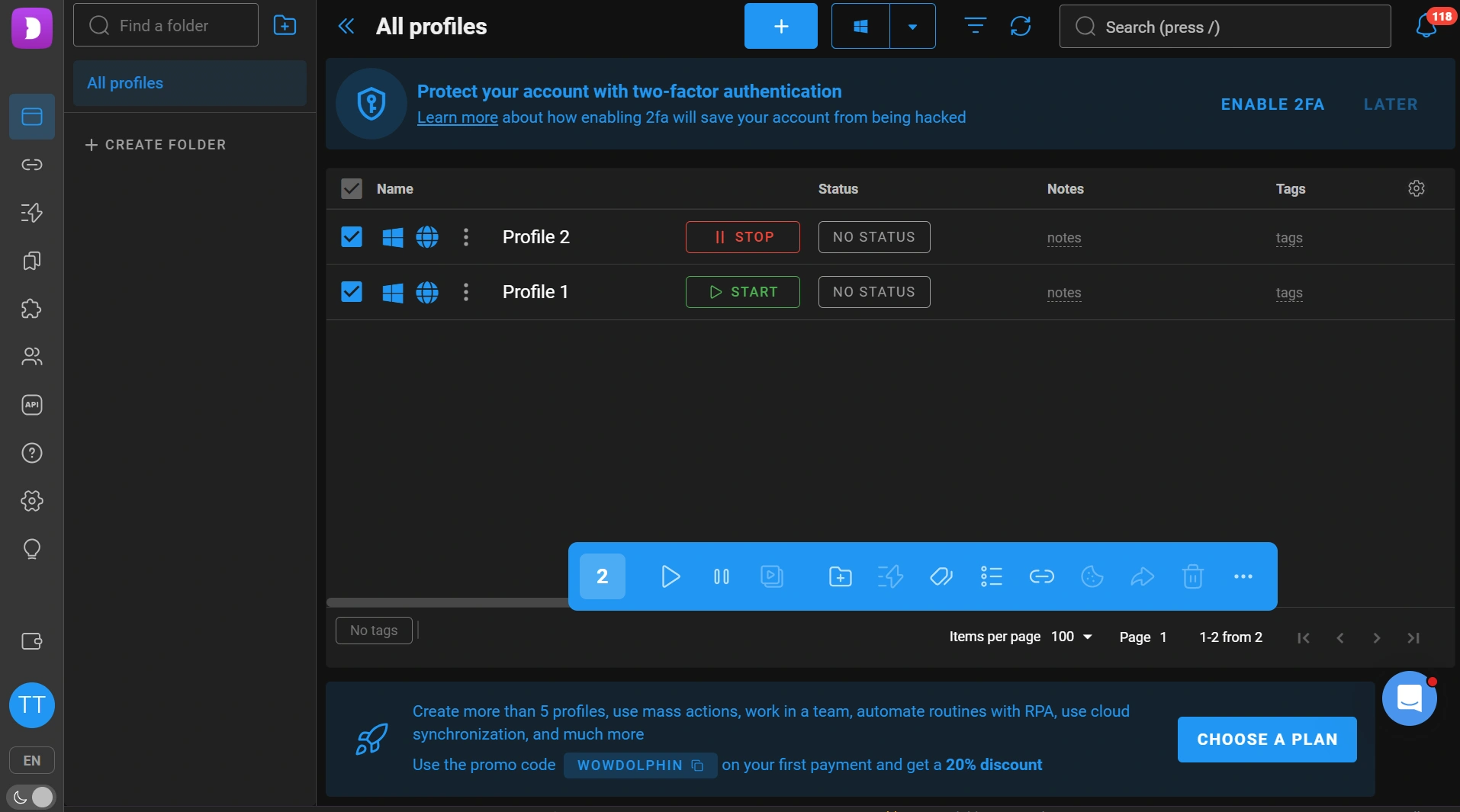
It offers a free plan with 5 browser profiles, making it easy to try before committing to a subscription. For users whose work revolves around Facebook Ads or affiliate marketing, Dolphin {anty} remains one of the more recognizable names in the antidetect browser market.
Browser Fingerprints and Passing Checks
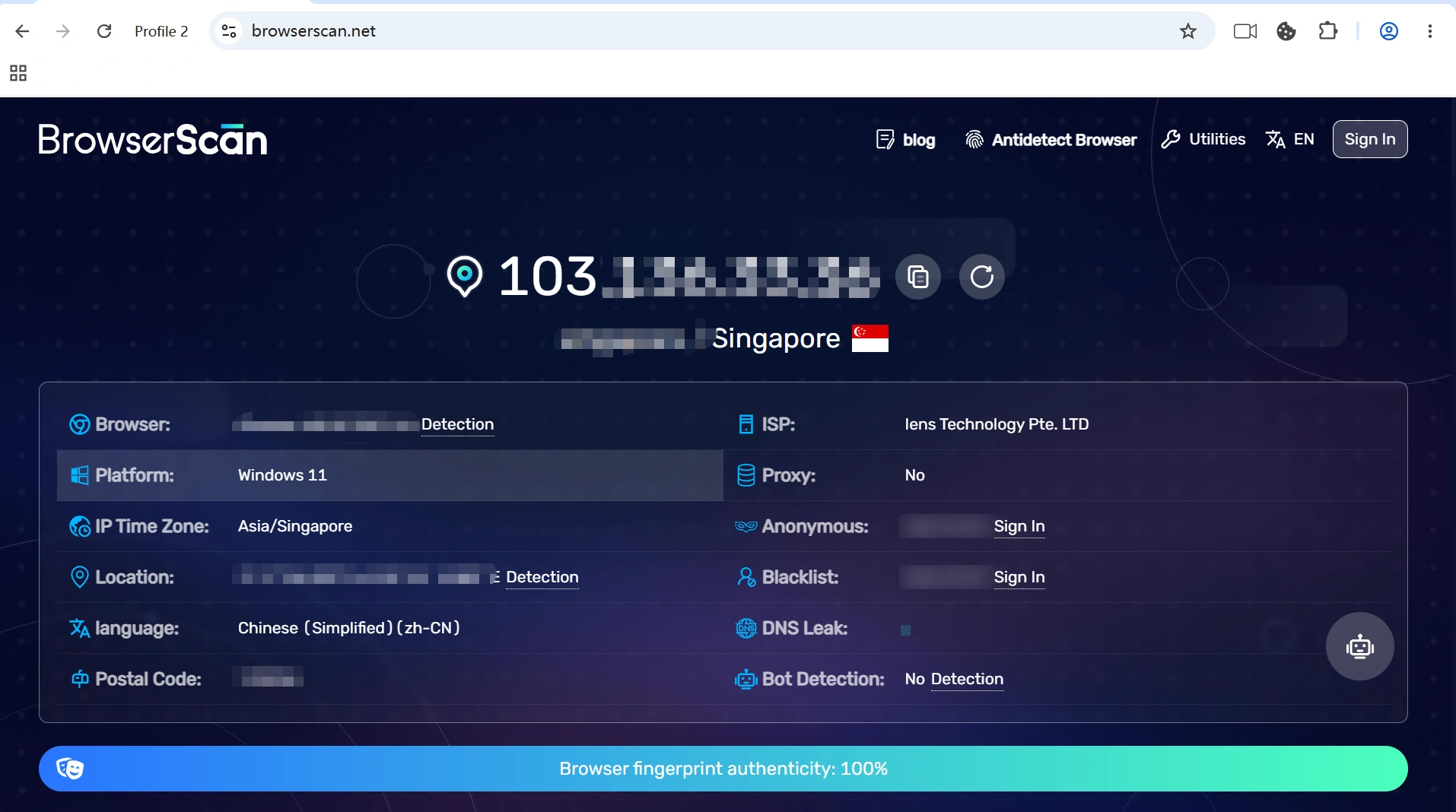
Testing fingerprint consistency was one of the first things we did. Dolphin {anty}'s default profile scored a perfect 100% BrowserScan with no leaks of WebRTC or DNS in our tests.
Ease of Use and Daily Workflow
Creating a browser profile is straightforward. You simply select a Profile Type (such as Facebook, TikTok, Google, or a custom profile), choose the operating system, assign a proxy, and launch the browser. Unless you have specific fingerprint requirements, there isn't much you need to configure before getting started.
Like AdsPower, Dolphin {anty} also provides advanced fingerprint settings for users who prefer more manual control. If needed, you can customize fingerprint parameters yourself instead of relying entirely on the default configuration.
Once browser profiles are created, the workflow is similar to most mainstream antidetect browsers. Profile folders, tags, cookie management, and bulk actions make it easier to organize larger numbers of accounts without constantly switching between browser windows.
For users who automate repetitive work, Dolphin {anty} includes a scenario builder and local API. You can create browser workflows visually by connecting action blocks together, while developers can integrate with their own scripts through the API. However, these automation features are only available on paid plans and aren't included in the free version.
Performance, Updates, and Pricing
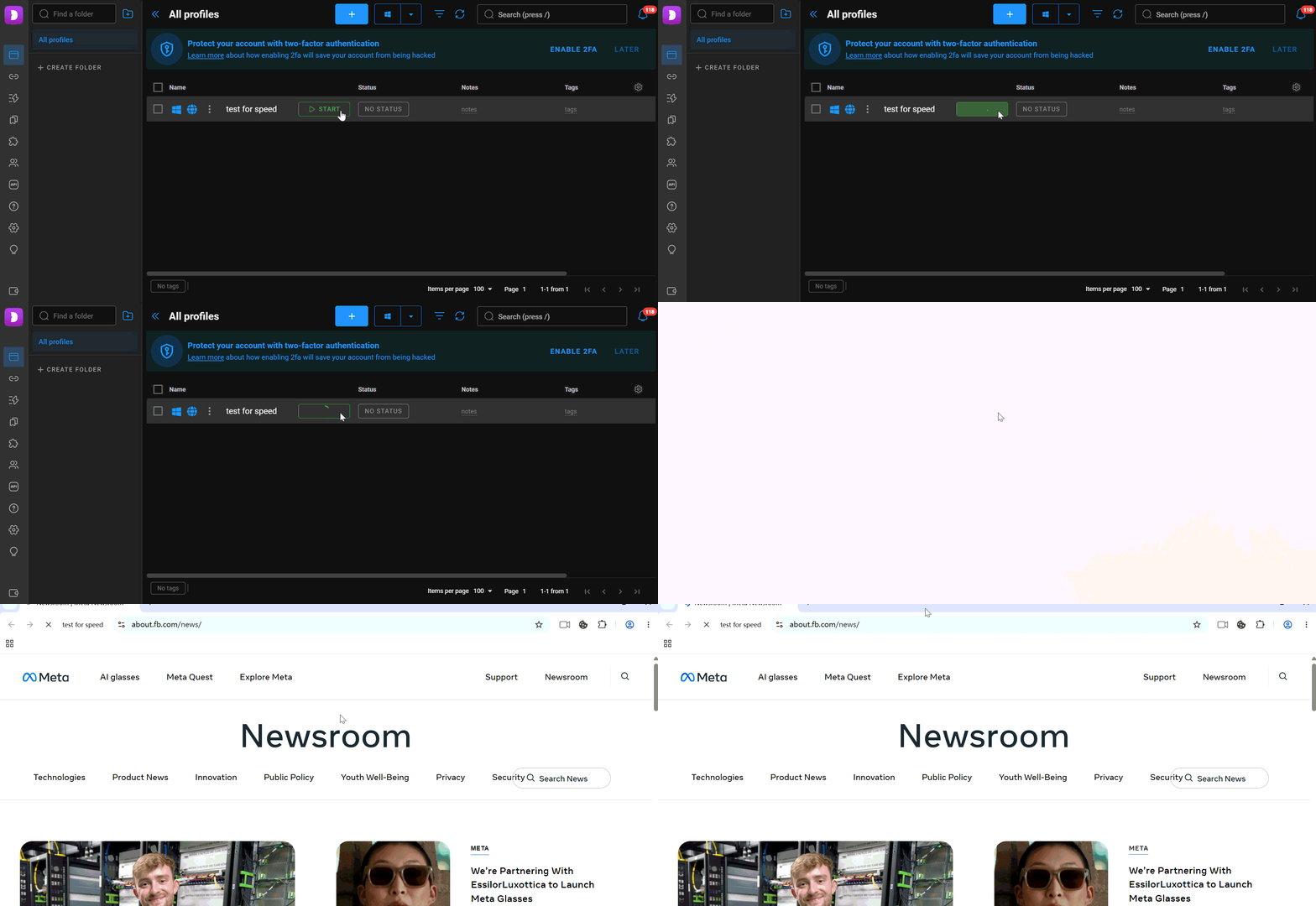
Profile startup averaged around 7 seconds during our testing. The browser offers a free plan with 5 browser profiles, making it easy to explore the platform before upgrading. Paid plans start at $10/month for 20 browser profiles.
Bottom Line
Dolphin {anty} is well suited to affiliate marketers and Facebook advertisers who want a browser built around multi-account workflows. Creating browser profiles is simple, while advanced fingerprint settings provide additional flexibility for users who prefer more manual control. The permanent free plan makes it easy to get started, although many of the automation features become available only after upgrading.
5. Undetectable Browser - Designed for Individual Users
Undetectable Browser is a relatively new antidetect browser that focuses on browser fingerprint management and account isolation. It supports both cloud and local browser profiles, giving users different ways to store and launch browser environments. Compared with some more established competitors, its feature set is more focused, with greater emphasis on profile customization than team collaboration.
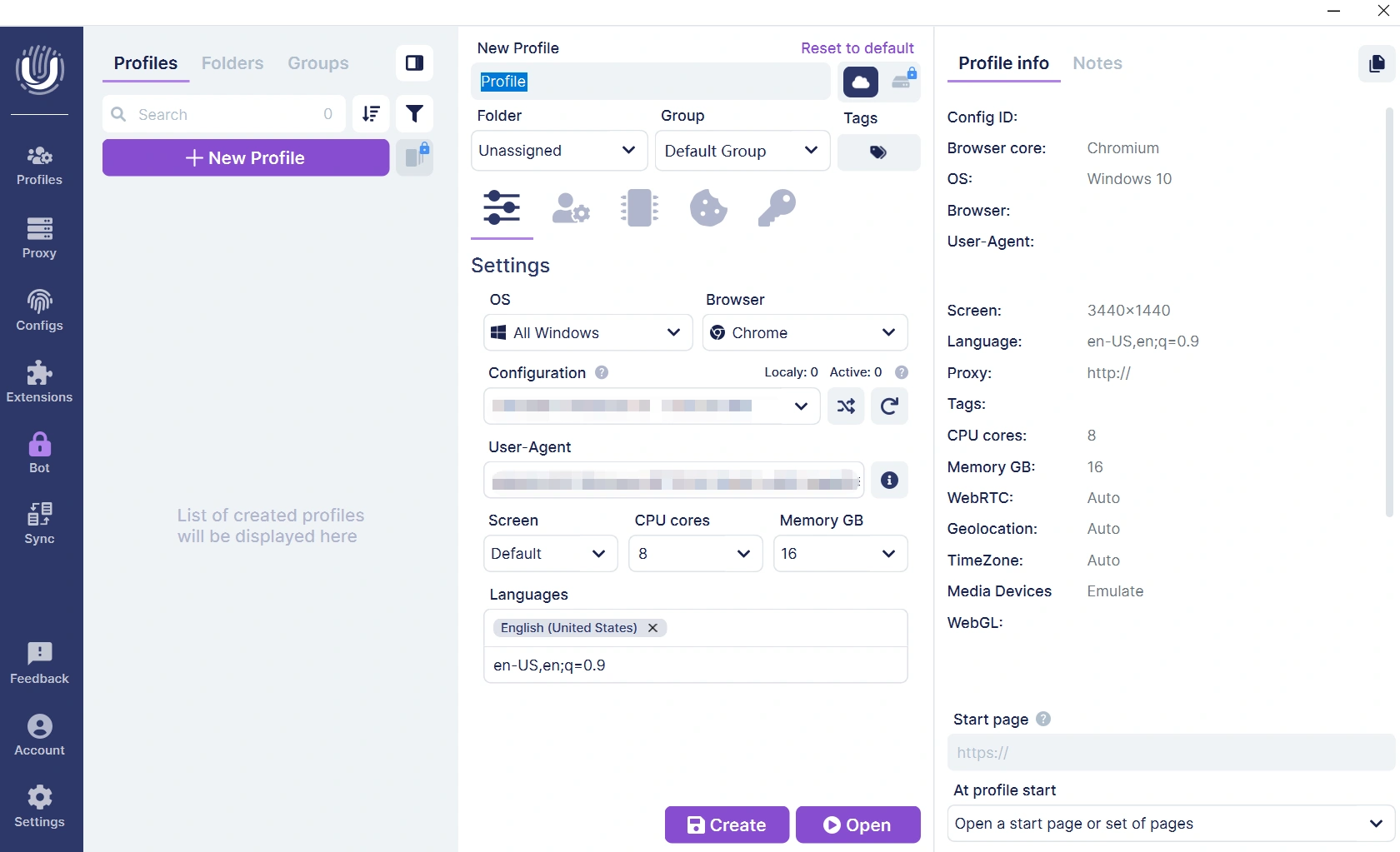
Browser Fingerprints and Passing Checks
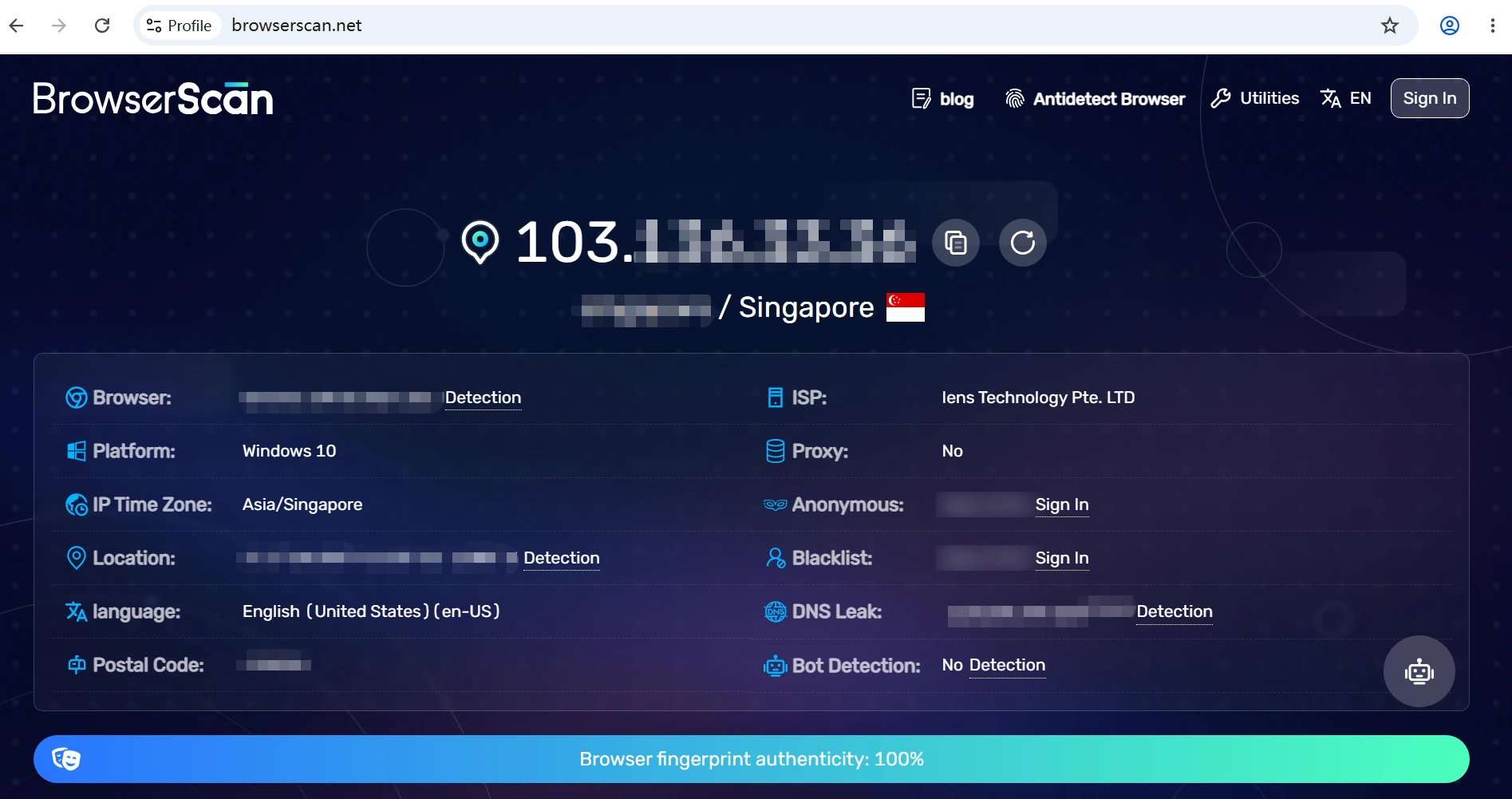
As usual, fingerprint consistency was one of the first things we tested. During testing, the default browser profile passed BrowserScan without any obvious inconsistencies.
Ease of Use and Daily Workflow
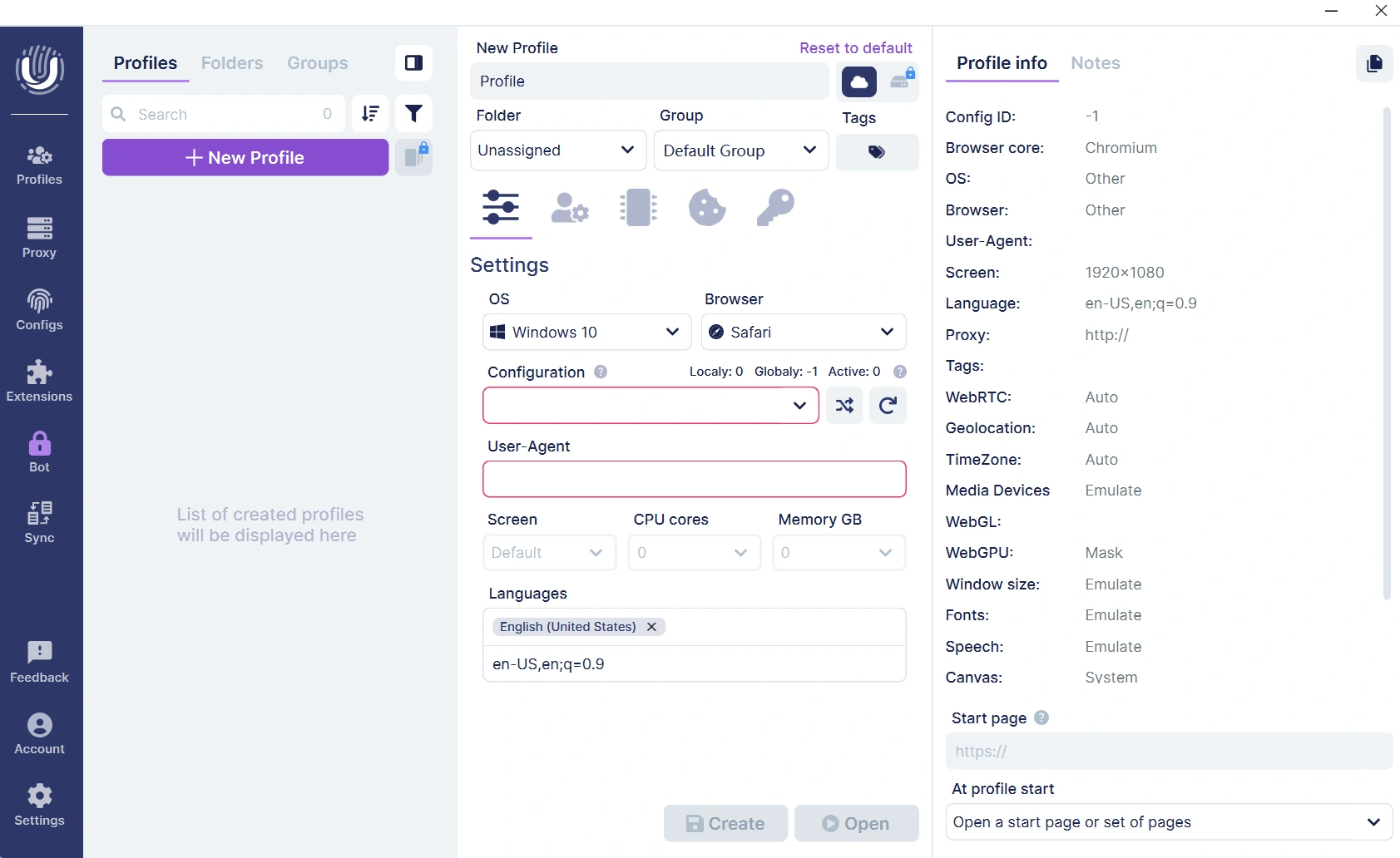
It is easy to create a browser profile, but the fingerprint setup is not similar to most of the antidetect browsers. Unlike many browser fingerprints generated automatically, Undetectable Browser lets you choose your fingerprint configuration from the start and create the profile. You can further customize parameters like CPU cores, RAM, screen resolution, and other hardware settings if needed. But this level of customization can be overwhelming for beginners and requires a good understanding of browser fingerprinting.
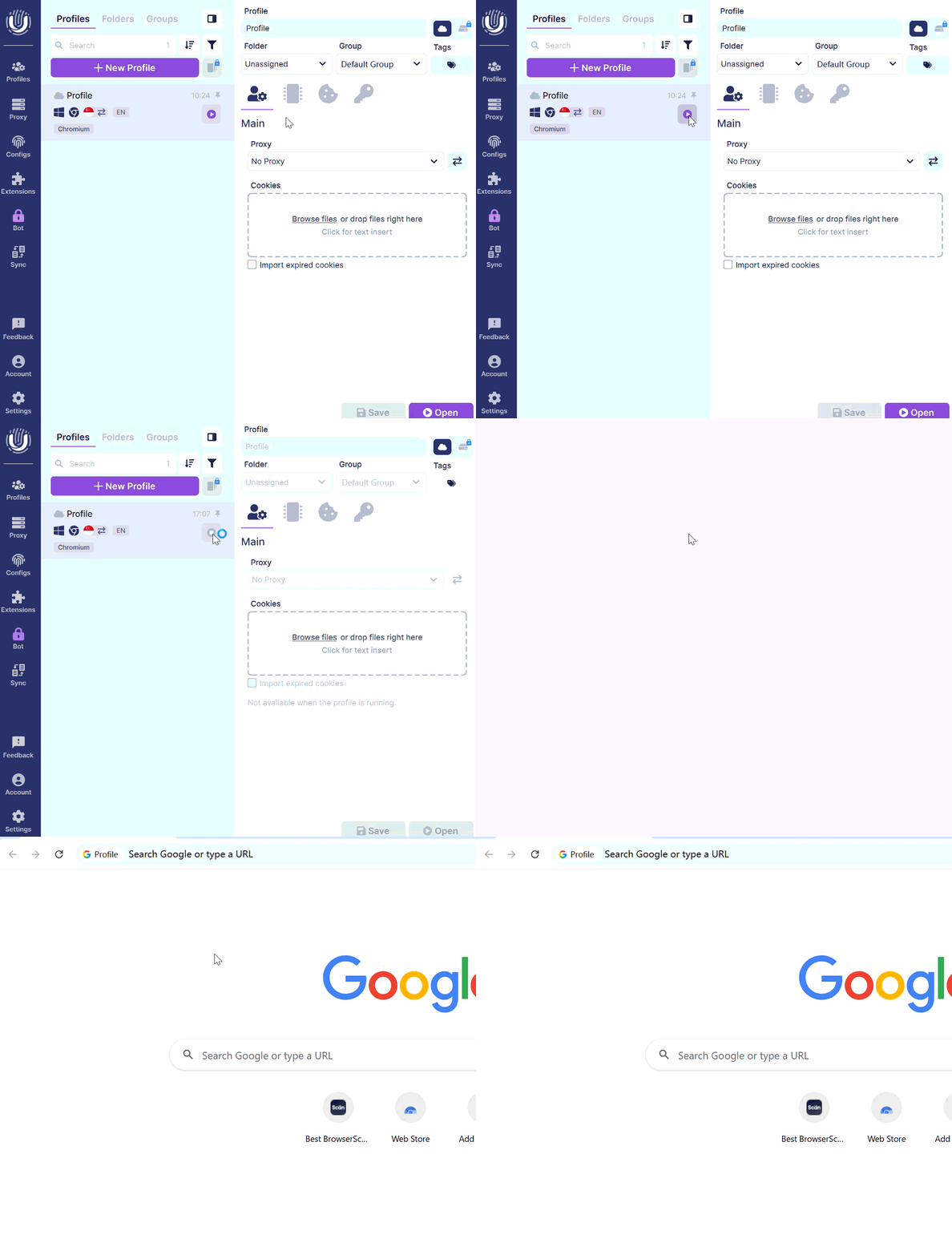
Local profile storage is one of its better features. Browser profiles are also locally stored, allowing you to launch browser profiles straight from your own device without the need for cloud sync functionality other than updated features available by pressing just a button. This gives one more way for a user working primarily from one computer to manage their browser profiles.
Selenium and the Local API also have automation functionality for their users who create their own workflows. However, team features are certainly limited, and since there is no web version to remotely launch browser profiles at the moment, this platform feels more appropriate for solo users rather than larger teams looking to collaborate.
Performance, Updates, and Pricing
During testing, the average is 6s for profile startup. As per its public changelog, Undetectable Browser updates around once a month with browser kernel updates and profile management feature enhancements. There is a free plan that includes 5 cloud profiles, and pricing starts at $34/month for 50 browser profiles. Do keep in mind that the platform does not come with its own proxy services, so you need to use your own proxy provider.
Bottom Line
Undetectable Browser provides clean browser fingerprints, flexible profile storage, and extensive manual customization options. This fingerprint configuration does require some time to get used to, but it appeals to users who want more control over their browser environments. If you want any of the compelling collaboration functionalities, built-in automation tools, or remote team workflows, other platforms will probably be a better fit for your needs.
6. Incogniton—Best for Flexible Fingerprint Customization
Incogniton is an antidetect browser designed for users who need to manage multiple online accounts with isolated browser profiles. It includes the core features expected from an antidetect browser, such as browser fingerprint customization, proxy management, team collaboration, and profile synchronization. A free plan with 10 browser profiles (available for the first two months) also makes it easy to explore the platform before upgrading.
Fingerprint Setup Takes More Work
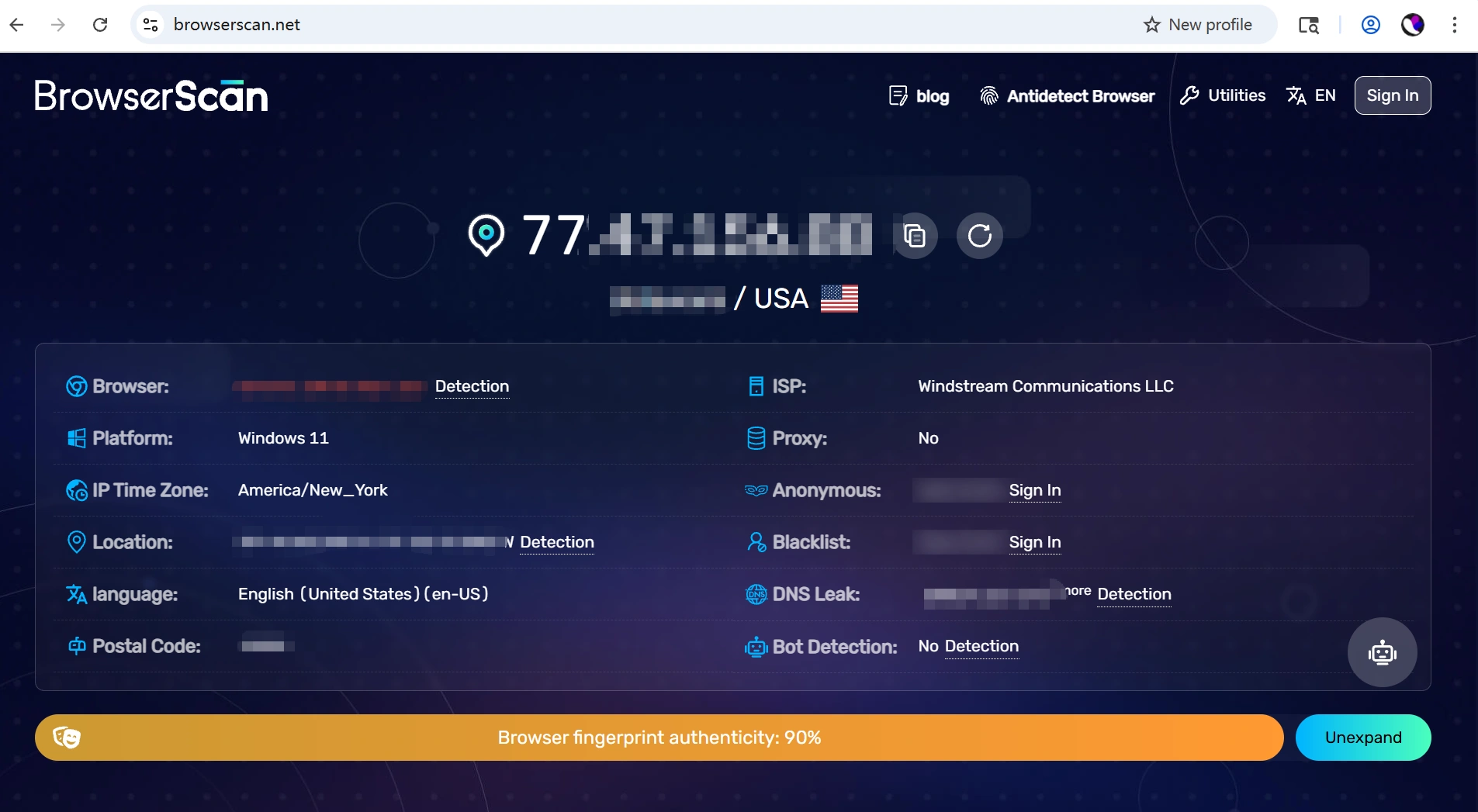
As it turned out, the default browser profile scored approximately 90 on BrowserScan in testing, with no WebRTC or DNS leaks found. The rating for your fingerprint was generally consistent enough for routine use, but the overall score came out slightly lower than several other antidetect browsers we tried, which hints at some parameters of the fingerprint looking possibly adjustable via manual input.
Ease of Use and Daily Workflow
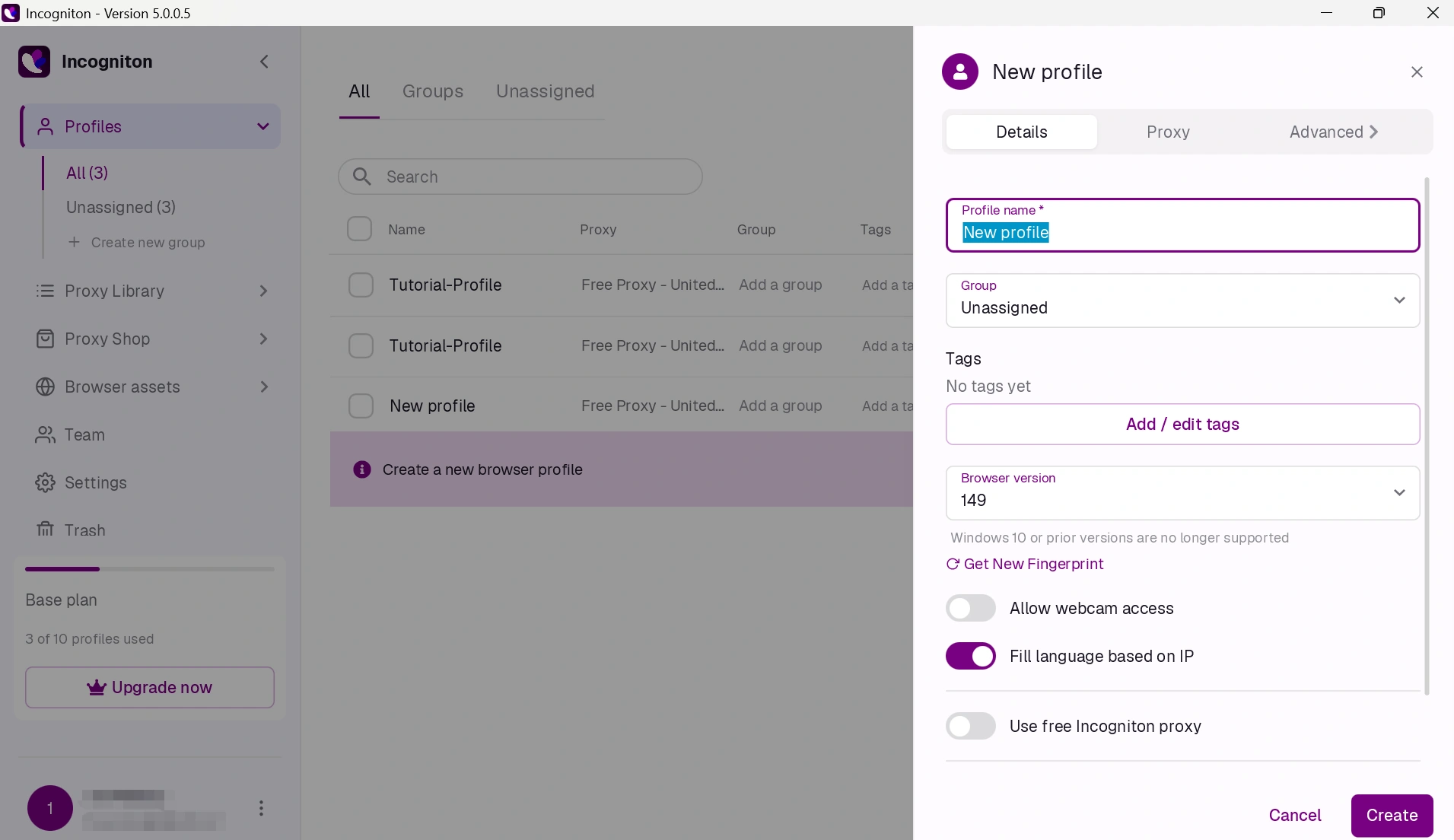
You can set up browser profiles in a few clicks, though many target settings still need to be manually decided on (they can't be auto-configured as such). The interface is very technical for an antidetect browser—and newbies will need some time to figure out how to create and use profiles, set fingerprints, and manage proxies together.
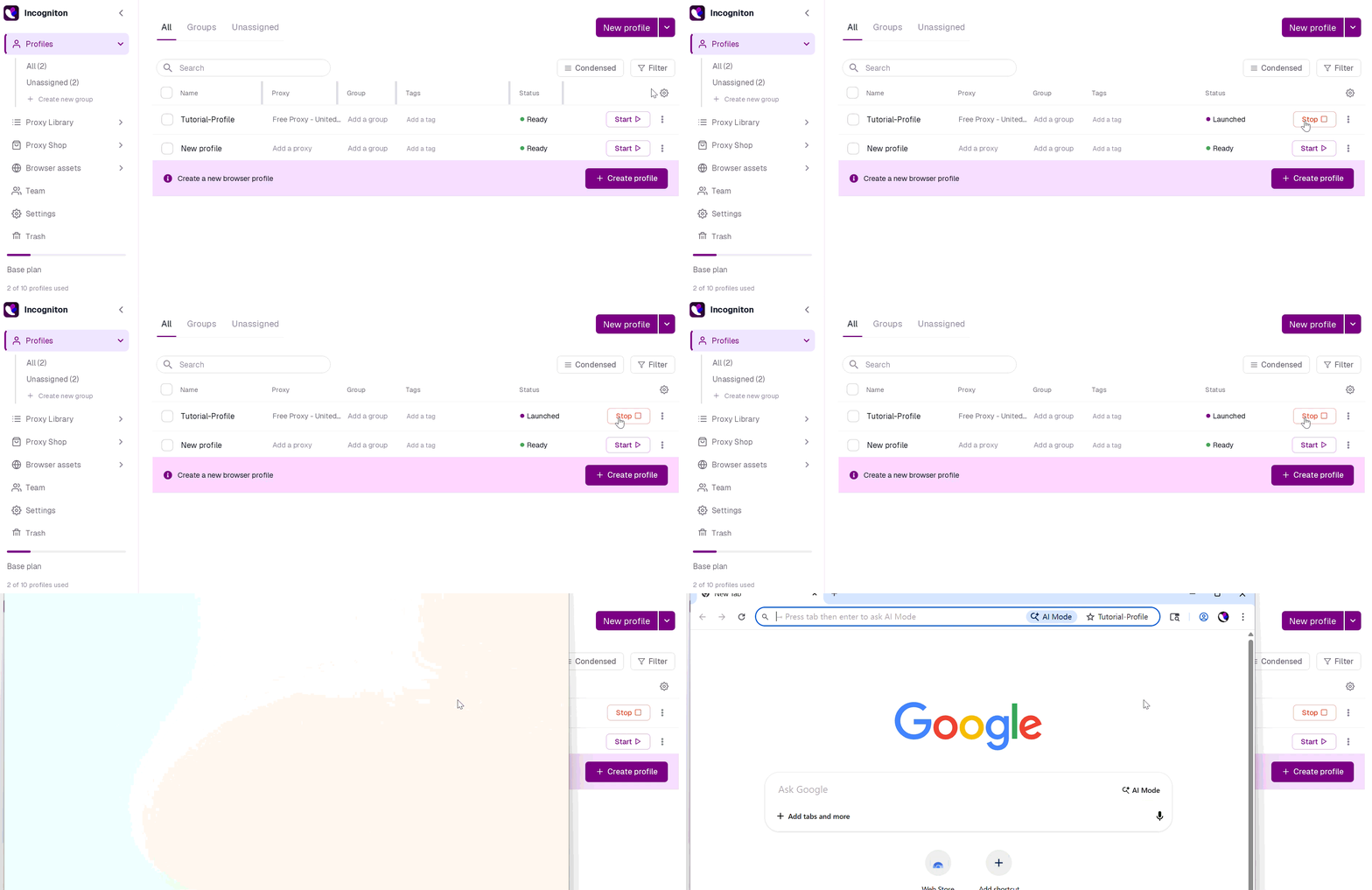
After creating profiles, almost everything you need for daily account handling can be found in Incogniton. Profiles can be grouped into folders and distributed to the team. Additionally, browser profiles launched reliably during our testing and bulk operations were performed seamlessly without any apparent issues.
Incogniton also comes with a synchronizer—currently available for Windows only. It also offers a built-in free proxy for those wanting to hit the ground running, while still allowing custom HTTP, HTTPS, and SOCKS5 proxies to be configured.
Performance, Updates, and Pricing
When testing, profile startup was typically 13s. Incogniton gets updates and new browser features, but at a public release cycle that may appear slow compared to bigger antidetect player projects. 10 browser profiles are available in a free plan that is for the first 2 months, while paid plans start at $13.99/month. The free plan is very generous for trying out the fundamentals of multi-account workflows, although in comparison with some competitors, much of the manual setup means that new users may take longer to get productive.
Bottom Line
Incogniton is really for those customers who would prefer to keep full control of the browser fingerprint settings rather than default to an automatic setting. This includes the basic features you would expect from an antidetect browser, but overall it is more techy than one of the newer options. With its generous free plan and built-in proxy support, it's a good choice—if you're willing to spend some time configuring profiles.
Which Anti Detect Browser Is Right for You?
Key considerations for choosing the right anti-detect browser: fingerprint quality is not everything. Your budget and team size, degree of automation you require, mobile compatibility, and security needs are all important factors. We ran them all through their paces and have come up with a helpful guide to the best options for your workflow.
| If you need... | Choose... | Why |
|---|---|---|
| The best all-around antidetect browser | AdsPower | Strong browser fingerprint consistency, built-in automation, a generous free plan, and independently verified security certifications (SOC 2 Type II, ISO 27001, and ISO 27701). |
| A free plan for long-term use | AdsPower | Includes 2 lifetime browser profiles, plus Browser Synchronizer, built-in no-code RPA, and local API access at no cost. |
| Browser profiles and Android cloud phones in one platform | FlashID | Combines an antidetect browser with real ARM-based Android cloud phones for both desktop and mobile workflows. |
| A beginner-friendly experience | GoLogin | Easy to set up with a clean interface and the core features most users need for multi-account management. |
| Facebook advertising workflows | Dolphin Anty | Popular among affiliate marketers and Facebook advertisers, with flexible profile management and workflow customization. |
| Local profile storage | Undetectable Browser | Supports both cloud and local browser profile storage, making it suitable for users who prefer to keep profiles on their own devices. |
| Advanced fingerprint customization | Incogniton | Provides extensive manual fingerprint controls for users who want more customization and don't mind a steeper learning curve. |
Want to Compare More Anti Detect Browsers?
Antidetect Browser Comparisons
Final Words
The best antidetect browser really depends on how you handle your online accounts. All of the tools we evaluated can use isolated browser profiles but differ radically in their usability, automation, and mobile support models as well as security, pricing, and scaling over time. If you want a solution that balances the best of both worlds in fingerprint quality, workflow efficiency, security, and cost, then AdsPower is the most complete comparison choice. GoLogin and Dolphin {anty} are great for beginners or specific use cases, while the others—Undetectable Browser, Incogniton & FlashID—better serve users with more specialized requirements. The ideal option might not be the most expensive—it will be whatever tool matches your workflow, team size, and automation needs. If possible, try free plans or trial versions first to test the integration of each browser into your day-to-day operations before making a long-term commitment.
Still not sure that AdsPower is right for you?
Ask top AI tools to get instant personalized answers for your needs
FAQs about Antidetect Browsers
Are antidetect browsers legal?
Yes. Antidetect browsers are legal in most of the countries and used widely for creating accounts, online advertisement, web scraping, bypassing geo-restrictions, etc. However, they should not be used for fraudulent activities or to violate platform terms of service.
What’s the difference between an antidetect browser and Incognito mode?
Incognito mode only prevents your browser from saving local data like history, cookies, and cache after a session ends. It does not change your browser fingerprint, IP address, or device characteristics. Antidetect browsers, on the other hand, create fully isolated profiles with unique fingerprints, making each one appear as a separate device.
Is it possible to use the antidetect browser for free?
Yes. Some antidetect browsers offer free plans, though features are usually limited. For example, AdsPower provides two lifetime browser profiles along with Browser Synchronizer, built-in no-code RPA, and Local API access. Dolphin Anty also offers a free plan with 5 profiles, while GoLogin provides a 7-day free trial instead of a free tier.
How many accounts can I manage?
There isn't a fixed limit. The number of accounts you can manage depends on your subscription plan and your computer's hardware. For larger operations, features such as bulk profile import, browser fingerprint customization, and workflow automation become increasingly important. For example, AdsPower supports importing up to 1,000 browser profiles per batch, offers 50+ browser fingerprint parameters for profile customization, and includes built-in RPA and browser synchronizer for managing repetitive tasks across multiple accounts.
Do antidetect browsers work on mobile devices?
Some do, but support varies. AdsPower supports both Android and iOS fingerprints, while FlashID combines desktop profiles with cloud-based Android devices. Others may only support desktop or Android environments, so it’s important to check mobile compatibility if that’s part of your workflow.

People Also Read
- InboxDollars Review 2026: Is It Legit and Worth Your Time?

InboxDollars Review 2026: Is It Legit and Worth Your Time?
Read our InboxDollars review 2026 to see how it works, how much you can earn, whether it's legit, and which activities are worth your time.
- 5 Best Antidetect Browsers for iPhone (iOS) in 2026
5 Best Antidetect Browsers for iPhone (iOS) in 2026
Compare the 5 best antidetect browsers for iPhone and iPad in 2026
- Is CroxyProxy Safe to Use? Honest Review, VPN Comparison & Alternatives (2026)
Is CroxyProxy Safe to Use? Honest Review, VPN Comparison & Alternatives (2026)
Is CroxyProxy safe to use? Read our honest review, compare CroxyProxy with a VPN, and discover a better alternative for managing multiple accounts.
- 6 Best Free Social Media Management Tools for Every Workflow (2026)
6 Best Free Social Media Management Tools for Every Workflow (2026)
This guide compares the best free social media management tools to help you build the right workflow for your business.
- 15 Best Open-Source Web Scraping Projects on GitHub (2026)

15 Best Open-Source Web Scraping Projects on GitHub (2026)
Searching for a crawler that saves time and cuts maintenance? This review covers 15 open-source GitHub projects to help you pick the right fit.
