

DNS Leaks Explained: Secure AdsPower Profiles with the Right Proxy
Take a Quick Look
Understand DNS leaks and how they expose your real IP. Learn how to configure proxies correctly in AdsPower to protect profiles and stay anonymous. Read the guide now.
A DNS request is the "address book lookup" your device makes when you visit a site. Instead of memorizing an IP address, you type a domain name, and your system asks a DNS resolver where that domain should go.
A DNS leak occurs when those lookups go to a resolver you didn't intend (most commonly your ISP's DNS) while the rest of your traffic appears to route through a proxy. That split can reveal a real-world network footprint (ISP, region) and undermine the whole point of using isolated profiles.
For people using AdsPower for multi-account operations, DNS essentially translates to consistency. Platforms track DNS as part of security checks, and mismatched DNS signals can trigger verification or bans in multi-account workflows.
This guide will help you understand what DNS leaks are and how to prevent them.
What Is a DNS Leak?
Under normal conditions, your device sends a DNS query to a recursive resolver (often run by an ISP or a public DNS service). If the resolver doesn't have the answer cached, it finds it by querying the DNS hierarchy (from root to TLD, then to authoritative servers) and returns the result.
When you add a proxy, the goal is to make your profile's "network identity" coherent. But DNS is a separate step from loading the webpage. If DNS resolution still happens through your local network resolver (or an ISP resolver), that's a leak, even though the website itself loads through the proxy.
Two different IP concepts matter here:
- Proxy IP: What websites see for your HTTP(S) requests when a profile's proxy is configured correctly. AdsPower's recommended baseline for safer multi-accounting is a unique profile paired with a dedicated proxy.
- DNS resolver IP: The DNS server(s) actually answering your lookups.
A mismatch between the two is a clear indicator of a leak, and that is a major issue as anti-fraud systems trigger locks when signals contradict each other. For example, a country-level mismatch between proxy IP and DNS resolvers is the same kind of contradiction.
Common Causes of DNS Leaks
In the AdsPower environment, DNS leaks are incredibly unlikely and are often caused by configuration issues. The most common ones are:
● OS-level DNS behavior overriding what you expect
Even with a well-configured browser profile, your operating system may query multiple DNS resolvers or interfaces. This is especially common on Windows, where Smart Multi-Homed Name Resolution (SMHNR) can send lookups across available resolvers and accept the fastest reply.
● WebRTC exposure and side-channel traffic
WebRTC is built for real-time peer connections and includes IP address handling requirements precisely because it can expose network information if unmanaged. AdsPower's own WebRTC guidance treats this as an IP leak risk and provides profile-level modes to mitigate it.
● Improper SOCKS5 configuration
SOCKS5 can support remote DNS, but only if the client is configured to proxy DNS queries rather than resolve them locally.
● HTTP proxy without a DNS plan
HTTP proxies handle web requests, but many clients still do DNS decisions locally (for example, proxy bypass logic and PAC-style rules can force local name resolution in some cases). That's how you end up with "proxied pages, local DNS."
● Geo mismatch after changes
Rotating an IP, switching locations, adding a VPN, or setting custom DNS can "pin" DNS to the wrong resolver.
How to Prevent DNS Leaks in AdsPower
Step One: Use the Correct Proxy Type
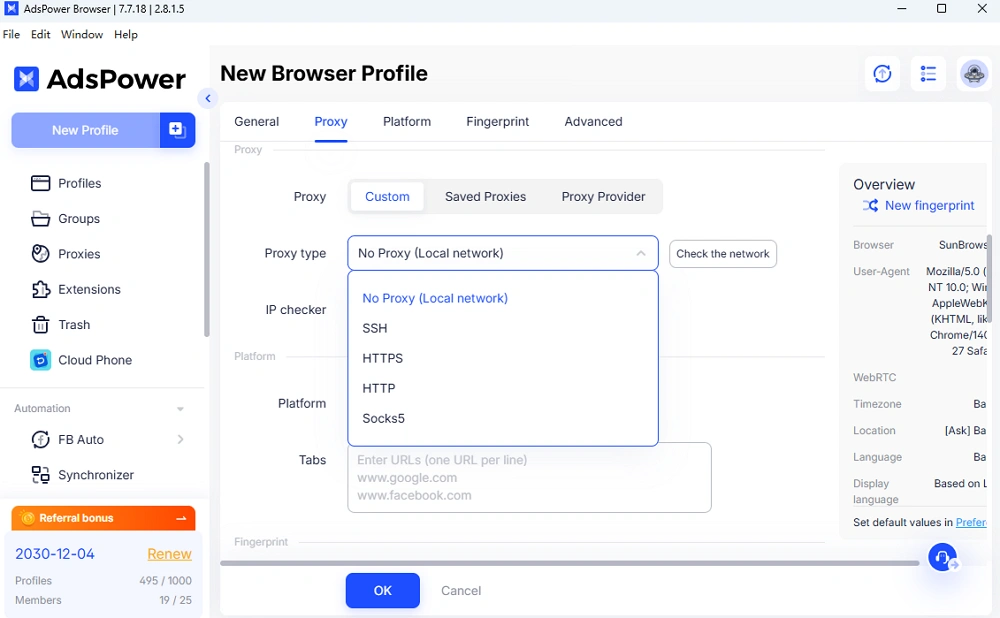
AdsPower supports HTTP/HTTPS, SOCKS5, and SSH proxies.
If DNS consistency is important, SOCKS5 is often easier to secure because you can configure remote/proxied DNS in common browser stacks (for example, Firefox's SOCKS5 remote DNS setting and Chromium-based SOCKS proxy host-resolver rules).
HTTP(S) proxies can still be fine, but treat them as "web traffic routing," not full identity routing, and validate DNS with leak tests whenever you change anything.
Step Two: Configure Proxy Inside AdsPower Profile Correctly
Make sure to attach the proxy at the profile level instead of relying on a system-wide proxy. To do so, simply create a profile in the AdsPower application, head on to the "Proxy" tab within the created profile, and fill out the required proxy information (proxy type, credentials, and so on).
Step Three: Disable External DNS Overrides
Before you scale, remove "hidden" helpers that can split routing:
- OS custom DNS (unless it's intentional and matches your proxy strategy). SMHNR-style behavior can cause unexpected resolver usage.
- VPN/proxy extensions inside the profile. Extensions can create traffic conflicts (including cases where local IP address shows instead of the proxy IP), which indicates that routing is not clean.
- WebRTC settings. AdsPower provides multiple WebRTC modes, such as the "Forward" mode, which specifically hardens IP handling for higher-security sites.
Step Four: Test for DNS Leaks
AdsPower offers its own DNS leak test tool and a step-by-step guide on interpreting results. The key check is whether the detected DNS servers match your intended routed setup; if they match your ISP/local environment, treat it as a leak and fix it before you log into sensitive accounts.
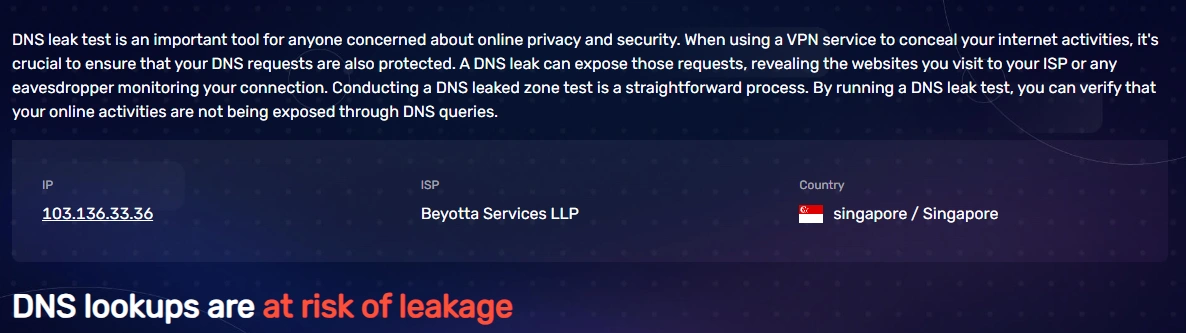
A DNS leak check is recommended after any changes, such as proxy rotation, network change, or when implementing a new extension.
Sticky vs Rotating Proxies: DNS Implications
Sticky sessions keep a single IP address for a defined time window. For your AdsPower profiles that need stable logins, a sticky session usually produces a cleaner, more consistent DNS footprint because the proxy identity is steady.
On the other hand, rotating IPs changes your exit address frequently. That's useful for broad testing and data collection, but it increases DNS risk: if your IP rotates while DNS resolvers stay static (or, worse, revert to your ISP), you get an easy-to-detect inconsistency.
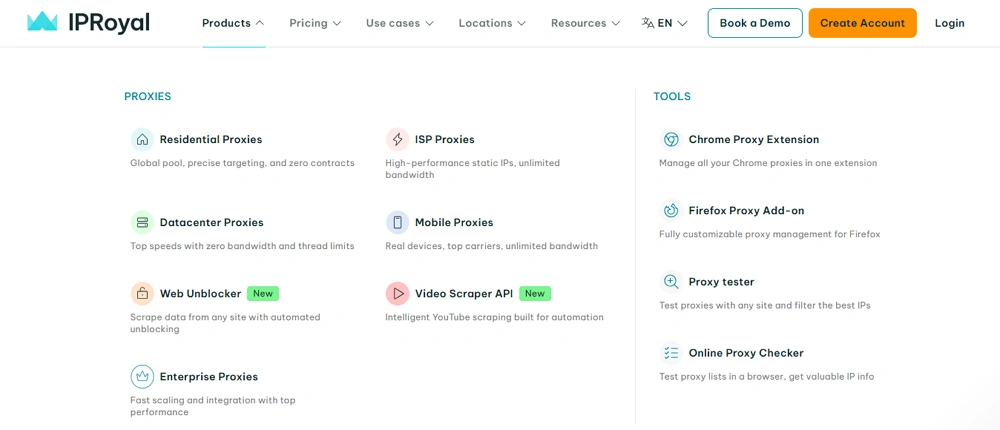
You can achieve the best of both worlds by using a proxy provider such as IPRoyal that offers rotating proxies with the option to use sticky sessions. IPRoyal's high-quality rotating residential network routes traffic and DNS resolution through the same infrastructure layer, helping minimize the risk of mismatches during rotation.
Key benefits of using IPRoyal residential proxies include:
- Access to a pool of over 32 million genuine residential IPs worldwide
- Non-expiring traffic that remains available until you use it
- Transparent traffic-based pricing with bulk discounts
- Flexible rotation options (with sticky sessions up to 7 days)
- High success rates and stable connections
- HTTP/HTTPS and SOCKS5 support
Best Practices for High-Risk Workflows
High-risk usually means strict platforms or strict conditions: large budgets, many accounts, frequent logins, cross-border access, or shared teamwork. To keep everything steady and consistent, consider the following practices:
● Match geographically
Proxy location and DNS resolver region should make sense together. AdsPower frames DNS leak protection as a way to maintain a consistent network identity for multi-account and cross-border operations.
● Match fingerprint
Contradictions trigger checkpoints; thus, treat DNS like another fingerprint signal that must not contradict your IP, time zone, and profile intent.
● Match DNS
If a leak test shows "wrong" resolvers or anything else out of the ordinary, stop and fix it before you log in.
● Maintain session stability
For accounts that need long-term continuity, prefer stable sessions (sticky IP) over frequent changes, since each change is a new opportunity for a mismatch.
Final Checklist: Is Your Setup Safe?
✔ The proxy is added to your AdsPower profile
✔ DNS is tested using the built-in leaks tester
✔ IP used matches the geographical location of the DNS
✔ No WebRTC leak
✔ No operating system-level DNS overrides
✔ Sticky sessions are enabled (if needed)
If, after a meticulous check, all of the above is correct, your setup is safe and you are good to go!

People Also Read
- How AdsPower Builds Browser Fingerprints at the Kernel Level

How AdsPower Builds Browser Fingerprints at the Kernel Level
Learn how AdsPower modifies browser fingerprints at the Chromium kernel level to improve consistency, reduce detection risks, and support multi-accoun
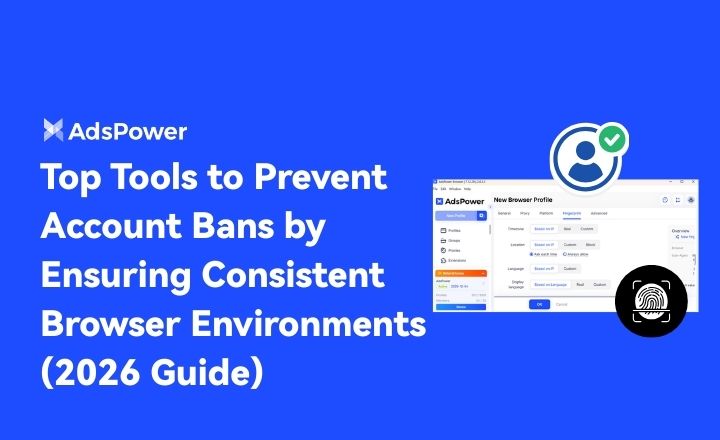
- Top Tools to Prevent Account Bans by Ensuring Consistent Browser Environments (2026 Guide)
Top Tools to Prevent Account Bans by Ensuring Consistent Browser Environments (2026 Guide)
If you are looking for the best tool for preventing account bans with consistent browser environments, don't miss such a practical guide
- Browser Consistency & Kernel Mismatch: Why Accounts Get Banned (2026)
Browser Consistency & Kernel Mismatch: Why Accounts Get Banned (2026)
Avoid bans caused by fingerprint mismatches. Learn how AdsPower syncs browser cores, TLS, Canvas, and WebGL signals for consistent profiles in 2026.
- How Browser Fingerprinting Triggers Account Locks (And How AdsPower Prevents Them)
How Browser Fingerprinting Triggers Account Locks (And How AdsPower Prevents Them)
How browser fingerprint mismatches cause account locks & how AdsPower's dual-engine architecture with real browser cores & Native Mobile Simulation pr
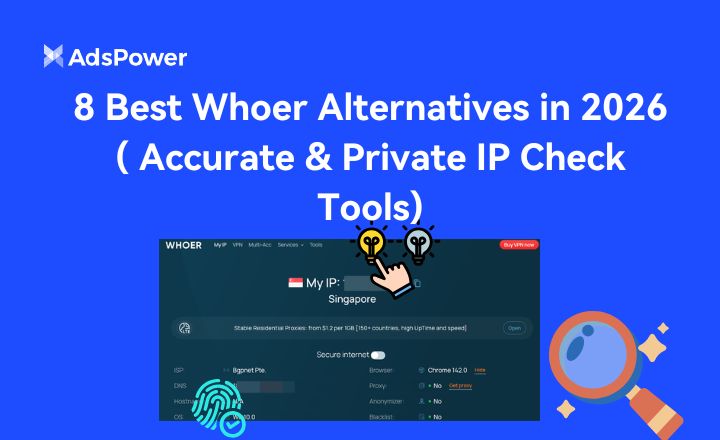
- 8 Best Whoer Alternatives in 2026 ( Accurate & Private IP Check Tools)
8 Best Whoer Alternatives in 2026 ( Accurate & Private IP Check Tools)
Looking for a Whoer.net alternative? Discover our 2026 list of the 8 best IP check tools for accurate, private fingerprint analysis and enhanced onlin
