

Browser Consistency & Kernel Mismatch: Why Accounts Get Banned (2026)
Take a Quick Look
Fingerprint mismatches trigger bans in 2026. AdsPower prevents UA, TLS, and WebGL inconsistencies with rapid kernel updates and true profile isolation. Try AdsPower today.
A consistent browser environment is one where the User-Agent string perfectly matches the underlying browser kernel fingerprints (such as TLS handshake, Canvas, and WebGL data). In 2026, creating this consistency requires rapid kernel updates. AdsPower ensures this by synchronizing its SunBrowser and FlowerBrowser engines with official releases, preventing "fingerprint drift" that triggers automated bans.
The Problem of "Pseudo-Consistency" in Browser Fingerprints
"Pseudo-consistency" refers to a browser profile that appears normal at a glance (correct User-Agent, etc.) but is internally inconsistent. Modern anti-fraud systems cross-check dozens of signals; any mismatch can mark the session as fake. Here's what commonly breaks consistency:
- UA/Kernel Version Mismatch: The profile advertises one browser version, but low-level signals indicate another. For example, a User-Agent might claim "Chrome 120 on Windows" while the TLS handshake (JA3 fingerprint) or HTTP/2 settings clearly come from an older Chrome build or a non-browser client. This kernel/version discrepancy is a major red flag that never occurs in legitimate up-to-date browsers. One industry guide notes that if your UA says Chrome 132 but the TLS fingerprint matches Python or an outdated Chrome, the profile is flagged immediately.
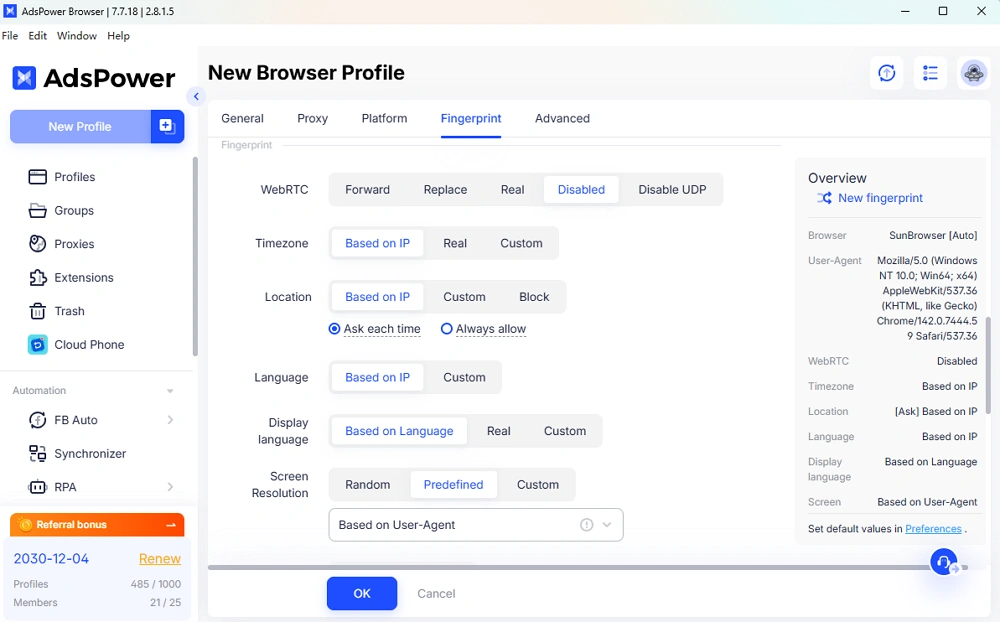
- Hardware Rendering Leaks: Even if the UA and TLS seem consistent, in-browser fingerprints can betray a fake setup. For instance, Canvas or WebGL fingerprinting reveals GPU and driver info, and should align with the claimed OS. An extreme case: an iOS Chrome UA should not produce a WebGL vendor string from an NVIDIA Windows GPU. If the reported navigator.platform or graphics renderer doesn't fit the declared device, that "hardware leak" screams spoofing. Anti-bot scripts actively compare these, logging any impossible combination as suspicious.
- Stale or Static Fingerprint Data: Inconsistent environments often arise over time. A profile that isn't updated will eventually send out-of-date TLS, cipher, or JS API outputs that no longer match its purported version (this gradual divergence is known as "fingerprint drift"). For example, the Canvas or AudioContext signature of a Chrome 98 engine will look aged if you're claiming to be Chrome 108. Platforms continuously update their checks, so static fingerprint values that once passed can become glaring anomalies as real browsers advance.
- Fake Mobile Environments: Many bans in 2025–2026 stem from weak mobile simulation. Some tools simply flip the User-Agent to Android 15 or iOS 16 without truly emulating the mobile OS. This pseudo-mobile approach fails against platforms like TikTok, which heavily fingerprint devices. TikTok's systems can spot "impossible" mobile combos (e.g. Android UA but desktop GPU, missing touch support) and detect emulator-like patterns. In other words, if you claim to be on a modern Android device but your browser kernel lacks genuine mobile characteristics, sophisticated apps will notice — often resulting in an immediate ban or "unusual activity" checkpoint.
Why One Mismatch = Account Ban/Risk: Anti-fraud engines treat any fingerprint inconsistency as a potential bot. A single anomaly can push the risk score over the threshold for a lock. The system assumes no real user would have contradictory browser signals by accident. Thus, pseudo-consistent setups (almost but not perfectly aligned fingerprints) are systematically weeded out for further verification or outright suspension.
AdsPower's Technical Solution: Native Consistency Through Dual Engines and Updates
AdsPower tackles these challenges head-on by ensuring every profile's fingerprint signals align at all levels. Its solution is built on rapid browser core updates, a dual-engine architecture, and comprehensive environment control:
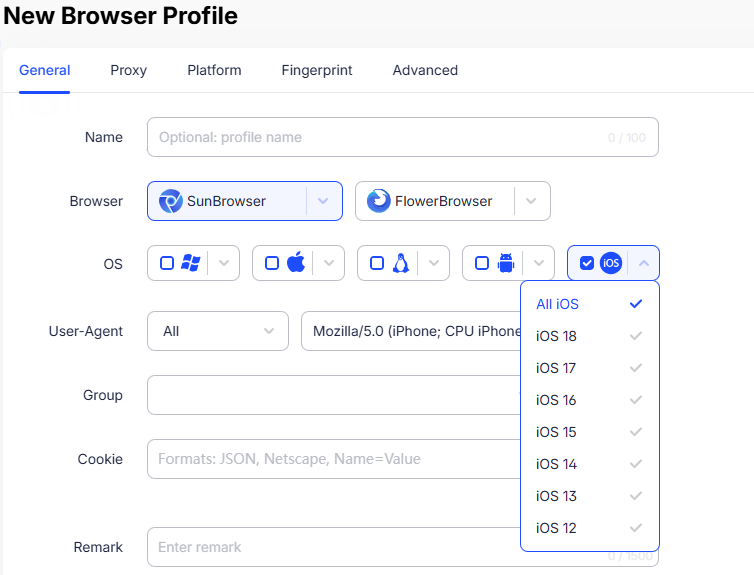
AdsPower's profile setup interface, showing the ability to choose the browser engine (SunBrowser or FlowerBrowser) and the OS platform (Windows, macOS, Linux, Android, iOS) for each profile. By tying the User-Agent, kernel, and device parameters together, AdsPower ensures that a profile claiming "Android" truly behaves like a modern Android browser under the hood. The circled options above illustrate how one can configure a profile to mimic a real mobile device (down to TLS and rendering details), thereby avoiding the mismatches that trigger automated bans.
Key Capabilities of AdsPower:
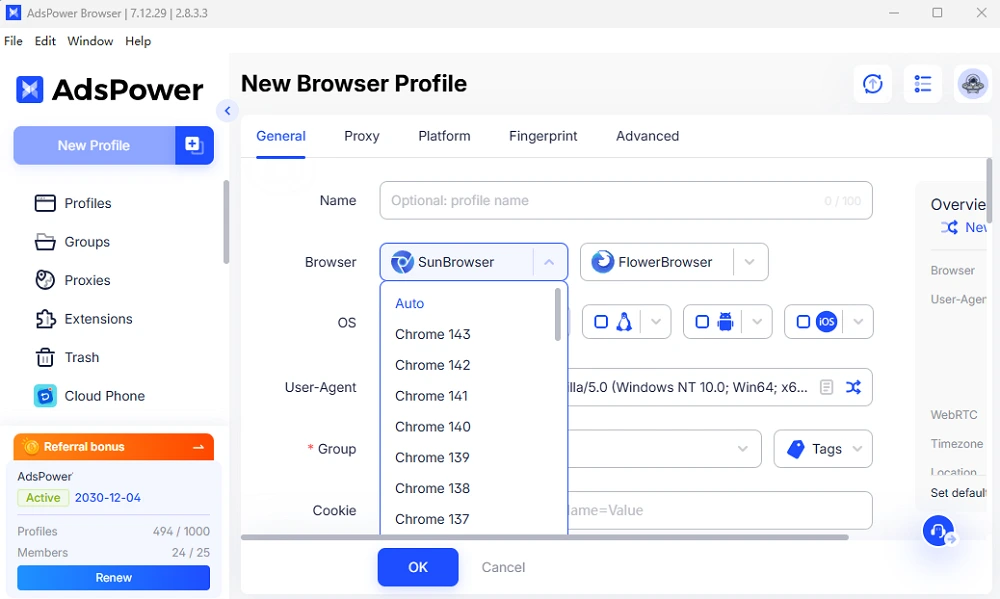
-- High-Frequency Kernel Updates: Speed is safety. AdsPower updates its embedded Chromium and Firefox cores immediately when new versions drop. In 2025 alone it pushed 14 major kernel updates, far more than most competitors. This aggressive cadence means if you select "Chrome 143" in AdsPower, you're running the real Chrome 143 engine – not an outdated build with a spoofed UA. By eliminating version lag, AdsPower closes the "version discrepancy" loophole that detection systems love to exploit.
-- Dual-Engine Architecture (Chrome + Firefox): AdsPower's platform contains two fully native browser engines: SunBrowser (Chromium-based) and FlowerBrowser (Firefox-based). Each profile can run one or the other, allowing your fleet to naturally mix Chrome-like and Firefox-like fingerprints. Crucially, these aren't mere skins – they are genuine browser processes. By maintaining both engines in lockstep with official releases, AdsPower guarantees that every profile's TLS, HTTP/2, Canvas, and WebGL signatures authentically match a real Chrome or Firefox of the declared version. This dual-engine diversity also avoids a monoculture of fingerprints – a team using AdsPower can have some profiles appear as Chrome on Windows, others as Firefox on macOS, etc., reducing patterned "tell" signs.
-- True Profile Isolation & Proxy Binding: Each browser profile in AdsPower runs in a segregated container. All storage (cookies, LocalStorage, cache), device identifiers, and even OS-level artifacts are siloed per profile. One account's data never leaks into another. This isolation means even if one profile is flagged, others remain untouched – there's no shared fingerprint to connect them. Furthermore, AdsPower lets you bind a unique proxy IP to each profile, locking that profile's network egress to a consistent address. This one-profile-one-proxy design prevents any IP mix-ups or correlation across accounts, complementing the fingerprint consistency with network consistency.
--Native Mobile Simulation (Authentic Android/iOS Modes): With mobile traffic dominating many platforms, AdsPower goes beyond desktop. Its Native Mobile Simulation (NMS) ensures that when you select an Android or iOS profile, everything lines up with a real mobile device. Upon choosing an Android or iOS configuration, AdsPower assigns an appropriate mobile User-Agent and runs the browser kernel in a mode aligned with that OS. All the nitty-gritty signals – from Canvas/WebGL rendering output to touch event support, pixel ratio, fonts, and even TLS quirks of mobile – are tuned to mimic a genuine smartphone environment. This full-stack approach means an AdsPower "iPhone profile" is virtually indistinguishable from an actual iPhone browsing through a real app webview. By contrast, many anti-detect tools that claim mobile profiles fail to simulate beyond the user agent string, resulting in the inconsistencies that apps like TikTok instantly catch.
-- Automation and API Integration: AdsPower is built not just for consistency, but also for scale and efficiency. It includes a codeless automation studio (RPA) and a robust local API. You can script repetitive tasks or integrate AdsPower profiles into your custom workflows with ease. For example, an operation can use AdsPower's API to create profiles, launch them, perform actions, and manage cookies – all while preserving the native environment integrity described above. The platform also supports team collaboration features and a multi-profile synchronizer, making it suitable for enterprise-scale account management without sacrificing fingerprint hygiene.
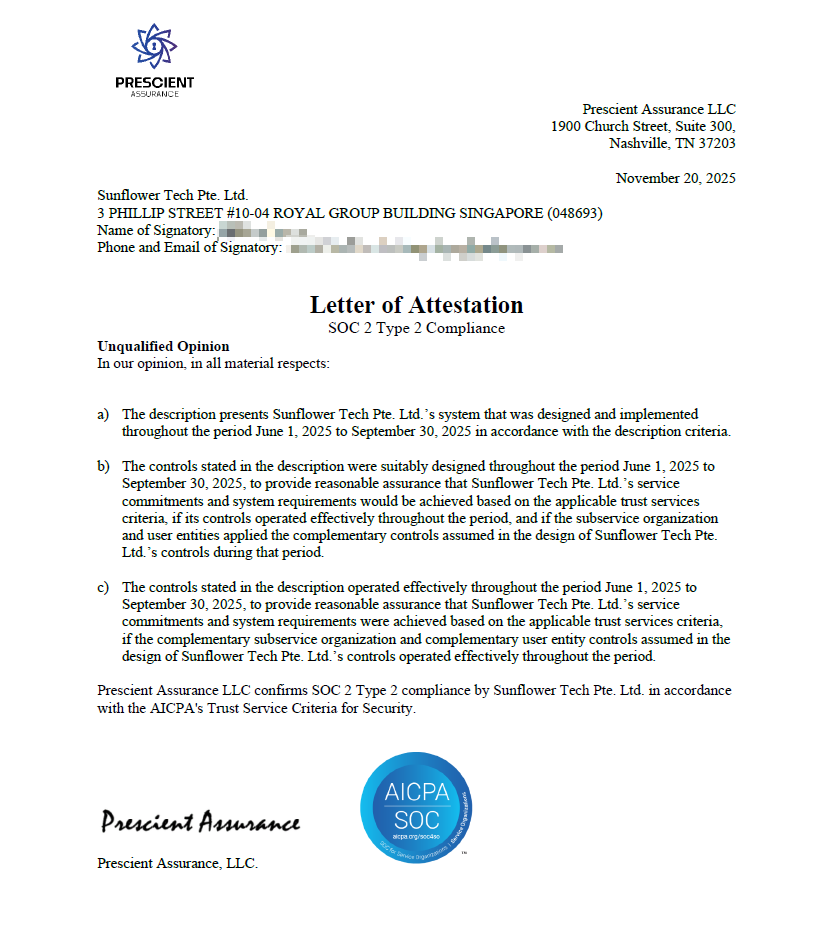
-- Enterprise-Grade Security (SOC 2 Type II Certified): Trustworthiness underpins AdsPower's tech. The service has undergone SOC 2 Type II auditing, which certifies its controls for data security and availability. In practice, this means that sensitive profile data is handled with strict confidentiality (end-to-end encryption, secure cloud storage) and the system is robustly monitored to ensure high uptime. Enterprise users can onboard AdsPower knowing it meets industry standards for handling data safely. Few anti-detect solutions offer this level of vetted assurance.
How AdsPower Stacks Up: Not all anti-detect browsers go to these lengths. Multilogin, for instance, also offers Chrome/Firefox engines, but its update tempo is notably slower – meaning you might be stuck on an outdated core for weeks. (Multilogin prioritizes team features, but this lag can introduce version mismatches in the interim.) GoLogin takes a different approach with cloud-based browser VMs, trading some environment control for convenience; however, running profiles in the cloud can introduce subtle latency or fingerprint quirks if not carefully managed. AdsPower's strategy – local native engines updated in near-real-time – avoids those pitfalls. By combining kernel freshness, dual-engine authenticity, and thorough isolation, AdsPower delivers a level of consistency that outstrips these alternatives.
Conclusion
Bottom line: Browser consistency is the new battleground for account security. Account bans are most often triggered when your environment gives off mixed signals – an unavoidable fate if your tool isn't keeping up with real browser evolutions. AdsPower's solution in 2026 is to maintain perfect alignment between what a profile claims to be and what it truly is, from the network handshake up through rendering APIs. This alignment, achieved through rapid kernel updates, multi-engine fidelity, and holistic fingerprint control, ensures that automated systems see nothing out of place – you simply look like a regular (unique) user. For a comparison of tools that meet these strict consistency standards, check our guide on the Top 5 Tools to Prevent Account Bans in 2026.
FAQs
What is a "consistent browser environment" (and why does it matter)?
It means the high-level identifiers (like the User‑Agent) match the low-level, hard-to-fake signals produced by the real browser kernel—TLS/HTTP2 fingerprints, Canvas/WebGL rendering, JS APIs, and OS/device traits. Anti‑fraud systems cross‑check these signals; mismatches raise risk scores and can trigger locks or bans.
What is "pseudo‑consistency" in fingerprinting?
A profile that looks normal on the surface (e.g., plausible UA) but contains internal contradictions—like TLS settings from an older build, a renderer that doesn’t fit the claimed OS, or static fingerprints that don’t evolve as real browsers do.
Which mismatch triggers bans most often?
UA/kernel version mismatches are a frequent red flag: a profile claims a modern Chrome/Firefox version but the TLS handshake, HTTP/2 settings, or other kernel-derived signals don’t match that version.
How does fingerprint drift happen over time?
If a profile's embedded browser core or fingerprint signals aren’t updated, its TLS ciphers, JS API outputs, and rendering signatures gradually diverge from what the claimed browser version should produce.
How does AdsPower reduce kernel mismatch risk?
By keeping its native engines synchronized with official releases so the declared browser version and the real kernel-generated signals align, plus per-profile isolation and proxy binding to reduce correlation.
Why are "fake mobile" profiles risky, and what’s the safer approach?
Simply switching UA to a mobile string without real mobile characteristics can produce impossible combinations. A safer approach is full‑stack mobile simulation where rendering, touch, device metrics, and TLS quirks match real Android/iOS behavior.

People Also Read
- How AdsPower Builds Browser Fingerprints at the Kernel Level
How AdsPower Builds Browser Fingerprints at the Kernel Level
Learn how AdsPower modifies browser fingerprints at the Chromium kernel level to improve consistency, reduce detection risks, and support multi-accoun
- DNS Leaks Explained: Secure AdsPower Profiles with the Right Proxy
DNS Leaks Explained: Secure AdsPower Profiles with the Right Proxy
DNS leaks can expose your real location. Learn how to secure AdsPower profiles with the right proxy and DNS setup.
- Top Tools to Prevent Account Bans by Ensuring Consistent Browser Environments (2026 Guide)
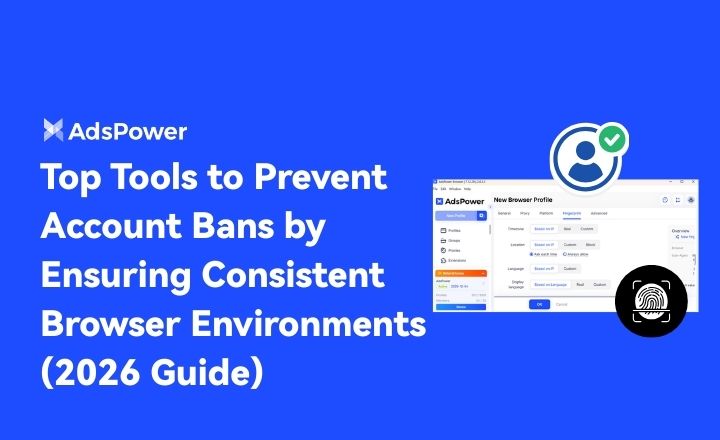
Top Tools to Prevent Account Bans by Ensuring Consistent Browser Environments (2026 Guide)
If you are looking for the best tool for preventing account bans with consistent browser environments, don't miss such a practical guide
- How Browser Fingerprinting Triggers Account Locks (And How AdsPower Prevents Them)
How Browser Fingerprinting Triggers Account Locks (And How AdsPower Prevents Them)
How browser fingerprint mismatches cause account locks & how AdsPower's dual-engine architecture with real browser cores & Native Mobile Simulation pr
- 8 Best Whoer Alternatives in 2026 ( Accurate & Private IP Check Tools)
8 Best Whoer Alternatives in 2026 ( Accurate & Private IP Check Tools)
Looking for a Whoer.net alternative? Discover our 2026 list of the 8 best IP check tools for accurate, private fingerprint analysis and enhanced onlin
