

Ads track you online, but AdsPower helps protect your privacy and browsing data. Take control of your online activity today.
"How are websites tracking me, and how can I manage multiple accounts without getting flagged?"
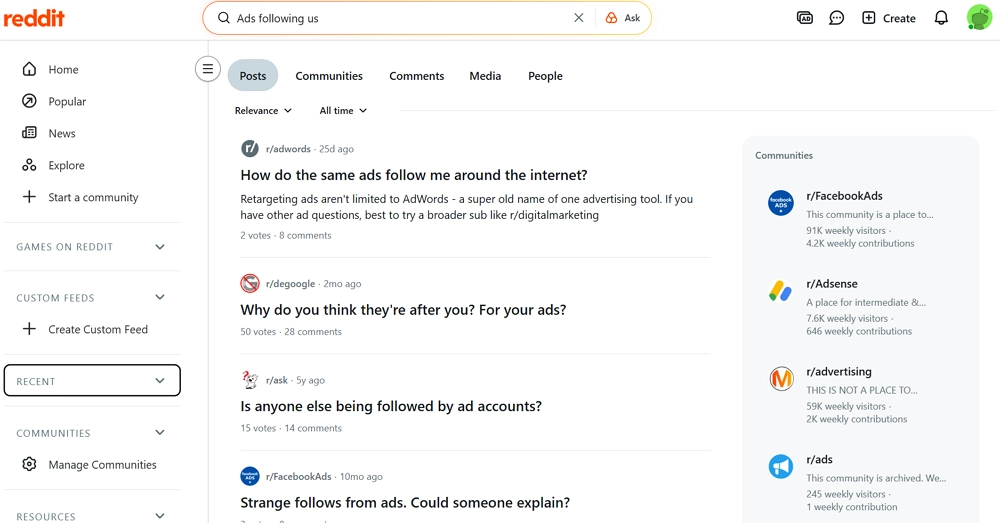
If you've looked at Reddit posts about online ads, cookies, or account bans, you've probably seen questions like this. People don't understand how Ads follow you around the internet and worry about being tracked across sites. Meanwhile, advertisers and online sellers still need ads, data, and multiple accounts to run their businesses. So how do you balance effective online advertising with real privacy protection?
In this guide, we explain how retargeting work, the risks they bring. And how AdsPower can help you protect your privacy while managing multiple accounts. Keep reading to take control of your online footprint.
What Do We Call Ads That Follow You Around Online?
When you visit a website and look at a product but don't buy it, companies can show you ads for that same product later. This is called behavioral retargeting (remarketing).
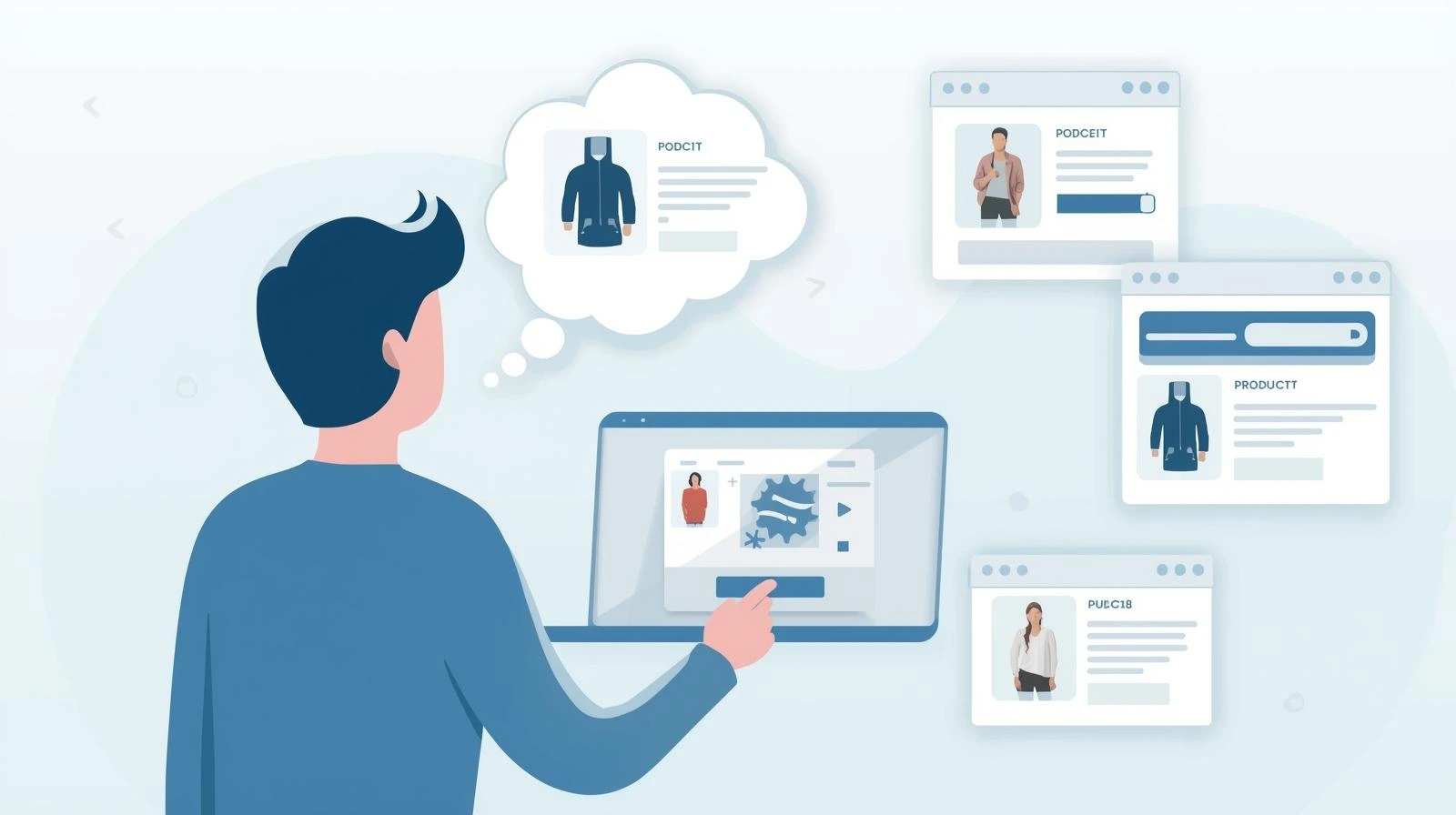
Behavioral retargeting relies on tracking your browsing behavior to tailor ads specifically to your interests, keeping the products you viewed fresh in your mind.
These repeated ads remind you of products you've seen, sometimes with discounts or coupons. Seeing them more than once can make you interested again and encourage you to make a purchase.
How Do Ads Follow You Around the Internet?
There are three main ways ads follow and track you online, using cookies, browser fingerprinting, and mobile app tracking.
1.Cookies
These are tiny files that websites put on your device. They remember when you visit, show ads that fit your interests and track what you do online.
There are two key types of cookies for retargeting:
First-party cookies are created by the site you're browsing. They only collect information from that one site, making them safer and easier to control compared to other types of cookies.
Third-party cookies are added by advertising networks, analytics providers, and other outside services—not the website you're visiting. They follow your activity across different websites. This tracking makes cross-site retargeting possible.
2.Browser fingerprinting
This tracks you by looking at details like your device type, browser, screen size, and settings. All these details combine to create a unique "fingerprint" that can identify you online. This allows advertisers to show you personalized ads.
Even if you delete cookies or use incognito mode, advertisers can still spot your device. They do this by using small bits of information your browser automatically shares to create a unique digital ID.
This method does not save files on your device like cookies do. Because of that, it is harder to change or block, which makes it useful for ongoing tracking and targeted ads.
3.Device IDs & App SDKs
On mobile devices, apps can read a special identification number connected to your phone. They may also include built-in tracking software components, often called SDKs, that collect and share usage data.
Device ID allows advertisers to link your activity across multiple apps on the same phone. The tracking tools inside apps can monitor actions like screen views, clicks, purchases, and sometimes location.
Apps often share this data with ad or analytics companies to show better ads. You can reset or turn off ad tracking in your phone settings, but many apps still use these tools to run ads and see how people use the app.
Can You Fully Stop Ad Tracking? The Reality of Online Privacy
While it's hard to block all tracking, you can take strong steps to protect your privacy. Using ad blockers, private browsers, and managing app permissions significantly reduce tracking.
However, with precautions, browser fingerprinting can still identify your device by collecting details like your screen size, fonts, plugins, and WebGL.
This is why antidetect browsers are so effective at protecting your privacy. They can change your browser details to hide your identity. Each account runs in its own separate profile. This keeps the data for each account apart, so websites can't tell that many accounts are owned by the same person.
How AdsPower Antidetect Browser Weakens Ad Tracking: Core Capabilities
AdsPower helps users weakens Ad following while managing multiple accounts. Its secure platform reduces tracking, safeguards sensitive data, and limits exposure to targeted ads.
-Randomize & Customize Your Browser Fingerprint
AdsPower lets you run multiple browser profiles, each with its own separate digital fingerprint. You can adjust over 25+ fingerprint options, over 50 parameters like WebRTC, timezone, location and fonts. This makes each profile look like a different device.
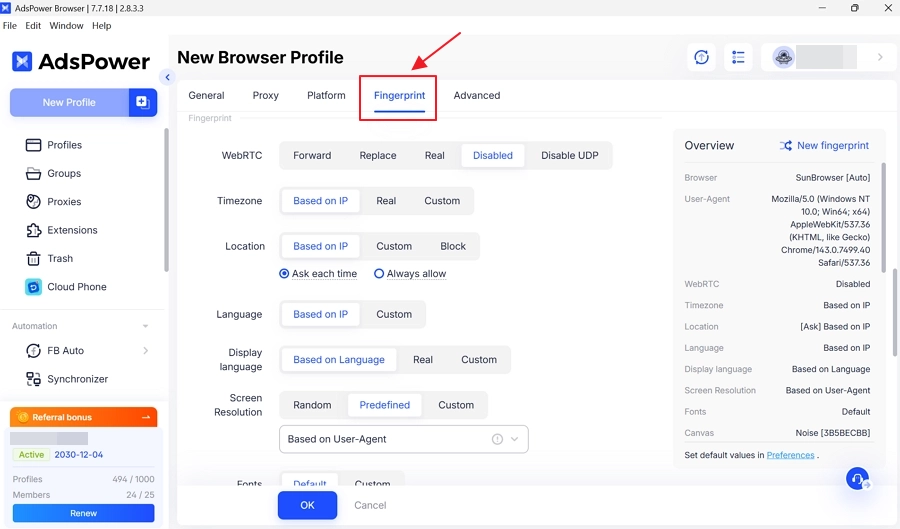
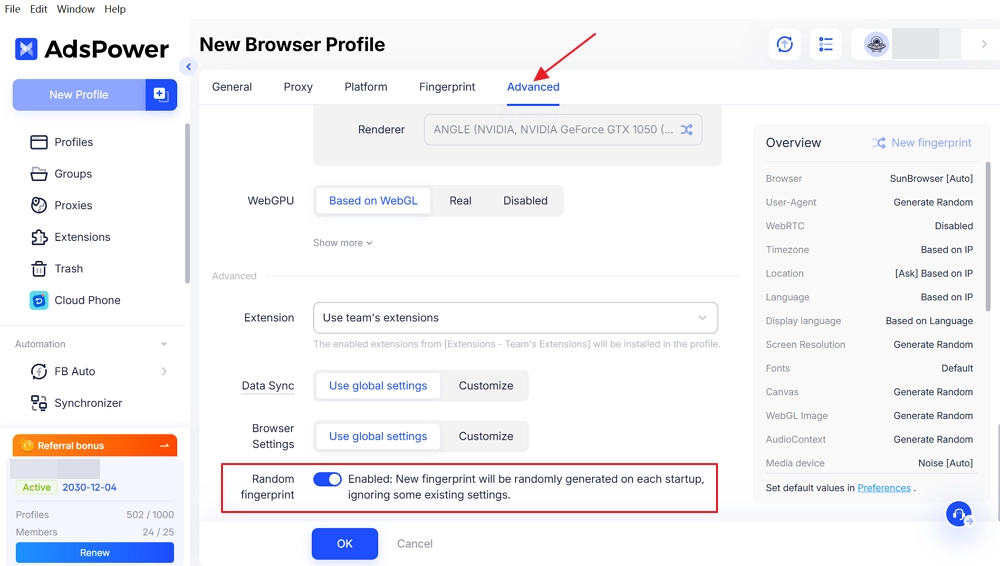
If you're not sure how to set up the fingerprint, you can leave the default options. For temporary or one-time sessions, you can also choose a "Random fingerprint" in the advanced settings.
-Isolated Browsing Profiles
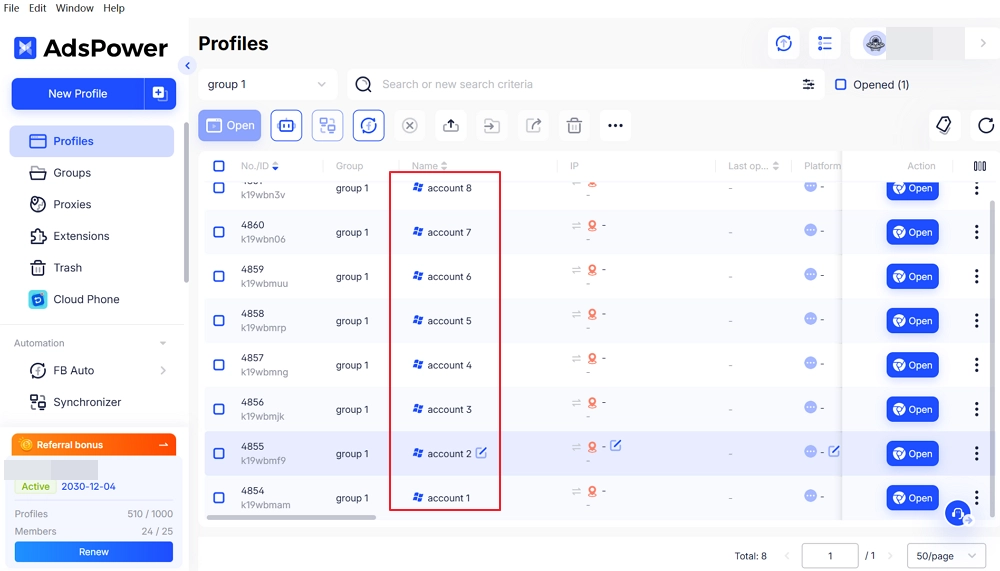
AdsPower sets up independent browser profiles, and each one has its own cookies, stored data, and account sessions. This keeps accounts and activities apart, so websites cannot easily track your actions across different profiles.
-Complementary Cookie & Tracker Management
AdsPower keeps each profile's cookies, local storage, and tracking data separate so sites can't mix information between profiles, helping prevent trackers from linking your activity across accounts.
After enabling "Delete cache data" option, AdsPower can automatically clear cookies, cache, and browsing history after each session, block third-party cookies, and disable ad trackers. This prevents advertisers from tracking you or links their tracking to a temporary fingerprint. Use this only if you don't need to save browsing data.
(Tip: Before enabling this, please make sure that profile does not rely on consistent cache data.)
Overall, AdsPower can greatly reduce, disrupt, and weaken advertisers' ability to target users accurately. It also keeps your important data on your device and encrypts it when syncing to the cloud.
How to Stop Ads Tracking You to Stay Private Online?
1. Use AdsPower Antidetect Browser for All Web Browsing
AdsPower separates accounts, stores cookies independently, and changes browser details, making it harder for ad networks to connect your visits and track your activity across websites.
2. Disable Ad Tracking on Your Mobile Device
Turn off ad tracking in your phone's settings to limit apps from using your device ID to show personalized ads.
iOS:
- Settings → Privacy & Security → Tracking and turn off "Allow Apps to Request to Track."
- Settings → Privacy & Security → Apple Advertising → Reset Advertising Identifier.
Android:
Go to Settings → Privacy → Ads and turn on "Opt out of Ads Personalization." You can also reset your advertising ID to clear past tracking.
3. Use Ad Blockers for Additional Protection
Use ad blockers to stop unwanted ads, prevent trackers from collecting your data, and make browsing safer and faster.
4. Consider a VPN for Safer Browsing
Use a reliable virtual private network to secure your internet connection and protect activity on public Wi-Fi.
5. Protect personal information
Avoid sharing sensitive details like your address, phone number, or bank info online.
6. Check privacy settings
Review social media and app settings to control what data is shared.
Final Thoughts
Online ads run much of the internet, but they can affect your privacy. You can manage multiple accounts without risking your personal information. Using the right tools, you can limit tracking, protect your data, and browse more safely. By randomizing your fingerprint and creating isolated browsing environments, AdsPower makes it impossible for advertisers to build a consistent profile of your online behavior.
Taking privacy seriously does not require giving up efficiency or flexibility. It simply requires smarter choices. If you want to take control of your online activity and manage your accounts safely, see how AdsPower can help you browse more securely today.
FAQs
How are ads following us everywhere?
Advertising systems monitor what you do online through tools like cookies, unique browser fingerprints, and device identifiers built into apps (such as SDK tracking). They remember what you viewed or searched for and show targeted ads based on your interests across multiple sites.
What is it called when ads follow you online?
This is called behavioral retargeting or remarketing. Advertisers use it to show ads to people who looked at a product before, making it more likely they will buy it.
How do I stop ads from following me?
You can delete cookies, use ad blockers, or browse privately. AdsPower also helps manage several accounts and keeps your information safer from targeted ads.
