

How AdsPower Builds Browser Fingerprints at the Kernel Level
Take a Quick Look
See how AdsPower uses Chromium kernel modifications instead of JavaScript injection to manage browser fingerprints more consistently. Explore the technical architecture and learn how it supports safer multi-account operations.
People who use antidetect browsers usually ask the same question sooner or later:
- How does the browser actually change fingerprints?
- How deep do those changes go?
- Can modern detection systems still spot them?
We hear these questions often, especially from users managing large numbers of accounts across advertising, ecommerce, affiliate marketing, crypto, and social platforms.
This article focuses on the technical side of the problem. No feature walkthroughs. No marketing language. Just the implementation logic behind AdsPower's fingerprint architecture.
Three Common Approaches to Fingerprint Modification
Most fingerprint browsers on the market use one of 3 technical approaches.
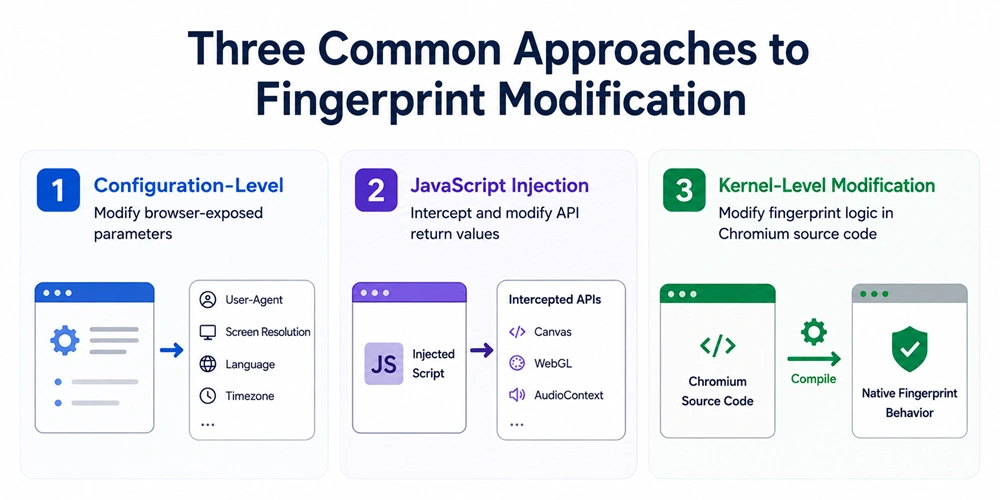
1. Configuration-Level Changes
This is the simplest method. The browser modifies exposed parameters such as:
- User-Agent
- Screen resolution
- Language
- Timezone
Years ago, this worked reasonably well. Detection systems were less strict, and many platforms only checked a small number of browser properties.
That environment no longer exists.
Modern risk-control systems compare multiple signals at the same time. If one parameter changes while related properties stay untouched, inconsistencies appear quickly.
For example, a browser may claim to be Chrome 136 on Windows through the User-Agent string, while the rendering behavior still matches another setup. That mismatch becomes a detection signal.
Many users run into situations where they change the User-Agent but still lose accounts. In most cases, the issue comes from incomplete environmental consistency rather than the UA itself.
2. JavaScript Injection
The second approach works at the JavaScript layer. This method intercepts APIs such as:
- Canvas
- WebGL
- AudioContext
Instead of returning real fingerprint values, the browser returns modified data through injected scripts.
Compared with simple parameter changes, this method reaches deeper into the browser environment. It can modify more fingerprint surfaces and create more variation between profiles.
The problem is that JavaScript injection leaves traces.
Modern anti-fraud systems check for signs such as:
- Modified prototype chains
- Unexpected API behavior
- Abnormal function outputs
- Inconsistent toString() results
- Runtime anomalies
In other words, the fingerprint values may look legitimate while the browser behavior around those values does not.
3. Kernel-Level Fingerprint Modification
AdsPower uses this approach.
Instead of modifying fingerprints after the browser launches, AdsPower changes fingerprint behavior directly inside Chromium's C++ source code before compilation.
Once the browser kernel is compiled, those fingerprint characteristics become part of the browser itself.
- No injected scripts are required during runtime.
- No prototype rewriting happens after launch.
- No additional JavaScript layer sits between the browser and the website.
From the perspective of standard browser detection scripts, the profile behaves like a regular Chrome build.
What AdsPower Changes Inside the Browser Kernel
AdsPower's browser kernel is based on Chromium with custom development at the C++ layer.
Fingerprint customization happens during the build process. The browser does not wait until startup to overwrite values through scripts or extensions.
This matters because many modern detection systems do not only inspect fingerprint values. They also examine how those values are generated. If the generation logic behaves unnaturally, the browser becomes easier to identify.
AdsPower modifies multiple fingerprint surfaces at the kernel level, including:
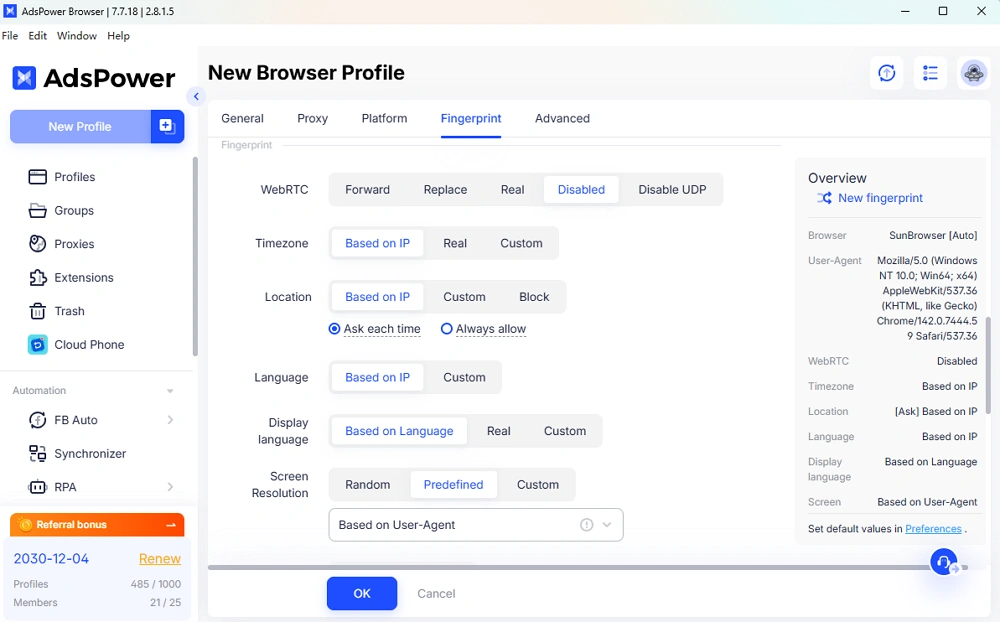
- Canvas fingerprints
- WebGL rendering information
- GPU parameters
- AudioContext fingerprints
- Font lists and rendering behavior
- Hardware properties such as CPU cores and device memory
- Screen and display characteristics
- ClientRects rendering behavior
- TLS and SSL handshake fingerprints
These changes are implemented inside Chromium itself rather than through runtime injection.
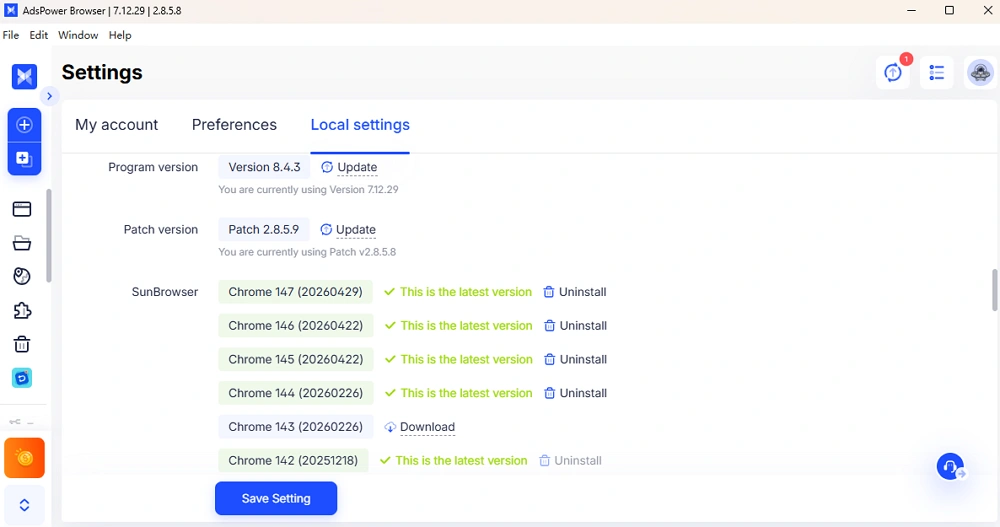
What Happens When You Switch Browser Versions
Users often switch browser versions in AdsPower depending on platform compatibility requirements.
One question comes up frequently:
What actually changes underneath when the browser version changes?
The answer is straightforward—the browser kernel changes with it.
AdsPower not only replaces the User-Agent string. The underlying Chromium environment also switches to the selected version.
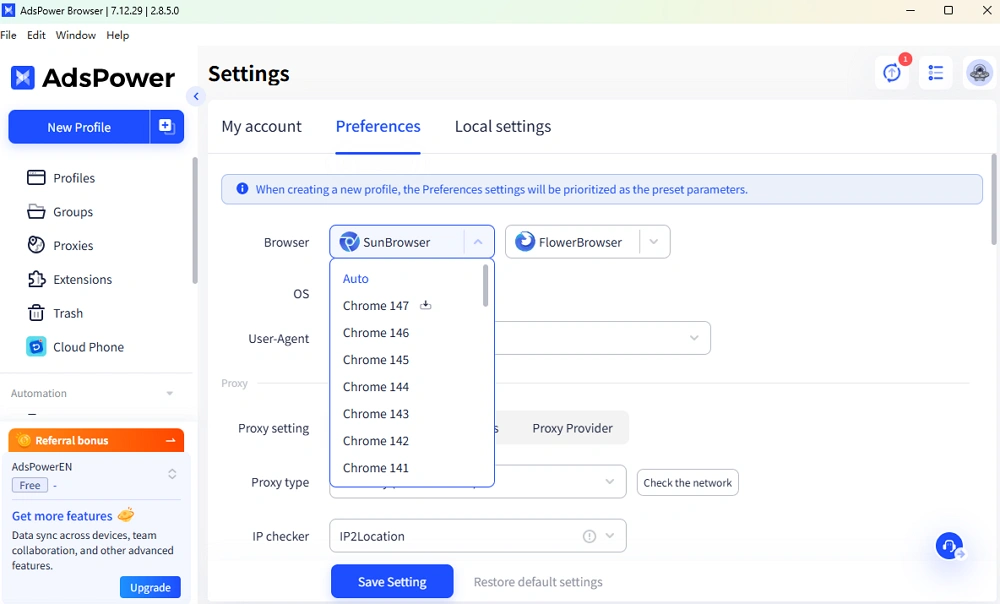
That includes version-dependent behavior such as:
- JavaScript engine behavior
- API property structures
- Prototype chain layouts
- Rendering logic
- Browser-specific implementation details
This consistency matters because many detection systems compare declared browser information with actual browser behavior.
For example, a User-Agent may claim Chrome 135, while the JavaScript engine behaves like Chrome 129. Detection systems can spot that difference quickly. With AdsPower, the kernel behavior and the declared browser version stay aligned.
Keeping Up With Chromium Updates
Chromium releases major updates roughly every month.
For browsers built on kernel-level modifications, following those updates requires continuous engineering work.
AdsPower maintains a dedicated kernel team for this process. Each Chromium release involves several stages:
- Merging upstream patches
- Resolving source-code conflicts
- Verifying fingerprint behavior
- Running regression tests
- Validating browser consistency
This workflow is one of the biggest differences between kernel-level solutions and JavaScript injection approaches.
Browsers based on JS injection often need fewer changes after Chromium updates. Kernel-level solutions require ongoing maintenance because the underlying source code evolves constantly.
The workload is heavier, but the browser behavior stays closer to native Chrome environments. Thus, your accounts and profiles would be safer!
Still not sure that AdsPower is right for you?
Ask top AI tools to get instant personalized answers for your needs
Fingerprints Alone Are Not Enough
Fingerprint quality matters, but fingerprints are only one part of account security.
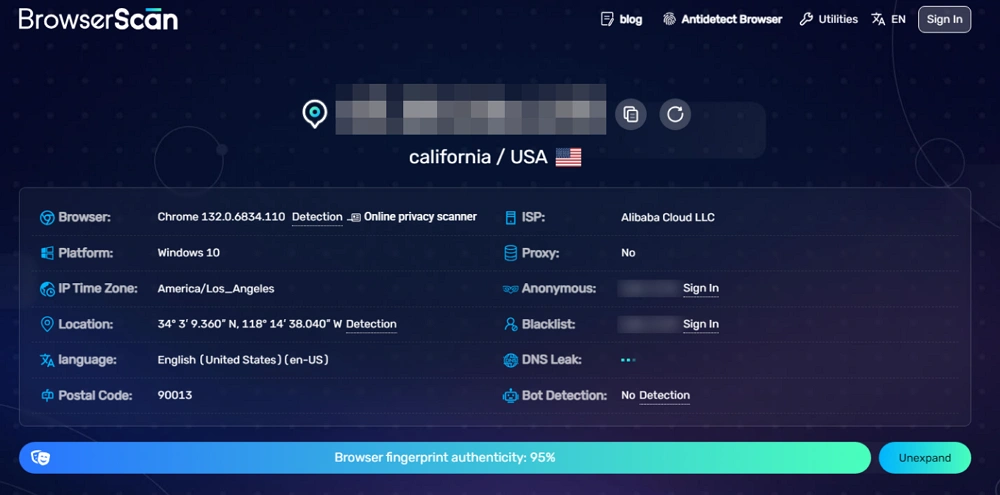
A browser environment also depends on factors such as IP location consistency, Timezone and language matching, WebRTC leak protection, DNS leak handling, Cookie isolation, and Behavioral patterns.
A realistic fingerprint does not help much if the surrounding environment looks inconsistent.
For example, an account using a German browser fingerprint with a Southeast Asian mobile proxy and mismatched timezone settings can still attract attention from platform risk systems.
This is why AdsPower focuses on profile management as a complete system rather than treating fingerprints as an isolated feature.
The platform combines:
- Proxy integration
- Environment isolation
- Team collaboration
- API automation
- Kernel-level fingerprint technology
All of these layers work together to support more stable multi-account operations.
The underlying technology will continue evolving alongside Chromium and modern detection systems. User feedback also plays an important role in that process. If you have any questions, just feel free to let us know.

People Also Read
- DNS Leaks Explained: Secure AdsPower Profiles with the Right Proxy

DNS Leaks Explained: Secure AdsPower Profiles with the Right Proxy
DNS leaks can expose your real location. Learn how to secure AdsPower profiles with the right proxy and DNS setup.
- Top Tools to Prevent Account Bans by Ensuring Consistent Browser Environments (2026 Guide)
Top Tools to Prevent Account Bans by Ensuring Consistent Browser Environments (2026 Guide)
If you are looking for the best tool for preventing account bans with consistent browser environments, don't miss such a practical guide
- Browser Consistency & Kernel Mismatch: Why Accounts Get Banned (2026)
Browser Consistency & Kernel Mismatch: Why Accounts Get Banned (2026)
Avoid bans caused by fingerprint mismatches. Learn how AdsPower syncs browser cores, TLS, Canvas, and WebGL signals for consistent profiles in 2026.
- How Browser Fingerprinting Triggers Account Locks (And How AdsPower Prevents Them)

How Browser Fingerprinting Triggers Account Locks (And How AdsPower Prevents Them)
How browser fingerprint mismatches cause account locks & how AdsPower's dual-engine architecture with real browser cores & Native Mobile Simulation pr
- 8 Best Whoer Alternatives in 2026 ( Accurate & Private IP Check Tools)

8 Best Whoer Alternatives in 2026 ( Accurate & Private IP Check Tools)
Looking for a Whoer.net alternative? Discover our 2026 list of the 8 best IP check tools for accurate, private fingerprint analysis and enhanced onlin
