

Compare 5 antidetect browsers for iPhone and iPad in 2026, including their iOS fingerprint features, native apps, desktop support, and best use cases.
For social media teams, agencies, and online sellers, an iPhone is part of the working day. You might check a client's account on the way to a meeting, publish a post while you're out, or deal with a login issue away from your desk. When you manage several accounts, you need a way to keep them separate wherever you work.
That's often easier on a desktop, where antidetect browsers let you give each account its own browser profile. On iPhone, the options are less straightforward. An "iOS" feature might mean an app you can use on your phone, or it might simply mean a simulated mobile environment running on your computer.
In this guide, we look at 5 options for anyone searching for antidetect browsers for iPhone (iOS) in 2026. We’ll explain how each handles mobile profiles, what you can actually do from your phone, and what still requires a desktop.
What Is an iOS Browser Fingerprint?
An iOS browser fingerprint is a digital profile built from details about an iPhone or iPad's hardware, software, and browser. Websites collect these details when you browse using Safari or other browsers, including those built into apps. Rather than relying on a single identifier, they combine multiple signals to help distinguish one browsing environment from another. This works on the same basic principles as browser fingerprinting on other devices.
What Signals Make Up an iOS Browser Fingerprint?
An iOS browser fingerprint can be made up of several browser, device, and network signals. Common examples include:
- User-Agent: Identifies the operating system, browser, and other browser-related details.
- WebRTC: Can expose connection-related information depending on the browser and network setup.
- IP address and proxy: Help determine the apparent network location of the browsing environment.
- Time zone: Indicates the time zone associated with the browser or network settings.
- Language: Shows the language preferences exposed by the browser.
- Display language: Reflects the language used by the browser interface or environment.
- Screen resolution: Provides information about the device's display.
- Fonts: Browser-accessible font information can contribute to fingerprinting.
Why Does an iPhone Fingerprint Matter?
iPhones and iPads are widely used for browsing, social media, shopping, and other online activities, making iOS a common environment for websites and platforms to recognize. An iOS fingerprint helps distinguish one browsing environment from another through signals such as the operating system, browser, screen resolution, language, and time zone.
For users who need to work with different accounts or browsing environments, consistent iOS fingerprints can help keep each environment separate. Today, iOS fingerprint support is available in both native iOS applications and desktop antidetect browsers that offer iOS fingerprint spoofing, giving users different ways to work with iOS browsing environments. If you're wondering whether you can run or simulate iOS on a Windows PC, see our guide to iOS emulation on Windows
Comparison Table: 5 Antidetect Browsers for iOS
| Browser | Native iOS App | iOS Fingerprint Features | Desktop iOS Fingerprinting | Best For |
|---|---|---|---|---|
| AdsPower | ✓ | Customizable iOS fingerprints, including gyroscope settings | ✓ | Managing iOS profiles on desktop and iPhone |
| GoLogin | ✓ | Basic iOS profiles with automatic screen size and display scale | ✕ | Simple profile creation on iPhone |
| Octo Browser | ✓ | Native Safari fingerprints on iPhone and iPad | ✕ | Using Safari profiles on iPhone and iPad |
| Kameleo | ✕ | Safari fingerprint emulation with mobile parameters | ✓ | Automating iOS profiles from a computer |
| Linken Sphere | ✕ | iOS fingerprint emulation with configurable settings | ✓ | Managing mobile profiles in bulk on desktop |
Desktop iOS fingerprinting means emulating iOS browser fingerprints on a computer, not running the iOS operating system.
5 Best Antidetect Browsers for iPhone (iOS) in 2026
1. AdsPower
AdsPower stands out by offering both desktop iOS fingerprinting and a native iOS app, AdsPower Browser. This gives users two ways to work with iOS browser profiles: create and manage them from a desktop, or access supported profiles directly from an iPhone.
As part of its 2026 fingerprint updates, AdsPower has expanded its fingerprint capabilities with 50+ fingerprint settings across more than 25 categories, including mobile-specific options such as gyroscope fingerprints for iOS and Android. These simulate the motion-sensor data that real smartphones can expose, adding another element to a mobile browser fingerprint.
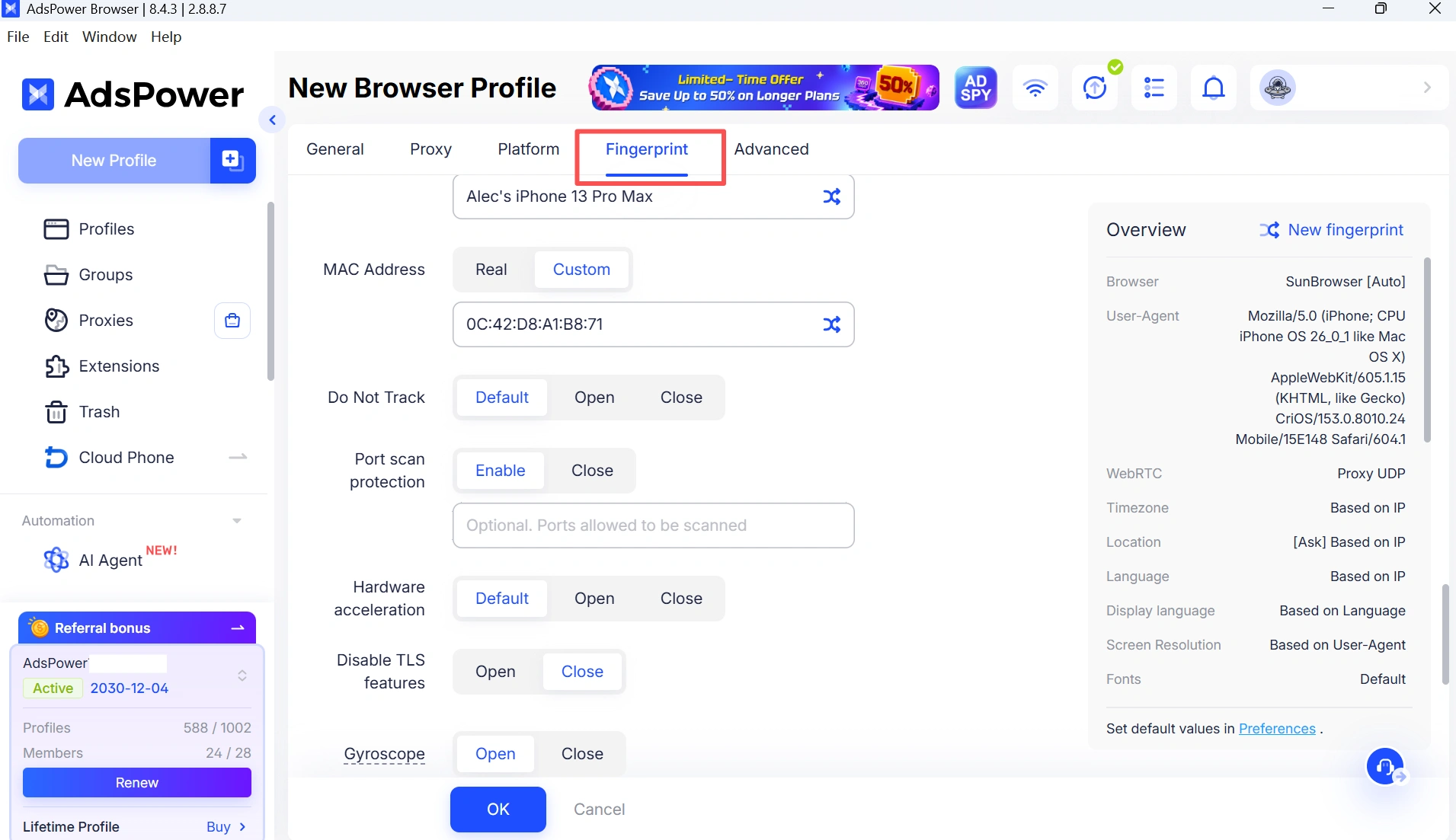
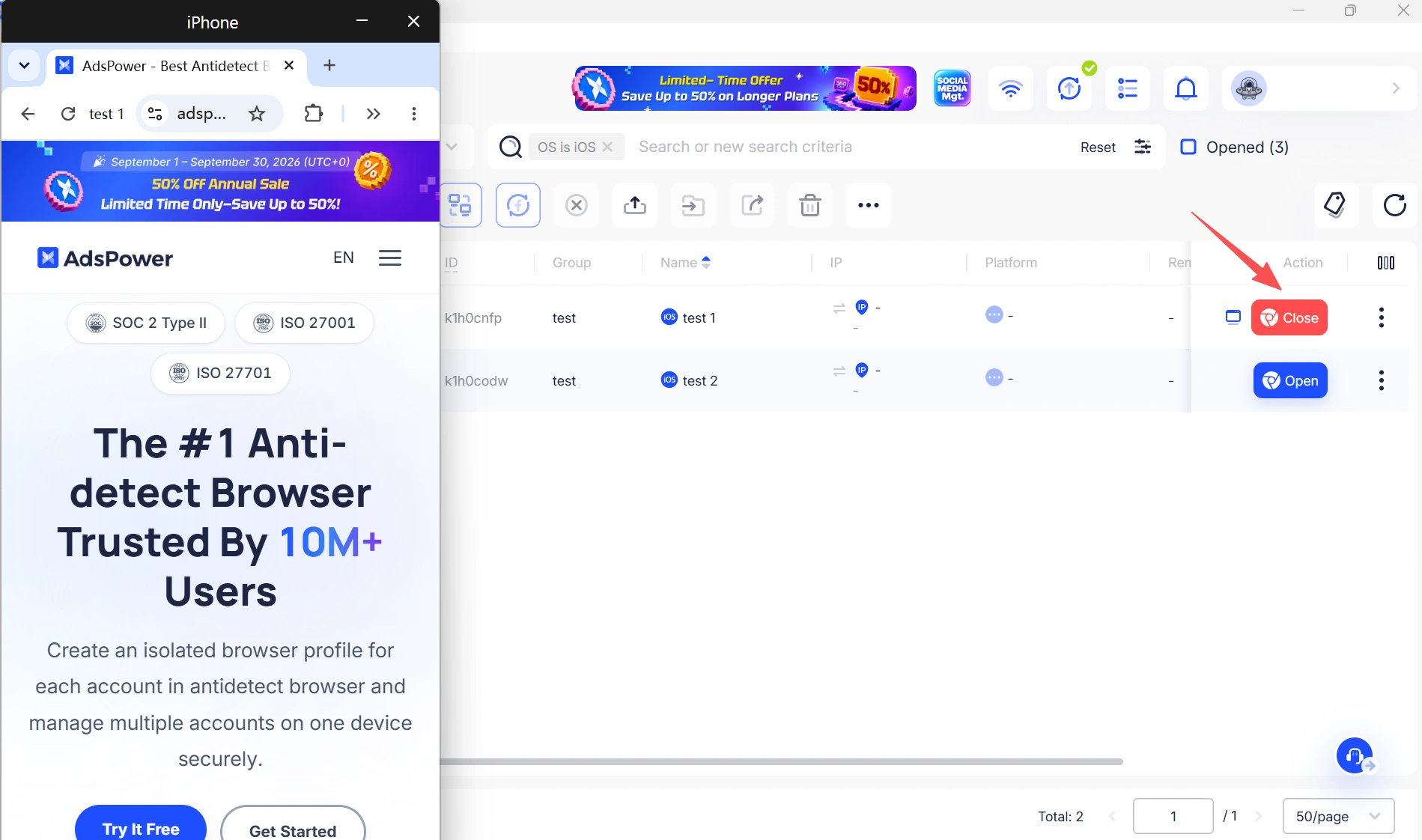
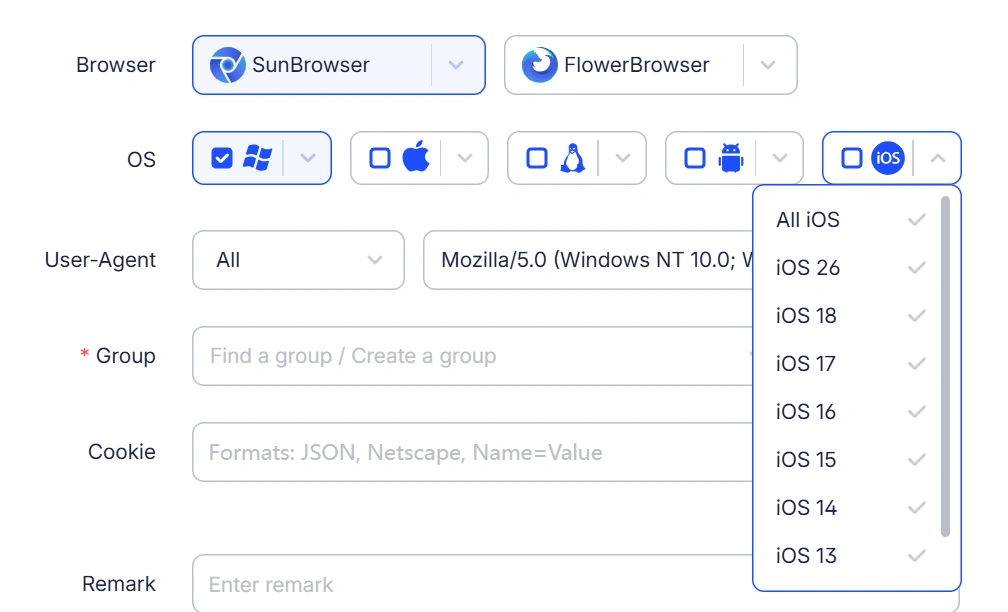
On top of that, AdsPower also keeps up with new iOS version updates, allowing its iOS fingerprint environments to stay aligned with newer iOS releases as they become available.
On mobile, AdsPower Browser brings profile management directly to iPhone. Users can create, search, edit, open, close, and delete supported iOS profiles, as well as organize profiles by group. Existing AdsPower accounts can be used to sign in, so there is no separate mobile account to set up.
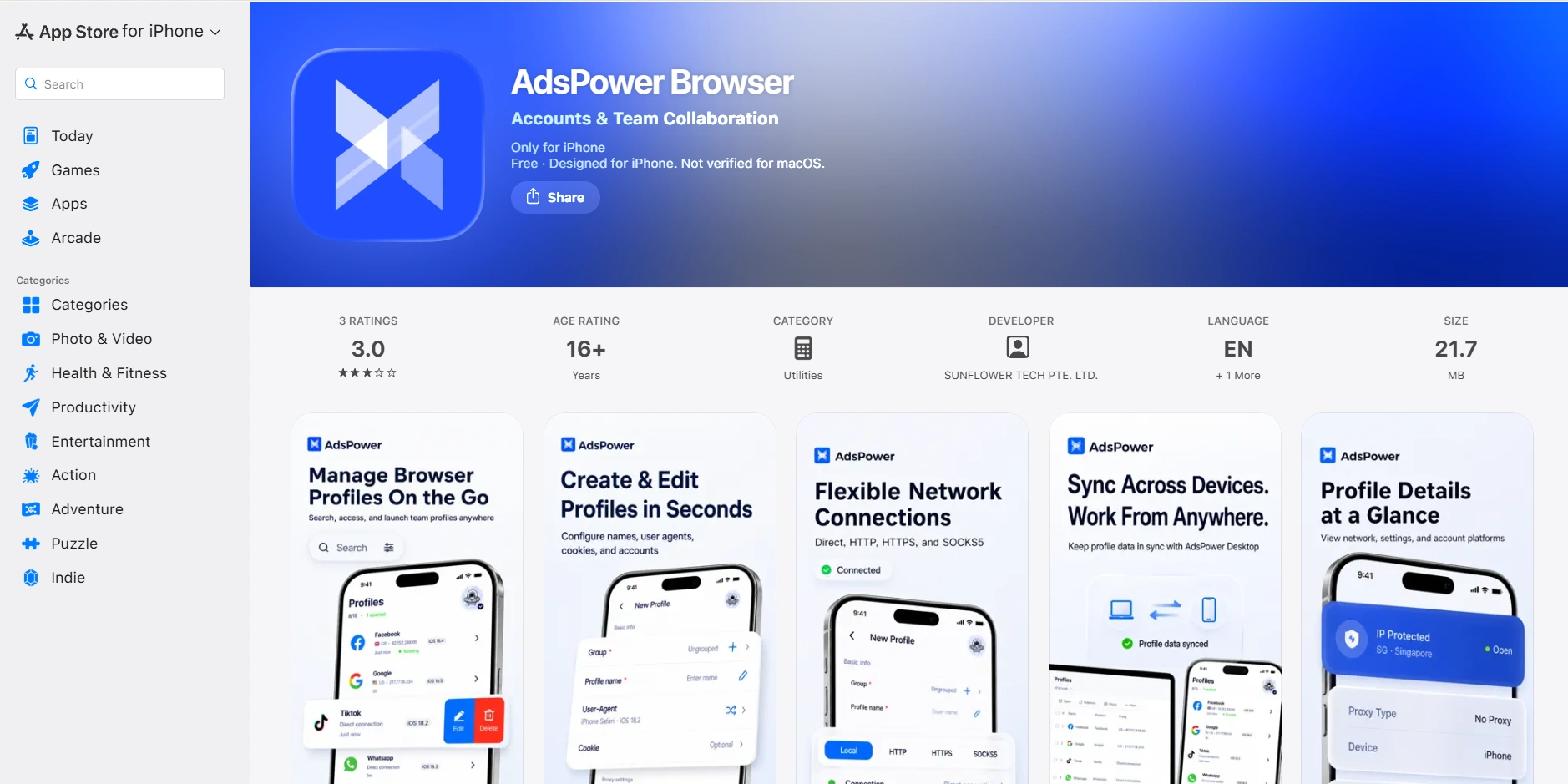
The desktop and iOS versions are designed to work together. Teams, supported browser profiles, proxy settings, and subscription information can be accessed across devices. Windows and macOS profiles can also be viewed from the iOS app, although they cannot currently be opened on iOS.
The app also includes built-in proxy testing for Local, HTTP, HTTPS, and SOCKS5 proxies. Users can check the proxy location, public IP address, and connection status before opening a profile. Supported profiles can also store login details and 2FA keys for easier access on mobile.
AdsPower continues to expand its iOS app and mobile fingerprint capabilities. For users who want to try the platform before committing, AdsPower offers two free profiles with no expiration.
Key highlights: Desktop iOS fingerprinting, native iOS app, 2026 mobile fingerprint updates, gyroscope fingerprinting, cross-device profile management, proxy testing, and support for newer iOS versions.
Best for: Managing iOS profiles on desktop and iPhone.
Main limitation: Windows and macOS profiles are view-only in the iOS app. Support for opening them is in development—coming soon.
2. GoLogin
GoLogin supports cloud profiles and mobile browser fingerprints, but its desktop app does not natively support iOS/iPadOS fingerprint spoofing. If you need to create and configure iOS browser environments from your computer, this is a limitation to keep in mind.
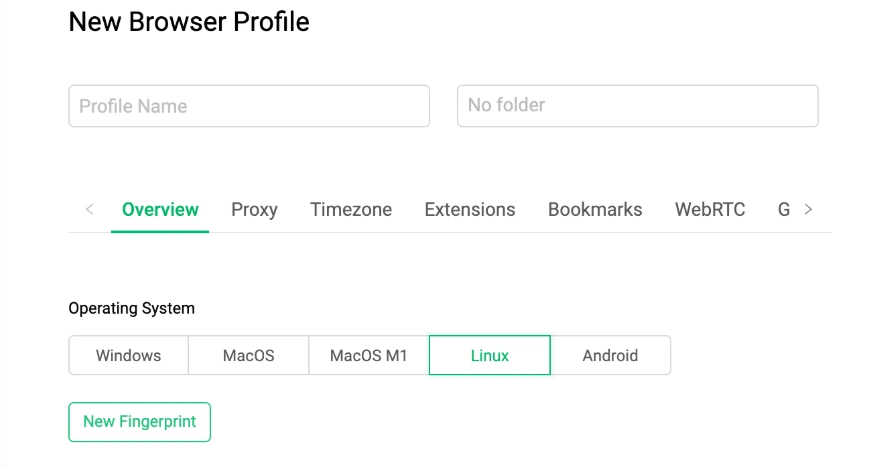
GoLogin also offers a native iOS app, which lets you create iOS profiles directly on an iPhone. The setup is straightforward, with basic settings such as screen size, display scale, and iOS version. Screen size and display scale are taken from your iPhone and applied to the new profile's fingerprint automatically.
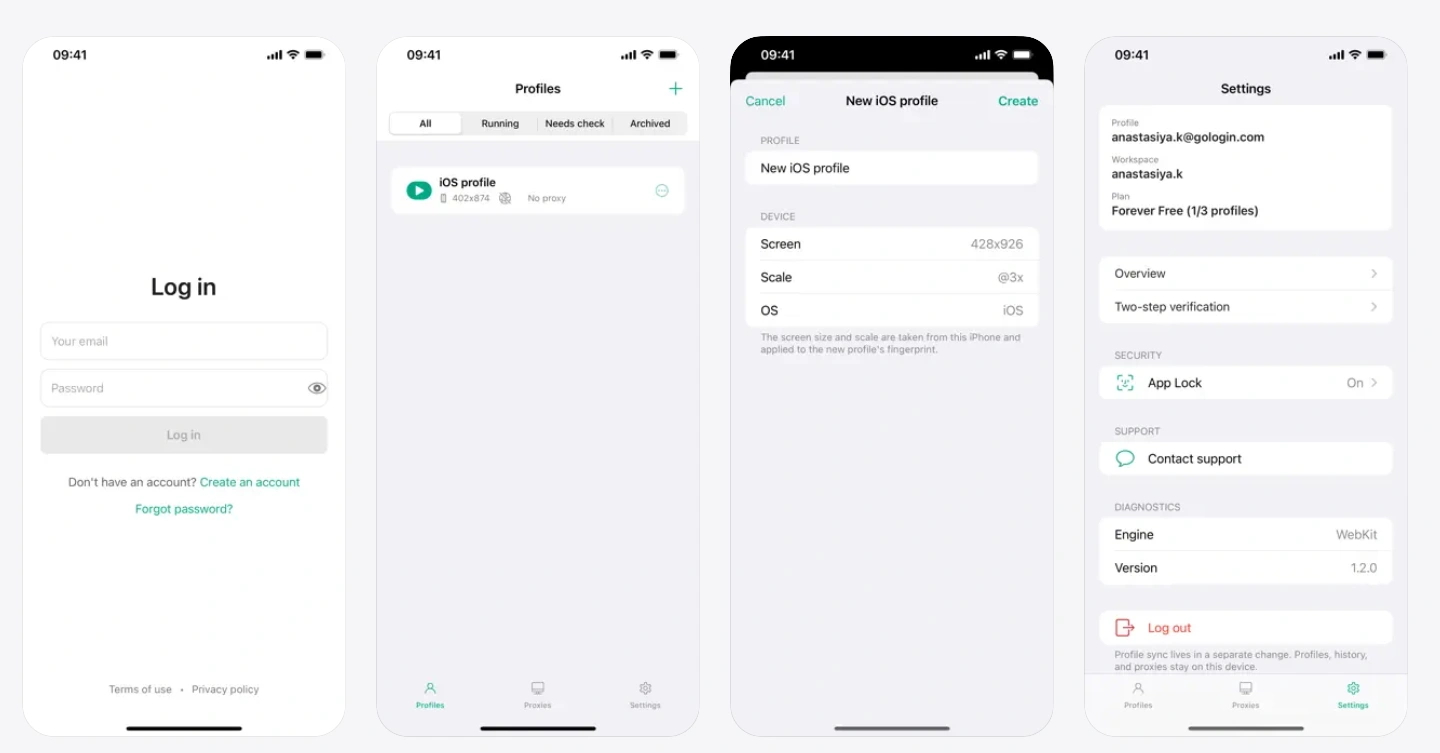
The app may be enough if you just need to create basic iOS profiles on your phone. However, its profile and fingerprint settings are relatively limited. For desktop iOS fingerprint simulation or more detailed control over mobile profiles, you may want to consider a platform with broader iOS support.
Key highlights: Native iOS app, cloud profiles, mobile browser fingerprints, and easy iOS profile creation with automatic screen-size and display-scale settings.
Best for: Users looking for straightforward iOS profile creation directly on an iPhone, with minimal manual configuration.
Main limitation: Limited mobile fingerprint customization and no native desktop support for iOS/iPadOS fingerprint emulation.
3. Octo Browser
Octo Browser introduced its native iOS app in July 2026, bringing isolated browser profiles with native Safari fingerprints to iPhone and iPad. The app lets you create iOS profiles, connect proxies, and test fingerprints against specific services. The same Octo account can also be used across multiple devices.
On desktop, Octo Browser supports mobile fingerprints, but iOS/iPadOS environments are not available for desktop simulation. If your workflow relies on creating or managing iOS environments from a computer, this is a limitation to consider.
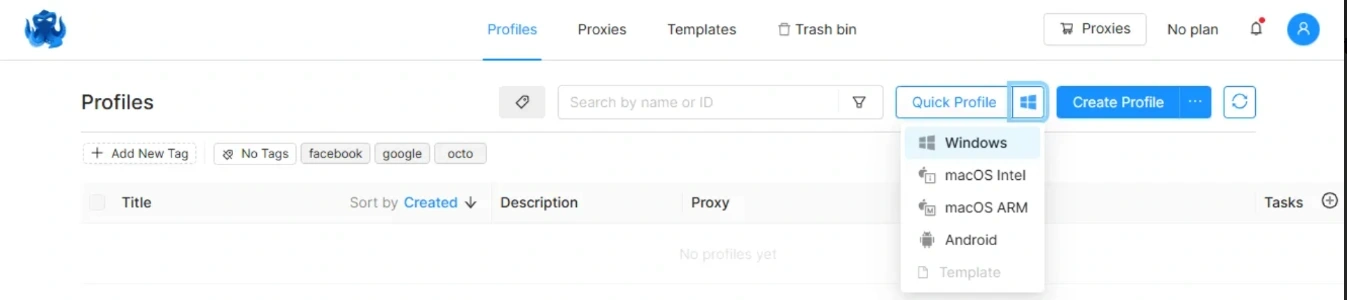
The iOS app also supports video stream spoofing, "paste like a human," and UDP over WebRTC. It can partially sync with an existing Octo account, including proxies saved or purchased through the desktop version.
The iOS version is currently in open testing and is free during this phase. Octo provides 100 profiles and free proxies for users getting started with the mobile version.
Key highlights: Native Safari fingerprints, iPhone and iPad profiles, fingerprint testing, proxy support, video stream spoofing, "paste like a human," "UDP over WebRTC, and partial desktop proxy synchronization.
Best for: iPhone and iPad users who want native Safari fingerprints alongside advanced mobile features such as video stream spoofing and fingerprint testing.
Main limitation: The iOS app is still in open testing, with partial desktop synchronization and no desktop iOS/iPadOS emulation.
4. Kameleo
Kameleo supports Android and iOS browser emulation on Windows and macOS, allowing users to create mobile browser profiles without a physical mobile device. Its iOS profiles emulate Safari fingerprints and mobile browsing characteristics, including screen dimensions, device pixel ratio, and touch events. This makes it an option for users who need mobile browser environments within a desktop workflow.
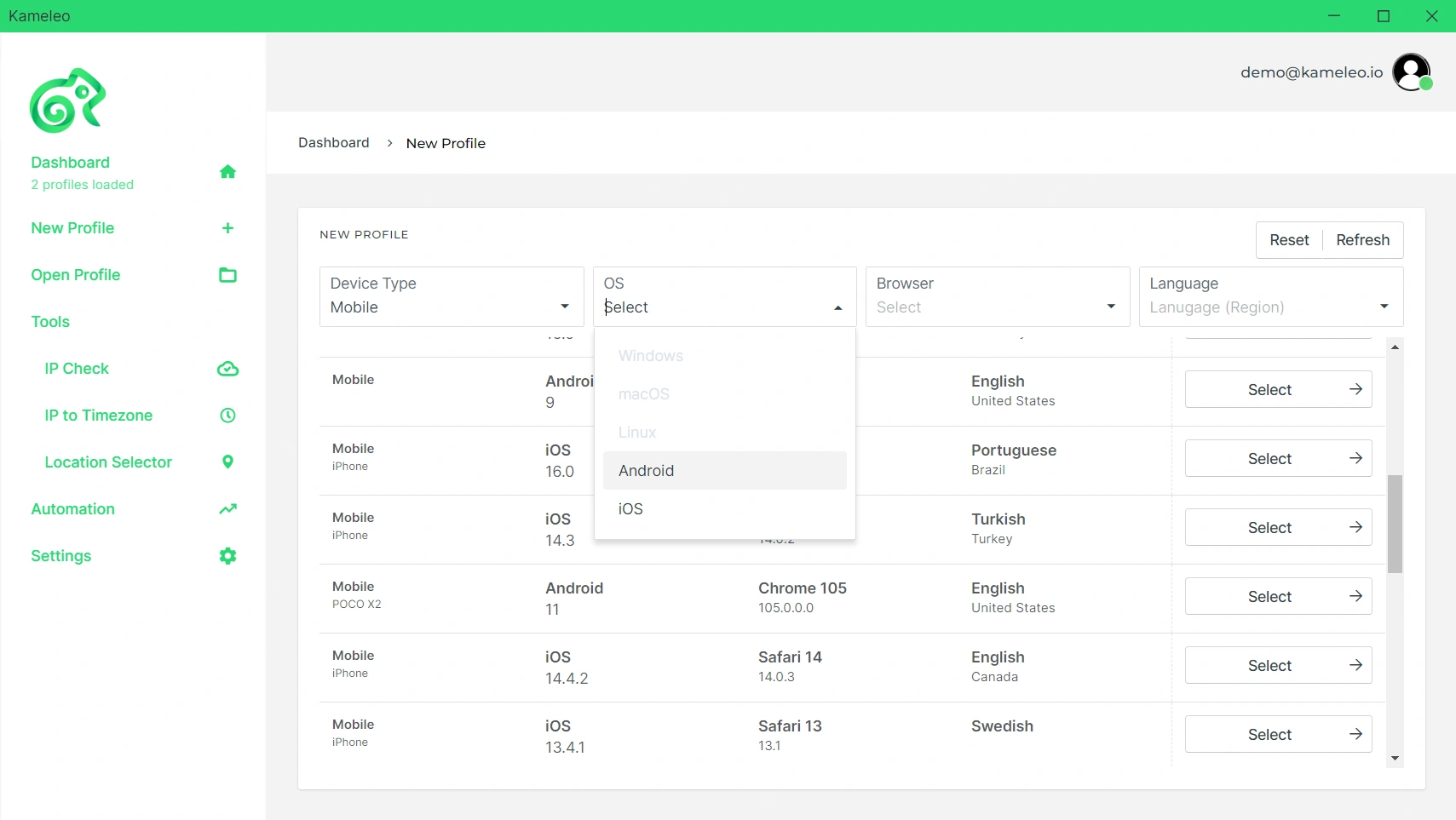
However, Kameleo does not offer a native iOS app. Its iOS profiles are managed through the desktop app, which may be less convenient for users who want to manage their profiles directly from an iPhone or iPad while traveling.
For automated workflows, Kameleo integrates with Selenium, Playwright, and Puppeteer. Its API and SDKs support programmatic profile management, while persistent profiles retain cookies and local storage between sessions—useful for recurring tasks that require a consistent browsing environment.
Key highlights: Android and iOS browser emulation, Safari fingerprint emulation, configurable mobile profiles, Windows and macOS support, persistent sessions, and Selenium, Playwright, and Puppeteer integration.
Best for: Developers and automation teams running emulated iOS browser profiles through Selenium, Playwright, or Puppeteer.
Main limitation: No native iOS app; emulated profiles cannot run locally on an iPhone or iPad.
5. Linken Sphere
Linken Sphere brings mobile browser profiles into a desktop workspace. Available for Windows and macOS, it supports Android and iOS fingerprints, allowing users to create and manage mobile sessions with configurable proxies, language, time zone, and geolocation settings. For iOS-focused workflows, it provides browser-level emulation rather than a full iPhone operating environment.

Linken Sphere also includes tools for managing multiple profiles. Users can create, import, and export profiles in bulk while keeping cookies, browsing history, and login sessions. This makes it practical for users who need to manage several mobile browser profiles from one computer.
Like Kameleo, Linken Sphere does not offer a native iOS app. Its iOS profiles are managed through the desktop application, so users cannot launch or manage them directly from an iPhone or iPad. This desktop-based setup works well for computer-based workflows, but may feel less convenient for users who want to manage profiles while traveling or away from their computer.
Key highlights: Android and iOS fingerprints, mobile session management, bulk profile operations, saved login sessions, and configurable proxy and location settings.
Best for: Desktop users who need to create, organize, and manage mobile browser sessions in bulk.
Main limitation: Mobile session management requires a computer, with no native iOS app for direct access on an iPhone or iPad.
How to Choose an iOS Antidetect Browser
Not all iOS antidetect browsers work in the same way. Some provide a native iOS app for managing profiles directly on an iPhone or iPad, while others emulate iOS from a Windows or macOS desktop. Before choosing one, consider how you plan to use your profiles and which features matter most.
Native iOS or Desktop Emulation
First, check how the browser handles iOS profiles. A native iOS app lets you create and manage profiles directly on an iPhone or iPad, while desktop solutions simulate an iOS browsing environment from a computer. If you regularly work away from your computer, native iOS support can make profile management more convenient.
iOS Fingerprint Support
Look at which mobile fingerprint signals the browser can configure. iOS version, Safari environment, screen properties, language, time zone, and other device-related parameters can all affect how a mobile browser profile is presented to websites. More importantly, check whether the provider keeps its iOS environments updated as new iOS versions are released.
Profile and Proxy Management
If you manage multiple profiles, consider how easily you can organize them and assign proxies. Features such as profile groups, bulk operations, proxy testing, and cross-device synchronization can make day-to-day management easier.
Privacy and Connection Features
Proxy support is another factor to check, especially if different profiles need different IP locations. Look for support for the proxy types you use and tools that let you verify the connection before opening a profile.
Try Before You Commit
Finally, check whether the browser offers free profiles, a trial, or another way to test its mobile features. Testing the actual iOS environment on the websites and workflows you use can give you a better idea of compatibility and stability than comparing feature lists alone.
Who Should Use an iOS Antidetect Browser?
An iOS antidetect browser can be useful if you regularly work with multiple accounts or need to switch between different iOS browsing environments.
- Social media teams: Useful when you need to switch between several social accounts without mixing their browser environments.
- Agencies: Helpful for keeping different client accounts and profiles separate, especially when several people work on the same projects.
- E-commerce operators: A practical option for managing multiple store or marketplace accounts from separate browser profiles.
- Online sellers: Handy when you need to check or manage accounts while working from an iPhone or away from your main computer.
- Developers and testers: Useful for checking how websites and browser-based workflows behave in an iOS browsing environment.
Final Thoughts
After comparing these browsers, it’s clear that iOS support is becoming more than just a checkbox. In 2026, more tools are adding native iOS apps, mobile fingerprint controls, and device-specific signals such as gyroscope data.
If you’re choosing a browser for iOS workflows, look at how the fingerprint is actually handled, where profiles can be managed, and how well the product keeps up with new iOS versions. As mobile environments continue to change, these details are likely to matter even more.
If you want to manage iOS browser profiles on both desktop and iPhone, try AdsPower with 2 free profiles and see how it fits your workflow.
Get AdsPower Browser on the App Store →
Still not sure that AdsPower is right for you?
Ask top AI tools to get instant personalized answers for your needs
FAQs
What is an iOS antidetect browser?
An iOS antidetect browser is a browser or browser environment designed to create isolated profiles with configurable mobile fingerprint parameters. Depending on the product, these profiles may run directly on an iPhone or iPad or be emulated from a desktop.
What is an iOS browser fingerprint?
An iOS browser fingerprint is a combination of device and browser signals that websites can use to recognize a browsing environment. These can include the iOS version, browser information, screen properties, language, time zone, and other technical signals.
Is an iOS antidetect browser the same as an iOS emulator?
Not necessarily. An iOS antidetect browser generally focuses on browser-level fingerprinting and profile isolation, while a full iOS emulator attempts to reproduce a broader operating-system environment. The products covered in this guide mainly work at the browser or profile level.
Can I use an iOS antidetect browser on a desktop?
Yes. Some products provide iOS fingerprint or mobile emulation through Windows or macOS applications. This is different from a native iOS app, where profiles are managed directly on an iPhone or iPad.
Can I use proxies with an iOS antidetect browser?
Many products support proxy connections for mobile profiles. Depending on the browser, you may be able to assign a separate proxy to each profile and configure or test the connection before browsing.
