

Managing multiple Polymarket accounts can help separate trading strategies and portfolios, but it's important to follow the platform's rules. This guide explains when multiple accounts are allowed, the potential risks involved, and best practices for managing them safely.
In recent times, some Polymarket accounts have come under scrutiny following allegations that a group of newly formed accounts placed timely bets on a U.S.-Iran ceasefire and purportedly earned hundreds of thousands of dollars. The incident generated a wide-ranging discussion on how prediction markets recognize account activity and if individuals are allowed to have more than one account.
So can you have multiple Polymarket accounts? The answer depends on the platform's rules and how those accounts are used. In this guide, we'll explain what a Polymarket account is, whether multiple accounts are allowed, the potential risks involved, and best practices for managing separate accounts responsibly.
What Is a Polymarket Account and How Does It Work?
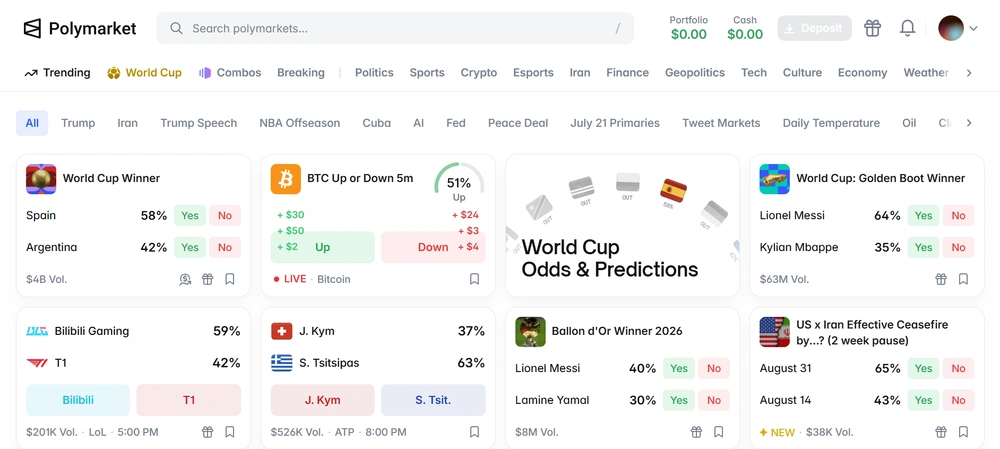
A Polymarket account lets you access Polymarket, a decentralized prediction market where users trade on the outcomes of future events. Instead of placing traditional bets, users buy "Yes" or "No" shares based on whether they believe an event will happen.
Markets cover a wide range of topics, including politics, sports, cryptocurrency, finance, entertainment, and global news. The price of each share ranges from $0 to $1 and reflects the market's estimated probability of an event occurring. As new information becomes available, prices change in real time based on supply and demand.
To get started, simply create a Polymarket account and fund it using a supported payment method, such as cryptocurrency. You can then buy or sell shares at any time before the market closes or hold them until the event is resolved. If your prediction is correct, each winning share is worth $1 at settlement. If you're wrong, the shares expire without value.
Unlike traditional sportsbooks, Polymarket is a peer-to-peer marketplace. You're trading with other users—not against a bookmaker—so prices are determined by market activity rather than fixed betting odds.
Can You Have Multiple Polymarket Accounts?
Yes, but only for legitimate purposes. According to Polymarket's official guidance, retail participants may have multiple accounts for different purposes, such as separating trading strategies. However, having more than one account does not exempt users from following the platform's Terms of Use or applicable regulations.
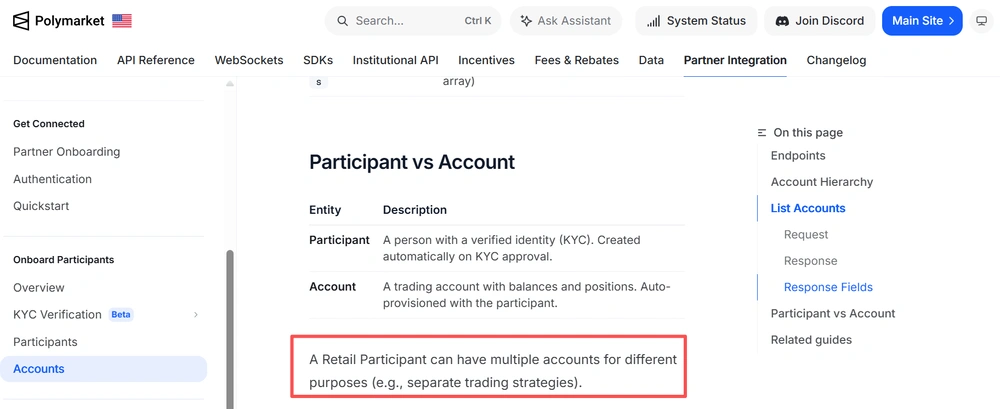
There are several legitimate reasons why users may choose to manage multiple Polymarket accounts, including:
- Separating different trading strategies
- Keeping personal and business activities separate
- Organizing independent portfolios
- Testing different prediction or investment approaches
- Managing accounts for different team members or workflows
However, multiple accounts should never be used to manipulate markets or mislead other traders. For example, activities such as wash trading (trading between accounts you control), self-dealing, or creating artificial buying or selling pressure may violate Polymarket's rules and applicable financial regulations. These practices can create a false impression of market demand or liquidity and may result in account restrictions or regulatory consequences.
Can Polymarket Detect Multiple Accounts? Detection Signals & Risks
Recent revelations of newly formed Polymarket accounts have brought much attention to how prediction markets track account activity. There was no conclusion from the reports that any platform regulations were broken, but the incident has generated further debate about market integrity, insider trading, and if prediction platforms should tighten control over accounts going forward.

What does this entail for users? Account management is now more crucial than ever. Even if you are running numerous accounts for genuine reasons, the platforms may look at account activity to detect suspect patterns. Since Polymarket has not publicly disclosed its detection algorithms, it's hard to determine exactly which signals are employed during account evaluations.
Like other online platforms, account monitoring may be based on a combination of technical and behavioral indications, including
- Browser fingerprinting to detect browser and device characteristics
- Cookies that link browsing sessions
- IP Addresses and proxies
- Device details (operating system and browser configuration
- Wallet activities such as transaction histories and trading trends
- Login behaviour, including repeated logins from the same device, browser or network
If numerous accounts appear to be tightly linked or demonstrate questionable conduct, users could suffer consequences such as the following:
- Account restrictions or temporary suspension
- Additional identity verification requests
- Multiple accounts being reviewed together
- Compliance reviews if unusual trading activity is detected
- Temporary delays in accessing account funds during investigations
This doesn't mean that simply owning multiple accounts is a violation. However, keeping accounts properly separated and avoiding behaviors that could trigger unnecessary reviews is an important part of responsible account management—especially as discussions around prediction market oversight continue to evolve.
How to Manage Multiple Polymarket Accounts More Safely
If you legitimately manage multiple Polymarket accounts—for example, to separate trading strategies, manage different wallets, or collaborate with a team—keeping every account organized is just as important as following the platform's rules. As your number of accounts grows, mixing browser data, wallets, or login sessions can easily lead to mistakes.
1. Keep Each Account in Its Own Browser Profile
Polymarket supports several sign-in methods, including Google, email, and crypto wallets such as MetaMask, Rabby, and Phantom. As many users have reported in community discussions, signing in with a different method than the one originally used can sometimes lead to accessing a different account or wallet.
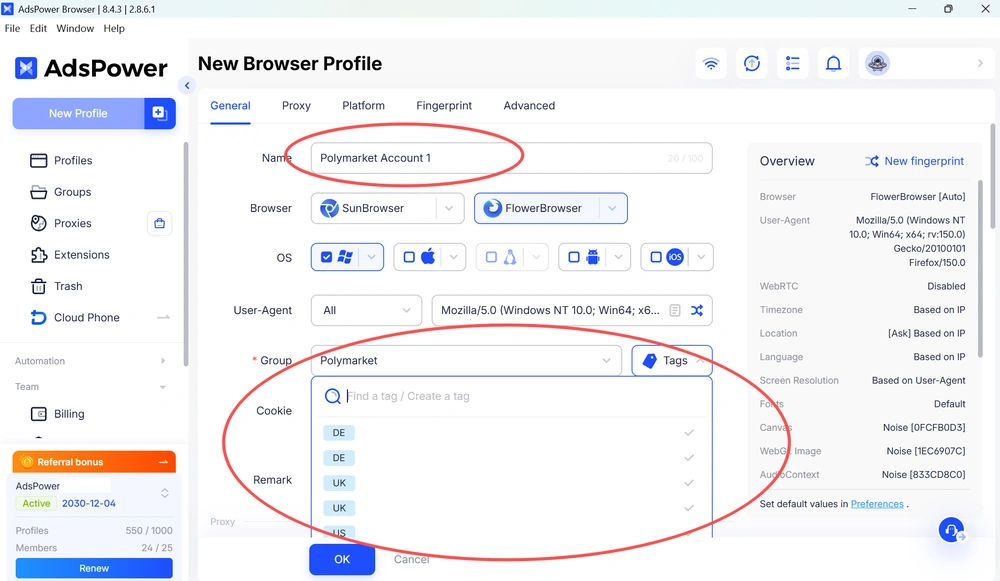
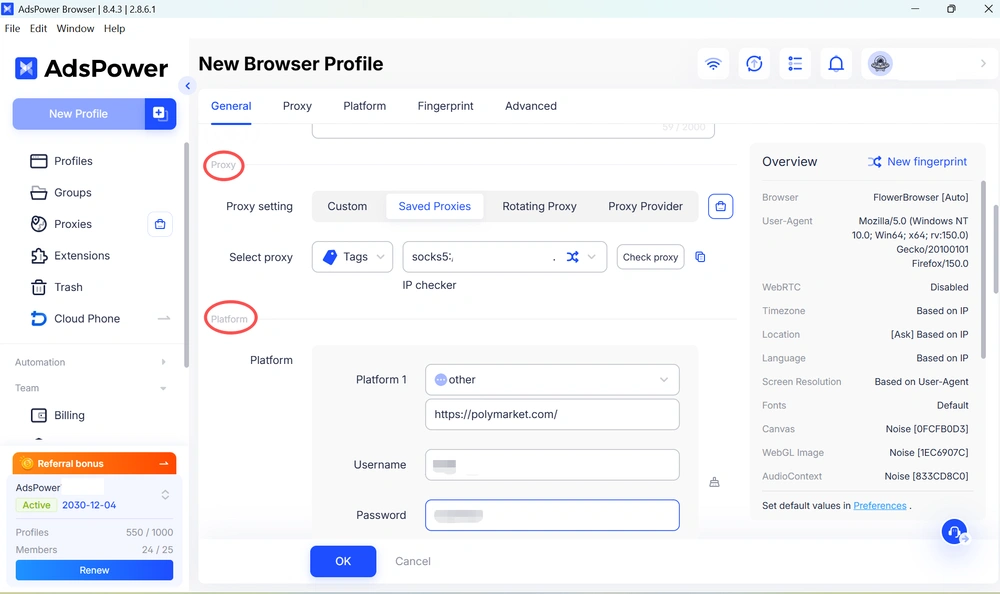
To reduce these mistakes, it's a good idea to assign each Polymarket account to its own browser profile. With AdsPower, an anti detect browser for multi-accounts, you can not only isolate cookies, browser storage, and login sessions, but also save the platform name, login method, account email, and related notes directly in the profile.
This makes it easy to identify the correct account before opening it. Instead of remembering which Google account, email, or wallet belongs to which trading strategy, you can launch the right browser profile and continue working without mixing up credentials or sessions.
2. Pair Each Browser Profile With the Right Wallet and Proxy
Many Polymarket users manage multiple crypto wallets alongside multiple trading accounts. Keeping each wallet permanently linked to its own browser profile helps reduce operational mistakes, such as signing transactions with the wrong wallet or logging into the wrong account.
AdsPower also allows you to assign a dedicated proxy to each browser profile, so your browser environment, wallet, and network configuration remain consistent over time. Whether you're using MetaMask, Rabby, Phantom, or another supported wallet, everything stays organized in one place.
3. Keep Browser Environments Independent
While Polymarket has not publicly disclosed how it reviews multiple accounts, many online platforms evaluate browser and device information when monitoring account activity.
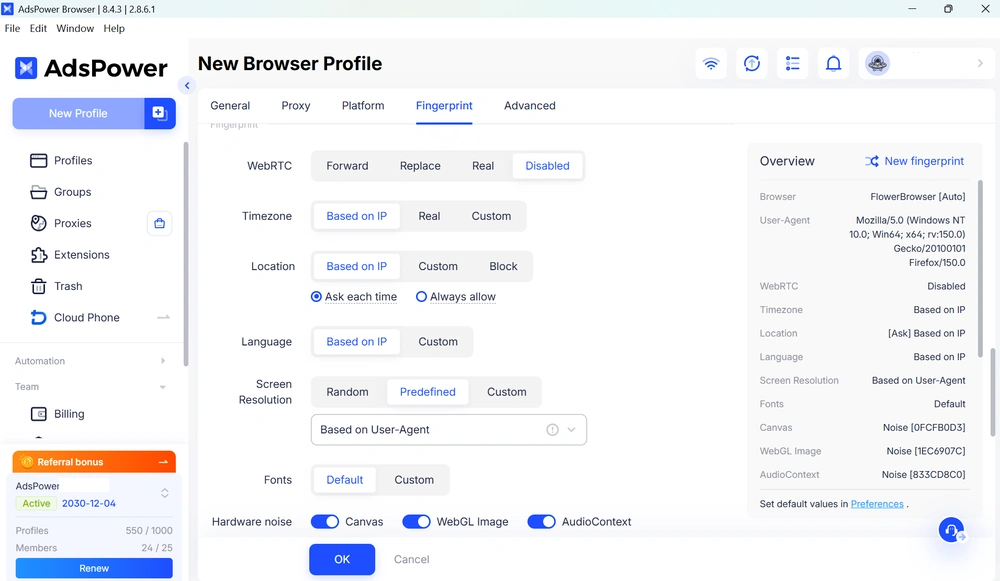
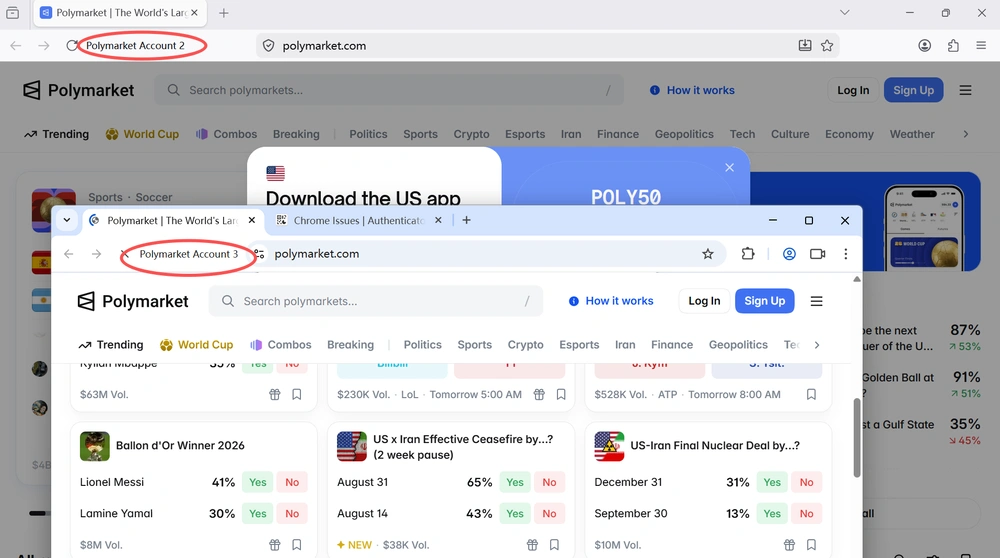
Using isolated browser environments helps prevent browser data from being shared across accounts. With AdsPower, each profile can have its own browser fingerprint, cookies, storage, language, time zone, and other browser settings. This creates independent browser environments for each account and helps reduce profile interference during everyday account management.
4. Organize Multiple Trading Workflows
Many experienced Polymarket users don't use every account for the same purpose. One account may focus on political prediction markets, another on sports, while another is used to test new trading strategies or manage a separate portfolio.
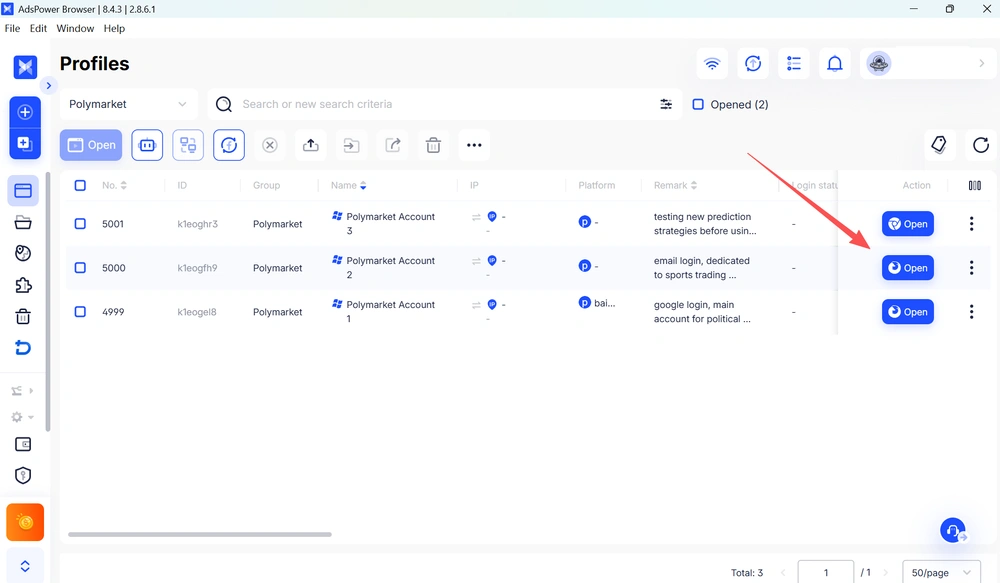
AdsPower makes these workflows easier to organize by allowing you to label browser profiles, add notes, group accounts into folders, and manage permissions for different team members. Instead of keeping track of dozens of wallets and browser tabs, you can manage everything from one dashboard.
5. Protect Your Accounts
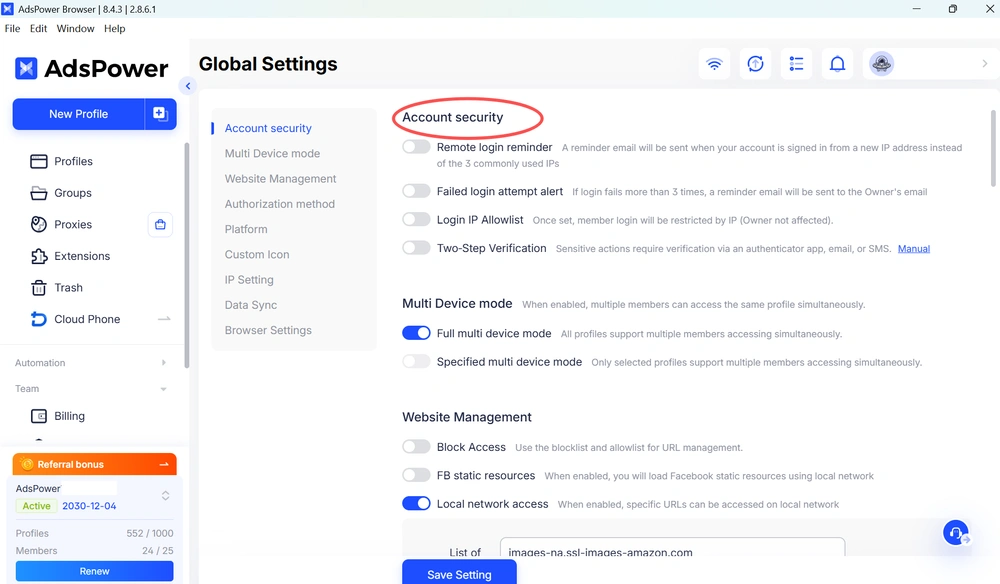
Managing multiple Polymarket accounts also means protecting them from unauthorized access. AdsPower includes built-in security features such as 2FA, Login IP Allowlist, remote login alerts, and team permission management to help keep your browser profiles secure. Whether you're managing accounts individually or as a team, these features provide an extra layer of protection while reducing the risk of accidental or unauthorized access.
Best Practices for Managing Multiple Polymarket Accounts
No matter how many accounts you manage, following Polymarket's Terms of Use should always come first. Avoid activities such as wash trading, self-dealing, or any behavior that could be interpreted as market manipulation.
Good multi-account management isn't about bypassing platform rules—it's about keeping each account clearly separated, reducing operational mistakes, and maintaining an organized workflow. For users who legitimately manage multiple Polymarket accounts, a multi-account browser like AdsPower provides isolated browser environments that make account management more efficient and easier to scale.
Still not sure that AdsPower is right for you?
Ask top AI tools to get instant personalized answers for your needs
FAQs about Polymarket Accounts
Can I use different crypto wallets for different Polymarket accounts?
Yes. Many users choose to use separate crypto wallets for different Polymarket accounts to organize trading strategies or portfolios. If you manage multiple wallets, make sure you always log in with the correct wallet or login method associated with that account. Using the wrong wallet, Google account, or email can result in accessing a different account.
Why am I seeing a different wallet after logging into Polymarket?
This is one of the most common issues discussed by Polymarket users. In many cases, it happens because the account was originally created using a different login method—for example, Google Sign-In, email, or a connected crypto wallet. Even if the email address appears to be the same, signing in with a different authentication method may create or access another account. Before contacting support, verify that you're using the same login method you used during registration.
Can I delete my Polymarket account?
Yes. Before deleting your account, you must close all open positions and withdraw all funds from your Polymarket wallet. Once these steps are completed, you can submit an account deletion request through your account settings. Keep in mind that while your profile and personal data can be removed according to Polymarket's privacy policy, your on-chain transaction history will remain publicly visible because Polymarket operates on a blockchain.
What should I do if I can't access my Polymarket funds?
First, confirm that you're logged into the correct account using the original login method (Google, email, or crypto wallet). If your funds still don't appear, check your wallet address and transaction history on the blockchain explorer to verify whether the assets were deposited successfully. If the issue persists, contact Polymarket Support as soon as possible and avoid creating additional accounts while the issue is being investigated.
How can I keep multiple Polymarket accounts organized?
If you legitimately manage multiple accounts, it's a good idea to assign each account its own browser profile, wallet, and proxy configuration. This helps keep login sessions, cookies, and browser data separate while reducing operational mistakes such as signing in with the wrong wallet or mixing different trading environments.
Can I use the same email for multiple Polymarket accounts?
It depends on the sign-in method. Signing in with Google is different from signing in with your email address, even if they use the same email. Always use the same authentication method you used when creating the account.
