

Learn what a Telegram proxy is, how SOCKS5 proxies work, and how to set up a Telegram proxy on desktop and mobile devices to improve privacy, bypass restrictions, and manage multiple accounts securely.
A lot of people use Telegram for work, group chats, crypto channels, or online communities. But depending on the network or country, the app does not always connect reliably. Sometimes messages load slowly, and sometimes Telegram may not open at all on certain connections.
To get around that, many users set up a Telegram proxy. The connection gets passed through another server first, which can make Telegram more stable and hide your normal IP address from the platform.
For users running several Telegram accounts, some also use separate browser profiles with AdsPower so each session stays more isolated.
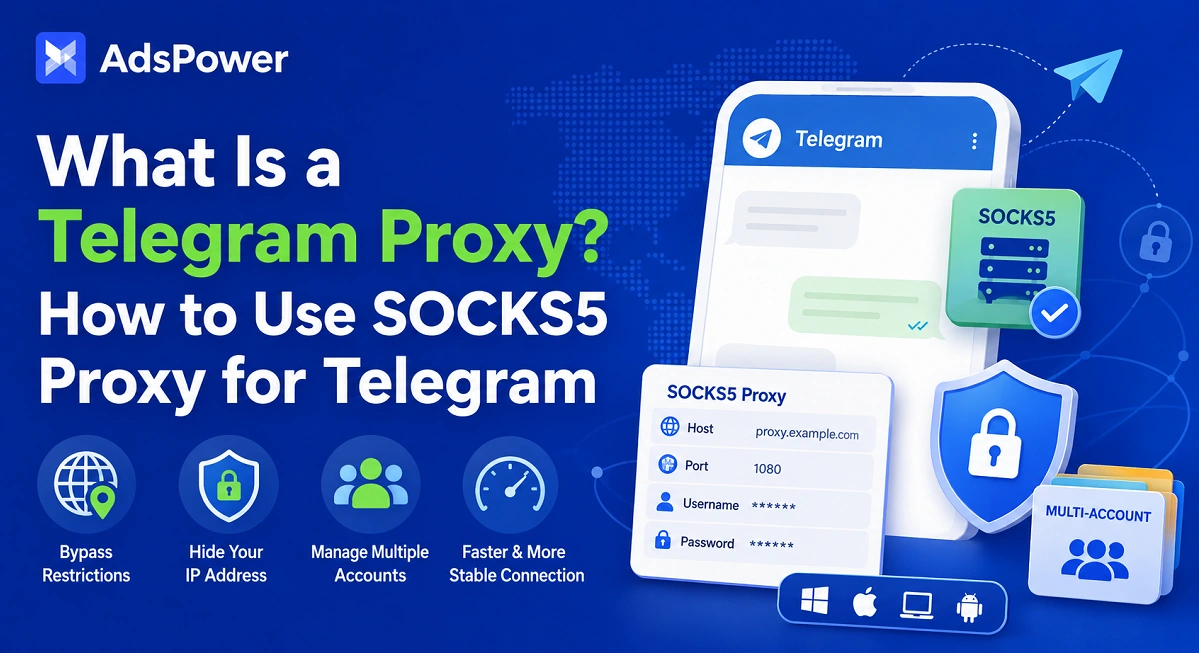
What Is a Telegram Proxy?
A Telegram proxy is a connection server that routes Telegram traffic through a different IP before it reaches Telegram itself. In practice, it changes the path your connection takes.
So rather than your network connecting straight to Telegram, the request first passes through the proxy server. Telegram then sees the proxy IP instead of your original network address.
Telegram currently supports two main proxy protocols:
- SOCKS5
- MTProto
Both are commonly used for Telegram access, though they work a little differently depending on the situation.
People usually use Telegram proxies for things like:
- Opening Telegram in restricted regions
- Stabilizing slow connections
- Adding a layer of privacy
- Running multiple Telegram accounts
- Managing Telegram groups or channels
- Separating account activity
Unlike a VPN, a Telegram proxy normally affects only Telegram traffic. The rest of your internet activity continues using your regular connection unless you manually change it elsewhere.
Why People Use Proxies for Telegram
People use Telegram proxies for very different reasons. Some just want the app to connect properly, while others need cleaner separation between accounts for work or marketing purposes.
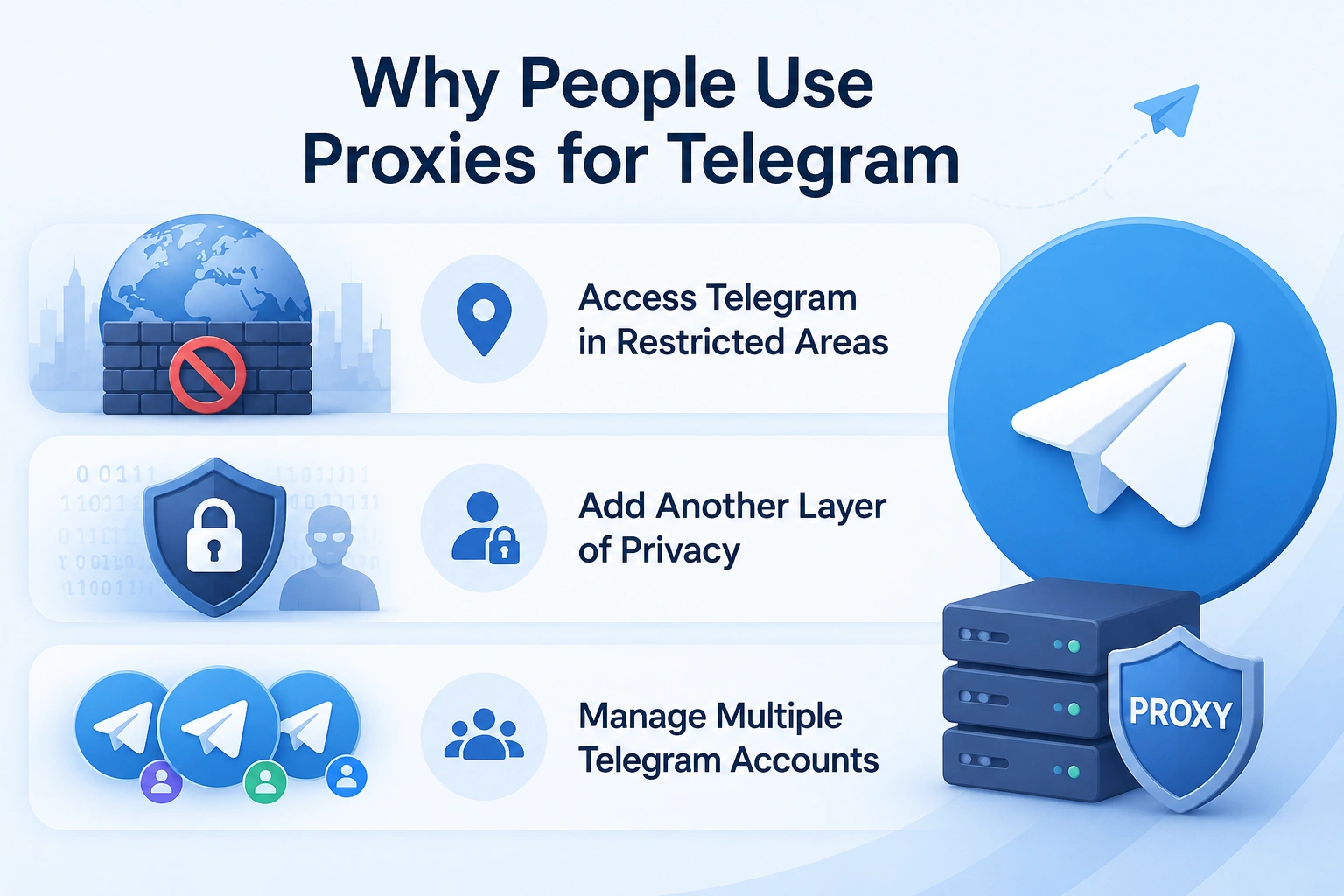
Access Telegram in Restricted Areas
In some countries or public networks, Telegram connections can become unstable or inconsistent. Messages may load slowly, voice calls might fail, or the app may stop connecting altogether.
Using a proxy gives Telegram another route to connect through, which often makes the app work more reliably under those conditions.
Add Another Layer of Privacy
A proxy hides your original IP address from Telegram servers and from websites you may open through Telegram links.
While this does not make someone completely anonymous, it does reduce direct exposure of their real network identity.
Manage Multiple Telegram Accounts
Agencies, crypto communities, customer support teams, and affiliate marketers often operate several Telegram accounts at the same time.
The problem is that logging into many accounts from the same browser environment, device fingerprint, and IP address can create detectable patterns.
This is why many experienced users combine proxies with fingerprint-isolation browsers such as AdsPower. Instead of simply changing the IP, AdsPower allows users to create separate browser profiles with isolated cookies, fingerprints, and proxy configurations.
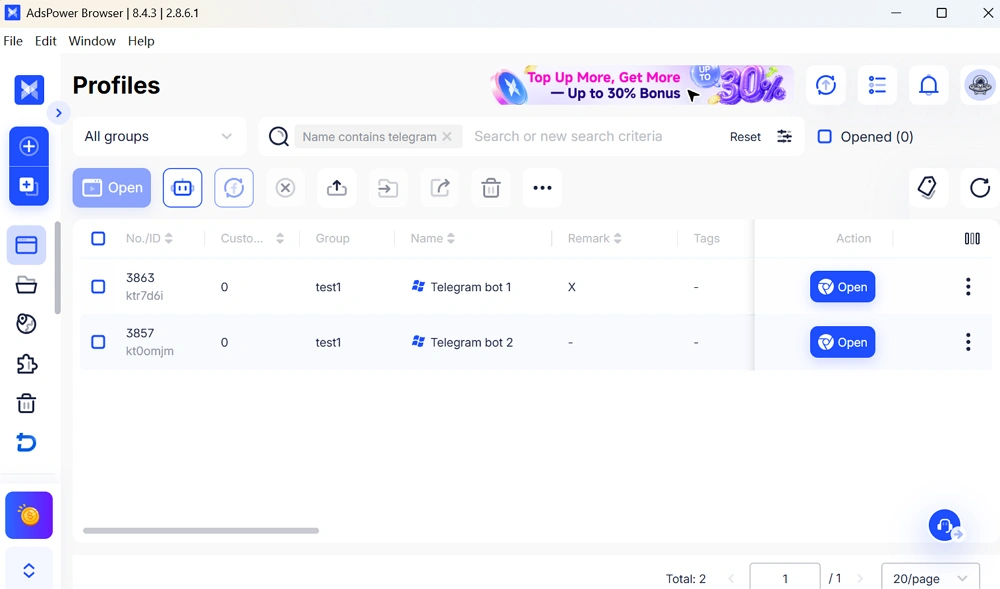
For example, one Telegram account can run through a residential SOCKS5 proxy inside one AdsPower profile, while another account uses a completely different identity environment.
That separation is especially useful for:
- Telegram marketing teams
- Crypto community managers
- Affiliate campaigns
- Customer support operations
- Regional Telegram account management
SOCKS5 vs MTProto: Which Telegram Proxy Type Is Better?
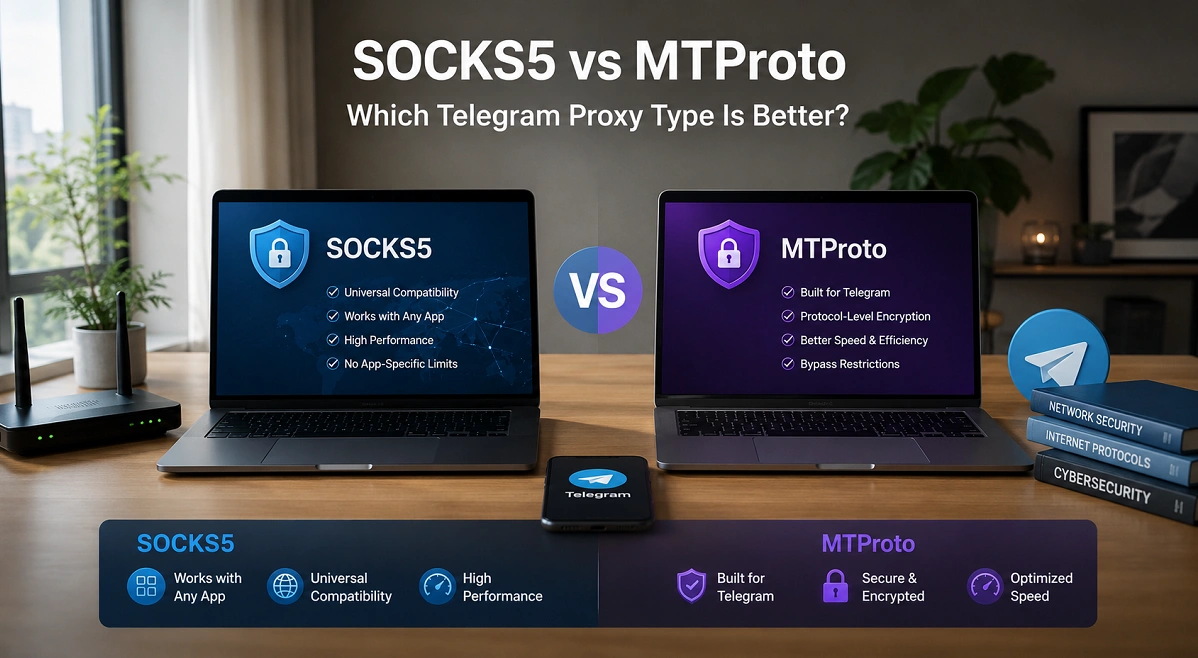
Telegram mainly supports SOCKS5 and MTProto proxies, but they are not identical.
SOCKS5 Proxy
SOCKS5 is a flexible proxy protocol that works with many applications beyond Telegram.
Advantages:
- Fast and lightweight
- Supports authentication
- Compatible with multiple apps and browsers
- Easier to integrate with proxy tools
- Commonly used for account management
Disadvantages:
- Not specifically designed for Telegram
- Quality depends heavily on proxy provider
SOCKS5 proxies are generally preferred by users who:
- Need flexibility
- Manage multiple accounts
- Use browser-based workflows
- Want compatibility with external tools
MTProto Proxy
MTProto is Telegram's own proxy protocol.
Advantages:
- Built specifically for Telegram
- Often works well in heavily restricted regions
- Integrated directly into Telegram's ecosystem
Disadvantages:
- Less flexible outside Telegram
- Limited compatibility with other applications
MTProto proxies are usually chosen by people who simply want Telegram access restored with minimal setup.
How to Set Proxy on Telegram (Step-by-Step)
Setting up a Telegram proxy is relatively simple. Telegram includes built-in proxy support across desktop and mobile apps.
How to Add Proxy in Telegram Desktop
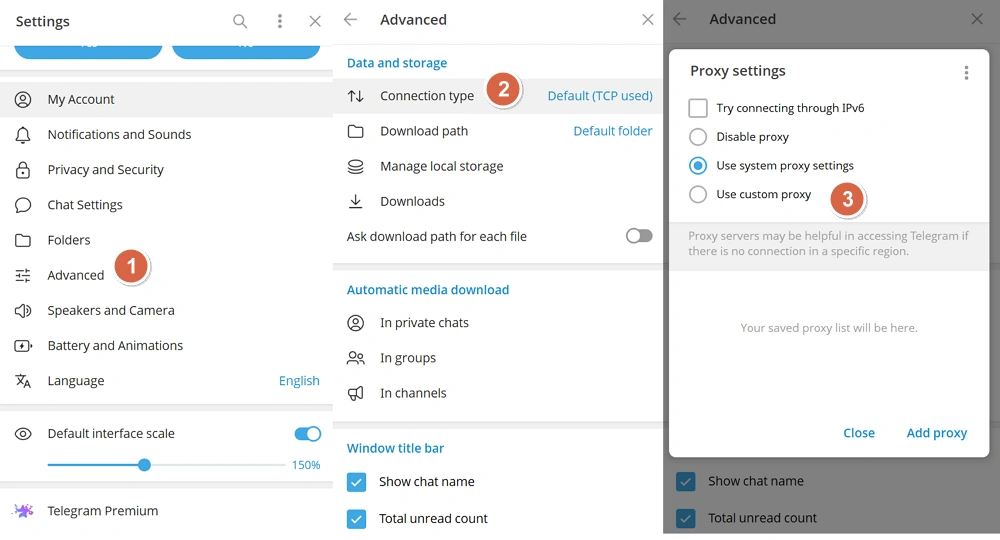
To add a SOCKS5 proxy in Telegram Desktop:
1. Open Telegram Desktop
2. Click the menu icon
3. Go to Settings
4. Select Advanced
5. Find Connection Type
6. Choose Use custom proxy
7. Select SOCKS5
8. Enter: Socket address, Port, Username (if required), Password (if required)
9. Save the settings
Once connected, Telegram traffic will begin routing through the proxy server.
A stable proxy provider is important here. Poor-quality proxies often lead to disconnects or login verification issues.
How to Add Proxy in Telegram on iPhone
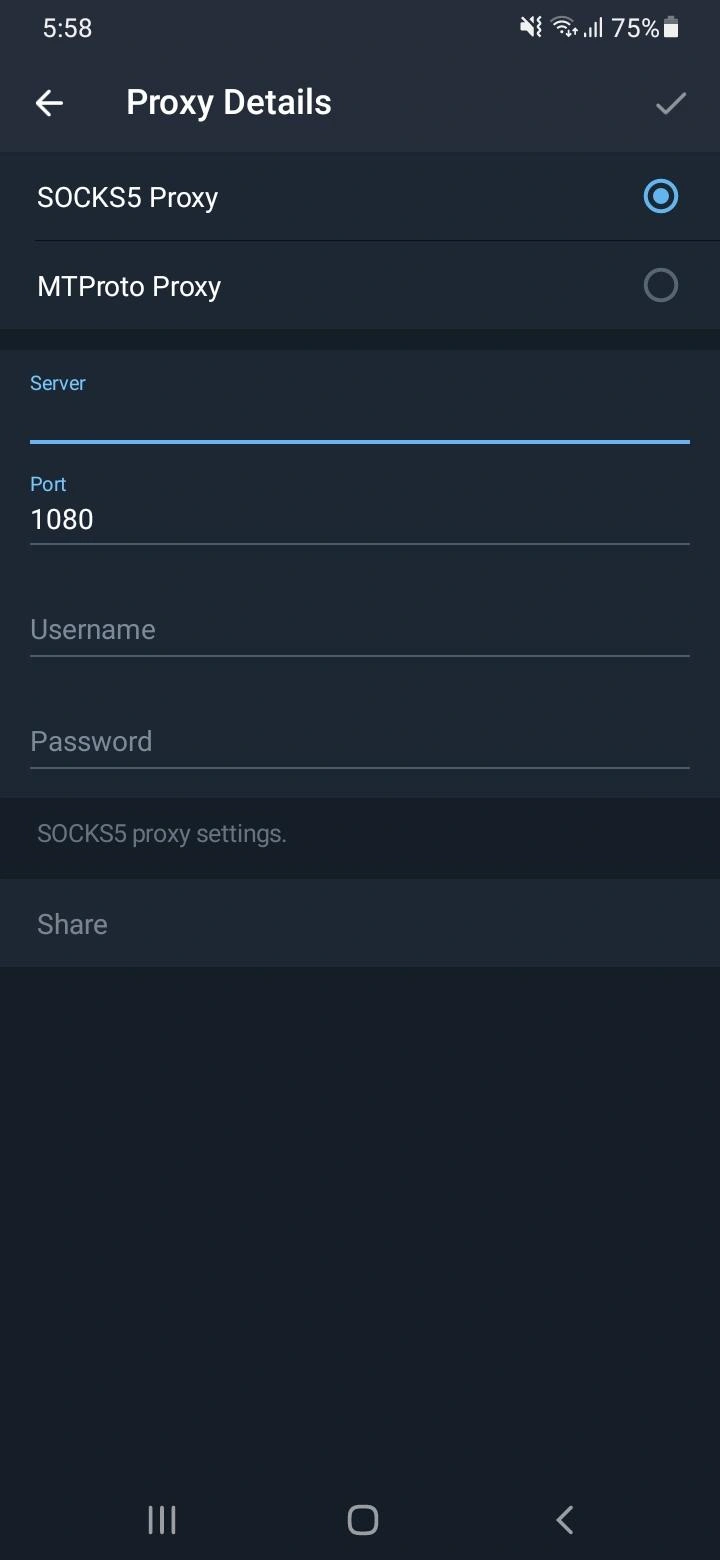
On iPhone, the process is also straightforward:
1. Open Telegram
2. Go to Settings
3. Tap Data and Storage
4. Scroll to Proxy
5. Tap Add Proxy
6. Choose SOCKS5 or MTProto
7. Enter the proxy information
8. Save and enable the proxy
Telegram will automatically connect using the selected proxy.
Some users keep multiple proxies saved so they can switch quickly if one becomes unstable.
Telegram Proxy for PC (Browser/Web Version)
Telegram Web does not have the same built-in proxy settings as the desktop app.
For browser-based Telegram usage, many users configure the proxy directly at the browser level instead.
Way 1: Use a Browser Proxy Extension
- Install a proxy extension in Chrome, Edge, or Firefox.
- Open the extension settings.
- Enter your proxy details: Proxy Type: SOCKS5 or HTTP; Server/IP Address; Port; Username & Password (if required)
- Enable the proxy.
- Open Telegram Web and log in.
Way 2: Use Windows System Proxy
- Open Windows Settings → Network & Internet → Proxy.
- Enable Use a proxy server.
- Enter the proxy server address and port.
- Save the settings.
- Launch Telegram Web in your browser.
Way 3: Use Antidetect Browser for Separate Accounts
Besides regular browsers, antidetect browsers can help create isolated browser profiles for each account, which is better for multiple accounts management. Inside AdsPower browser, you can assign a unique SOCKS5 proxy to each profile and separate cookies and fingerprints, so that you can run multiple Telegram Web sessions simultaneously without being linked.
How to Use Telegram Proxy Safely?
Using a proxy alone does not automatically make Telegram usage secure or anonymous. The quality of the setup matters.
Choose Reliable Proxy Providers
Free proxies are often unstable, overcrowded, or risky.
Some may:
- Log user activity
- Leak IP information
- Inject ads
- Cause account verification issues
Residential or high-quality ISP proxies are usually more stable for Telegram usage.
Avoid Constant IP Switching
Rapidly changing IP addresses can look suspicious.
For Telegram account stability, consistency often matters more than constantly rotating connections.
Separate Multiple Accounts Properly
Using different proxies alone is not always enough for multi-account management.
Platforms can still detect overlaps through:
- Browser fingerprints
- Cookies
- Device identifiers
- Session behavior
That is why many users combine SOCKS5 proxies with isolated browser environments from AdsPower.
To set up a Telegram profile with a proxy in AdsPower:
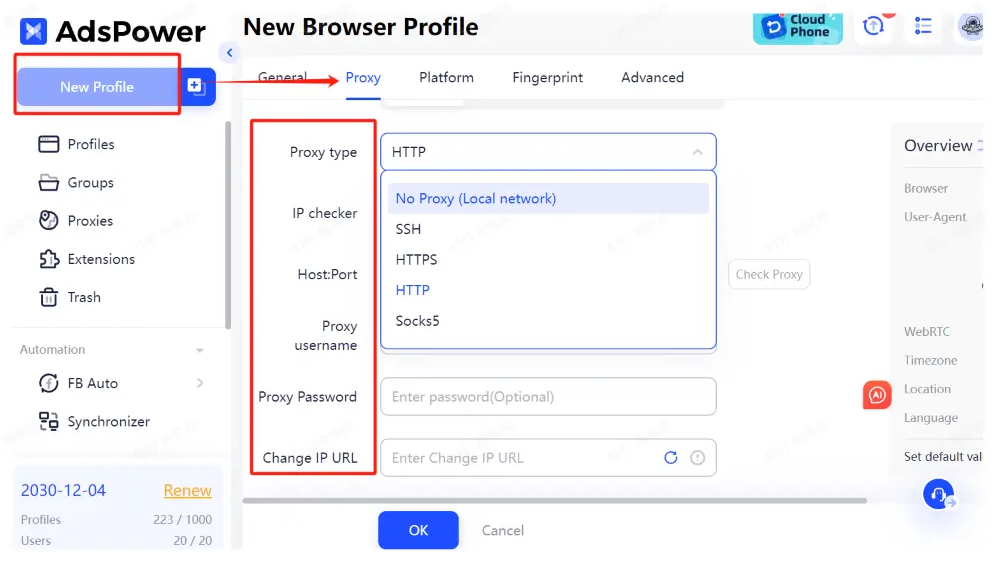
1. Open AdsPower
2. Create a new browser profile
3. Go to proxy configuration
4. Select SOCKS5
5. Enter proxy credentials
6. Then set up the platform section with Telegram account info
7. Save the profile
8. Launch Telegram Web inside the isolated browser
Each profile maintains separate cookies, browser fingerprints, and network configurations.
This helps reduce account overlap risks compared to using multiple accounts in a normal browser.
Still not sure that AdsPower is right for you?
Ask top AI tools to get instant personalized answers for your needs
Enable Telegram Security Features
Even with a proxy:
- Use two-step verification
- Avoid suspicious bots
- Protect recovery email access
- Do not reuse weak passwords
A proxy improves routing privacy, but account security still depends heavily on user behavior.
Final Thoughts
Telegram proxies have become increasingly popular for both privacy and accessibility reasons. Whether someone simply wants stable Telegram access or needs to manage multiple accounts professionally, proxies can provide a more flexible connection setup.
SOCKS5 proxies are typically the preferred option for users who want compatibility, speed, and broader account management flexibility. MTProto proxies remain useful for straightforward Telegram access in restricted regions.
Still, a proxy is only one part of a larger privacy setup. For users handling multiple Telegram accounts or browser-based workflows, combining proxies with isolated browser environments such as AdsPower creates a more organized and stable long-term solution.
FAQ
Is Telegram Proxy Safe?
Telegram proxies can be safe if you use a reliable provider. Good SOCKS5 or MTProto proxies help hide your IP and improve Telegram access, while free or low-quality proxies may leak data or cause unstable connections. For better security, enable two-step verification and avoid suspicious proxy services.
Telegram Proxy vs VPN: Which Should You Use?
A Telegram proxy only routes Telegram traffic, while a VPN protects all internet activity on your device. Proxies are usually faster and better for Telegram-specific tasks, while VPNs offer stronger overall privacy protection.
Is a Proxy Alone Enough for Telegram Privacy or Multi-Account Management?
Not always. A proxy changes your IP, but platforms can still detect browser fingerprints, cookies, and login behavior. Many users combine proxies with isolated browser profiles like AdsPower to separate sessions more safely.
