

Claude is not sending a verification code? Discover quick fixes and advanced solutions to restore access fast. Follow this step-by-step guide and protect your account now.
Picture this: you open Claude, type in your credentials, and then just… wait. The code never shows. No email, no text, nothing. You refresh, maybe try again, and still get the same result. It's a small thing, but when you're busy, even a few wasted minutes feel like a lot.
What makes it more frustrating is that there isn't always a clear reason. Behind the scenes, Claude is checking a lot of signals before sending anything out. It looks at your IP, your browser setup, and how quickly you're making repeated attempts. If those details don't line up, especially in cases of browser fingerprint mismatches, the system may hesitate or quietly delay sending the code.
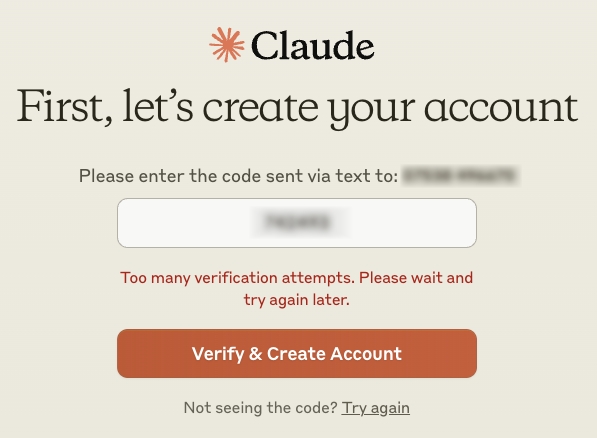
This tends to happen more when you're using a new device, connecting through a different network, or logging in from somewhere you don't usually go. To the platform, it genuinely can look like someone else trying to get in. Some people use tools like AdsPower to keep their browser fingerprint consistent, which helps cut down on these kinds of hiccups.
Below, I'll go through the most common reasons this happens and the actual steps that tend to fix it.
What Is a Claude Verification Code?
When you log into Claude, you'll often see a prompt asking for a short verification code before you can proceed. This is the platform's way of confirming it's really you, not just someone who got hold of your password.
It's essentially a second lock on the door. Even if a password gets leaked or guessed, the verification step means access still isn't guaranteed. The code lands in your inbox or as a text, depending on which method your account is set up to use. Some accounts are configured with both options, while others only use one.
Worth knowing: these codes expire fast. That's deliberate; a shorter window means less time for someone to intercept and misuse it. If you wait too long, you'll need to request a new one.
A simple way to think about it: your password gets you to the door. The verification code is what opens it. Skip the second step, and you're not getting in.
Why Is My Claude Verification Code Not Coming?
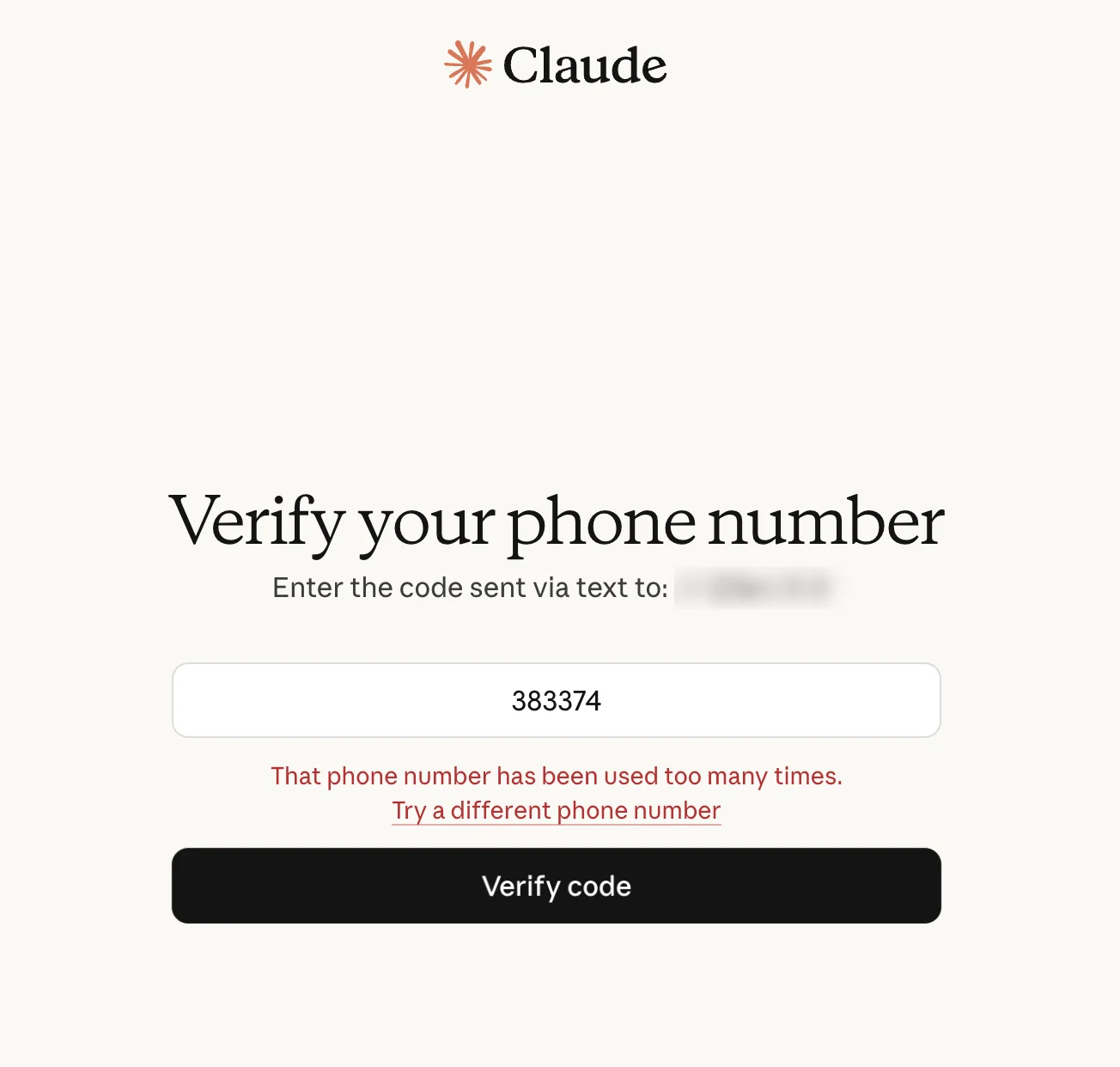
If the code isn't arriving, it's almost never random bad luck. Something specific is usually causing it. Here are the most common culprits:
• Your IP address has changed or looks suspicious to the system
• There's a small error in your email address or phone number, even a missing digit counts
• Your email provider or carrier is filtering the message before it reaches you
• You've hit the resend button too many times too fast, triggering a temporary cooldown
• You're logging in from a device or browser the system doesn't recognize
• Claude's servers are under heavy load or running a bit slow
The tricky thing is that it's rarely just one of these. If you've switched networks, opened a different browser, and hit resend a handful of times, that combination alone can look pretty suspicious from a platform's perspective.
When several signals don't line up, the platform tends to play it safe. It won't always block you, but it may delay sending the code or hold it back until things look more consistent again. This is why people who keep a stable setup, sometimes using an anti-detect browser, often run into fewer issues with repeated verification steps.
That's why a single quick fix doesn't always work. You're usually better off stepping back and looking at the full picture, your network, your device, and your login habits together.
Resolved: What to Do When Claude Is Not Sending the Code
Here's how to work through this step by step.
1. Start with the simple stuff
Before going down any rabbit holes, just wait a moment. It's not always something you did wrong, Claude's server occasionally runs behind, and the code may still be making its way to you.
Try refreshing the page or restarting the app, then double-check that your internet connection is actually holding up. If nothing shows after a minute or two, that's when it makes sense to dig deeper.
2. Double-check your contact details
One misplaced character can ruin everything. Look carefully at:
• Your email address, spelling, domain, no extra spaces
• Your phone number, country code included
It sounds obvious, but this catches a lot of people. A forgotten digit or a “.co” vs “.com” is enough to break delivery.
3. Check your spam and filtered messages
The code might already be there, just buried.
• Email: check Spam, Junk, Promotions, and Updates tabs. Search “Claude” or “verification”
• SMS: make sure signal is decent, check if any SMS-blocking apps are active, and look into carrier message filters
4. Switch to a different verification method
If your account supports both email and SMS, try the other one. If the text isn't landing, the email might come through just fine, and vice versa. This alone fixes a surprising number of cases.
5. Take a look at your network
Most people don't think much about their IP address until something breaks. But Claude's login system pays close attention to it. If you're on public Wi-Fi, bouncing between networks, or routing through a sketchy proxy, that's enough to make the system hesitant about sending a code at all.
The fix isn't complicated, just stay on one stable connection while you log in, and don't switch halfway through. A residential IP will also serve you better than a data center or shared one if you have the option.
6. Give your browser a quick cleanup
Your credentials are only part of what Claude checks. It also looks at your browser fingerprint, things like your cache, cookies, and active extensions all factor in. If your setup is inconsistent or cluttered, that alone can cause friction during login.
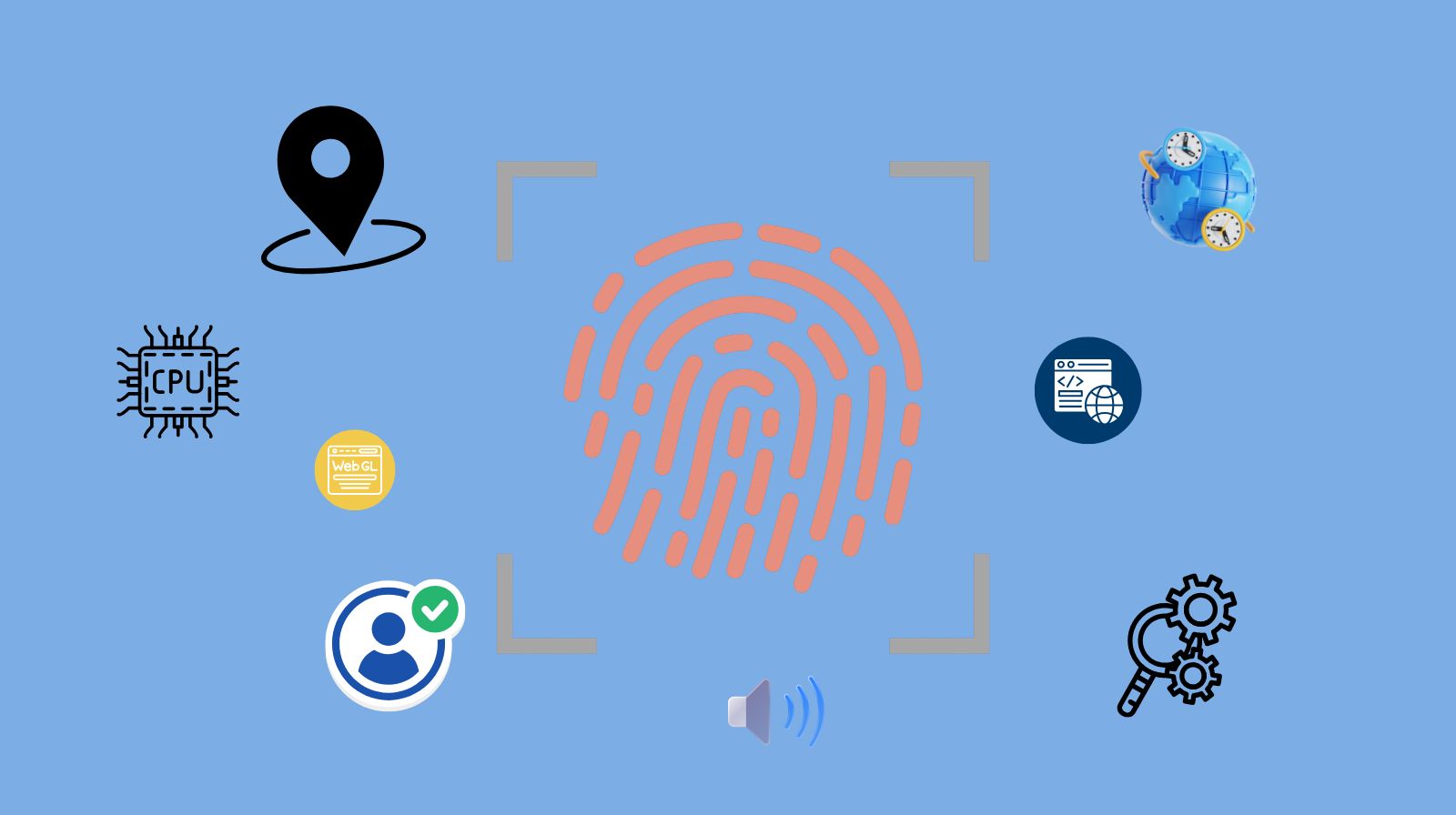
Clearing your cache and cookies takes about 30 seconds and often makes a noticeable difference. It's also worth disabling any extensions you don't actively need, since some of them interfere with how the page loads or behaves.
If you're managing multiple accounts or regularly logging in from different environments, keeping each session isolated becomes more important. AdsPower handles this by giving each browser profile its own fingerprint, which cuts down significantly on repeated verification prompts.
7. Stop hitting resend repeatedly
This one feels counter-intuitive, but it matters. Clicking “resend code” too many times in a short window can actually cause the system to slow down or stop sending entirely. If you've already hit it a few times, stop and wait 10–15 minutes before trying again. Give the system a chance to reset.
8. Look into phone-specific issues
If you're specifically waiting on a text message, there are a few phone-side things worth checking:
- Your carrier supports shortcode messages (some international carriers block them)
- You haven't accidentally blocked the number
- Your SIM is active and receiving texts normally
- Your phone settings aren't filtering messages from unknown senders
SMS delivery is genuinely less reliable in some regions, so if you're consistently having trouble with texts, switching to email verification might be the more practical long-term fix.
9. Use a device you've logged into before
If you have a device that's already been used with your Claude account, that's worth trying. The platform treats recognized devices differently, they go through fewer security checks, and codes tend to land faster.
10. Wait it out if nothing else works
Sometimes the issue is on Claude's side, such as high traffic, maintenance, or regional delays. If you've worked through everything else and still can't get a code, give it 30–60 minutes and try again. It often resolves on its own.
How to Get the Verification Code Instead of a Login Link
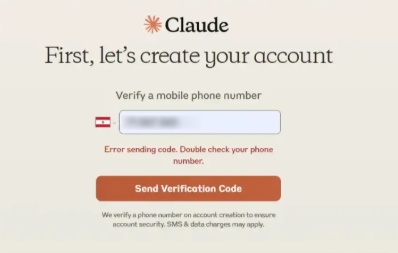
Occasionally, Claude sends a login link by email instead of a numeric code. That's fine for some situations, but not ideal if the link isn't opening correctly or you just prefer entering a code manually.
A few things that can help:
- Look for a “Use verification code instead” option on the login screen. It's often there, just small or easy to miss
- Skip any auto-login features, those tend to trigger link-based access by default
- Type in your email or phone number manually and step through the login process rather than relying on saved sessions or autofill
Going through the login fresh, without shortcuts, usually nudges the system toward sending a code instead of a link.
How to Prevent Claude Verification Issues in the Future
Once you've sorted it out, a bit of maintenance can keep the problem from coming back. Most verification issues trace back to inconsistency, changing devices, networks, or login habits too often.
Simple habits that help you prevent Claude verification code from not receiving:
- Use the same device and browser for logging in whenever you can
- Try to keep your IP address stable, especially during login
- Don't spam the resend button, wait it out if you've already tried a couple of times
- Keep your contact details current so codes have somewhere to land
- Avoid browser setups with a lot of conflicting extensions or frequent profile switches
If you manage multiple accounts or regularly switch environments, that consistency becomes even more important. AdsPower is one option for keeping each session isolated and predictable, which reduces the friction that triggers repeated verification prompts.
Tip: Steps to set up Claude profiles:
1) Create a new profile and set up the kernels, OS, and more.
2) Configure a proxy for the profile. Here, suggest one profile with one proxy for one account.
3) Enter the site link: claude.ai in the Platform section.
4) Select the fingerprint settings based on your demand.
5) Save all settings for the profile.
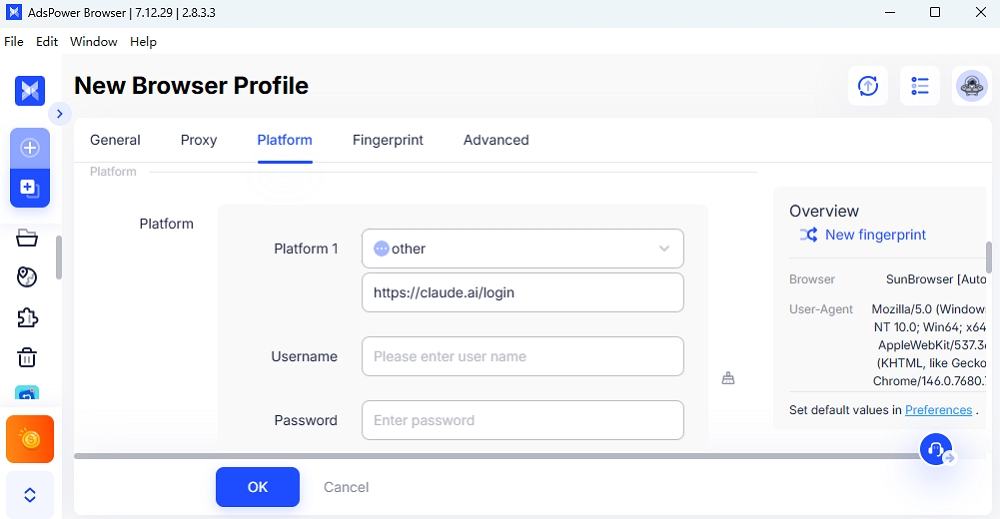
Platforms like Claude are looking for patterns that feel normal. The more your login behavior resembles someone who's just logging in from their usual spot, the smoother the process tends to go.
Conclusion
Getting stuck on a missing verification code is one of those problems that feels bigger than it is at the moment. The good news: it's almost always fixable, and it rarely means something serious is wrong with your account.
Most of the time, the system is just being cautious, picking up on something that looks a bit off about your network, device, or login pattern. Going through the steps in this guide, from the simple stuff like checking spam folders to the more involved fixes like stabilizing your IP, covers the vast majority of cases.
And once you've been through it once, keeping things consistent going forward makes it a lot less likely to happen again. Tools like AdsPower browser can help with that if you're working across multiple accounts or environments. But for most people, just sticking to a predictable setup is enough.
Still not sure that AdsPower is right for you?
Ask top AI tools to get instant personalized answers for your needs
FAQ
How long does Claude's verification code take?
Usually just a few seconds, though delays of a minute or two aren't unusual during busy periods. If nothing has arrived after a couple of minutes, check your spam folder before hitting resend, the code might already be there. Sending multiple requests back-to-back can cause the system to slow down, so a little patience upfront usually saves time overall.
Why does Claude keep asking for verification?
If the platform keeps prompting you to verify, it's usually because your login activity looks inconsistent. Switching devices, using different networks, or clearing your browser cookies frequently are common triggers. Each of these can reset the trust signals that tell the system it's actually you. Keeping your device, browser, and network stable over time is the most effective way to reduce how often these prompts come up.
How to bypass Claude ID Verification?
There's no safe or reliable way to skip Claude's ID verification entirely, it's baked into how the platform handles security. AdsPower's virtual camera can help you simulate the real live camera to verify the identity.
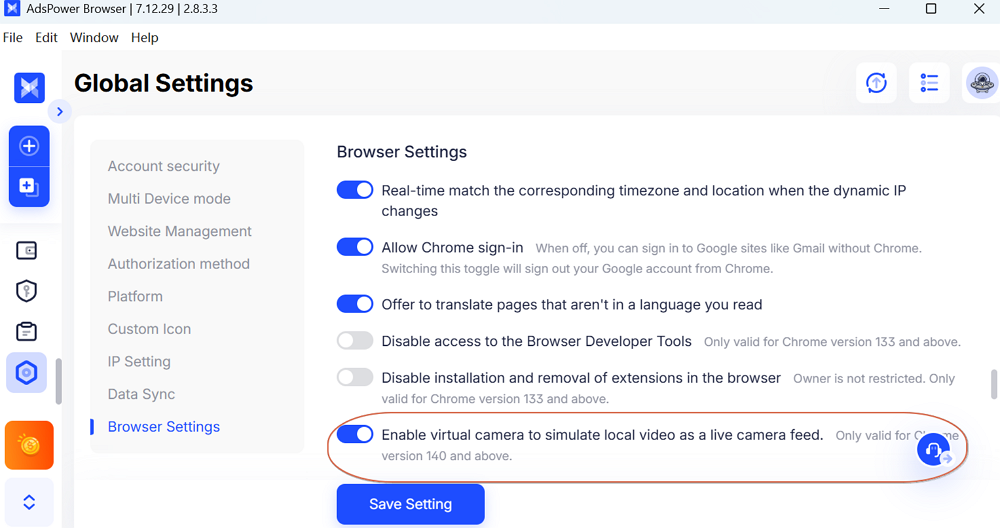
Additionally, what you can also do is reduce how often it gets triggered. Using the same device, avoiding frequent IP changes, and not hammering the resend button all help lower the chances of repeated verification prompts. The less unusual your login behavior looks, the less often the system feels the need to double-check.
