

How to Avoid CAPTCHA in Web Scraping 2026
Take a Quick Look
CAPTCHA blocks often come from weak IPs, repeated fingerprints, or bot-like behavior. To avoid CAPTCHA in web scraping, focus on clean proxies, consistent browser environments, and realistic interaction patterns. Tools like AdsPower help you manage fingerprints and sessions more reliably, which reduces detection and keeps your scraping workflow running longer.
CAPTCHA checks have become stricter, especially for large-scale scraping. What worked a few years ago no longer holds up. Many scrapers now struggle with frequent interruptions, failed requests, or blocked sessions.
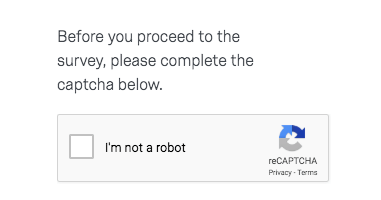
Don't miss those practical ways to avoid CAPTCHA in web scraping. Instead of quick tricks, the focus is on building a setup that stays stable over time.
Why Websites Trigger CAPTCHA for Scrapers
Websites don't randomly show CAPTCHA. It usually appears when something looks off.
Most triggers fall into a few categories:
|
Trigger Type |
What Happens in Practice |
|
IP reputation |
Shared or flagged IPs get challenged quickly |
|
Request behavior |
Too many actions in a short time |
|
Fingerprint reuse |
Multiple sessions look identical |
|
Missing session data |
No cookies or browsing history |
|
Interaction patterns |
No mouse movement or instant clicks |
Platforms like reCAPTCHA rely on a mix of these signals. If several look suspicious at once, a challenge is triggered.
You can check how Google evaluates traffic signals here: https://developers.google.com/recaptcha
How CAPTCHA Detection Works in 2026
To reduce CAPTCHA frequency, it helps to understand what's being measured behind the scenes.
IP and Traffic Evaluation
Every request is tied to an IP address. Websites look at:
-
Whether the IP belongs to a real user or a data center
-
How often it sends requests
-
Whether the location changes too often
A clean residential IP with moderate traffic is far less likely to trigger CAPTCHA.
Browser Fingerprinting
This is where many setups fail. Websites collect details such as:
-
Browser version
-
Operating system
-
Screen size
-
Graphics rendering
-
Installed fonts
If ten sessions share the same fingerprint, they don't look like ten users. They look like one script.
Behavior Analysis
Automation often behaves in predictable ways. For example:
-
Clicking without scrolling
-
Loading pages too quickly
-
Repeating the same timing pattern
These signals are easy to detect when they repeat.
Session Trust and Cookies
Some systems assign trust scores based on session history. For example:
-
Returning users with valid cookies face fewer challenges
-
Fresh sessions get tested more often
Google reCAPTCHA v3 works heavily on this scoring model.
Types of CAPTCHA You'll Encounter
Not all CAPTCHA systems behave the same. There are some different websites that use different protection levels.
|
CAPTCHA Type |
Difficulty |
Notes |
|
Text-based |
Low |
Older systems, easier to solve |
|
Image selection |
Medium |
Common in reCAPTCHA |
|
Checkbox (v2) |
Medium |
Often backed by deeper checks |
|
Invisible (v3) |
High |
Based on behavior scoring |
|
Interactive puzzles |
High |
Sliders, drag actions, etc. |
Knowing the type helps you decide whether to avoid or solve it.
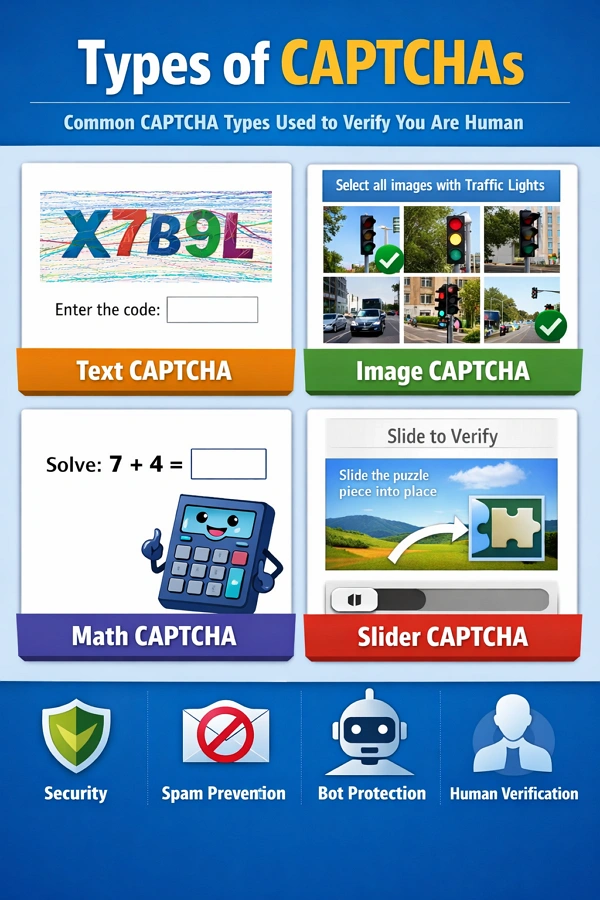
Text-Based CAPTCHA
Distorted letters or numbers. Less common today but still used on smaller sites.
Image Recognition CAPTCHA
Select images with traffic lights, cars, or crosswalks. Widely used in reCAPTCHA.
Checkbox CAPTCHA (reCAPTCHA v2)
Simple "I'm not a robot" checkbox. Often backed by deeper checks.
Invisible CAPTCHA (reCAPTCHA v3)
No visible challenge. Users are scored silently based on behavior.
Interactive CAPTCHA
Includes sliders, puzzles, or drag-and-drop tasks. Common with anti-bot providers like hCaptcha.
Can You Completely Avoid CAPTCHA in Web Scraping?
In short, no.
Even well-configured systems still encounter CAPTCHA occasionally. The goal is to reduce how often it appears and keep sessions usable for longer periods.
A stable setup does three things well:
- Keeps identities consistent
- Avoids suspicious spikes in activity
- Builds session trust over time
Ways to Avoid CAPTCHA in Web Scraping
Avoiding CAPTCHA is not about a single trick. It's about reducing risk signals across your entire setup. The methods below focus on practical changes that make your traffic look more like real users.
1. Build a Consistent Identity (Proxy + Fingerprint + Browser Environment)
This is the foundation of everything.
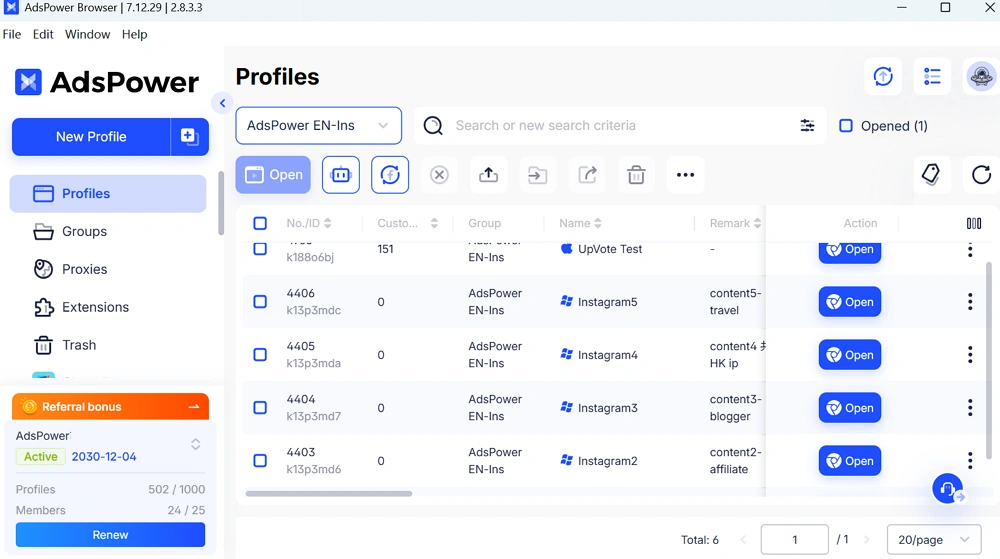
A scraping session should behave like one real user. That means:
- One IP address per session
- One unique browser fingerprint
- One isolated browser profile
If these elements don't match, websites can easily detect inconsistencies.
Using an antidetect browser helps you manage this at scale. Instead of manually adjusting settings, each profile already has a consistent identity.
2. Use High-Quality Residential or Mobile Proxies
Your IP address plays a major role in whether CAPTCHA appears.
Here's a quick comparison of different kinds of proxies:
|
Proxy Type |
CAPTCHA Risk |
Notes |
|
Datacenter |
High |
Fast but often flagged |
|
Low |
Looks like real users |
|
|
Mobile |
Very Low |
Highest trust, higher cost |
Avoid unknown free proxies. They are often reused and already blocked.
3. Rotate IPs Based on Sessions, Not Requests
Random rotation can create unnatural patterns.
A better approach:
-
Keep the same IP during a session
-
Rotate only when starting a new session
-
Match IP location with browser settings
This keeps behavior consistent and reduces suspicion.
4. Maintain Persistent Sessions (Cookies & Storage)
New sessions are treated cautiously.
To build trust over time:
-
Save cookies after each session
-
Reuse them when returning
-
Avoid clearing storage too often
A session with history is less likely to face repeated challenges.
5. Control Request Frequency and Timing
Speed is a common giveaway. Instead of sending rapid requests:
-
Add delays between actions
-
Spread tasks over time
-
Avoid bursts of activity
Think of how a real person browses. The pattern is rarely uniform.
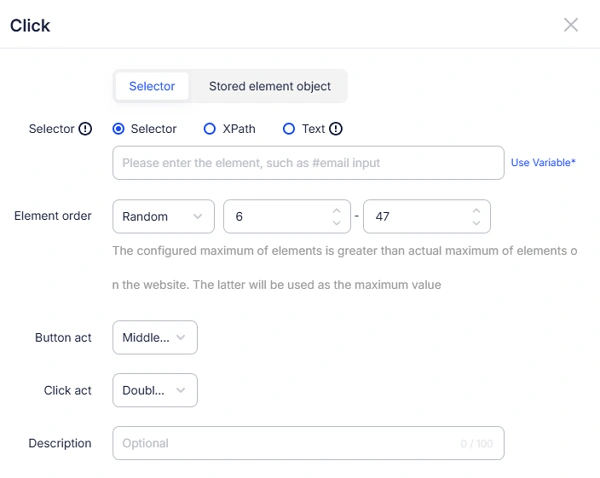
In AdsPower RPA process, you are able to set up the position, order or time of the elements' actions.
6. Simulate Real User Behavior
Behavior matters as much as technical setup. Small adjustments help:
-
Scroll before clicking
-
Move between pages naturally
-
Avoid identical timing patterns
Even basic interaction simulation can reduce detection rates.
7. Avoid Weak Headless Browser Detection
Headless browsers are useful, but easy to spot if unmodified.
If you use them, make sure:
-
Browser features are fully enabled
-
Automation flags are hidden
-
Rendering behavior looks normal
If you rely on headless scraping, use stealth configurations or switch to full browser environments when possible.
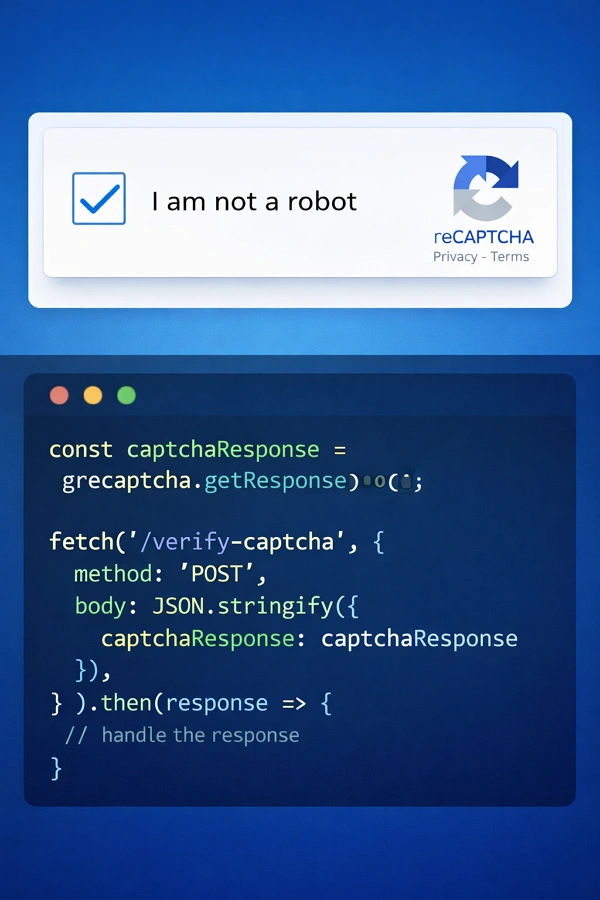
8. Handle CAPTCHA Strategically (Don't Only Avoid It)
Avoidance works most of the time, but not always.
In some cases, solving CAPTCHA is more efficient:
-
Use human-based solving services for accuracy
-
Use AI solvers for speed
-
Combine both for balance
This ensures your workflow doesn't stop when CAPTCHA appears.
9. Avoid Hidden Bot Traps
Many websites include invisible traps designed for bots.
Examples include:
-
Hidden form fields
-
Elements not visible to users
-
JavaScript-based detection checks
To reduce risk:
-
Always render pages fully
-
Interact only with visible elements
-
Validate page structure before actions
10. Align Your Setup with Real User Context
One common mistake is mismatched signals.
For example:
-
US IP with Asian timezone
-
Mobile IP with desktop fingerprint
-
Language settings that don't match location
These inconsistencies raise flags quickly.
Make sure your:
-
IP location
-
Timezone
-
Language
-
Device type
all align naturally.
Quick Recap
A stable scraping setup usually combines:
|
Layer |
What to Focus On |
|
Network |
Clean, trusted IPs |
|
Environment |
Unique fingerprints |
|
Behavior |
Human-like interaction |
|
Session |
Persistent cookies |
When these layers work together, CAPTCHA appears far less often.
How AdsPower Works for Solving CAPTCHA in Web Scraping
When you manage multiple scraping sessions, environment control becomes the main challenge. AdsPower is designed to handle that.
Independent Fingerprints for Each Profile
Each browser profile in AdsPower browser has its own fingerprint.
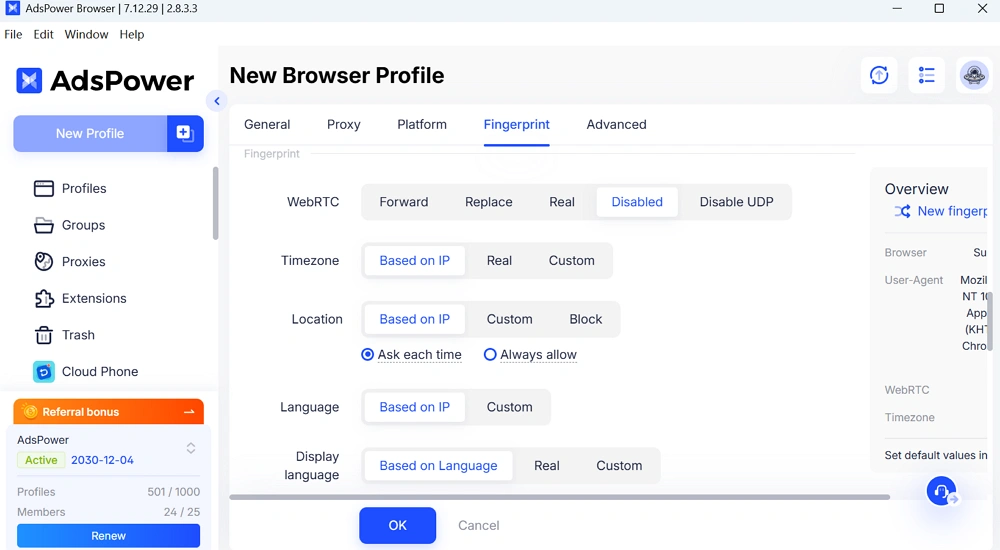
With those settings for your profile, it means:
- Sessions don't overlap
- Accounts stay separated
- Detection risk is reduced
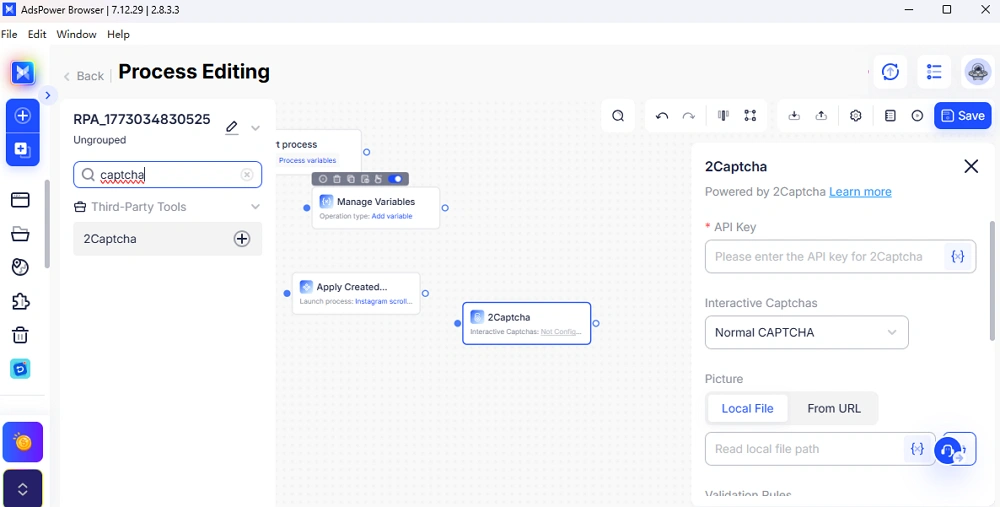
RPA Automation with CAPTCHA Integration
AdsPower includes RPA features that help automate workflows.
You can:
- Run repeated tasks
- Integrate third-party CAPTCHA solvers
- Keep behavior consistent across sessions
Extension Support for CAPTCHA Solvers
AdsPower supports browser extensions directly.
You can install popular CAPTCHA-solving extensions from Google for automation processes.
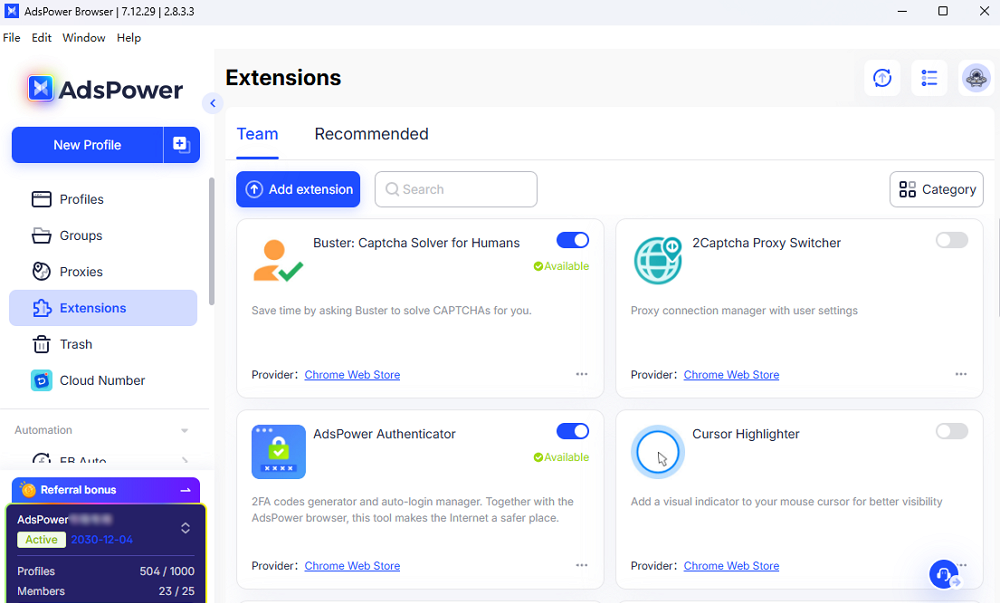
This makes it easier to combine avoidance and solving strategies.
👉 You can explore AdsPower and test how isolated browser profiles improve scraping stability.
FAQs:
What is the best proxy type for avoiding CAPTCHA?
Residential proxies are the most practical choice for most use cases. They offer better trust compared to datacenter IPs. Mobile proxies can perform even better but are more expensive.
Does headless scraping always trigger CAPTCHA?
Not always, but default setups often do.
Headless browsers can expose signals that normal browsers don't. Without proper adjustments, detection happens quickly.
Can AdsPower help reduce CAPTCHA frequency?
Yes. AdsPower improves environmental consistency.
With isolated fingerprints and stable sessions, your requests look more like real users. This reduces how often CAPTCHA appears, especially in multi-account setups.
Final Thoughts
To avoid CAPTCHA in web scraping, focus on consistency rather than shortcuts.
A reliable setup combines:
- Clean IPs
- Unique browser environments
- Realistic interaction patterns
If you manage multiple accounts or run scraping tasks daily, using a controlled browser environment like AdsPower can make your workflow more stable over time.
👉 Sign up for AdsPower to create your first profile and test a safer scraping setup.

People Also Read
- Best Private Search Engines in 2026: 5 Secure Alternatives to Google

Best Private Search Engines in 2026: 5 Secure Alternatives to Google
Looking for a more private way to search? Explore the 5 best private search engines in 2026 and see how DuckDuckGo, Brave Search, Startpage, and more
- Temp Gmail: How to Create a Temporary Gmail Account in 2026
Temp Gmail: How to Create a Temporary Gmail Account in 2026
Learn how to create a temp Gmail account, compare Gmail aliases and separate accounts, and manage multiple accounts with AdsPower.
- Understanding Persistent Browser Profiles for AI Agents: Why Do They Matter?
Understanding Persistent Browser Profiles for AI Agents: Why Do They Matter?
Learn why persistent browser profiles matter for AI agents, helping maintain sessions, browser consistency, account isolation, and reliable automation
- Kickass Torrents Alternatives: Movies, TV, Games & Safe Access (2026)
Kickass Torrents Alternatives: Movies, TV, Games & Safe Access (2026)
Kickass Torrents is no longer what it once was, but there are still alternatives for finding movies, TV shows, music, books, games, and software. This
- AdsPower Proxy: Buy and Configure Proxies in One Place

AdsPower Proxy: Buy and Configure Proxies in One Place
Buy an AdsPower proxy while creating a profile, configure it automatically, or continue using your preferred third-party proxy provider.
