

Is GoLogin the right antidetect browser in 2026? Explore its strengths, weaknesses, and how it compares to AdsPower.
🎉 Special Deal: Get extra 10% OFF your first AdsPower monthly plan with code: go10
Not long ago, we discussed the differences between antidetect browsers and regular browsers, which sparked a lot of interest among readers. With so many fingerprint browsers on the market, a new question arises: Which antidetect browser should you choose?
To help make that decision easier, we're kicking off a new review series where we'll explore popular antidetect browsers one by one and stack them up against AdsPower. Let's kick things off with a deep dive into our first featured product in this series: GoLogin.
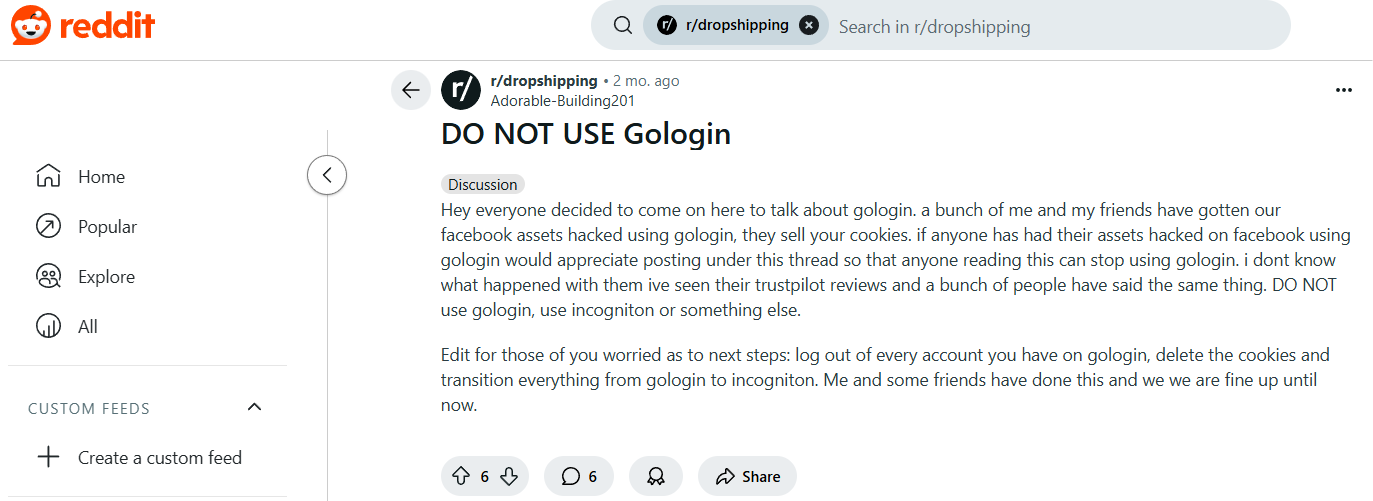
While some users, like those on Reddit, have raised concerns about GoLogin, we’re here to take a closer look at its features. In this GoLogin review, we'll examine what it gets right, where it falls short, and how it compares to AdsPower.

1. Platform Compatibility & Ease of Use
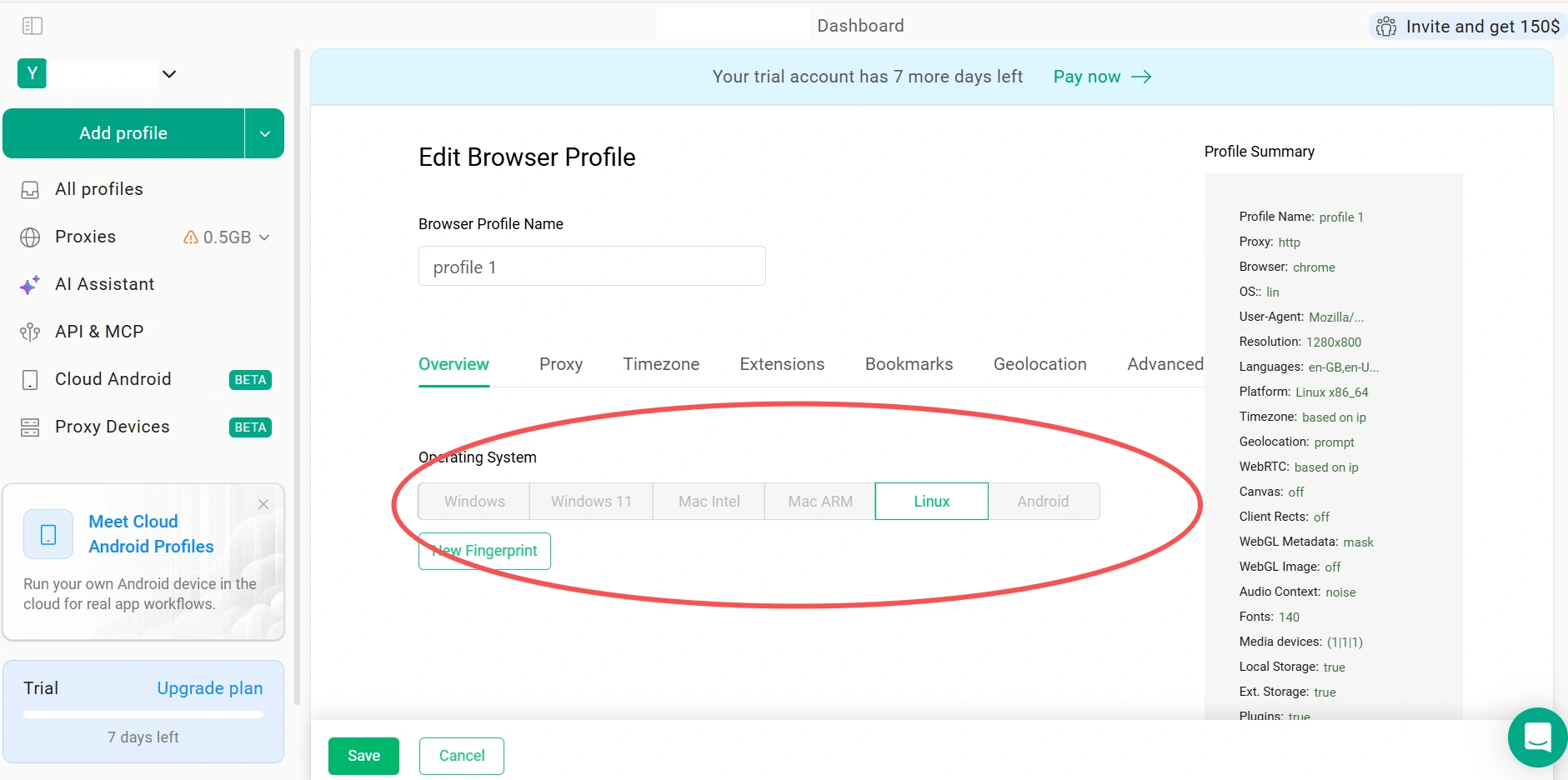
As part of this GoLogin review, we found that it supports Windows, macOS, and Linux, with additional Android support through its mobile app and cloud-based browser options. This wide compatibility makes it accessible for users across a range of operating systems and devices. It also gives users several ways to access and manage browser profiles across desktop and mobile environments. However, GoLogin does not currently offer native iOS support.
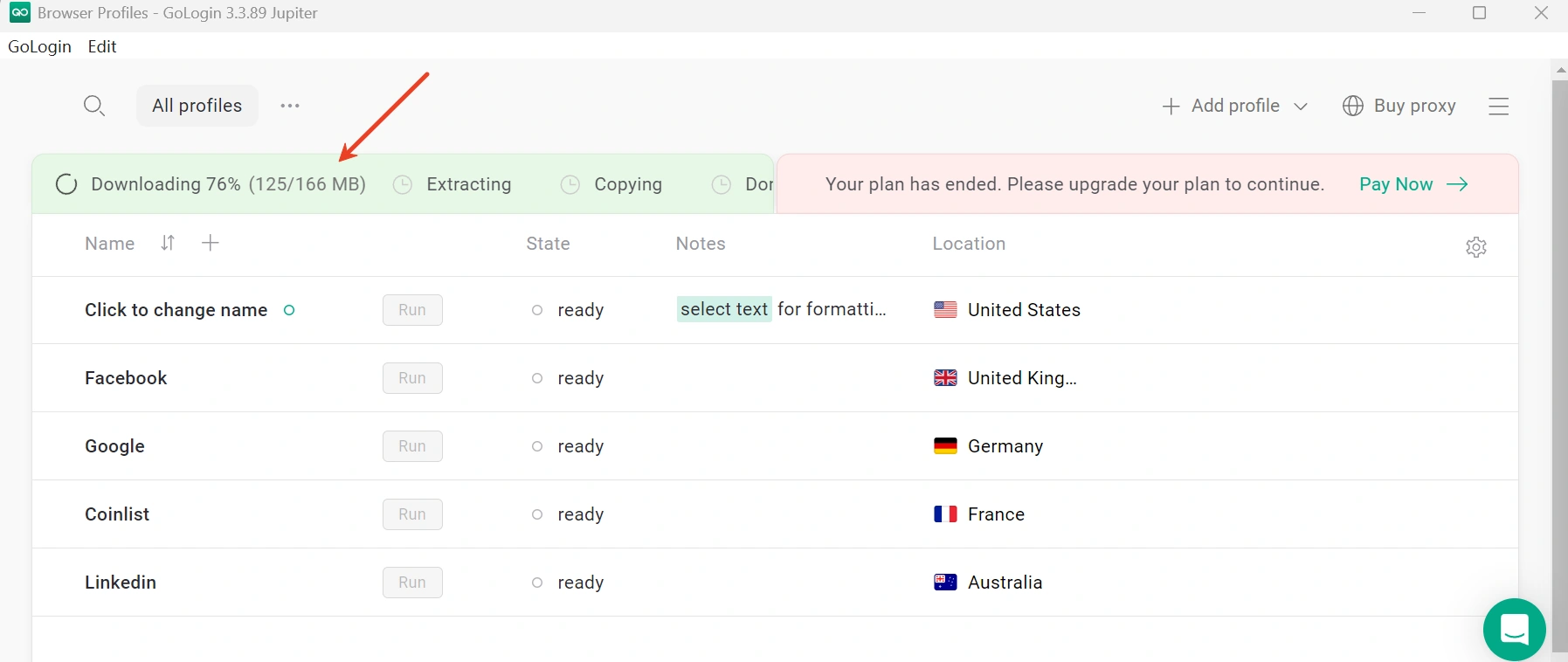
In addition, the user experience isn't always smooth. During testing, downloading the desktop client took an unusually long time—after 5 minutes, only 76% had downloaded. For users who need to quickly deploy accounts and start working, that kind of lag can be frustrating.
Moreover, resource consumption seems to be a recurring issue. On Trustpilot, one user noted:
"The reason I gave it 3 stars is because of resource consumption. This slows down device performance especially when you open 50+ tabs."
2. Pricing and Free Plan Limitations
In this GoLogin review, we found that new users can try GoLogin with a 7-day free trial for a limited time, giving them an opportunity to explore the platform before committing to a paid plan. After the trial ends, paid plans start at $4.50/month with annual billing for 10 browser profiles.
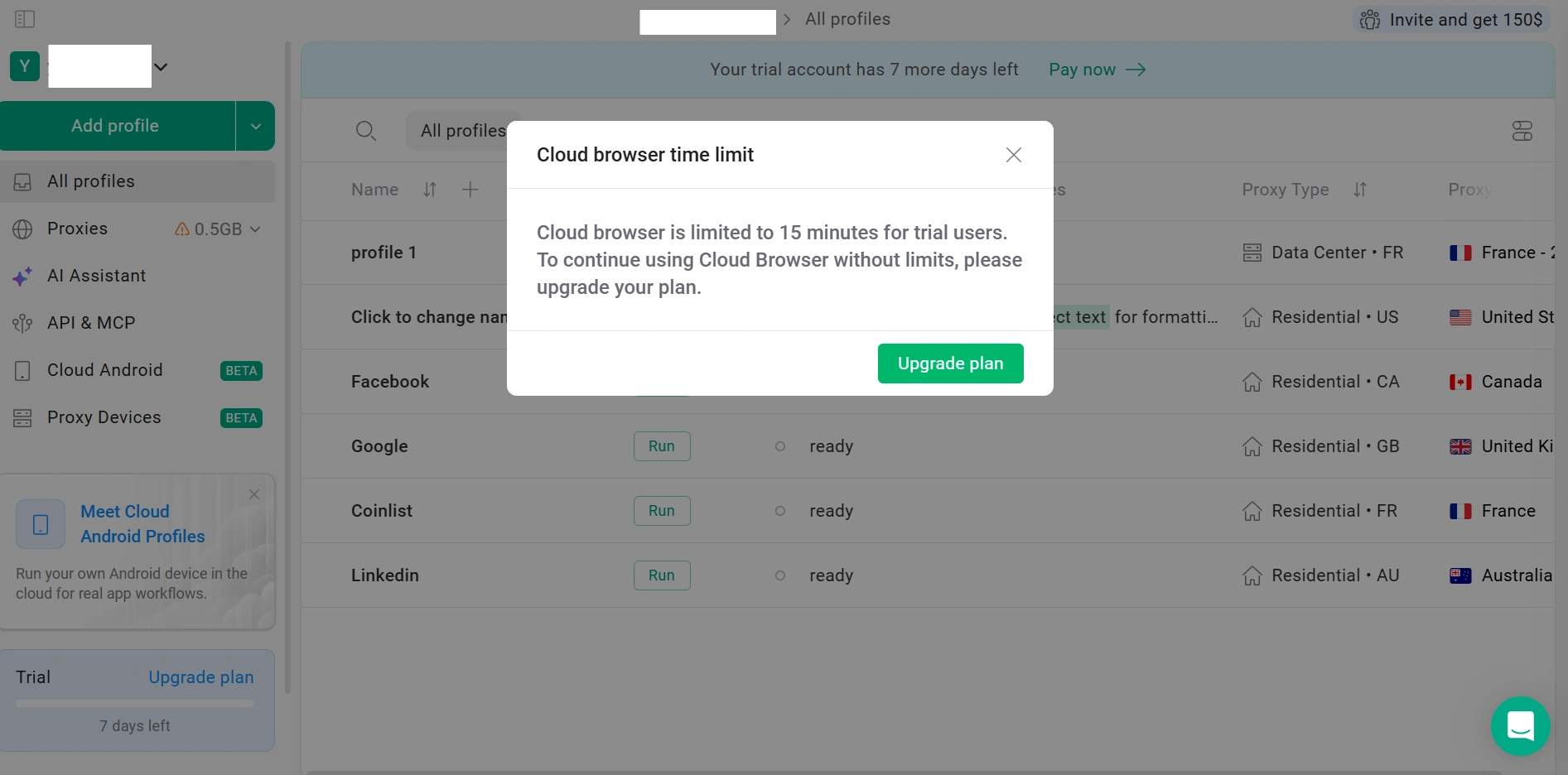
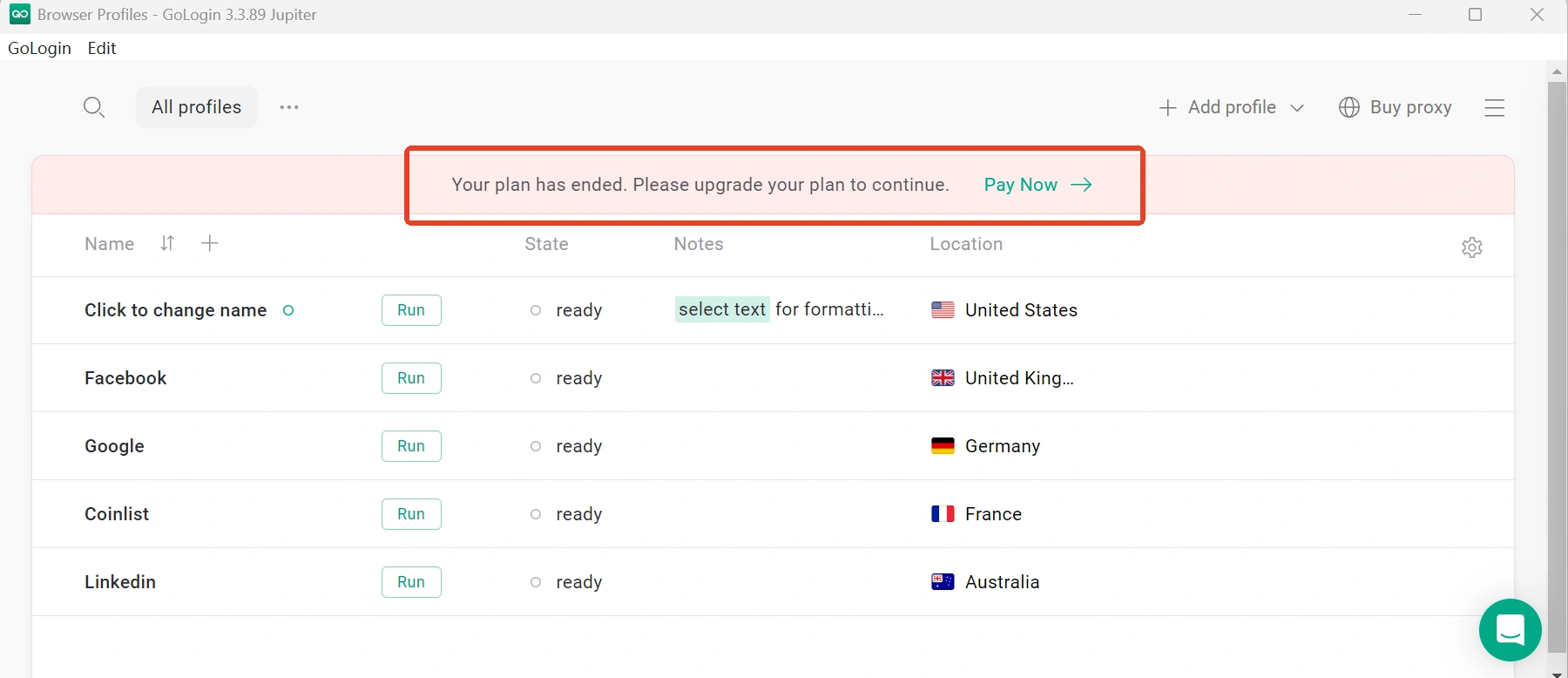
The trial period is generally sufficient for evaluating the platform's core features. However, unlike some competitors, GoLogin does not offer a permanent free plan for ongoing use. Users who want to continue managing browser profiles after the trial will need to upgrade to a paid plan.
GoLogin's pricing is relatively accessible at the entry level, but the total cost can increase as profile requirements grow. This is worth considering for freelancers, small teams, or users who expect to manage a larger number of browser profiles over time.
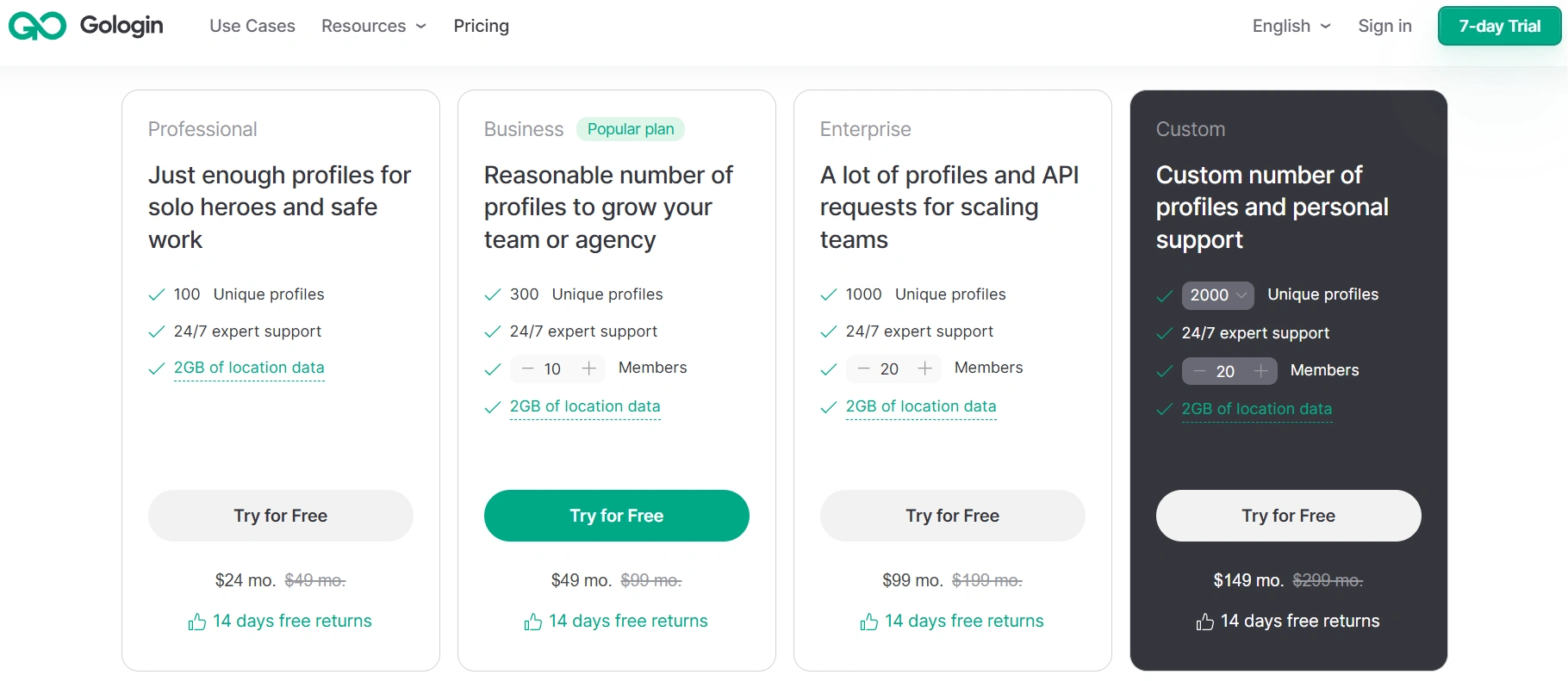
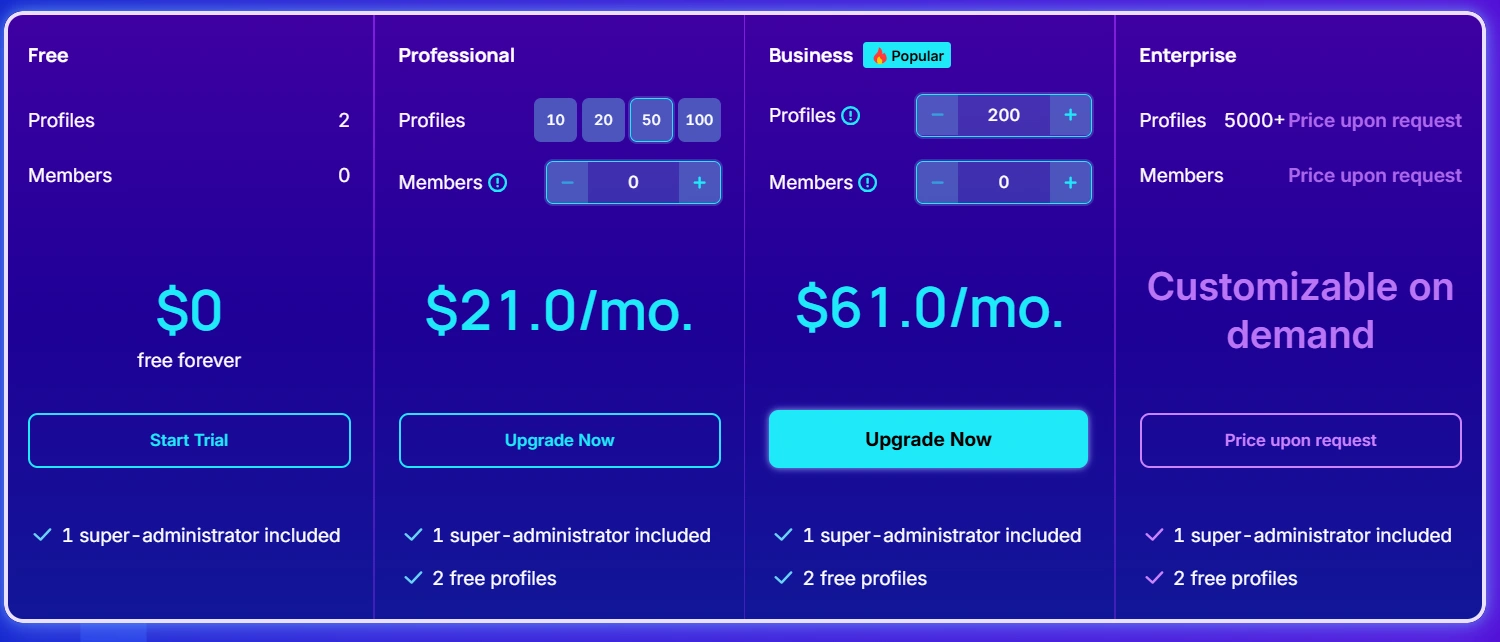
By comparison, AdsPower offers a more flexible pricing structure as your profile requirements grow. Its paid plans start at $9/month for 10 browser profiles, while the 50-profile plan costs $21/month. GoLogin starts at $9/month for 10 profiles, but the price increases to $49/month for 50 profiles.
AdsPower also offers a permanent free plan with 2 browser profiles, allowing users to test the platform without a time limit. For users managing more profiles, the difference becomes more noticeable as the number of profiles increases.
3. Streaming Support
Another aspect we tested in our GoLogin review is streaming support. GoLogin's media playback support is limited. During initial use, the browser prompts users to install additional components, without which video playback is limited or unavailable. Even after setup, popular streaming services like Netflix and Spotify remain inaccessible—a drawback that's actually quite common among most antidetect browsers.
So, does that mean streaming is simply off the table when using an antidetect browser? Fortunately, no.
AdsPower has recently enhanced its media compatibility, allowing users to enjoy smooth access to platforms like Netflix, Spotify, and Disney+ right out of the box. There's no need for extra configurations or plugin installations—just launch and stream. This makes AdsPower particularly valuable for marketers, content testers, and researchers who require seamless access to platforms like Netflix, Spotify, and Disney+ across multiple browser profiles.
4. Automation Capabilities
Automation is a major focus in this GoLogin review. GoLogin offers API access that allows users to automate certain workflows through custom code and third-party integration. According to their documentation, users can "connect to the API and integrate GoLogin with other programs…using self-written bots." However, this approach assumes a degree of technical expertise, as the platform doesn't provide a visual interface for users who aren't comfortable with coding.
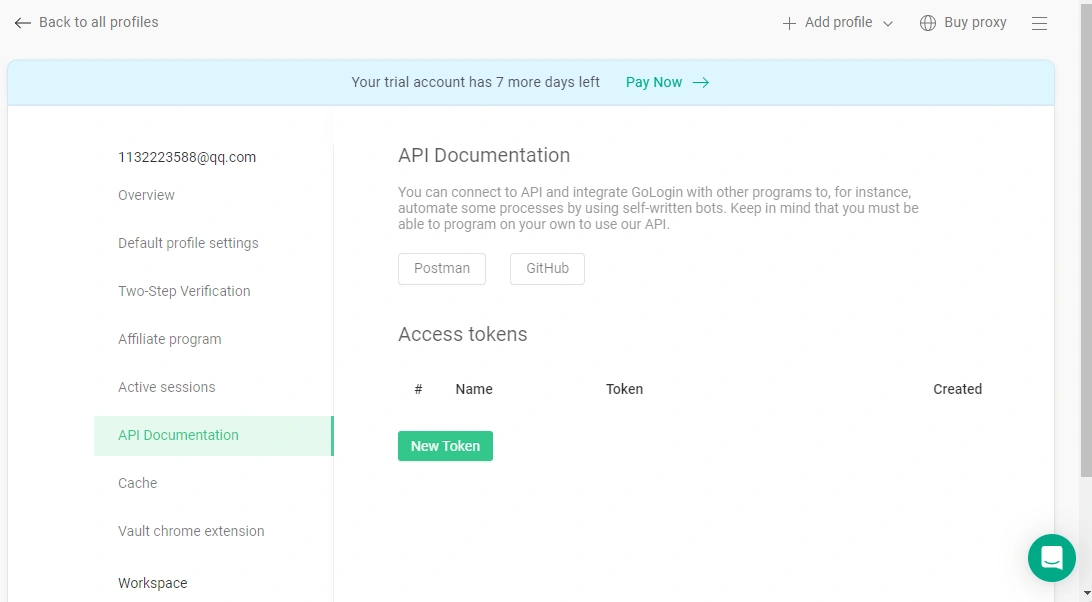
In fact, this lack of user-friendly automation support has been a point of frustration for some.
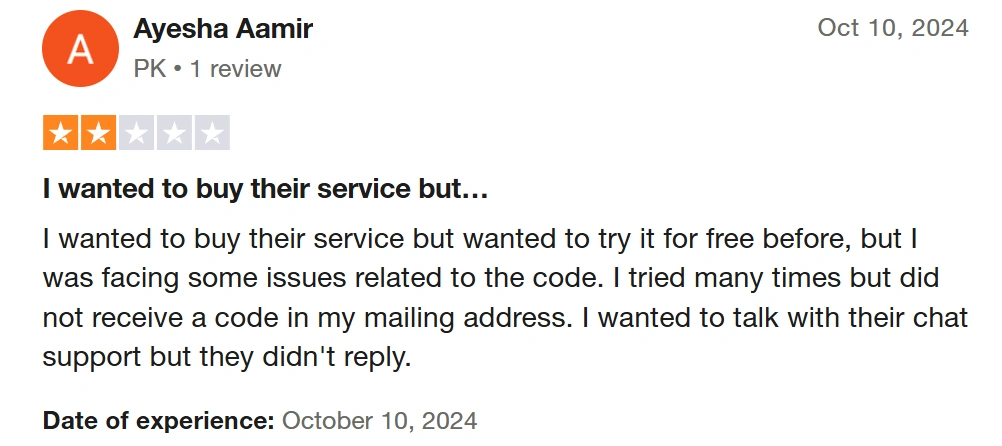
One user on Trustpilot shared their experience.
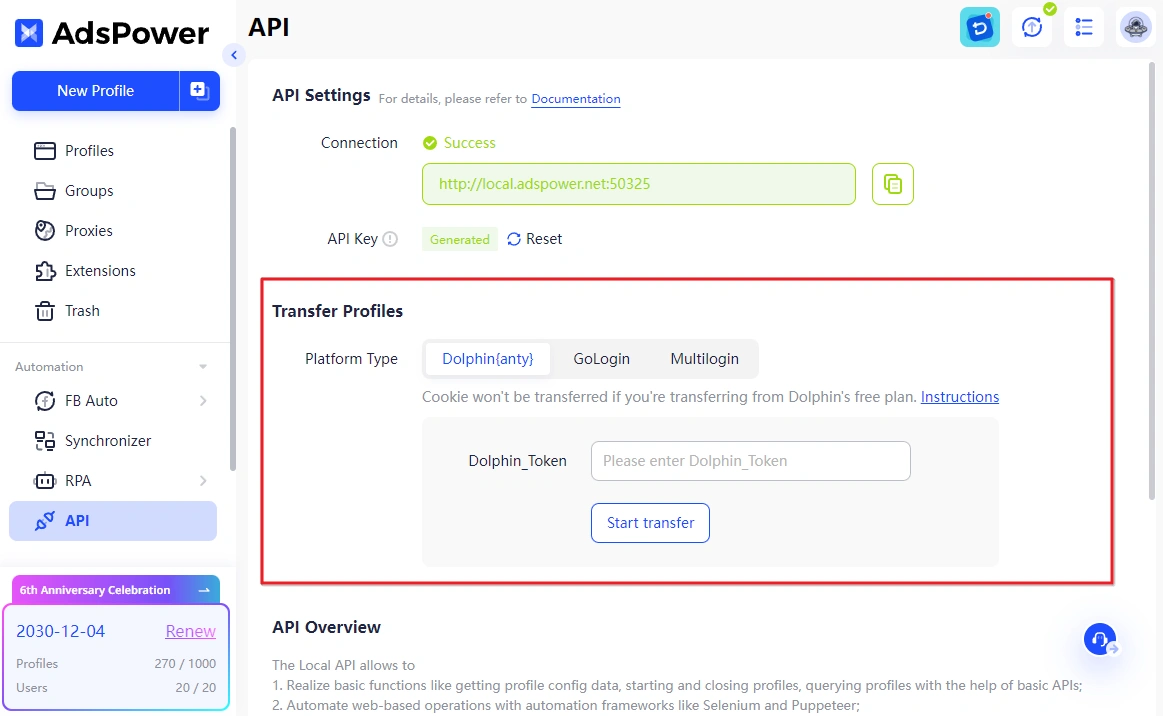
In contrast, AdsPower takes a more accessible and versatile approach to automation. It also supports direct profile transfers from Dolphin{anty}, GoLogin, and Multilogin, allowing users to migrate their existing setups effortlessly in just a few clicks—no need to rebuild environments from scratch.
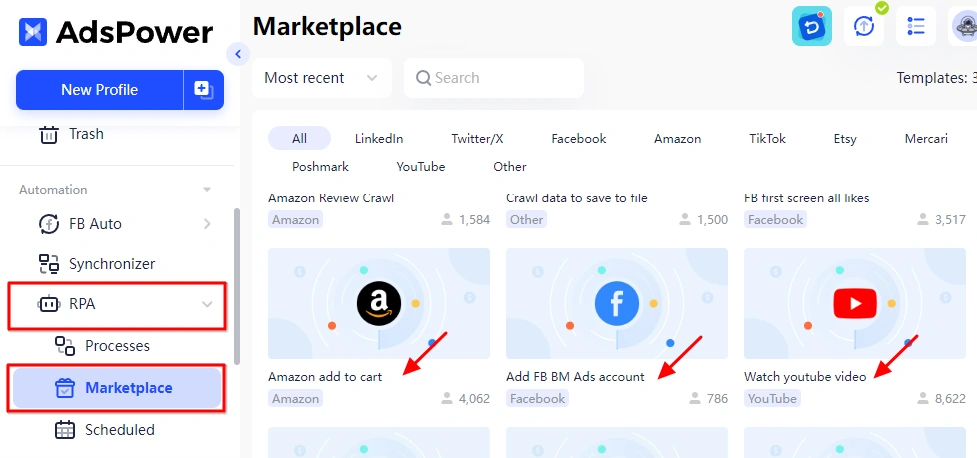
For users looking to simplify browser workflows even further, AdsPower also includes a built-in, free RPA tool, which lets you record and replay actions like logins, form submissions, and navigation steps—all without writing any code.
On top of that, the AdsPower's Multi-Window Synchronizer feature allows for real-time window synchronization across multiple browser profiles, making coordinated testing and bulk operations easier than ever.
5. Bulk Operations
GoLogin supports basic bulk operations like profile creation and sharing, which is essential for account managers.
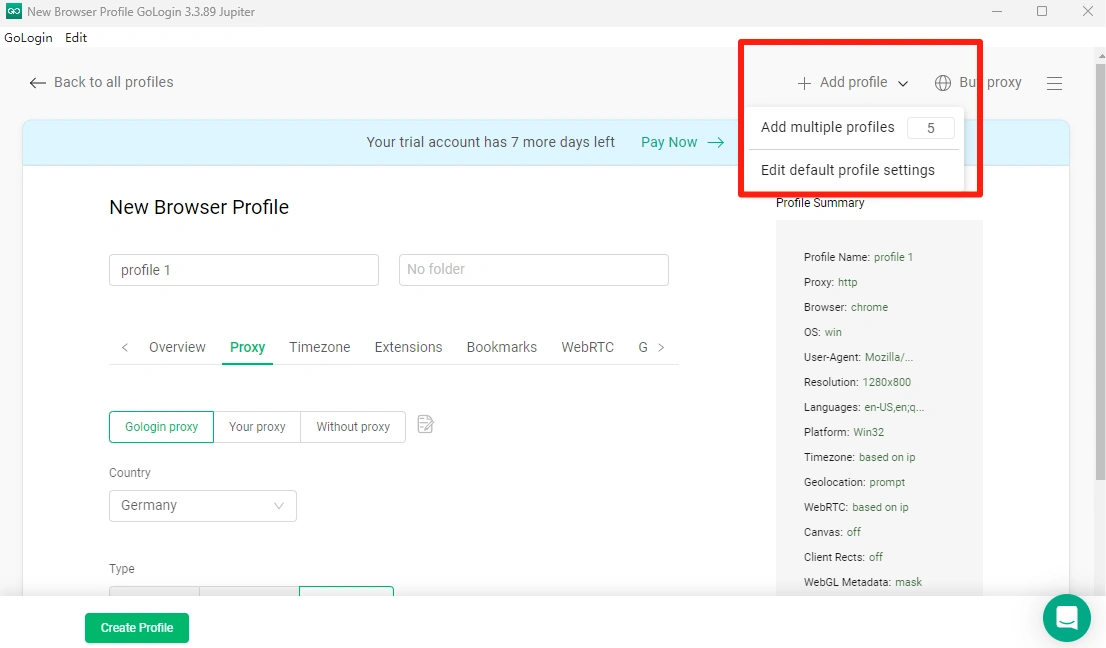
AdsPower, too, covers these core features—but takes bulk operations a step further. Recent updates have introduced advanced options like batch proxy updates and random proxy assignment, offering greater flexibility and control when managing large volumes of profiles.
6. Proxy Configuration and Flexibility
GoLogin provides its own in-house proxy service and actively encourages users to purchase it. This simplifies setup for new users.
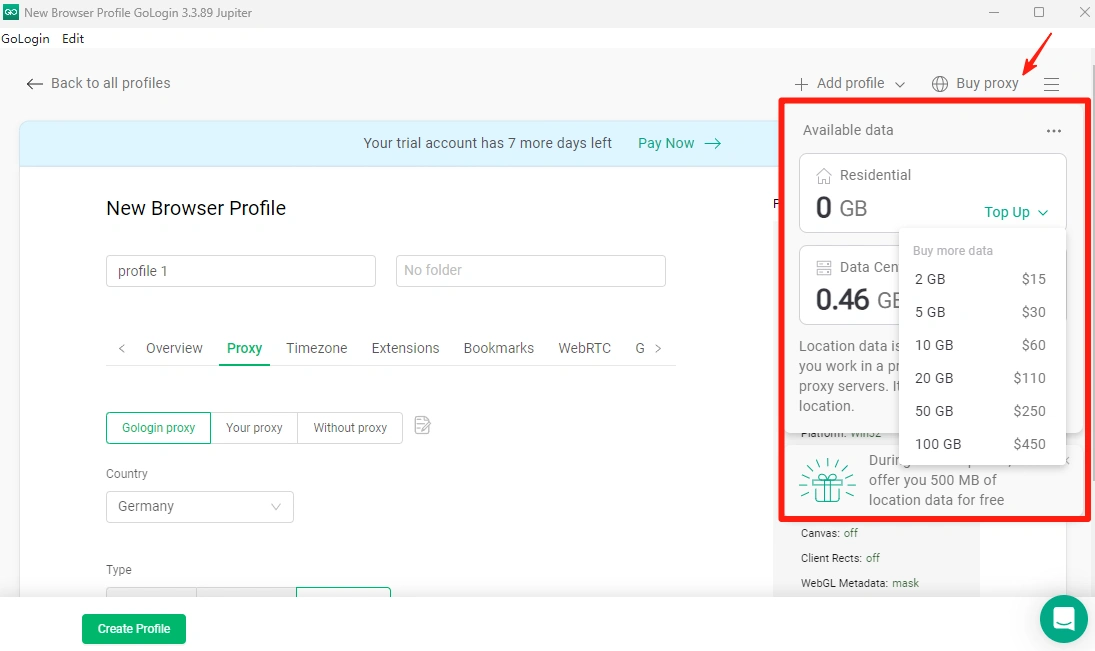
On the other hand, some platforms choose not to bundle proxy services. AdsPower, for example, supports third-party proxy integration, giving users the freedom to select providers that best suit their speed, location, or anonymity needs.
7. Team Collaboration Features
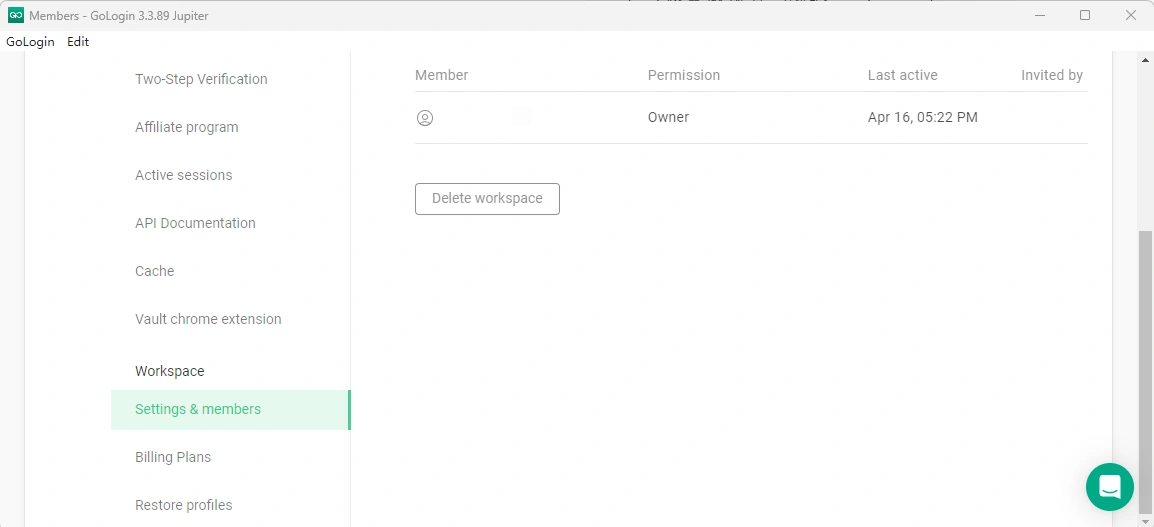
Both GoLogin and AdsPower offer cloud synchronization for team browser data, allowing seamless collaboration. However, AdsPower takes it a step further with additional features like account password protection, action logs, and flexible permission management. These tools enhance security, accountability, and control, making it easier for teams to work together while safeguarding sensitive information and tracking actions within the platform.
Final Thoughts: Is GoLogin Worth It?
GoLogin certainly brings a number of solid features to the table. Its cross-platform compatibility, API integration, and cloud launch options make it a competitive player in the anti-detect browser space. However, several usability concerns—such as slow download speeds, limited streaming support, and a steep learning curve for automation—may pose challenges for users seeking smoother, more intuitive workflows.
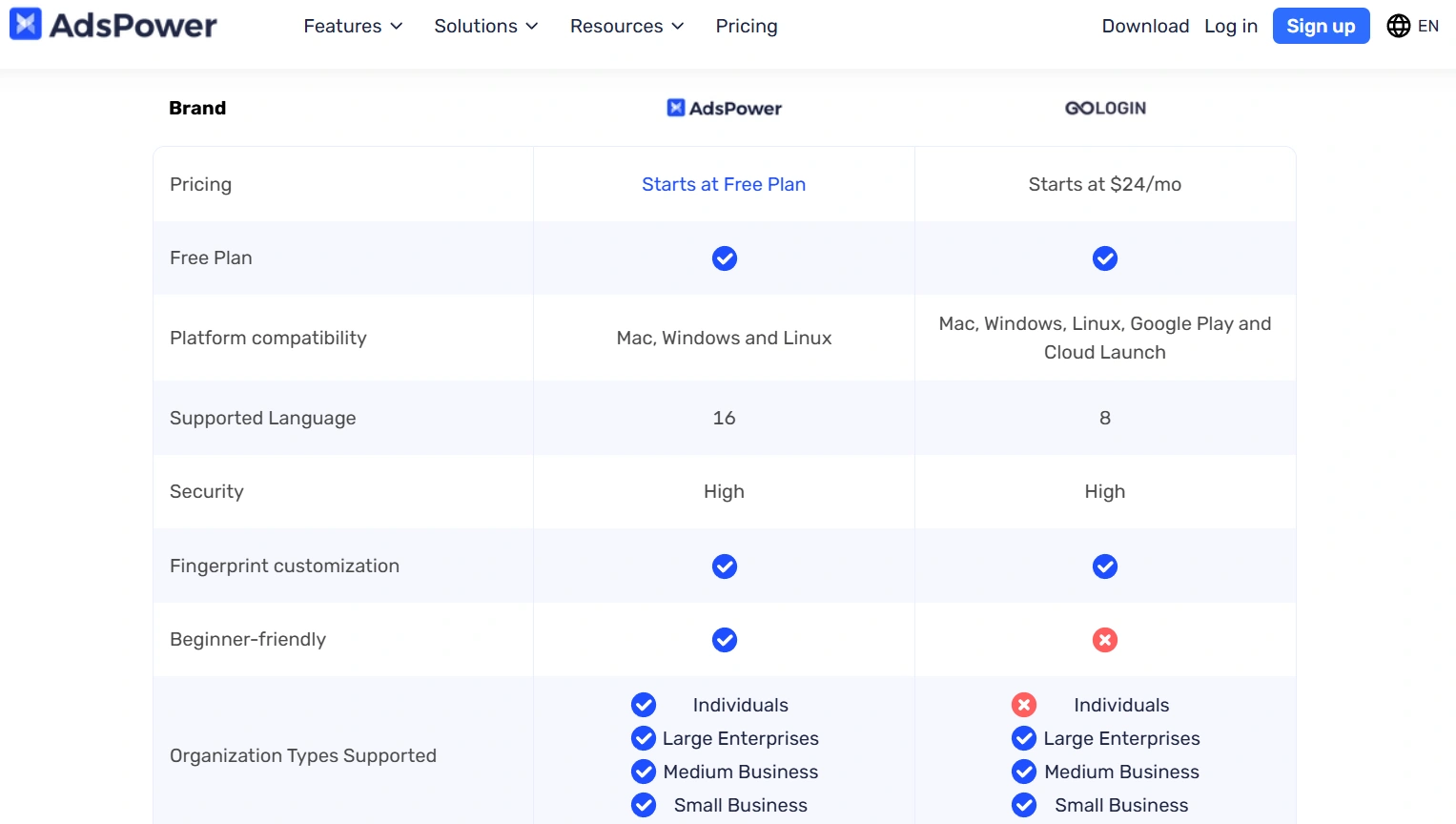
Ultimately, the best choice depends on your specific needs. If you're exploring alternatives to GoLogin, we recommend checking out our comparison of GoLogin alternatives. If you're looking for a more flexible, user-friendly experience with robust features, AdsPower’s unlimited free plan is a great place to start. Give it a try and see the difference for yourself.
