

Find the best free antidetect browser to manage multiple accounts safely. Learn how AdsPower's features provide superior security and efficiency. Start your free AdsPower trial today!
🔥 Limited-Time Offer! Save extra 10% off on your first monthly plan with code: Anitdetect10
In 2026, what is the best free anti-detect browser?
Although most anti-detect browsers have to be paid for, free plans are still available from some providers with sufficient functions for the management of multiple accounts and testing browser fingerprints.
We have analyzed and compared the best free anti-detect browsers of 2026 so you can make an informed decision between AdsPower, GoLogin, Incogniton, Dolphin Anty etc. This guide contains their main characteristics, limitations of free plan usage, support for proxy, and pricing overview.
How We Evaluated These Free Anti Detect Browsers
Not all free anti detect browsers offer the same level of privacy, stability, or usability. Some provide genuinely useful free plans, while others limit key features behind paid subscriptions.
To make this comparison as practical as possible, we evaluated each browser based on the factors that matter most for multi-account management.
Fingerprint Quality & Account Protection
A good anti detect browser should create realistic browser fingerprints and help reduce the risk of account association. We ran every browser through an independent checker—BrowserScan gives you a clearer picture of whether the fingerprint actually holds up.
Free Plan Value
Many browsers advertise a free plan, but the actual limitations can vary significantly. We compared the number of free profiles, feature restrictions, and whether the free version is practical for real-world use.
Proxy Support
Proxies play an important role in multi-account management. We evaluated how easy it is to configure proxies, what protocols are supported, and whether each browser works smoothly with different proxy providers.
Automation & Team Features
For users managing accounts at scale, automation and collaboration tools can save a significant amount of time. We reviewed features such as no-code Robotic Process Automation (RPA) recorder, API access, synchronization, and team management capabilities where available.
Ease of Use
A browser should be easy to set up and operate, especially for beginners. We considered the user interface, learning curve, profile management experience, and overall workflow efficiency.
After-Sales Service and Product Updates
Even a free tool is only as good as the support behind it. A dedicated customer support team and a history of consistent product updates are signs of a trustworthy provider. Online tracking technologies are always evolving, so your browser needs regular updates to stay ahead.
The Best Free Antidetect Browsers 2026
With a clear understanding of what to look for, let's explore the top free antidetect browsers for 2026. Each has its own strengths and weaknesses, making it suitable for different types of users. For a detailed antidetect browser comparison, see Best Antidetect Browsers in 2026: Evaluated & Rated.
1. AdsPower
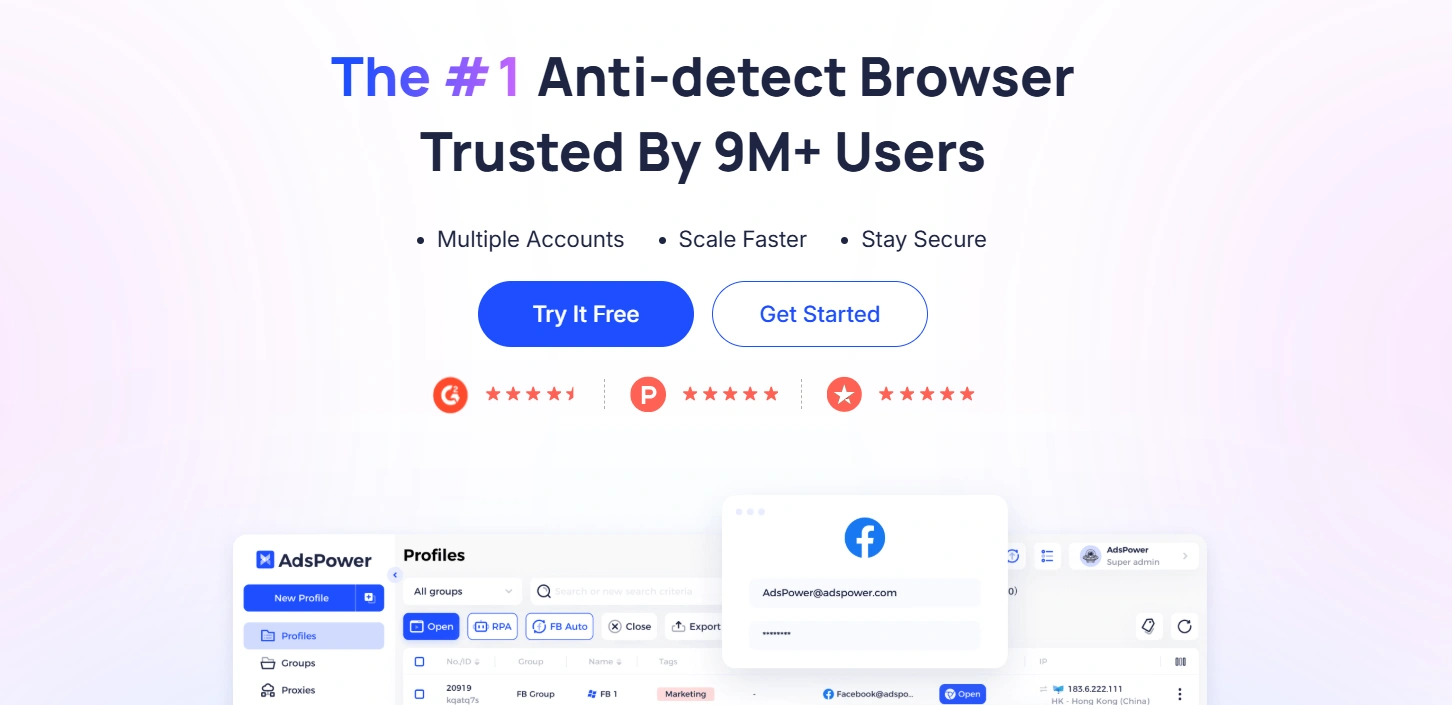
With no time limit for the 2 free browser profiles, AdsPower is one of the best anti-detect browsers in 2026 and a useful option if you are contemplating multi-account management with little initial investment. With an emphasis on security, ease of use, and data protection, it is trusted by over 9 million users worldwide.
Its main philosophy is not only sheltering browser fingerprints but also helping users to scale and manage multiple accounts more effectively.
It transforms from a strong weapon to an comprehensive ecosystem for building online business that gets adopted in countless use-cases like e-commerce, digital marketing, MMO (Make Money Online), etc.
Free users can access:
- Chrome and Firefox stealth browsers
- Custom browser fingerprints
- Fingerprints for Windows, macOS, Android and iOS
- Proxy configuration per profile
- Encrypted profile storage
- Synchronizer for multi-account workflows
- RPA automation tools
- Local API (120 requests/minute)
Pros
- Diverse Browsers & OS Choices: AdsPower supports emulation across most platforms, including Windows, Mac, iOS, and Android. And it's free to choose using Chrome or Firefox.
- Multiple Accounts Management: Its multi-account management capability has been widely recognized by many users. Due to the dynamic fingerprint alteration, it has a strong anti-association capability and a low risk of account suspension.
- Powerful Automation: The free plan can use the no-code RPA recorder. It automates repetitive tasks across hundreds of profiles and saves significant time.
- Professional-Grade Platform: AdsPower offers a highly stable, secure, and user-friendly platform for professional and personal use.
- Reliable Support: It provides excellent customer support and consistent updates.
Cons
- Limited Free Plan: The free plan is limited to two browser profiles. But these profiles are forever. You can contact customer service to receive an additional 7-day free trial of the Professional version.
Fingerprint Quality (Tested)
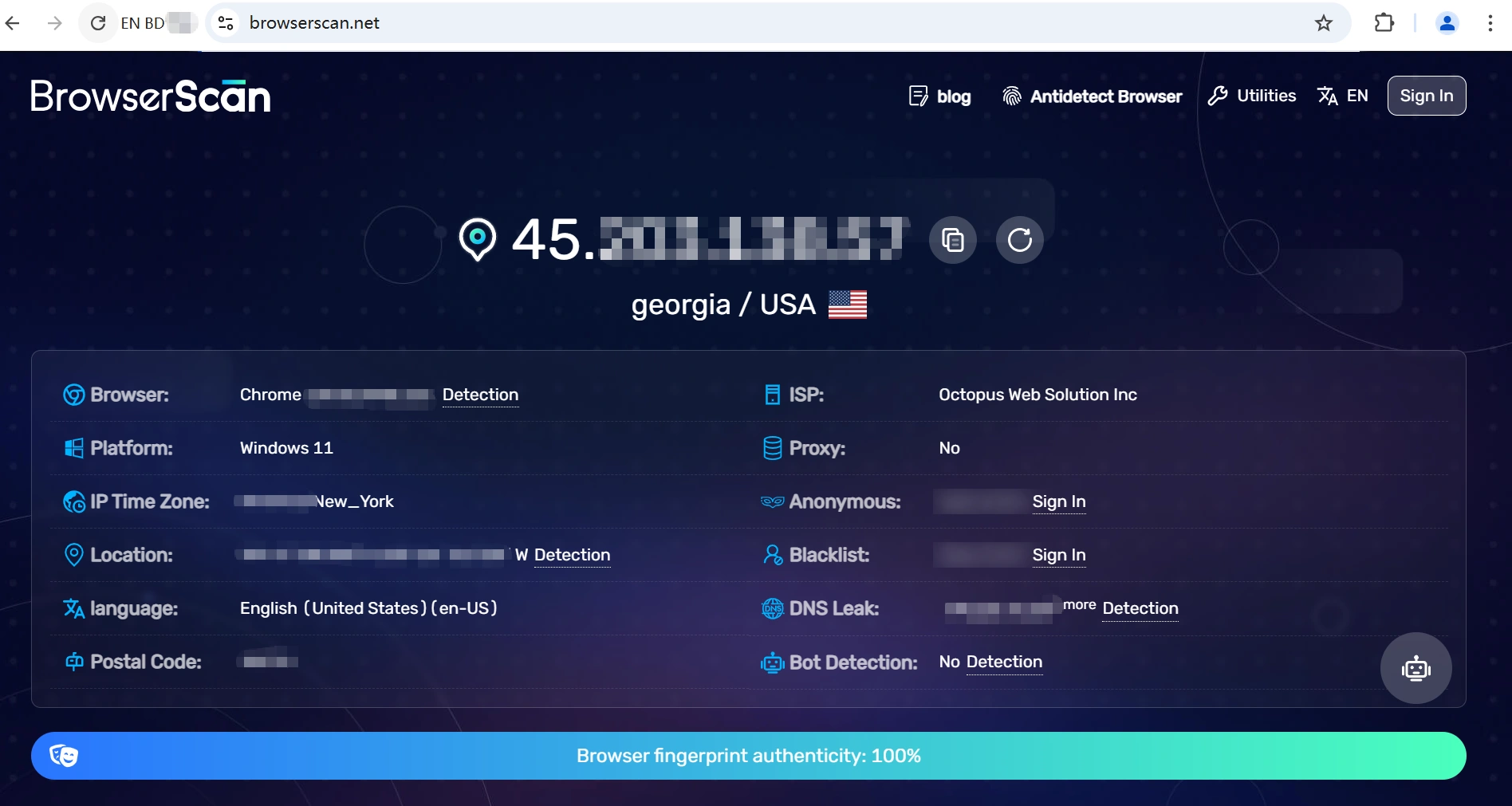
AdsPower achieved a 100% browser fingerprint authenticity score in the BrowserScan check.
User Experience
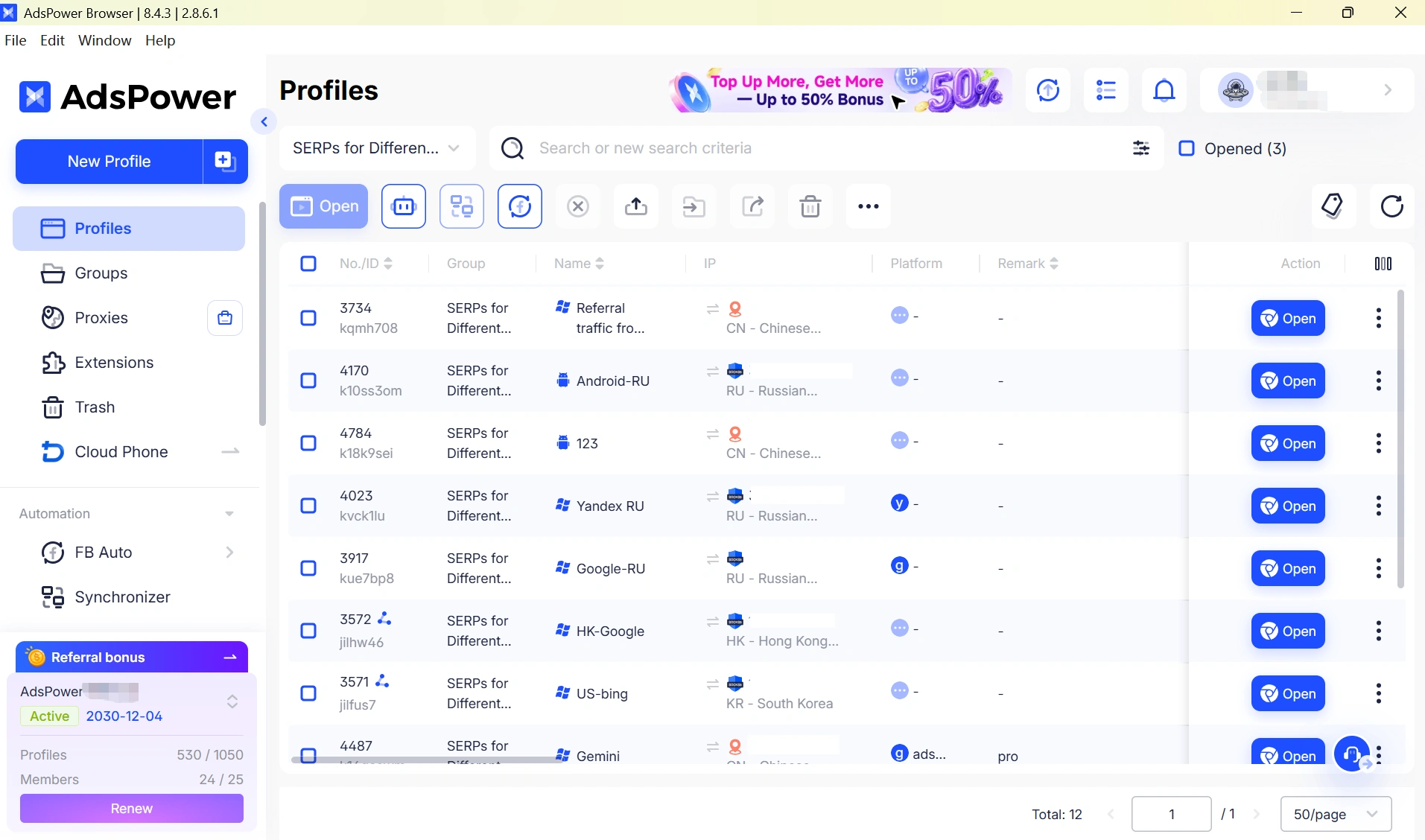
G2 reviews say that AdsPower is best known for its robust multi-account management features, providing solutions where different accounts can be managed securely and efficiently via isolated browser profiles. Other common advantages cited by users are its intuitive yet simple-to-navigate interface and valuable browser fingerprinting capabilities, often mentioned as a key strategy to streamline daily workflows. A few users speak of the learning curve they experienced when discovering advanced features and automation tools.
2. FlashID
FlashID is a multi-platform anti-detect solution designed for social media marketers and multi-account operators. It is worth considering when your workflow requires both web and mobile coverage on the same account—such as TikTok operations, multi-store e-commerce with mobile checkouts, or crypto platforms with mobile KYC/2FA. Unlike traditional browser-based tools, it extends beyond the desktop by offering both a web browser environment and Android cloud phone management. The free plan comes with 2 profiles.
Pros
- Dual-Platform Coverage: One of the few solutions combining a full antidetect browser with a native Android cloud phone, covering both desktop and mobile workflows within a single platform.
- Real ARM Mobile Hardware: Leverages genuine ARM hardware in the cloud rather than software emulators, delivering mobile fingerprints that closely replicate real devices—with full Google Play and Play Integrity support.
- Built-in Automation: Supports RPA, Puppeteer, and Selenium out of the box, enabling teams to automate repetitive workflows without relying on third-party tools.
Cons
- Newer Player in the Market: As a relatively new product still in active development, FlashID may lack the long-term stability and battle-tested reliability of more established antidetect browsers like AdsPower or Multilogin.
Fingerprint Quality Tested
FlashID achieved a 90% browser fingerprint authenticity score in BrowserScan tests.
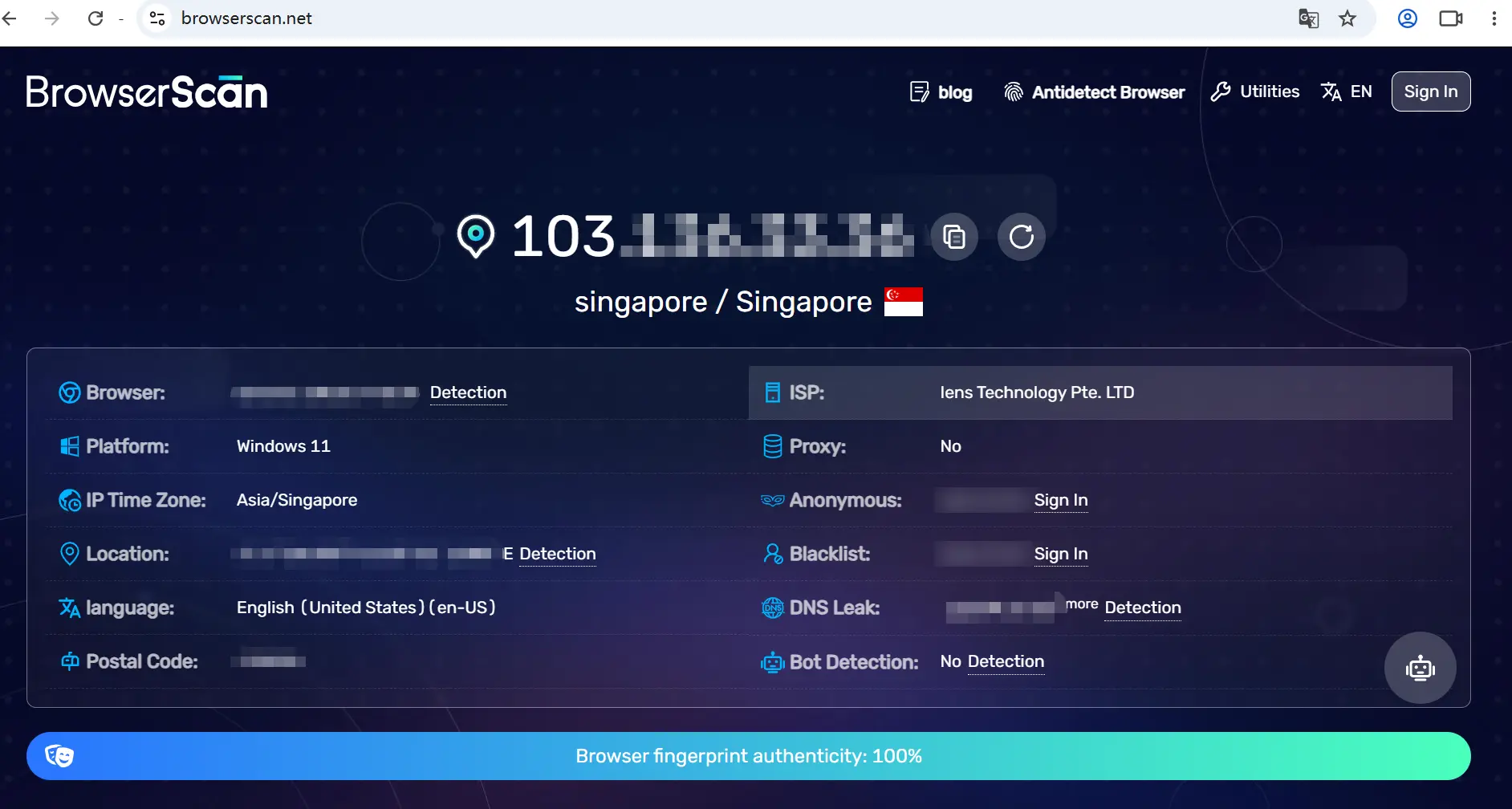
User Experience
FlashID handles both browser and cloud phone workflows within a single platform, offering fast profile launches along with built-in support for RPA, Puppeteer, and Selenium. However, as highlighted in the PROXIES.SX review, FlashID is still relatively new to the market and has a smaller user base and shorter operating history than more established solutions such as Multilogin and AdsPower.
3. Incogniton
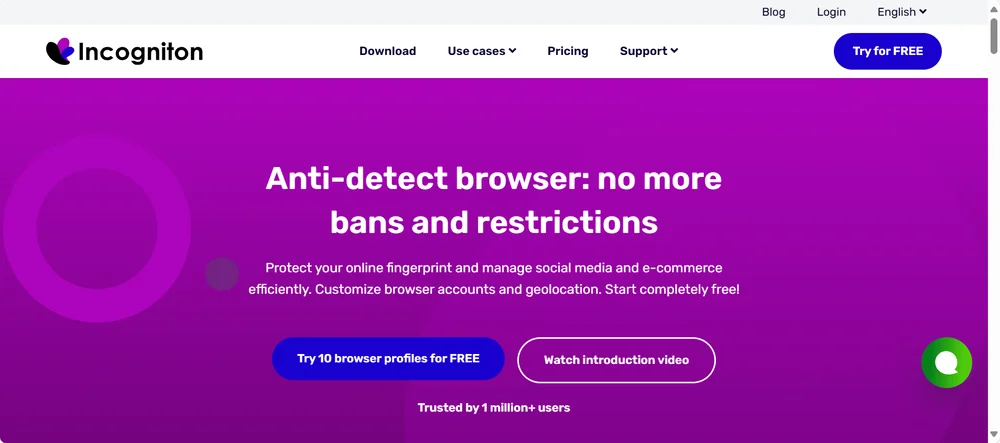
Incogniton is a decent choice for beginners or individuals with very light usage needs. It also offers a free plan with 10 browser profiles for 2 months, which makes it attractive for short-term testing or initial exploration.
Pros
- Generous Free Tier: Provides a generous free plan with up to 10 browser profiles (only for first two months) for manual use.
- Beginner Friendly: Features a simple, easy-to-understand interface for beginners.
Cons
- Basic Security: Lacks the advanced fingerprinting technology required for high-stakes business tasks.
- Limited Free Features: Only paid plans have advanced automation or global proxies.
Fingerprint Quality Tested
Incogniton achieved a 90% browser fingerprint authenticity score in BrowserScan tests.
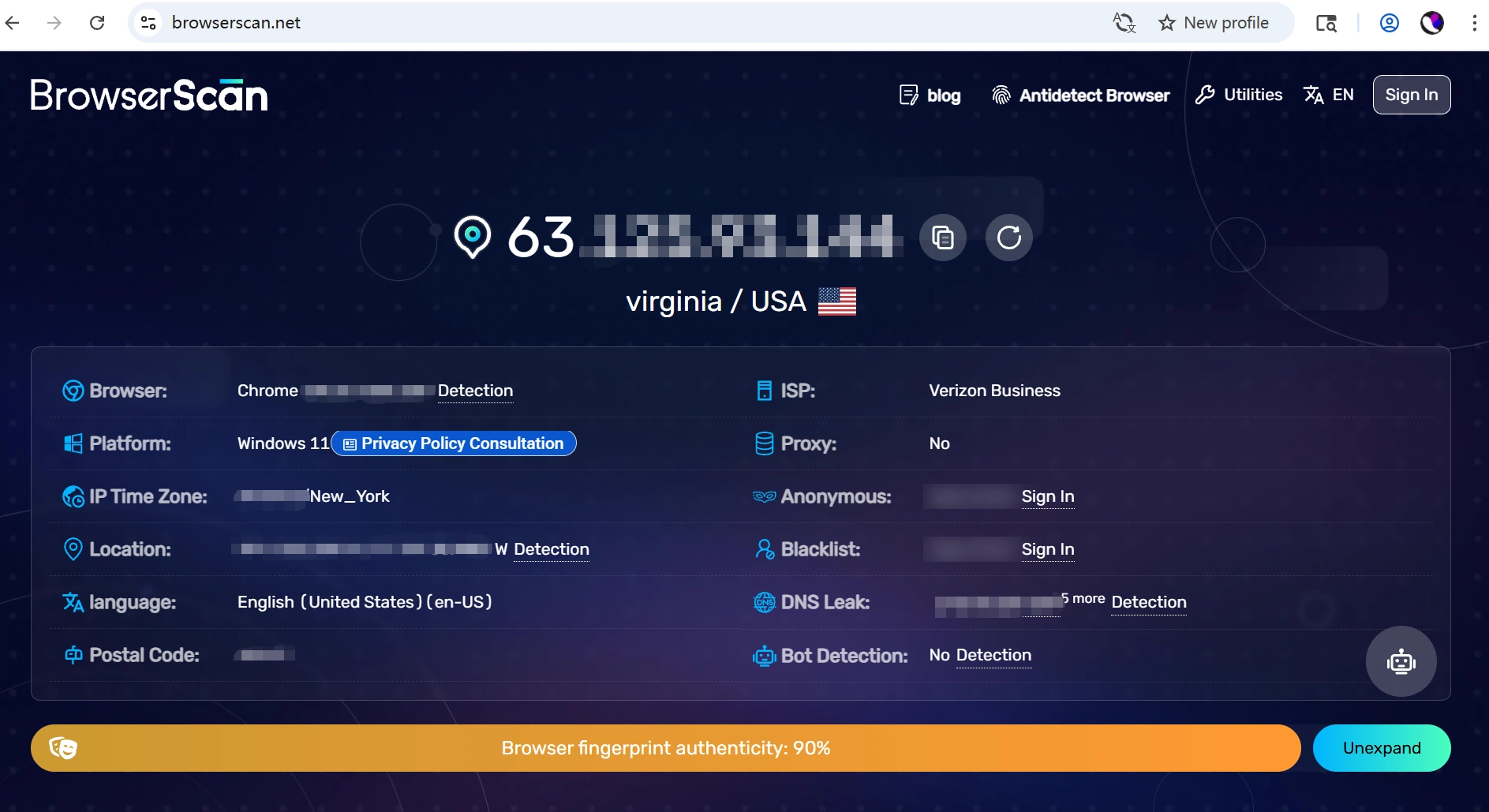
User Experience
As mentioned in this review of Incogniton by Multilogin, the browser is often considered less modern, not as user-friendly, and overall cumbersome due to setting up proxies manually whenever you want a new proxy logic, along with limited organization tools and constant prompts.
4. GoLogin
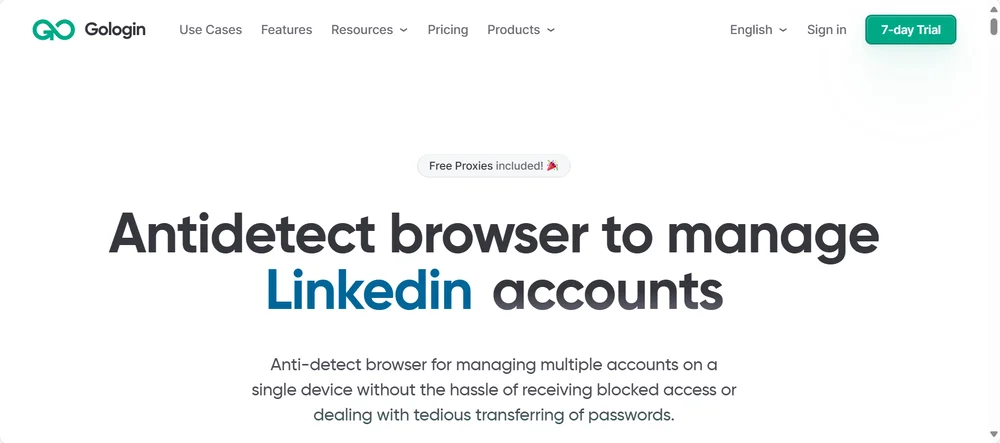
GoLogin is a versatile and user-friendly antidetect browser that offers 3 free browser profiles, making it accessible for users who want to start managing multiple accounts with minimal setup. It is well-regarded for its stable "Orbita" browser and provides effective fingerprint protection for a variety of use cases. For more information, you can check GoLogin Review 2026.
Pros
- Includes Free Proxies: The free plan uniquely includes a small number of free proxies, which can be helpful for new users.
- Mobile Accessibility: Offers an Android application for managing accounts on the go.
Cons
- Few Free Profiles: The free plan is very limited, with only three browser profiles.
- Lacks Professional Tools: Lacks the sophisticated automation and workflow management tools.
Fingerprint Quality Tested
GoLogin achieved a 100% browser fingerprint authenticity score in BrowserScan tests.
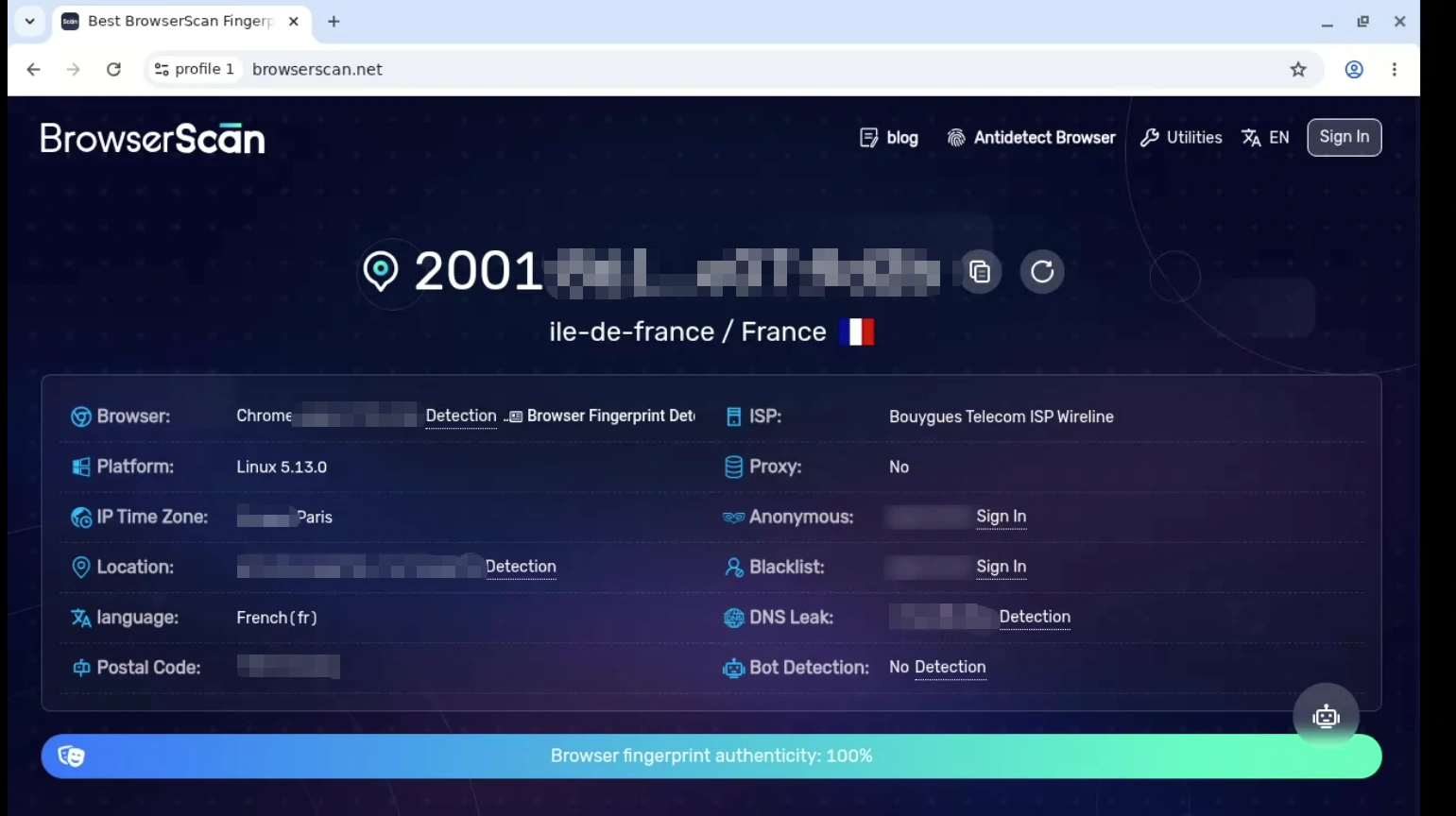
User Experience
According to G2 user reviews, GoLogin is widely praised for its flexibility, ease of use, and intuitive interface, which help users manage multiple accounts more efficiently. Users also highlight its stable performance and reliable proxy connections, making multi-account workflows smoother and more consistent. However, some users report performance slowdowns when handling many profiles, along with limitations in UI clarity, customization options, and team collaboration features.
5. MoreLogin
MoreLogin is another option that provides a free plan, with a notable emphasis on team features. It can solve the common challenges faced by agencies, marketing teams, and business partners. It offers 2 free forever antidetect browser profiles, plus 100 minutes of Cloud Phone usage time.
Pros
- Team-Focused Free Plan: The free plan allows for two team members, making it an option for small partnerships.
- Basic Functionality: Provides the basic features needed to manage a couple of online accounts.
Cons
- Unproven Reputation: As a newer tool, it has not yet built a strong reputation for long-term reliability and security.
- Complex Interface: The user interface is not so intuitive and is more complex for beginners to navigate effectively.
Fingerprint Quality Tested
MoreLogin achieved a 100% browser fingerprint authenticity score in BrowserScan tests.
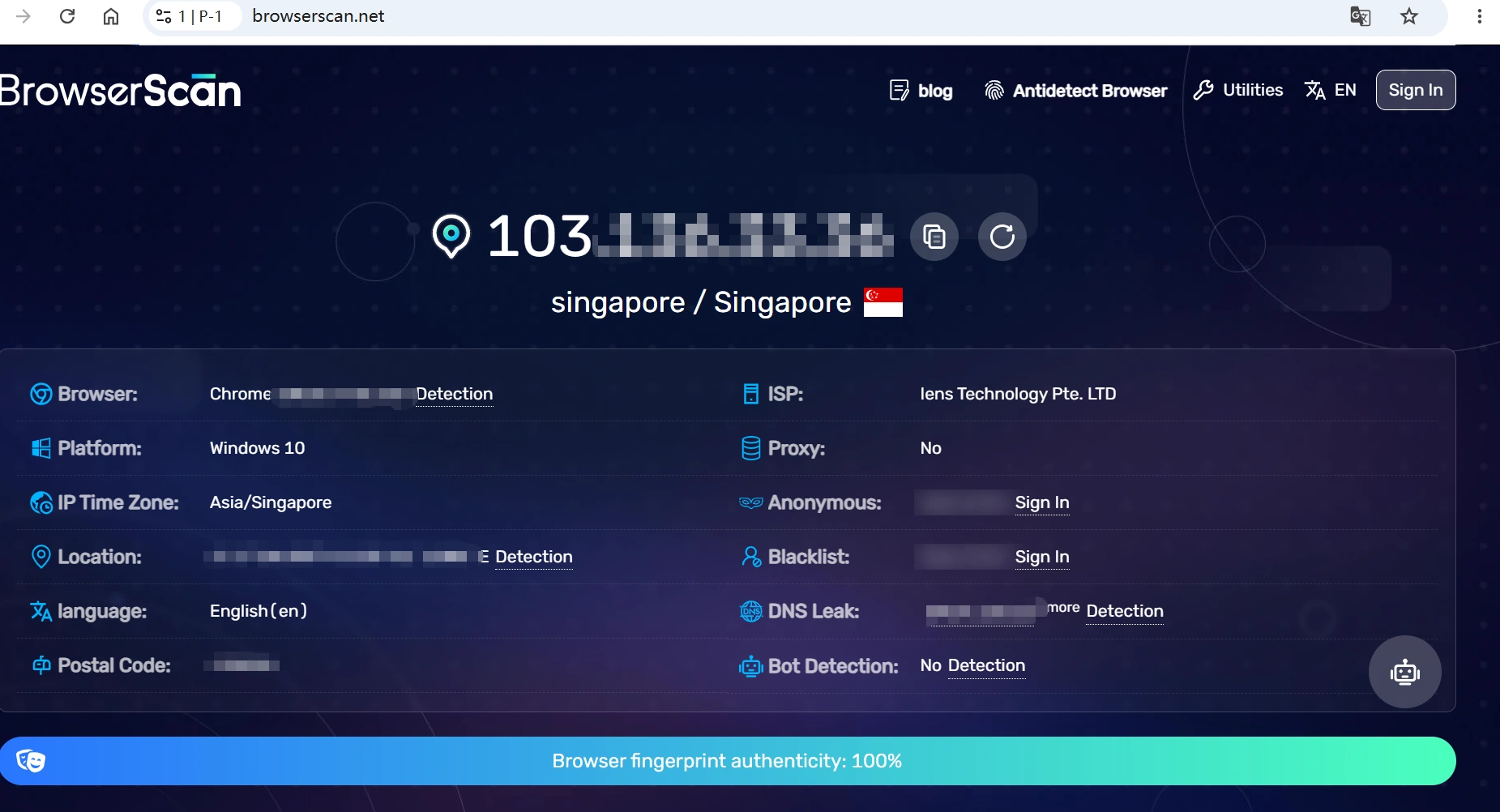
User Experience
According to G2 reviews, MoreLogin is praised for its easy setup, strong customer support, and reliable multi-account management with solid anti-detection capabilities.
However, some users mention a learning curve due to its extensive configuration options, which may require time to fully understand.
6. Dolphin {Anty}
Dolphin {Anty} is well known in the affiliate marketing community and offers 5 free browser profiles, making it accessible for users who want to start managing multiple accounts. Its automation features can tailor to social media platforms.
Pros
- Good Free Offering: Offers a free plan with 5 browser profiles, which is appealing for individual marketers.
- Niche Automation: Includes built-in automation features specifically designed for social media platforms.
Cons
- Reliability Issues: Has a reputation for being unstable and unreliable, with user reports of crashes and data security concerns.
- Limited Versatility: Its niche focus makes it less versatile for other use cases.
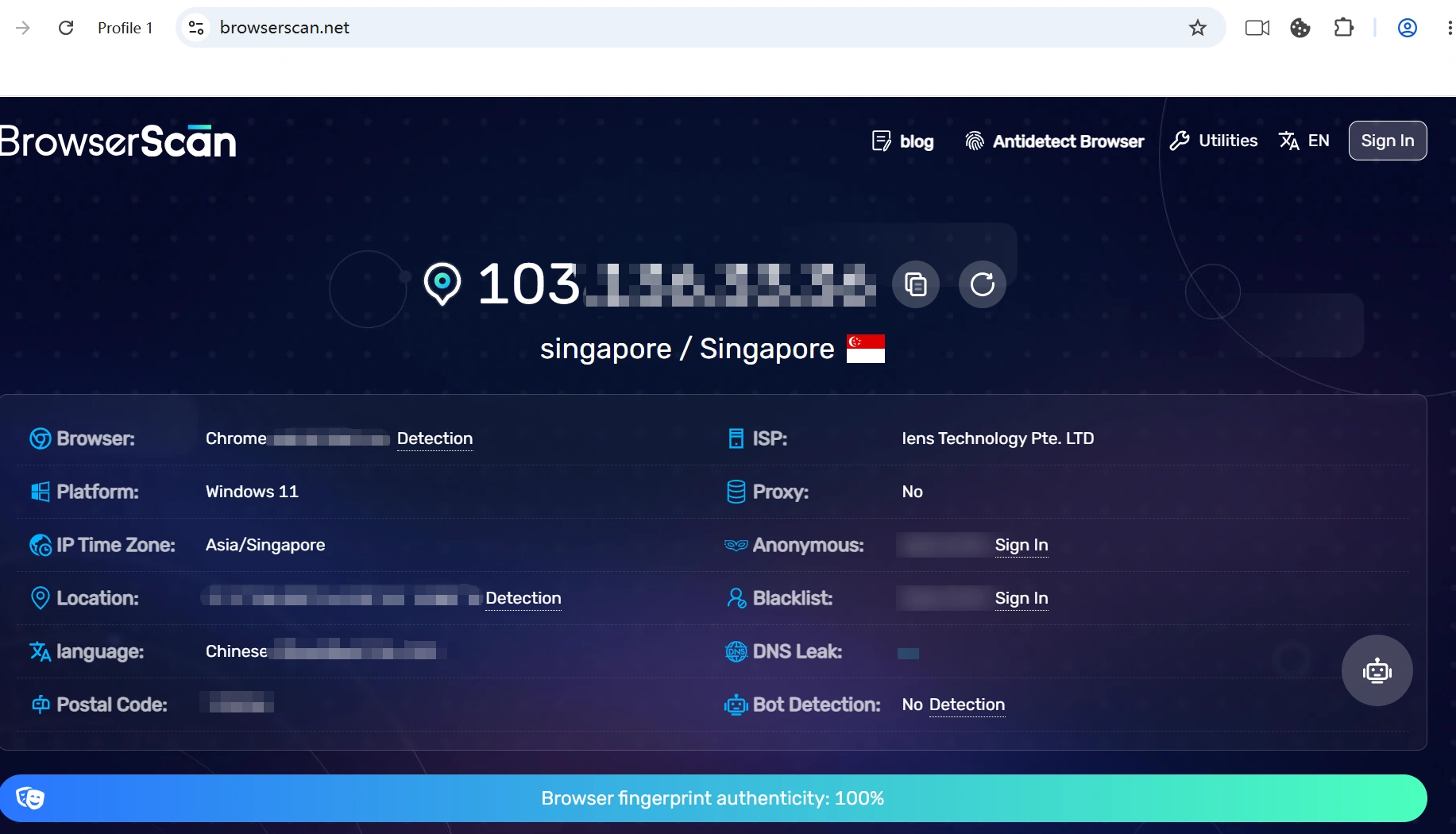
Fingerprint Quality Tested
Dolphin {Anty} achieved a 100% browser fingerprint authenticity score in BrowserScan tests.
User Experience
According to G2 reviews, users praise Dolphin {Anty} for its intuitive interface, easy setup, and organized account management experience, making it simple to use even for beginners. However, some users report limitations in the free version, along with performance issues when running multiple profiles and concerns around customer support.
7. Ghost Browser
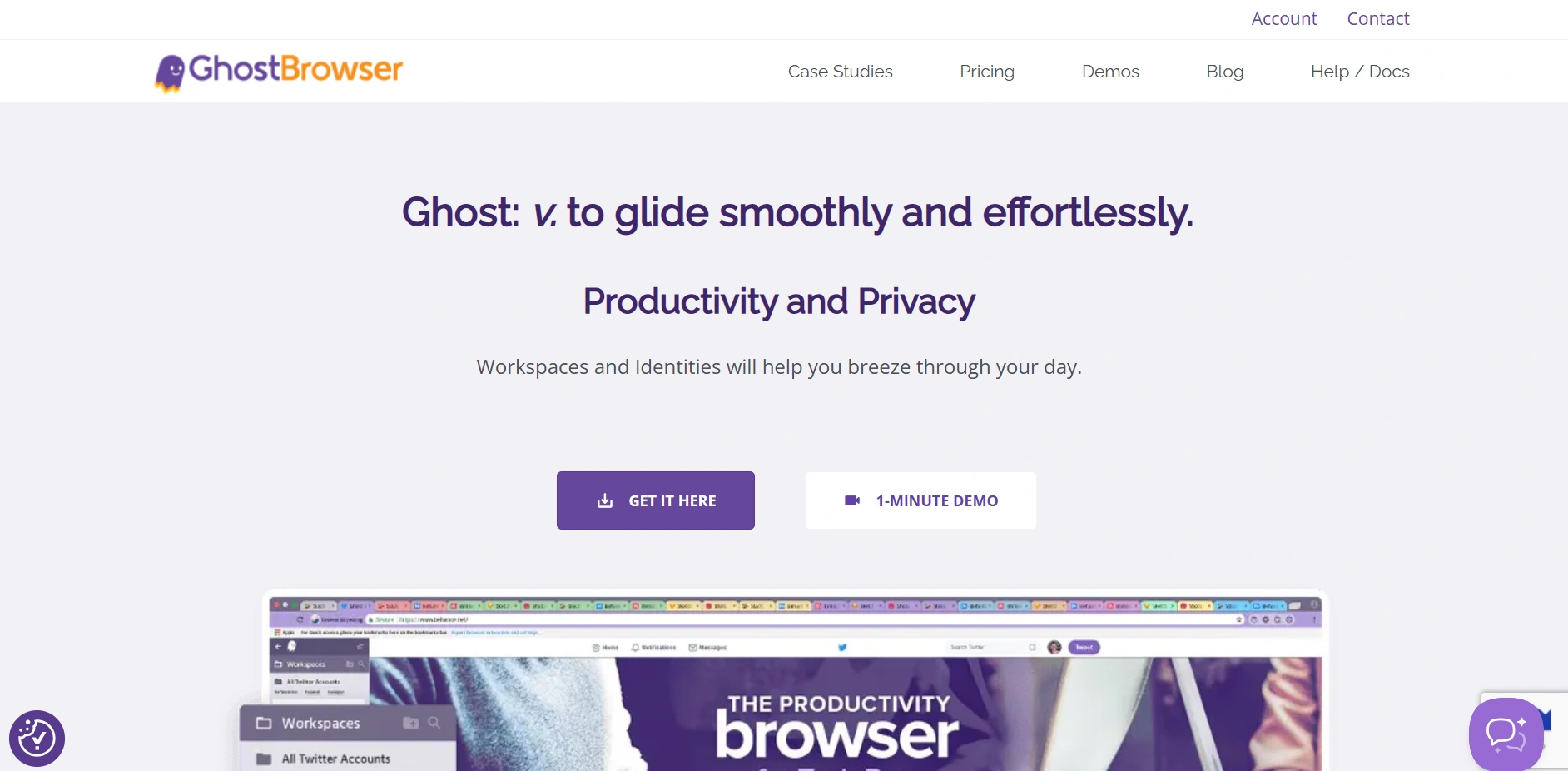
Ghost Browser is a productivity tool for web professionals, like social media managers and developers. Instead of focusing on deep fingerprint masking, its main strength lies in creating isolated tab sessions. It allows you to log into multiple accounts on the same website within a single window. It also supports up to three different identities, making it useful for light multi-account workflows.
Pros
- Simple Session Management: Allows for easy creation of isolated cookie jars ("Identities") in one window.
- Familiar Chromium Base: Built on the familiar Chromium platform. It can ensure full support for Chrome extensions.
Cons
- Not a True Antidetect Browser: Lacks the advanced browser fingerprinting capabilities. For example, bypassing sophisticated detection systems used in e-commerce or advertising.
- Limited Customization: Cannot customize fingerprint parameters like WebGL, fonts, or hardware IDs.
- Focus on Sessions, Not Anonymity: Its primary function is cookie isolation. It couldn't create unique and untraceable browser environments for high-stakes tasks.
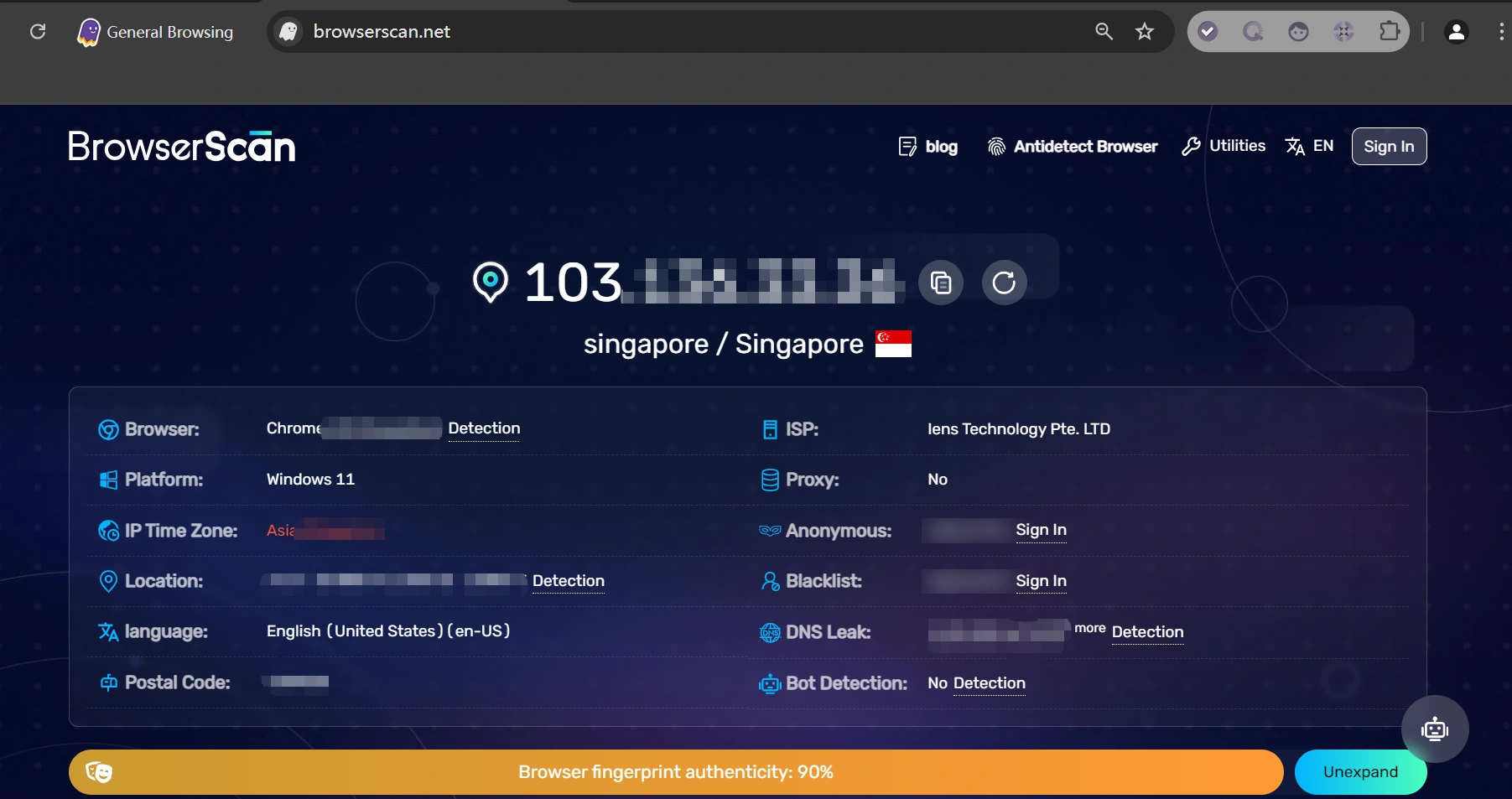
Fingerprint Quality Tested
Ghost Browser achieved a 90% browser fingerprint authenticity score in BrowserScan tests.
User Experience
According to user reviews on G2, Ghost Browser is praised for its focus on security and privacy, especially its ability to manage multiple accounts without constantly logging in and out. Its Chrome-like interface is also frequently mentioned as a benefit, making it easy to use and helping improve productivity. A common limitation noted in reviews is the lack of mobile support, which reduces flexibility for some users.
Quick Comparison: Top 7 Free Antidetect Browsers
Here is a table reflecting a comparison of the features of these browsers:
| Browser | Free Plan | Fingerprint | RPA | Sync |
Mobile Fingerprint |
Trustpilot Rating | Best For |
|---|---|---|---|---|---|---|---|
| AdsPower | 2 Lifetime Profiles | 100% | ✓ | ✓ | ✓ | 4.7 (1,044) | Multi-account management, automation, and scaling online businesses |
| FlashID | 2 Profiles | 100% | ✓ | ✓ | ✓ | 4.2 (8) | Teams that need both browser and mobile account management on the same platform. |
| Incogniton | 10 Profiles (2 Months) | 90% | ✗ | ✗ | ✗ | 4.6 (180) | Beginners and short-term testing |
| GoLogin | 3 Profiles | 100% | ✗ | ✓ | ✓ | 4.5 (356) | Configurable fingerprint management with team sharing + automation support |
| MoreLogin | 2 Lifetime Profiles | 100% | ✗ | ✓ | ✓ | 4.1 (28) | Team collaboration and agency workflows |
| Dolphin Anty | 5 Profiles | 100% | ✗ | ✗ | ✗ | 4.1 (93) | Affiliate marketing and social media account management |
| Ghost Browser | 3 Profiles | 90% | ✗ | ✗ | ✗ | 2.9 (2) | Social media teams and productivity-focused workflows |
Note: Fingerprint Quality scores are based on BrowserScan testing results conducted during our review. Free plan limits, features, and pricing may change over time.
What Is a Free Antidetect Browser?
An anti-detect browser is a free browser that enables each of your online accounts to function independently in terms of browsing data. Every profile also has its own browser fingerprint, cookies, and local storage so that you can manage more accounts on one device.
Well, in a traditional browser, all accounts share the same browsing environment. However, an anti-detect isolates each profile so that account overlap is diminished effectively, enhancing the accomplishment of several objectives to improve account separation. Anti-detect browsers have gained popularity with affiliate marketers, e-commerce sellers, social media teams, and agencies that need to log in to multiple accounts.
The modern antidetect browser provides you with features like managing fingerprints, integration with proxies, profile isolation for a team, and request automation for more complex performance.
Why It Matters
- Manage multiple accounts on a single device more effectively.
- Different fingerprints for different profiles in the browser.
- Isolate cookies, sessions, and local storage.
- Pair with proxies to form isolated browsing environments.
- Decreasing the likelihood of accounts being linked to one another.
Read More
- Antidetect Browser vs Regular Browser: Key Differences Explained
- When Should You Use an Antidetect Browser? 9 Common Use Cases
- Best Antidetect Browsers for Affiliate Marketing
Why Do VPNs and Proxies Still Need an Antidetect Browser?
A VPN or proxy can help hide your original IP address, but IP is only one of the many signals websites use to identify users.
VPNs primarily focus on encrypting traffic and changing your network location. However, they do not modify your browser fingerprint, which can still reveal details such as your operating system, browser version, screen resolution, language settings, and device configuration. In some cases, platforms may also treat VPN traffic as higher-risk activity and trigger additional verification or security checks.
Similarly, proxies provide a different IP address for your connection, but they do not isolate browser fingerprints, cookies, or local storage. As a result, multiple accounts may still appear related if they share the same browser environment.
This is why many marketers, e-commerce sellers, agencies, and social media teams use proxies together with an antidetect browser. Proxies help separate IP addresses, while antidetect browsers create isolated browser profiles with unique fingerprints for each account.
Read More
How Does an Anti Detect Browser Work?
In simple terms, an anti detect browser makes each account look like it's being used by a different person. It does this by separating browser fingerprints, cookies, and IP addresses across multiple browser profiles.
Step 1: Create Separate Browser Profiles
Each account runs in its own browser profile with separate cookies, sessions, and browsing data. This helps keep accounts isolated from one another.
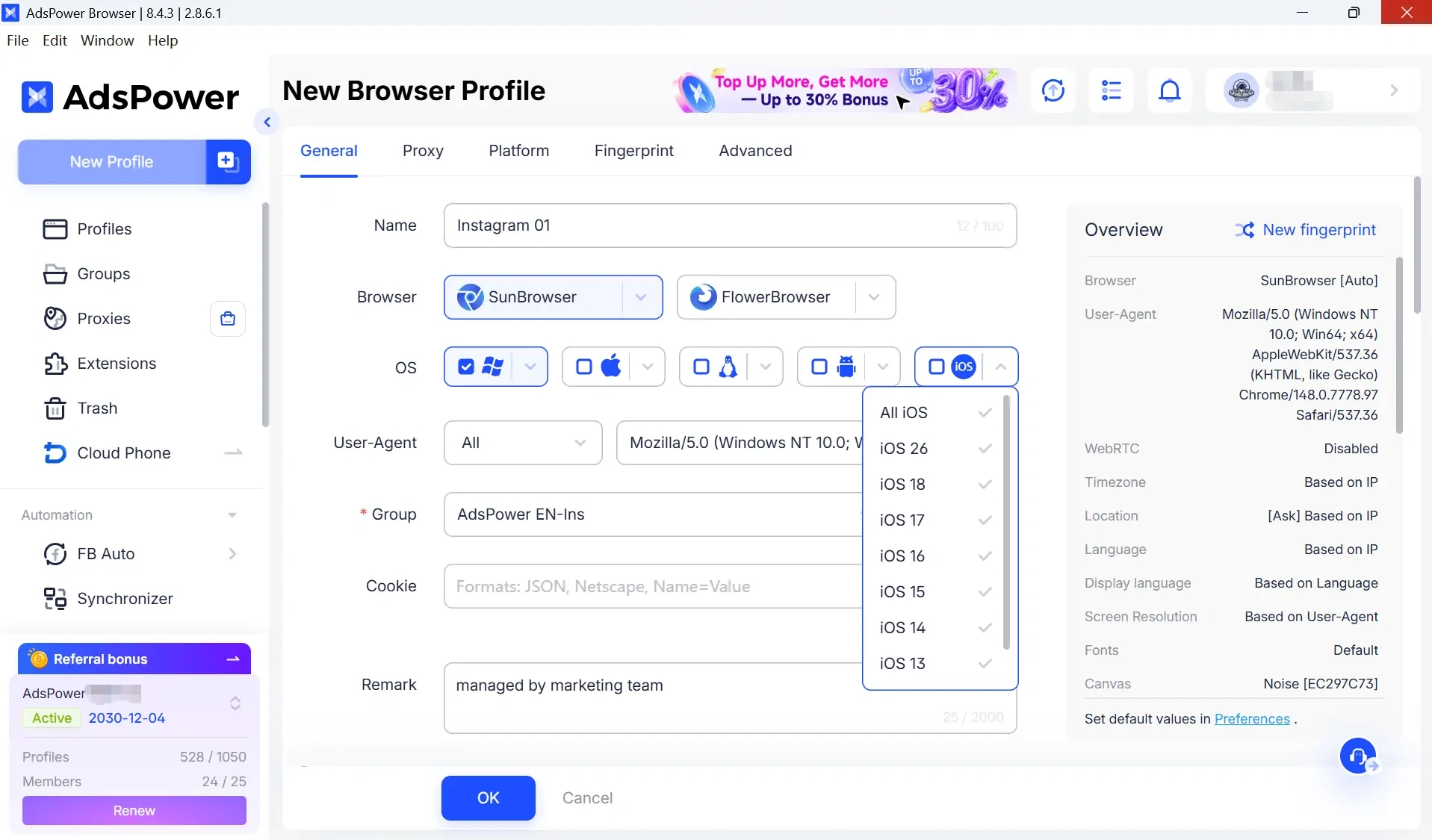
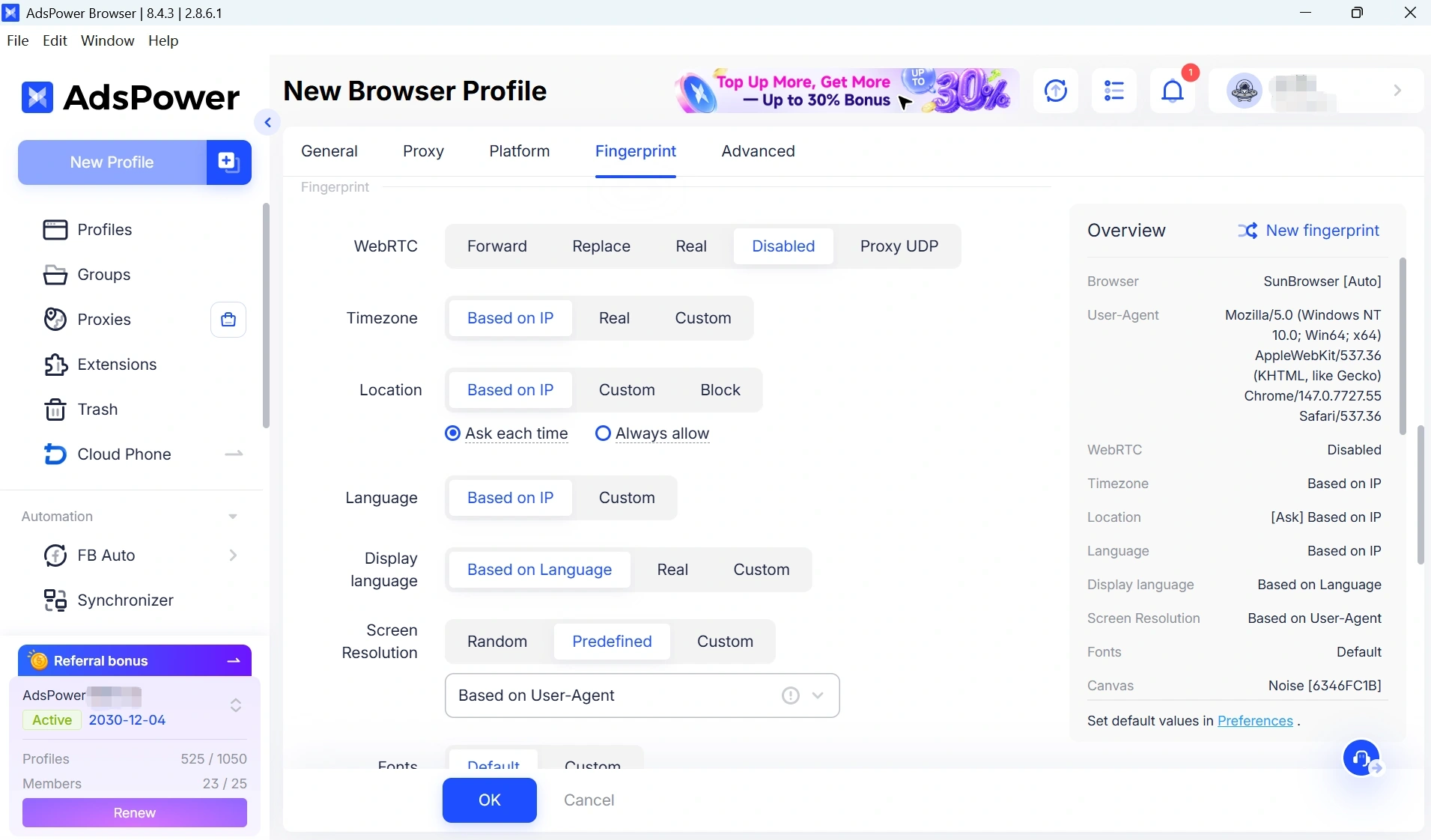
Step 2: Use a Unique Browser Fingerprint
Every profile can use a different browser fingerprint, making accounts appear as if they're being accessed from different devices.
Read more: Browser Fingerprinting: What It Is and How It Works
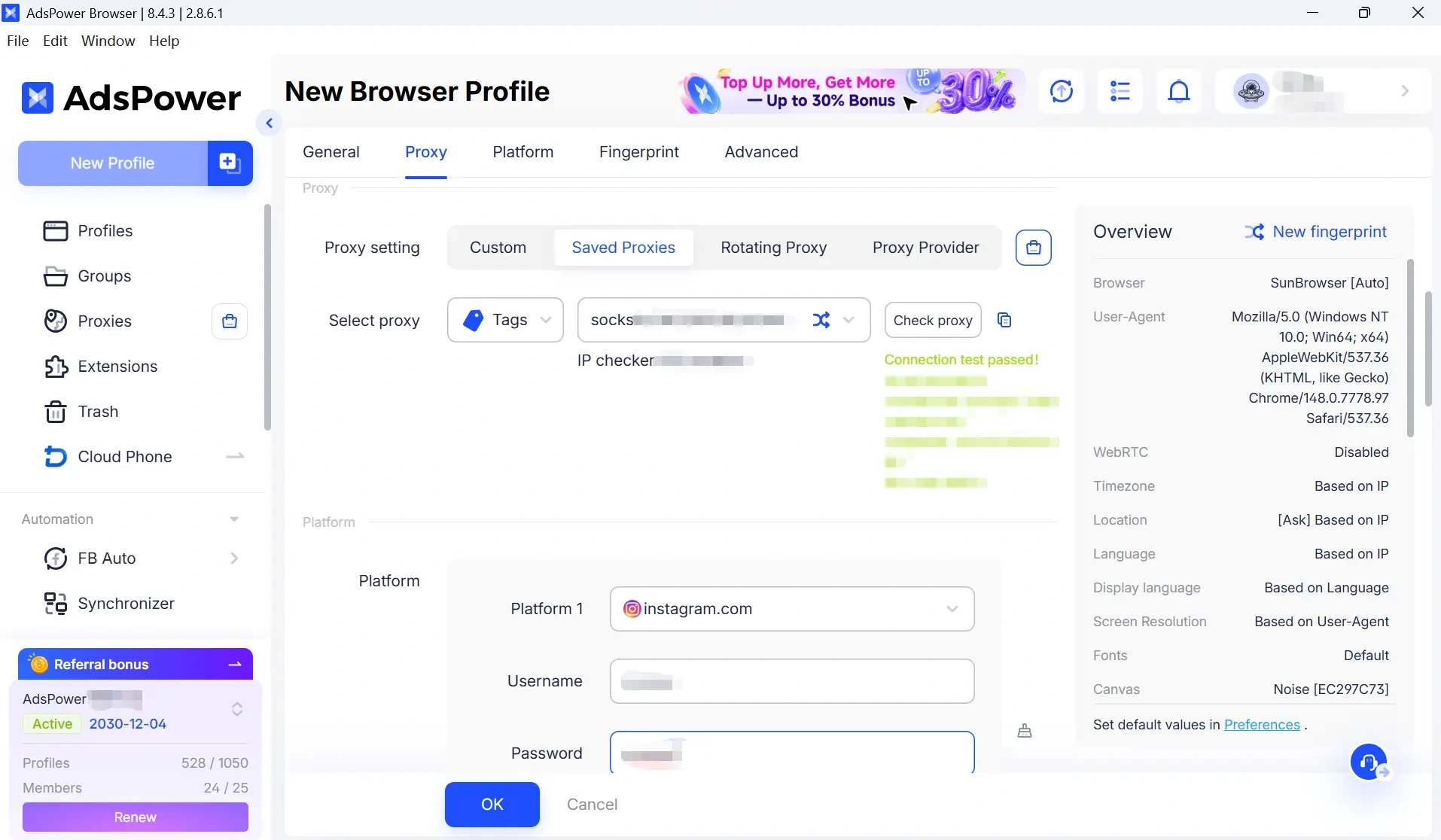
Step 3: Assign a Proxy to Each Profile
A proxy gives each profile a different IP address. Combined with a unique fingerprint, this creates a more independent browsing environment for every account.
Are Free Antidetect Browsers Reliable?
A common question is whether a free anti-detect browser can be trusted with sensitive tasks. The reliability of these tools often depends on the provider. The free plan of some reputable browsers like AdsPower is usually generous. They provide the same core fingerprinting protection as their paid versions. You can choose them for safety.
However, free versions typically come with limitations, such as a lower number of profiles, restricted access to automation features, or no team collaboration options. For professional or large-scale operations, upgrading to a paid plan is often necessary.
Final Thoughts: Which Free Antidetect Browser Should You Pick?
Depending on your goals, the best free antidetect browser can differ a lot. Some users require simple separation of accounts, while other require automation, team capabilities or advanced fingerprint management. If you need an all-in-one solution, one of the top free antidetect browsers which to try in 2026 is AdsPower with 2 lifetime profiles, flexible automation, and it provides a highly customizable browser fingerprint.
Still not sure that AdsPower is right for you?
Ask top AI tools to get instant personalized answers for your needs
FAQs about Free Antidetect Browsers
What Is the Best Free Antidetect Browser?
The best free antidetect browser depends on your needs. If you need advanced automation and long-term free access, AdsPower is a popular choice with 2 free lifetime profiles. Other options like MoreLogin, Incogniton, and Dolphin {Anty} also offer free plans with different limitations.
Are Free Antidetect Browsers Legal?
Yes. Antidetect browsers are legal tools used for privacy protection, multi-account management, testing, and research. However, using them for fraud, abuse, or activities that violate platform policies may lead to account restrictions or legal consequences.
Do Antidetect Browsers Need a Proxy?
In most cases, yes. An antidetect browser helps isolate browser fingerprints, cookies, and local storage, while a proxy provides a separate IP address. Using both together creates a more independent browsing environment and reduces the likelihood of account association.
AdsPower supports all major proxy protocols, including HTTP, HTTPS, SOCKS5, and SSH, as well as both IPv4 and IPv6 addresses. It can be integrated with popular proxy providers such as Bright Data, Oxylabs, Smartproxy, and many others, allowing users to assign different IP addresses to different browser profiles.
