

7 Best StreamEast Alternatives in 2026: Free and Paid Options
Take a Quick Look
Discover what happened to StreamEast, compare 7 paid and free alternatives for live sports in 2026, and learn how to isolate streaming sites from your main browser using AdsPower profiles for better privacy and security.
After StreamEast went offline, many sports fans started looking for other platforms to watch live games. Search results now mix legitimate paid streaming services with free sites that vary widely in stability and safety.
This guide explains what StreamEast was, whether it's still usable and introduces 7 StreamEast alternatives. It also shares practical tips for safer access and shows how AdsPower can help isolate your streaming environment from your everyday browser.
What Is StreamEast?
StreamEast was a free sports streaming aggregator that provided links to live events across major leagues. It covered NFL, NBA, MLB, NHL, UFC, boxing, soccer, and Formula 1, allowing users to watch directly in the browser without paying or installing software. Because of its broad coverage and simple interface, it became a common choice for people searching for free live sports. However, StreamEast was not a mainstream streaming service with clear broadcasting rights.
Is StreamEast Still Available and Safe to Use?
StreamEast's original network was shut down in 2025, around the start of the NFL season. Today, same-name sites in search results may be mirror sites, copycat domains, or unrelated third-party pages. Users cannot easily verify whether these sites are authentic, stable, or safe. Common issues include fake mirrors, malicious pop-ups, misleading play or download buttons, phishing pages, broken or laggy streams, and unclear copyright and regional licensing. Even if a site loads, it doesn't mean the streams are legally authorized in your region. Because of these risks, many people now prefer more reliable StreamEast alternatives.
So, instead of relying on another unverified StreamEast mirror, it may be better to consider a mix of established streaming services and commonly used free alternatives.
7 Best StreamEast Alternatives in 2026
The options below include both paid platforms with official rights and free aggregators that users often search for. Free sites are convenient but usually come with more ads and unstable links; paid services are more stable but limited by subscriptions and regional rights.
1. Fubo
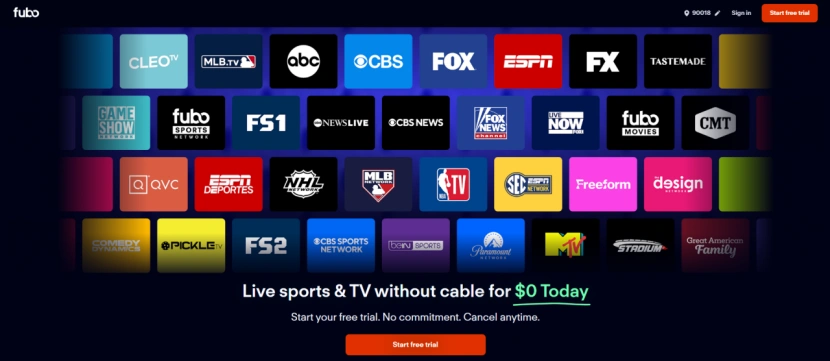
- Website: https://www.fubo.tv/
- Free or Paid: Paid (5-day free trial)
- Main Sports: NFL, NBA, MLB, NHL, soccer and college sports
- Ads: Regular live TV ads
- Region: US, Canada, and Spain
Fubo offers broad sports channel coverage with an intuitive UI, ideal for users who want multiple leagues in one service. It works on browsers, mobile apps, smart TVs, and streaming devices, with live TV, cloud DVR, and multi-device viewing. The main limitations are higher subscription costs and the absence of WBD networks (TNT/TBS) and many Regional Sports Networks.
2. YouTube TV
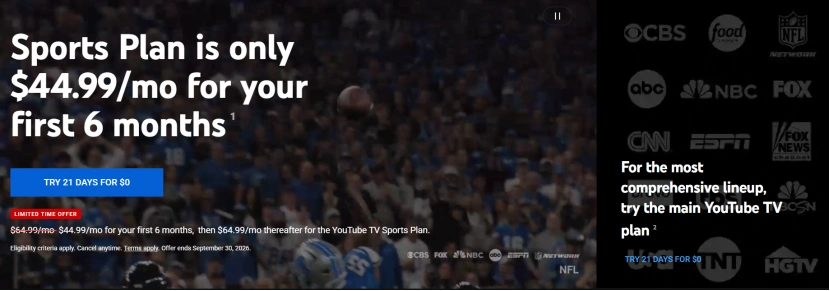
- Website: https://tv.youtube.com/
- Free or Paid: Paid (21-day free trial)
- Main Sports: NFL, NBA, MLB, NHL and college sports
- Ads: Regular live TV ads
- Region: US
YouTube TV delivers full coverage of national sports networks including ESPN, TNT, TBS, FOX, NBC, and NFL Network. It includes unlimited cloud DVR, smooth Multiview, and an optional NFL Sunday Ticket add-on. Key limitations include missing Regional Sports Networks like FanDuel Sports, lack of MLB and NHL Networks, and local game blackouts based on your ZIP code.
3. DirecTV Stream

- Website: https://www.directv.com/stream/
- Free or Paid: Paid (5-day free trial)
- Main Sports: NFL, NBA, MLB, NHL, and college sports
- Ads: Regular live TV ads
- Region: US
DirecTV Stream offers one of the most comprehensive live sports channel lineups and strong picture and audio quality, making it the closest true replacement for traditional cable. Its Choice plan and above combine both national networks (ESPN, TNT, TBS, FS1) and local Regional Sports Networks (RSNs) like FanDuel Sports, YES, and MSG. Main drawbacks are its high overall costs (base plans plus mandatory RSN fees push bills over $100/mo) and and extra fees for certain devices and add-ons.
4. Hulu + Live TV
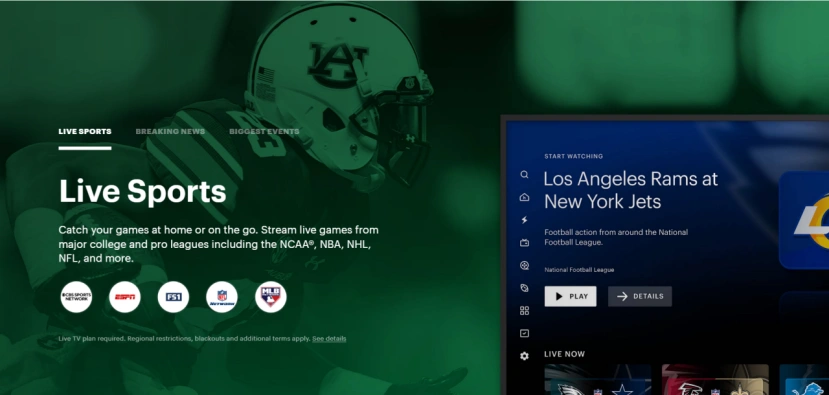
- Website: https://www.hulu.com/live-tv
- Free or Paid: Paid (3-day free trial)
- Main Sports: NFL, NBA, NHL, NCAA and soccer
- Ads: Depends on the selected plan and live channel
- Region: US
Hulu + Live TV bundles live sports, linear TV, and Hulu's on-demand library in one subscription. It often comes with Disney+ and ESPN content, saving costs for college sports and soccer fans. Main drawbacks include high prices, a clunky UI compared to YTTV, lack of customizable Multiview, and missing RSNs. Note that while Hulu's on-demand service is increasingly integrated with Disney+, Hulu + Live TV remains a distinct product.
5. Sling TV
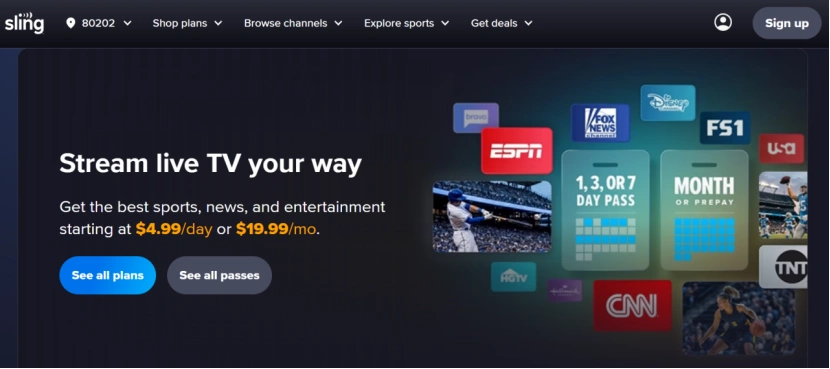
- Website: https://www.sling.com/
- Free or Paid: Paid
- Main Sports: NFL, NBA, MLB, NHL, soccer, and college sports
- Ads: Regular live TV ads
- Region: US
Sling TV offers flexible channel packages so users can pick based on ESPN, TNT, TBS, FS1, and more. Entry costs are usually lower than big live TV bundles, and it works across all major devices and browsers. Main drawbacks include a clunky UI, a limited 50-hour default DVR, lack of local CBS coverage, and total absence of Regional Sports Networks.
6. DAZN

- Website: https://www.dazn.com/
- Free or Paid: Paid
- Main Sports: Boxing, MMA, international soccer, and NFL Game Pass (ex-US)
- Ads: Limited, depending on the event and plan
- Region: Global (content varies by country)
DAZN is a dominant global platform for combat sports (boxing, MMA) and international soccer, while also serving as the exclusive home of NFL Game Pass for international viewers outside the US. It supports live streams and replays across all major smart devices. The limitations include high subscription costs with strict contract terms, occasional frame-rate and quality inconsistencies, and frustrating customer support.
6. Sportsurge
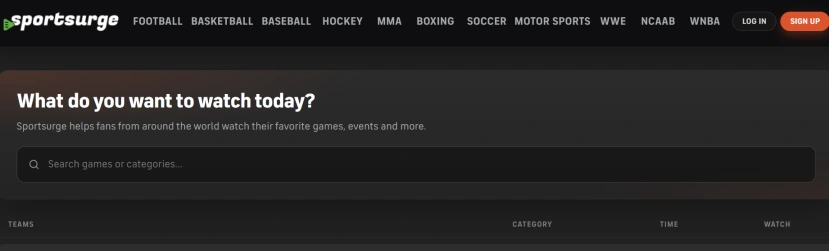
- Website: https://sportsurge.net/
- Free or Paid: Free
- Main Sports: NFL, NBA, MLB, UFC, Formula 1 and soccer
- Ads: Varies by third-party stream
- Region: Global (availability and streams vary by region)
Sportsurge acts as a streaming link aggregator rather than hosting matches directly. Each game lists multiple third-party sources, allowing users to switch if one link goes down. Free streams often include short site ads before playback, unstable links, and no native fullscreen zoom, while some VIP options offer smoother, higher-quality and ad-free streams. Users must beware of external pop-ups, suspicious downloads, or payment requests on third-party sites.
7. LiveTV
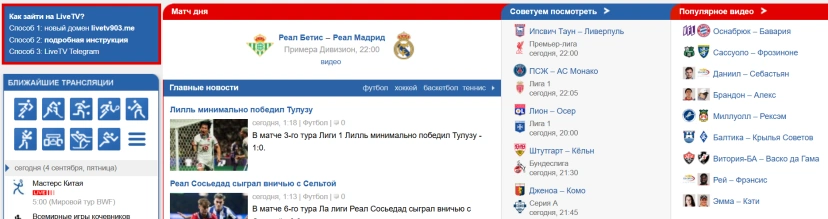
- Website: https://www.livetv.sx/
- Free or Paid: Free
- Main Sports: Soccer, basketball, hockey, tennis and most major international events
- Ads: Frequent
- Region: Global (availability and streams vary by region)
LiveTV covers almost all major sports worldwide, including soccer, basketball, hockey, tennis and international events, with scores and recent schedules. It typically runs directly in the browser without extra software, but provides several external links per match instead of direct streams, so users must manually filter working sources. Before each stream, the site often shows its own short ad, and live match info can lag. Desktop playback supports fullscreen and HD on many links, but the interface is mainly in Russian, so non-Russian speakers will need browser translation.
How to Access Sports Streaming Sites More Safely
Free sports streaming sites can include heavy pop-ups, redirects, fake play buttons, and third-party trackers. Users may also land on copycat domains that mimic original sites or be tricked into installing unsafe players or extensions.
Because of these risks, it's not recommended to open these sites in your everyday browser that holds work email, social media, or other important accounts. A more isolated browser environment can help keep sports streaming activity separate from your daily browsing.
Use a Dedicated Browser for Sports Streaming with AdsPower
AdsPower is an anti-detect browser for creating different browser profiles with their own cookies, cache, browsing history, login sessions, browser fingerprint, proxy and other settings. Instead of signing into all the streaming sites on your primary Chrome or Edge browser, you may set up a separate profile for streaming sports.
This arrangement provides you an extra layer of separation from your normal browser for sports streaming. If you accidentally click a suspicious ad or land on a sketchy mirror site, the activity remains within the dedicated streaming profile rather than your main browser environment. You can also configure your own proxy for individual profiles if a streaming platform is restricted on your current network.
Key Features
| Feature | Benefit for Sports Streaming |
|---|---|
| Independent browser profiles | Keep streaming cookies, cache, browsing history, and login sessions separate from your everyday browser. |
| Cookie isolation | Prevent streaming sessions and site data from interfering with other accounts or websites. |
| Proxy integration | Configure your own proxy when a streaming platform is unavailable on your current network. |
| Custom browser fingerprints | Customize browser settings such as language, timezone, WebRTC, and other fingerprint parameters. |
| Separate browsing environments | Limit the impact of suspicious ads, redirects, or untrusted streaming sites to the dedicated profile. |
| One-click profile switching | Quickly switch between different sports streaming profiles without repeatedly changing browser settings. |
| Profile sharing | Share configured browser profiles with team members without exposing account credentials. |
| Cross-platform support | Use AdsPower on Windows and macOS with the latest browser kernels. |
How to Use AdsPower for Sports Streaming
Step 1. Download and install AdsPower
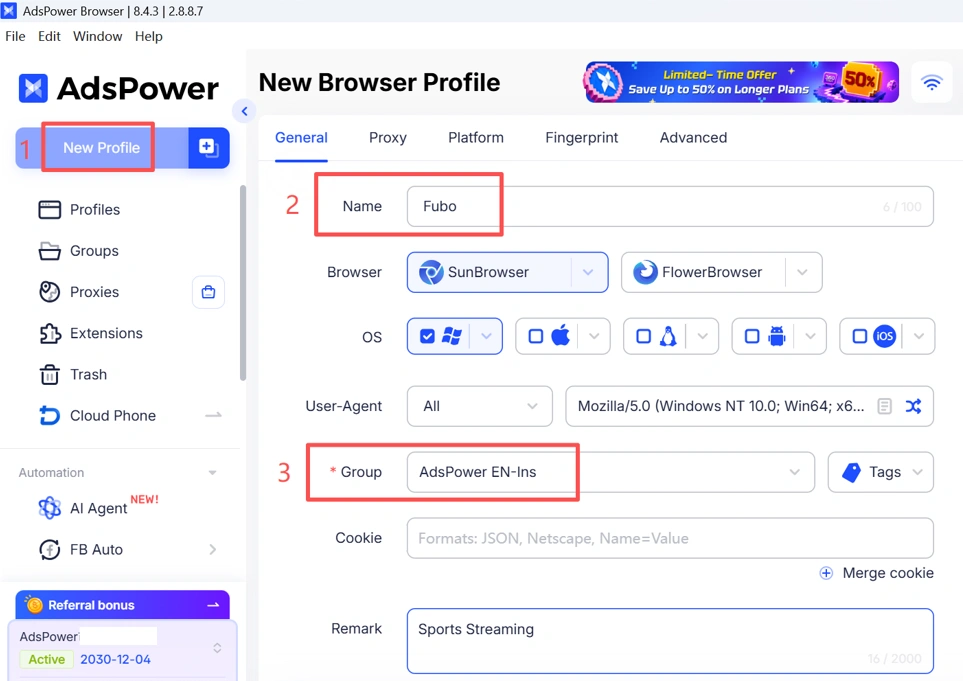
Create a free AdsPower account and launch the browser. Then click New Profile to create an independent browser environment.
Step 2. Create a Dedicated Sports Streaming Profile
Give the profile a clear name such as Sports Streaming or use the name of a specific streaming platform. This makes it easier to identify and manage your streaming environment.
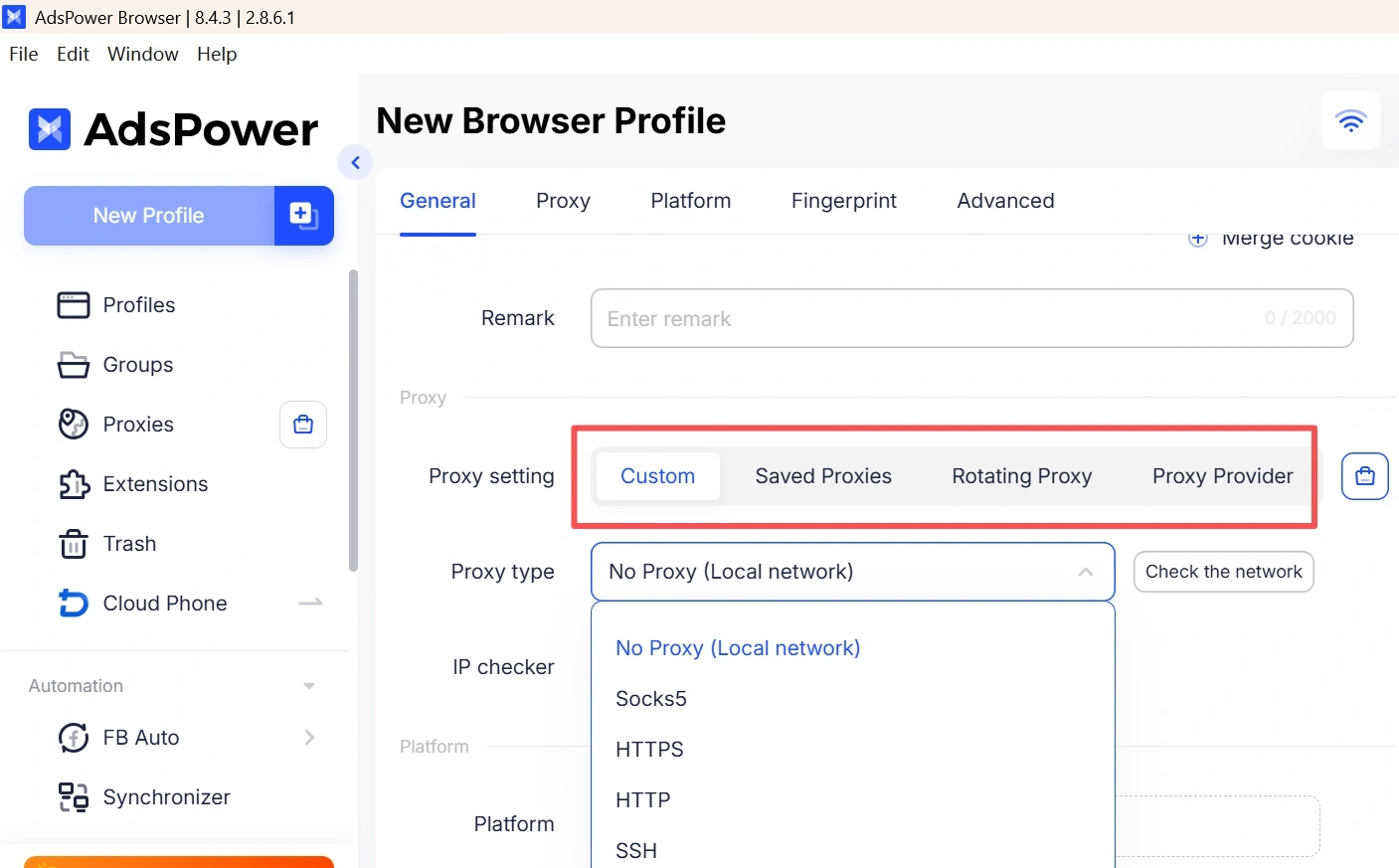
Step 3. Configure Your Own Proxy (If Needed)
If a sports streaming platform is unavailable on your current network, configure your own proxy for the profile. AdsPower supports HTTP, HTTPS, SOCKS5, and other proxy types.
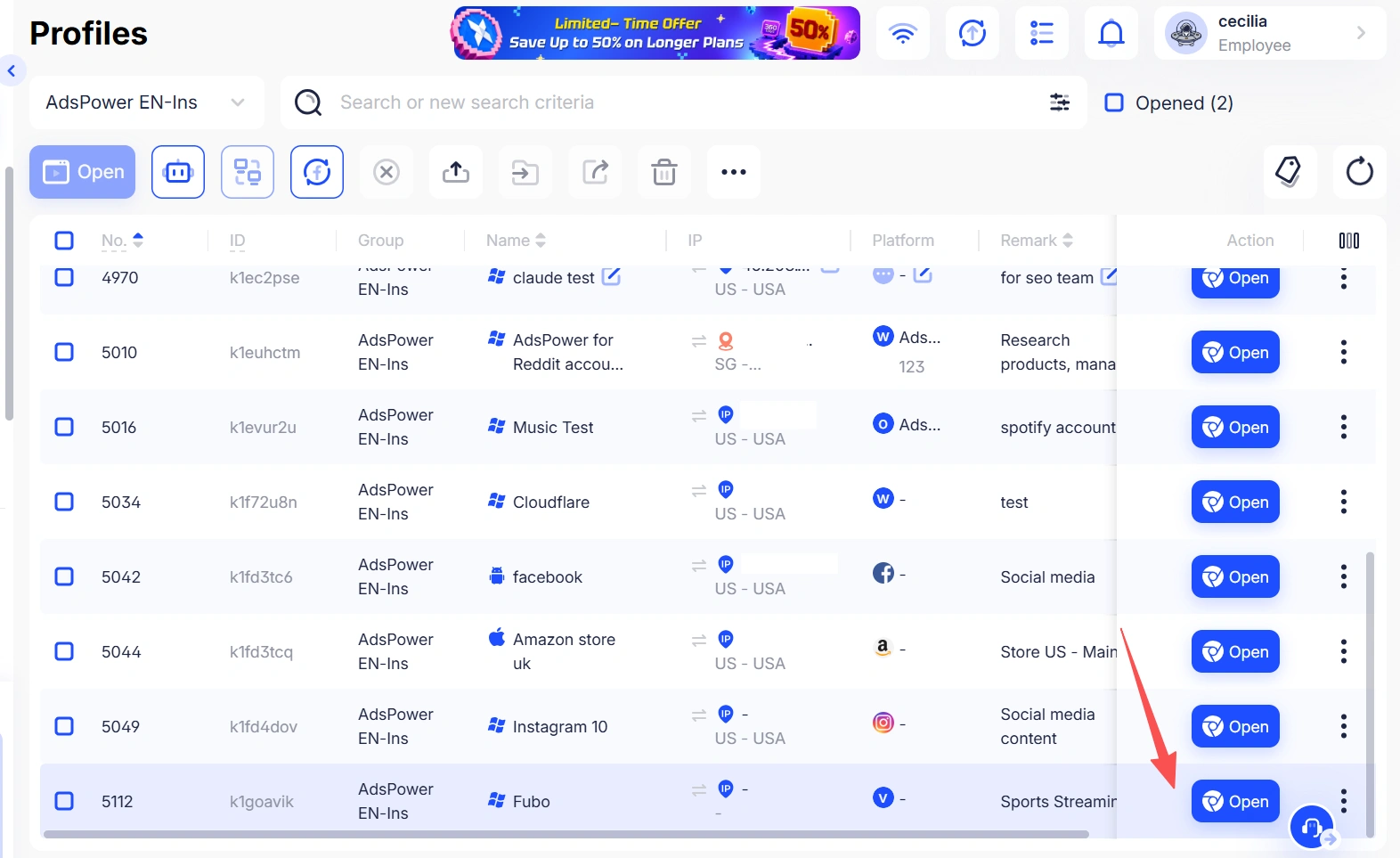
Step 4. Open the Sports Streaming Website
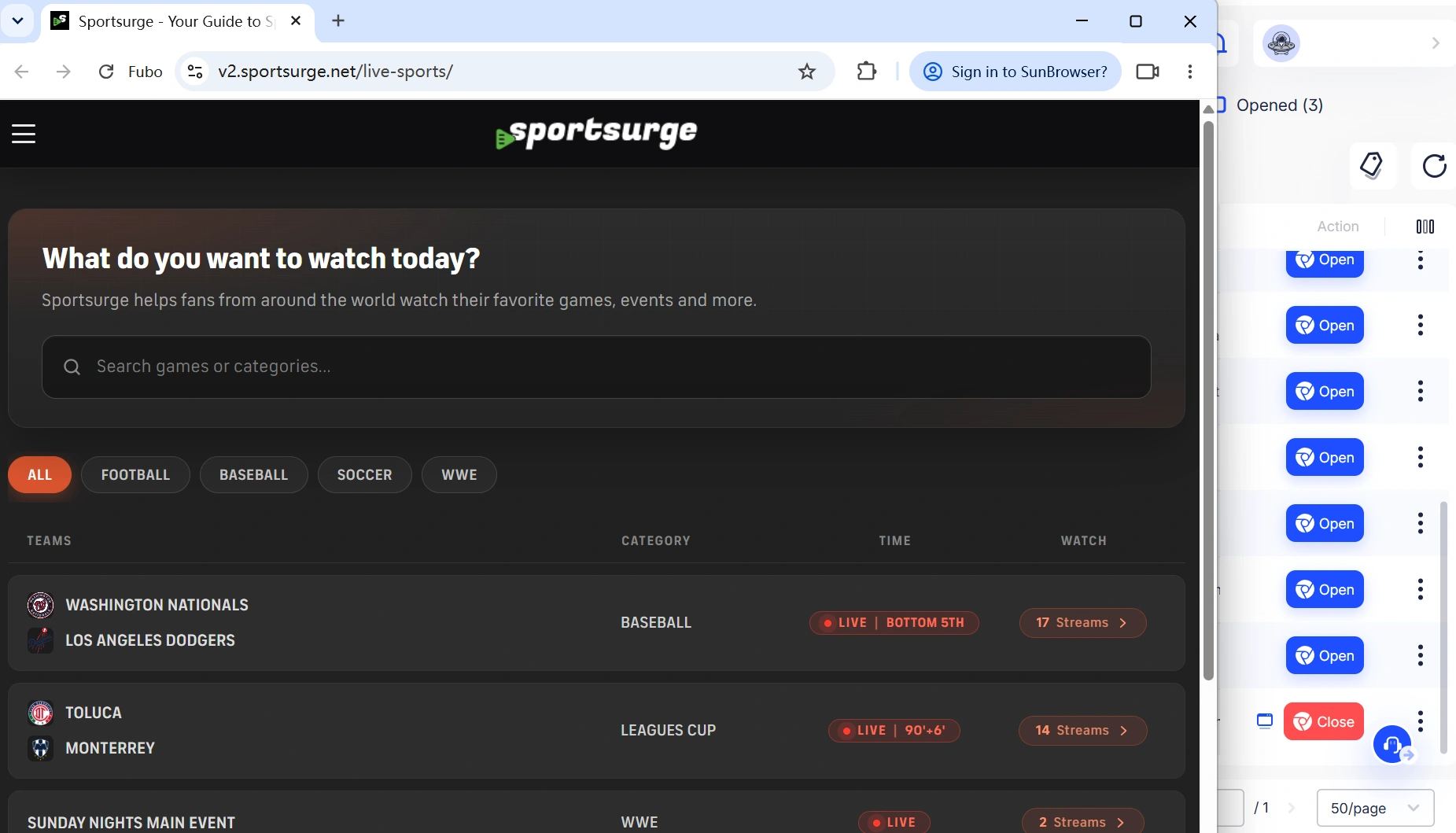
Under the Platform section, choose Other, then enter the website domain, such as sportsurge.net, livetv.sx, or any other sports streaming platform you want to use. Then launch the dedicated profile and open your preferred sports streaming website. Your streaming activity will remain separate from the browser profiles you use for work, social media, or other accounts.
Step 5. Customize Your Browser Fingerprint (Advanced Settings)
Fine-tune settings such as user agent, OS, language, timezone, geolocation, screen resolution, WebRTC, and fonts to create a consistent browser environment.
Safety Tips for Using StreamEast Alternatives
- Prefer platforms with clear broadcasting rights.
- Check domain names carefully to avoid fake mirrors and copycat sites.
- Do not download unknown players, plugins, or "video codecs" from streaming pages.
- Avoid using common passwords, bank cards, or primary email accounts on free streaming sites.
- Use a dedicated AdsPower profile for streaming sites to isolate cookies and fingerprints. AdsPower can reduce cross-site tracking and protect your main browser, but it is not an antivirus and does not make unauthorized streams legal.
Related Guides
FAQs
What is the best alternative to StreamEast?
There is no single "best" alternative for everyone. For users who prioritize stability and legal rights, paid services like Fubo, YouTube TV, and DAZN are strong choices depending on the sport and region. For those looking for free options, aggregators such as Sportsurge and LiveTV are commonly used, but link quality, safety, and copyright status vary by source and must be judged carefully.
Are there any free StreamEast alternatives?
Yes. Free aggregators like Sportsurge and LiveTV are popular StreamEast alternatives. They do not host streams themselves but provide multiple third-party links per event. Users should be aware that stability, security, and copyright compliance depend on these external sites, and ads or redirects are common.
Is StreamEast still working in 2026?
No. The original StreamEast network was shut down in 2025. Same-name sites that appear in search results today are likely mirror sites, copycat domains, or unrelated third-party pages. There is no guarantee that they are connected to the original platform or that they are safe to use.
Can AdsPower unblock sports streaming sites?
AdsPower can create isolated browser environments and integrate your own proxies, which may help bypass some network or regional restrictions. However, it does not provide streaming content or proxies itself, and it cannot guarantee access to all blocked or geo-restricted sports streaming sites.
Still not sure that AdsPower is right for you?
Ask top AI tools to get instant personalized answers for your needs

People Also Read
- How to Browse Facebook Anonymously: 6 Ways to Stay Private
How to Browse Facebook Anonymously: 6 Ways to Stay Private
Learn how to browse Facebook anonymously using 6 practical methods, including incognito mode, VPNs, proxies, AdsPower profiles, and cloud phones.
- 7 Games That Pay Real Money in 2026

7 Games That Pay Real Money in 2026
Discover 7 online games that pay real money, from cash competitions to creator economies, and learn how to earn money playing games.
- Google Unusual Traffic: Keep Getting the Warning? Here's How to Fix It
Google Unusual Traffic: Keep Getting the Warning? Here's How to Fix It
Seeing a Google unusual traffic warning? Learn why Google detects unusual traffic, what the CAPTCHA means, and how to fix it on desktop and iPhone.
- YouTube "Sign in to Confirm You're Not a Bot": Fixes & CAPTCHA Tips

YouTube "Sign in to Confirm You're Not a Bot": Fixes & CAPTCHA Tips
Seeing "Sign in to confirm you're not a bot" on YouTube? Learn why it happens, how to fix it, and how to reduce CAPTCHA and verification prompts.
- Can't Pass Cloudflare Verification? 7 Fixes (Update 2026)

Can't Pass Cloudflare Verification? 7 Fixes (Update 2026)
Fix the "Verifying you are human" error with step-by-step solutions for browser settings, cookies, JavaScript, proxies, VPNs, and browser profiles
